
This page is not an official page of the app or its developer, but an independent editorial publication created for informational and commentary purposes. Unless expressly stated otherwise, neither the app nor its developer is affiliated with, endorsed by, sponsored by, authorized by, or otherwise officially connected with MWM, Apple, Google Play, the app publisher, or the app's developer, and nothing on this page implies that the app was developed using MWM's services. Any trademarks, logos, screenshots, and other content remain the property of their respective owners.


SimpliSafe Home Security App
Secure your home on your terms with remote arming, instant notifications, and live video streaming. Join over 3 million users who trust SimpliSafe for contract-free, DIY protection that fits your lifestyle.
Downloads
3M+User Rating
Total Ratings
328K+Publisher
Category
LifestyleLocales
1Latest Version
2300.66.0Size
288.6 MBFirst Released
Sep 14, 2012Total Home Control at Your Fingertips
SimpliSafe combines professional-grade protection with the freedom of a DIY setup. Manage your security, view live video, and get peace of mind without the long-term contracts.
Remote Arming and Disarming
Never worry about a forgotten alarm again. Secure your home or let in a guest from anywhere in the world with a single tap on your iPhone or Apple Watch.
Instant Alerts and Activity Timeline
Stay connected to your home's pulse. Receive real-time notifications and track every event—from kids arriving home to package deliveries—in a detailed history.
Frequently Asked Questions
Everything you need to know about SimpliSafe Home Security App
Can I control my SimpliSafe security system remotely using the app?
Yes, the SimpliSafe Home Security App allows users to control their SimpliSafe security system from anywhere. You can arm and disarm the system remotely.
How do I arm and disarm my SimpliSafe security system using the app?
Yes, the SimpliSafe Home Security App provides options to arm or disarm your security system. Users can switch between 'off', 'home', and 'away' modes directly from the app's home screen.
Does the SimpliSafe Home Security App support live video streaming from security cameras?
Yes, the SimpliSafe Home Security App enables live video streaming. If you have SimpliSafe cameras, you can watch and capture live video feeds directly from the app.
What kind of notifications and event tracking does the SimpliSafe app offer?
The SimpliSafe Home Security App provides instant notifications and an up-to-the-minute timeline of events. It shows details like motion detection and system armed/disarmed statuses.
Can I manage or cancel an alarm directly through the SimpliSafe Home Security App?
Yes, the SimpliSafe Home Security App allows users to manage alarms. You can cancel alarms or send police directly from the app interface during an alarm event.
The following screenshots and description are sourced directly from the app's official store listing and are the property of the app developer.
App Store
Screenshots
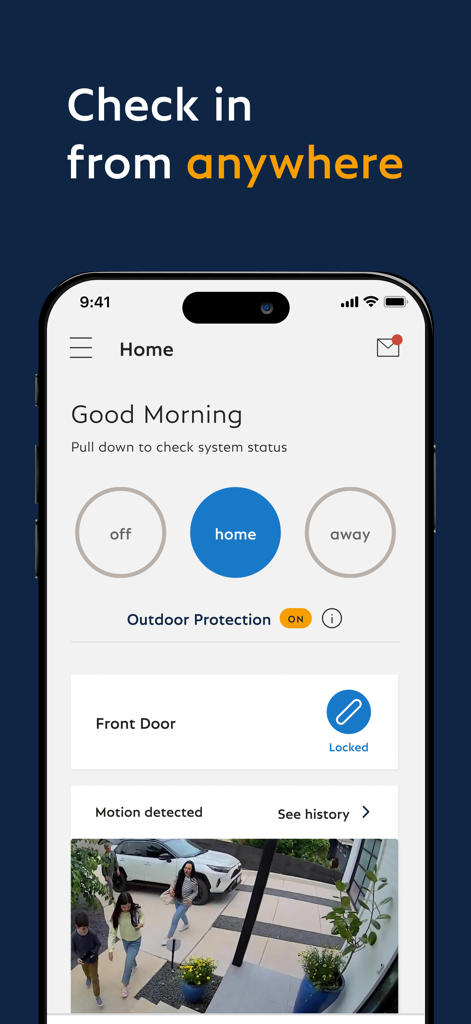
SimpliSafe mobile app home screen showing system status controls and a live security camera feed
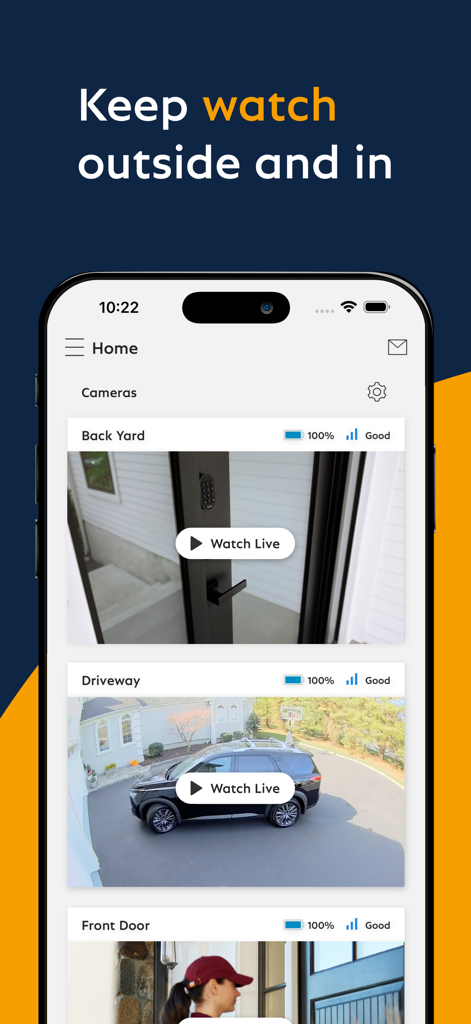
SimpliSafe mobile app interface showing live camera views for backyard and driveway security monitoring
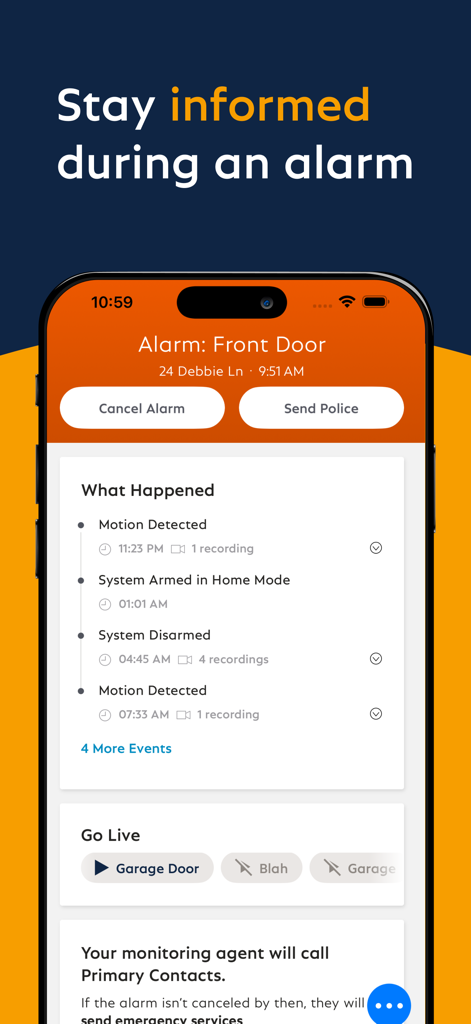
SimpliSafe app showing a front door alarm alert and activity timeline on an iPhone.
Description
Download
More Like This
Apps with similar features and user experience

DMSS
Hangzhou Dong Bin Information Technology Co., Ltd.

Joolink
Shenzhen Jooan Technology Company

VicoHome: Smart Home Camera
PHOTON SAIL TECHNOLOGIES PTE. LTD.

Ubox
洪波 王

Active Mobile V4
JFL Equipamentos Eletronicos Industria e Comercio Ltda.

Mycam
彬 舒

Dzees Home
Shenzhen Weixi Technology Co., Ltd

Ring - Always Home
Bot Home Automation, INC

Hik-Connect - for End user
Hangzhou Hikvision Digital Technology Co., Ltd.
This page is not an official page of the app or its developer, but an independent editorial publication created for informational and commentary purposes. Unless expressly stated otherwise, neither the app nor its developer is affiliated with, endorsed by, sponsored by, authorized by, or otherwise officially connected with MWM, Apple, Google Play, the app publisher, or the app's developer, and nothing on this page implies that the app was developed using MWM's services. Any trademarks, logos, screenshots, and other content remain the property of their respective owners.