Alarum
Alarum
Download on App Store

This page is not an official page of the app or its developer, but an independent editorial publication created for informational and commentary purposes. Unless expressly stated otherwise, neither the app nor its developer is affiliated with, endorsed by, sponsored by, authorized by, or otherwise officially connected with MWM, Apple, Google Play, the app publisher, or the app's developer, and nothing on this page implies that the app was developed using MWM's services. Any trademarks, logos, screenshots, and other content remain the property of their respective owners.

Logo of Alarum
Download on App Store

Alarum

No ads, no tracking, and no bloat. Experience a gentle wake-up with a card-based interface, US holiday skipping, and total privacy. Buy it once, own it forever.

Key Figures

Downloads

0

User Rating

1.0/5

Total Ratings

0

Publisher

Squirrel FX LLC

Category

Health & Fitness

Locales

1

Latest Version

20250918.1

Size

63.8 MB

First Released

Apr 29, 2021
Features

Master Your Morning without the Noise

Alarum is a premium, subscription-free utility designed for those who demand privacy, simplicity, and a gentler way to start the day.

Total Privacy, Zero Subscriptions

Pay once and own it forever. No tracking, no data collection, and absolutely no annoying ads or monthly fees.

Intuitive Swipe-to-Undo

The card-based interface lets you easily queue alarms or snoozes. If you swipe by mistake, a simple reverse swipe brings it back.

The following screenshots and description are sourced directly from the app's official store listing and are the property of the app developer.

App Store

Screenshots
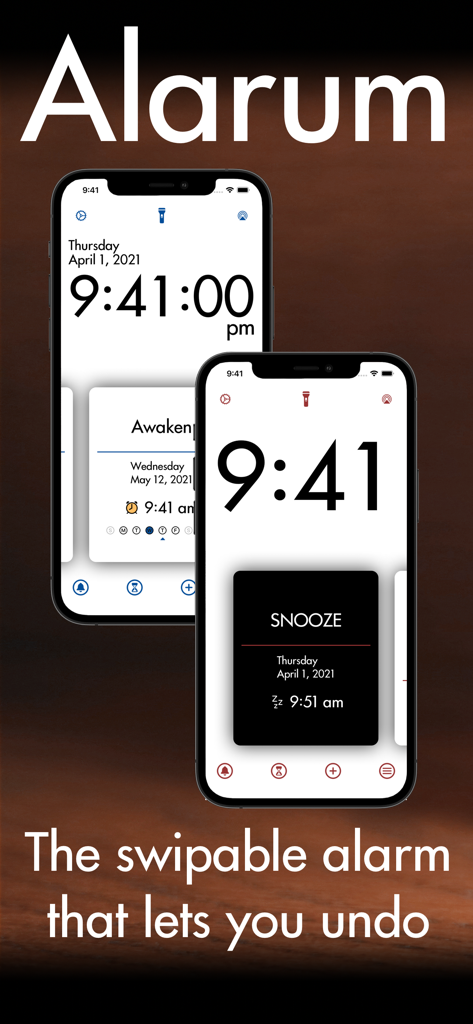
Alarum - Alarum app displayed on two iPhones showcasing its minimalist clock interface and swipable snooze cards.
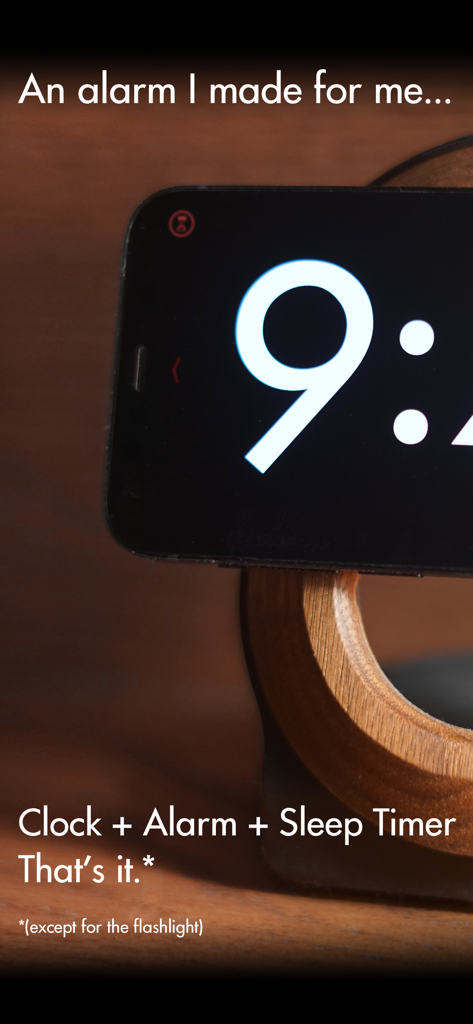
Alarum app displayed on two iPhones showcasing its minimalist clock interface and swipable snooze cards.

Alarum - Alarum app showing a minimalist bedside clock interface on an iPhone in landscape mode
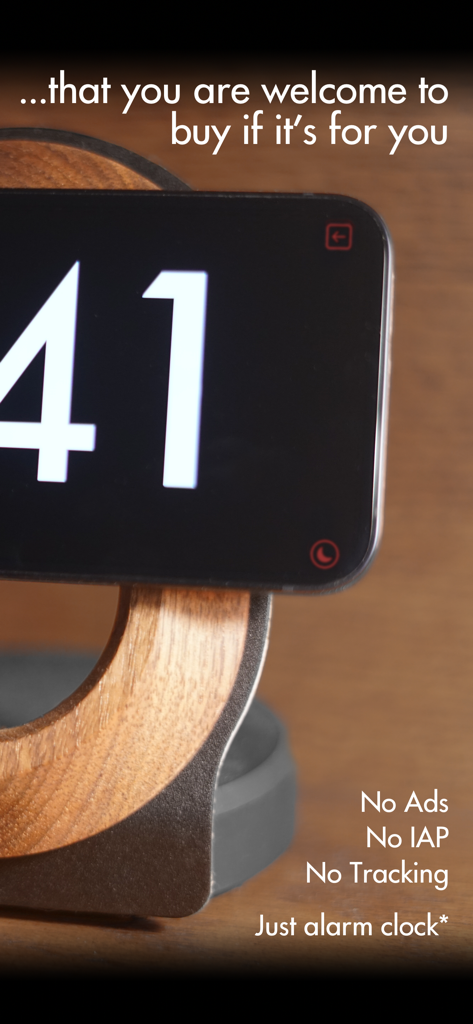
Alarum app showing a minimalist bedside clock interface on an iPhone in landscape mode

Alarum - Minimalist Alarum bedside clock interface in landscape mode with high contrast display and privacy features.
Minimalist Alarum bedside clock interface in landscape mode with high contrast display and privacy features.

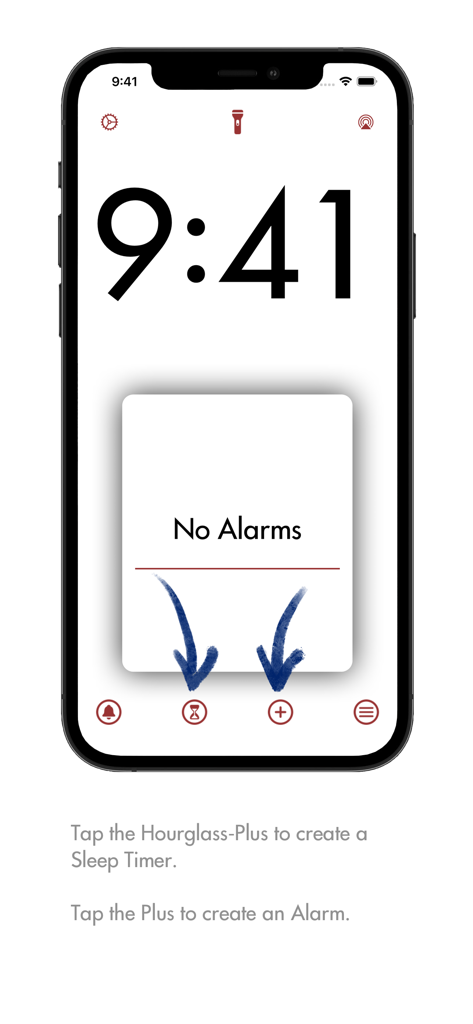
Alarum - Minimalist home screen of the Alarum app showing a blank alarm card and creation buttons
Minimalist home screen of the Alarum app showing a blank alarm card and creation buttons

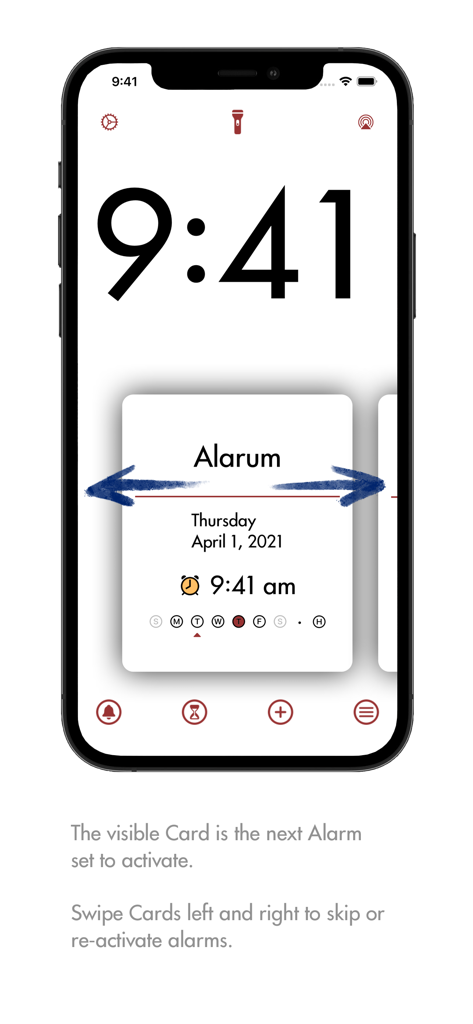
Alarum - Alarum app showing a minimalist card interface with blue arrows indicating swipe gestures to skip or reactivate alarms.
Alarum app showing a minimalist card interface with blue arrows indicating swipe gestures to skip or reactivate alarms.

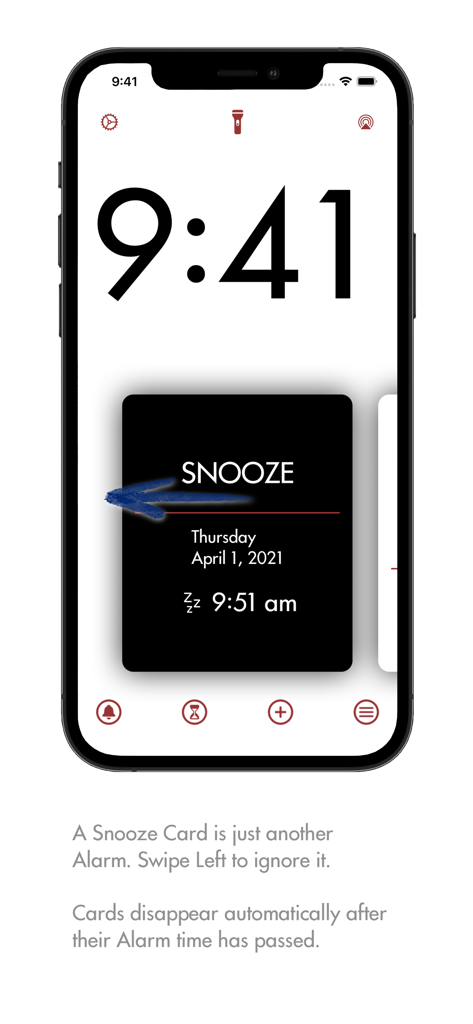
Alarum - Minimalist Alarum app screen showing a black snooze alarm card with a swipe left gesture indicator

Minimalist Alarum app screen showing a black snooze alarm card with a swipe left gesture indicator
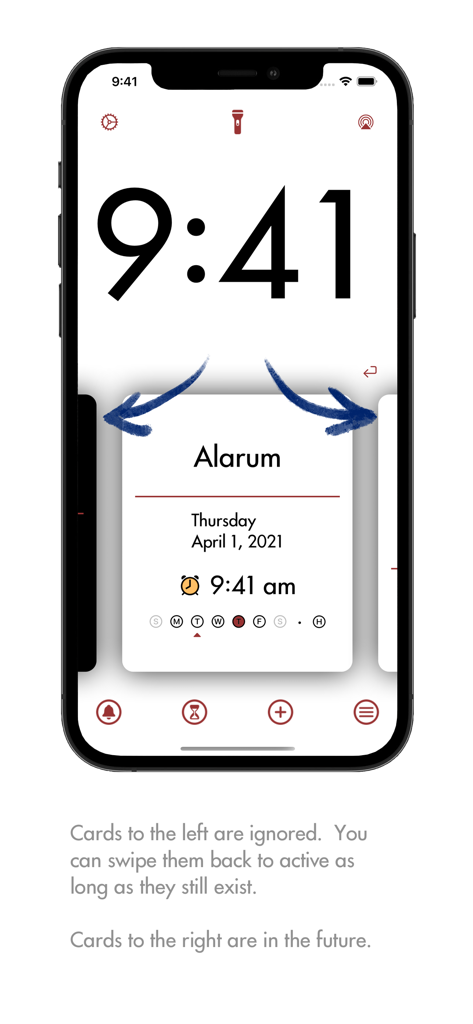
Alarum - Alarum app interface showing the card-based alarm management system with swipe gestures to enable or disable alarms.
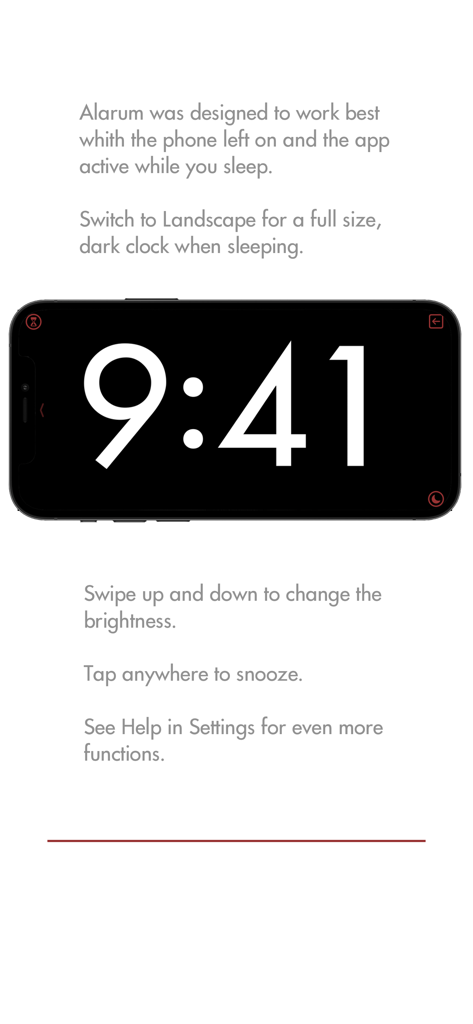
Alarum app interface showing the card-based alarm management system with swipe gestures to enable or disable alarms.

Alarum - Alarum app in landscape mode showing a large minimalist digital clock on a black background with snooze and brightness instructions
Alarum app in landscape mode showing a large minimalist digital clock on a black background with snooze and brightness instructions

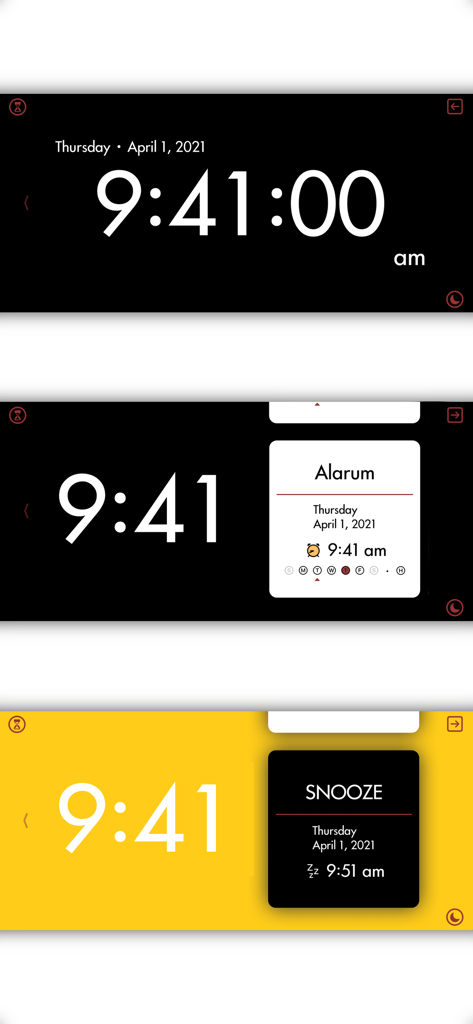
Alarum - Landscape interface of the Alarum app showing a minimalist digital clock with alarm and snooze cards
Landscape interface of the Alarum app showing a minimalist digital clock with alarm and snooze cards

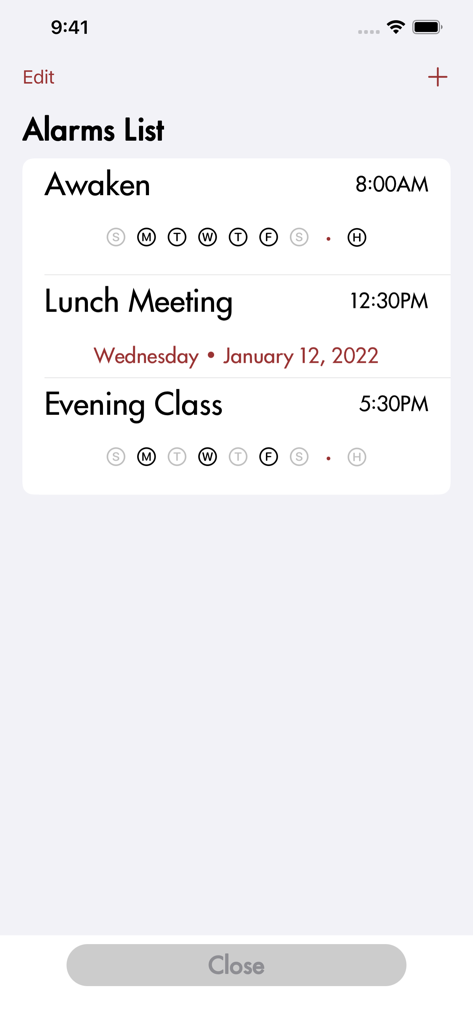
Alarum - A minimalist list of scheduled alarms in the Alarum app interface.

A minimalist list of scheduled alarms in the Alarum app interface.

Description

Alarum is an ad free, tracking free, no subscription or in app purchases, easy to read alarm clock with a card like interface that lets you swipe to Undo. I made it for me. Buy it if you want to use it. Swipe left to queue up the next alarm but then swipe right to return to queuing up the previous one. As long as an alarm’s time hasn’t passed it can be enabled or disabled repeatedly with a swipe. The same goes for snoozes which are just more alarms you can swipe on or off. Swipe to ignore a snooze and queue up the next alarm. Want to go back to the snoozing? Just swipe it back on. In addition to what you would normally expect from an alarm clock app, I’ve focused on its core purpose and tried to limit any extra features. So it has… …Alarms: • Create one-time or repeating alarms for chosen days of the week • Have repeating alarms skip holidays of your choice (US Centric) • Tap anywhere on the screen to snooze • Snooze lasts however many minutes you set • Alarm sounds fade up over however many seconds you’d like Choose an alarm sound from 16 environment sound effects loops or let it play a random one from a subset of your preferred alarm sounds Alternatively choose from any of the built in iPhone ringtones, including the Classic original ringtones, or from four flavors of signal noise Have the screen and the camera flash brighten over time when the alarm triggers poorly imitating sunrise …Sleep Timers: • Quickly set a Sleep Timer using the previous settings •Just like Alarms, you can choose from 16 environment sound effects loops with the option to play a random environment, one of four flavors of signal noise, or even one of the built in iPhone ringtones (no really recommended) Option to have the sound fade out slowly from the mid-point of the countdown to the end Disable a Sleep Timer by swiping it away or swipe it back on to continue …Clock: • Customize the clock from as little as hour and minute to include your choice of Seconds, AMPM, Weekday, Month and date, or Year • Rotate to landscape for a fill screen, bedside clock • Bedside clock defaults to white on black and is dimmable with a swipe to minimize disturbing you while asleep • Double tap the clock to brighten it halfway for a quick check of the time in the dark • Triple tap the clock or the cards to hear them spoken to you …Other: • Quick access to the flash as a midnight flashlight that automatically turns off when rotated to landscape • A unique, simple yet easily readable font • Choose from 6 color themes I might add features in the future. If I do you will get them, but for now it doesn’t have… …Fancy extras (sorry): • No fancy pictures • No weather, traffic or news • No sleep tracking • No sleep reminders • No calendar integration • No games or puzzles for you to solve to turn it off • No Apple Music access (maybe later) …Methods of making more money off of you (not sorry): • No ads • No In App Purchases (IAP) • No ongoing Subscription charges • No annoying requests to Rate and Review • No personal information collected • No metrics collected* • No information transmitted to the developer • No information transmitted to any third party* *(Apple may collect metrics and transmit information outside of my control) Alarum is just a nice alarm clock designed to wake you up gently. Note: While Alarum will work anywhere in the world the interface is currently only coded for English and the holiday list only contains US centric holidays. Depending on feedback I might add holidays for other countries or regionalization of the interface. Site and Privacy Policy: https://danielmellitz.me/cyber/alarum.html By using this app, you agree to Apple's Terms of Use: https://www.apple.com/legal/internet-services/itunes/dev/stdeula/

Download

Download on App Store

This page is not an official page of the app or its developer, but an independent editorial publication created for informational and commentary purposes. Unless expressly stated otherwise, neither the app nor its developer is affiliated with, endorsed by, sponsored by, authorized by, or otherwise officially connected with MWM, Apple, Google Play, the app publisher, or the app's developer, and nothing on this page implies that the app was developed using MWM's services. Any trademarks, logos, screenshots, and other content remain the property of their respective owners.