
This page is not an official page of the app or its developer, but an independent editorial publication created for informational and commentary purposes. Unless expressly stated otherwise, neither the app nor its developer is affiliated with, endorsed by, sponsored by, authorized by, or otherwise officially connected with MWM, Apple, Google Play, the app publisher, or the app's developer, and nothing on this page implies that the app was developed using MWM's services. Any trademarks, logos, screenshots, and other content remain the property of their respective owners.


Anotar: Work Meeting Recorder
Stop drowning in meeting quicksand. Get perfect transcripts, AI-powered summaries, and instant task lists from any call or consultation with GPT-4 precision.
Downloads
140K+User Rating
Total Ratings
7K+Publisher
Category
BusinessLocales
3Latest Version
1.0.16Size
114.7 MBFirst Released
Jan 15, 2025Stop Drowning in Meetings. Start Doing.
Turn your longest, most rambling calls into bite-sized summaries and actionable tasks with the brainpower of GPT-4.
Summaries That Slap
Get high-level insights and key takeaways in seconds, skipping the fluff and focusing on what actually matters.
Fort Knox Security
Built for lawyers, doctors, and execs. Your recordings are protected by end-to-end encryption, keeping sensitive data private.
Frequently Asked Questions
Everything you need to know about Anotar: Work Meeting Recorder
What is Anotar: Work Meeting Recorder?
Anotar is an app that records, transcribes, and summarizes work meetings, hearings, and consultations. It transforms spoken content into smart, snappy summaries and actionable insights.
How does Anotar convert audio into text and summaries?
Anotar uses AI, including GPT-4 technology, to transcribe audio recordings into text. It then generates comprehensive summaries, action plans, and insights from these transcripts.
Can Anotar generate different types of meeting summaries?
Yes, Anotar generates various outputs like full transcripts, action items, notes, and detailed summaries. Users can access these organized insights from their recorded meetings.
Does Anotar offer advanced search capabilities for meeting content?
Yes, Anotar provides advanced AI-powered search to instantly find any detail within meeting recordings. Users can ask questions about their content for clear, personalized answers.
Is my data secure and private when using Anotar?
Yes, Anotar ensures user data is 100% private and secure with end-to-end encryption. The app states that your data is yours, period.
What AI technology powers Anotar?
Anotar incorporates the brainpower of GPT-4, described as ChatGPT's cooler, smarter cousin. This integration enhances transcription, summarization, and insight generation.
Can Anotar users export or share their meeting insights?
Yes, Anotar allows users to export meeting insights and share them with their team. Content such as summaries, action items, and transcripts can be exported as PDF.
Who can benefit from using Anotar: Work Meeting Recorder?
Anotar is for professionals across various fields, including lawyers, doctors, executives, students, HR, marketers, engineers, and realtors, who want to optimize meeting productivity.
Where can I find the Terms of Use and Privacy Policy for Anotar?
The Terms of Use for Anotar are available at www.anotar.com/terms, and the Privacy Policy is at www.anotar.com/privacy.
Does Anotar help organize action items and key points from meetings?
Yes, Anotar identifies key points and to-dos from meetings, sorting them into actionable reminders. It serves these up efficiently, acting as a "Task Boss."
The following screenshots and description are sourced directly from the app's official store listing and are the property of the app developer.
App Store
Screenshots
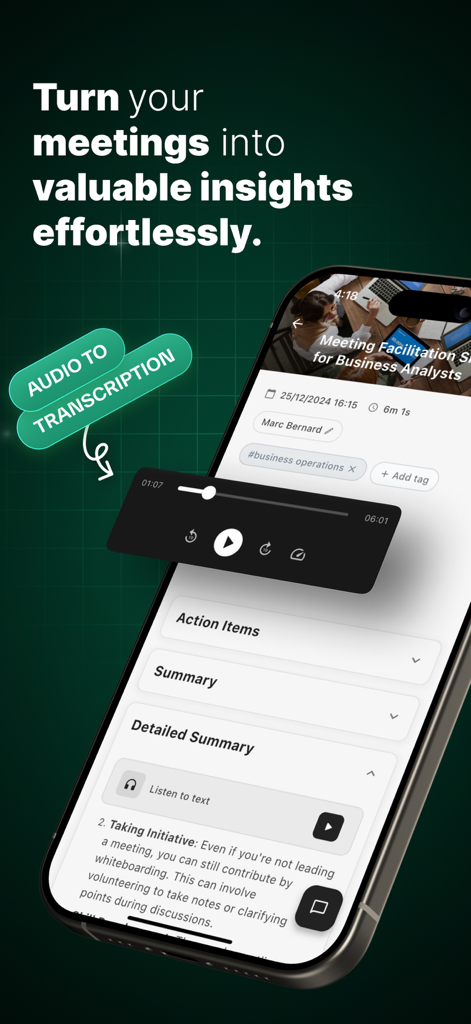
Smartphone screen showing Anotar app transcribing a meeting into summaries and action items.
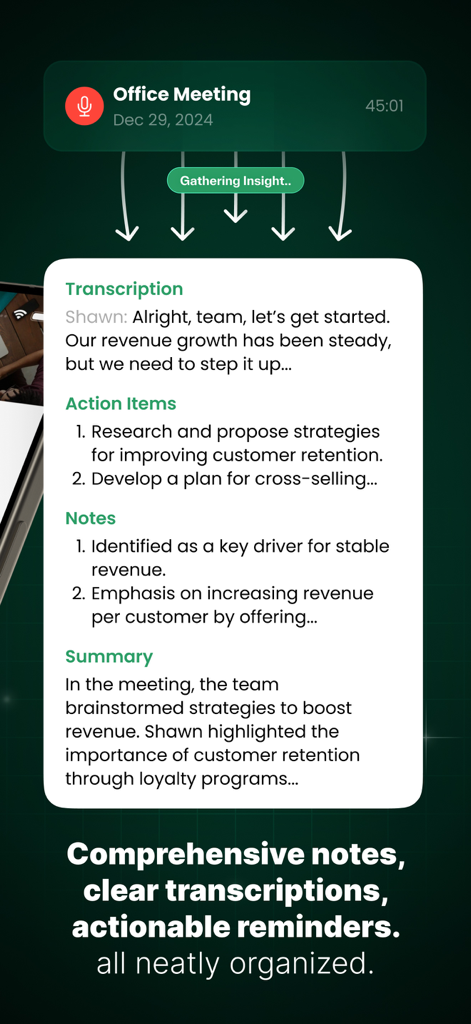
Anotar app screen displaying meeting transcription action items and summary.
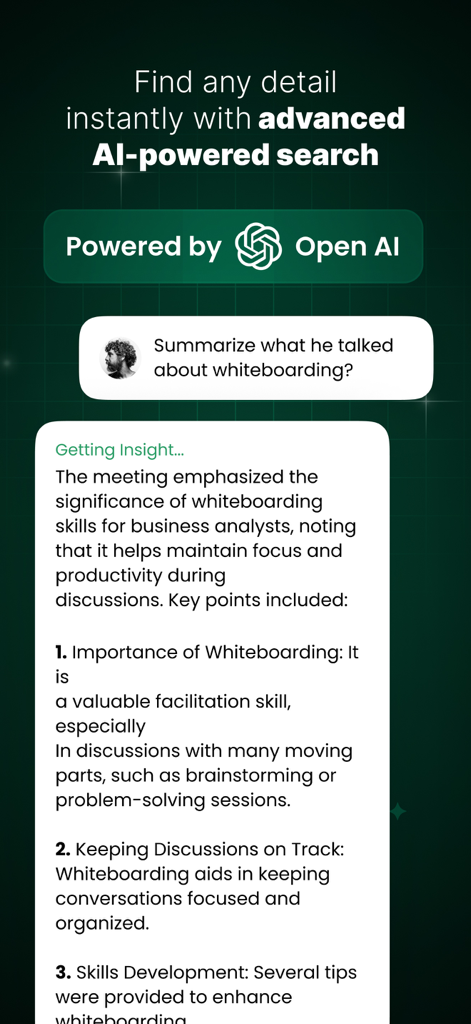
Anotar app interface showing AI powered meeting search and summary results
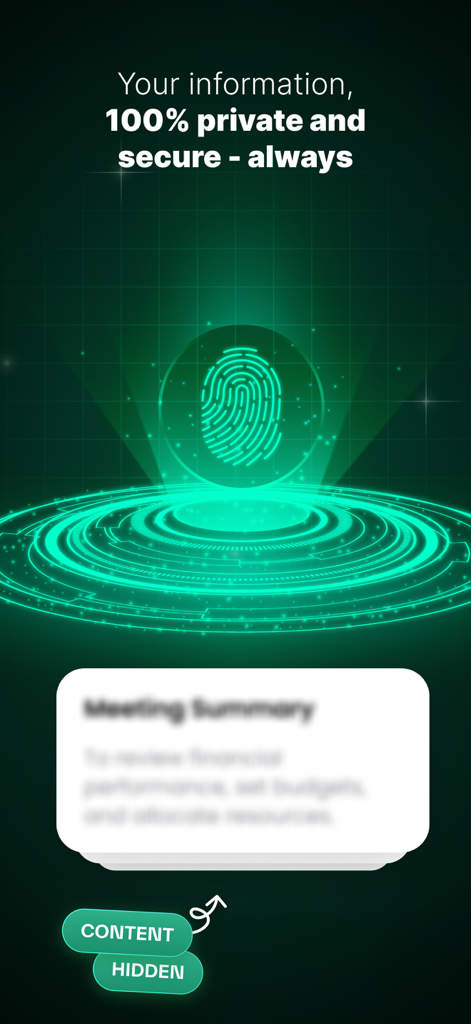
Anotar app interface highlighting 100 percent private and secure meeting summaries with a fingerprint icon.
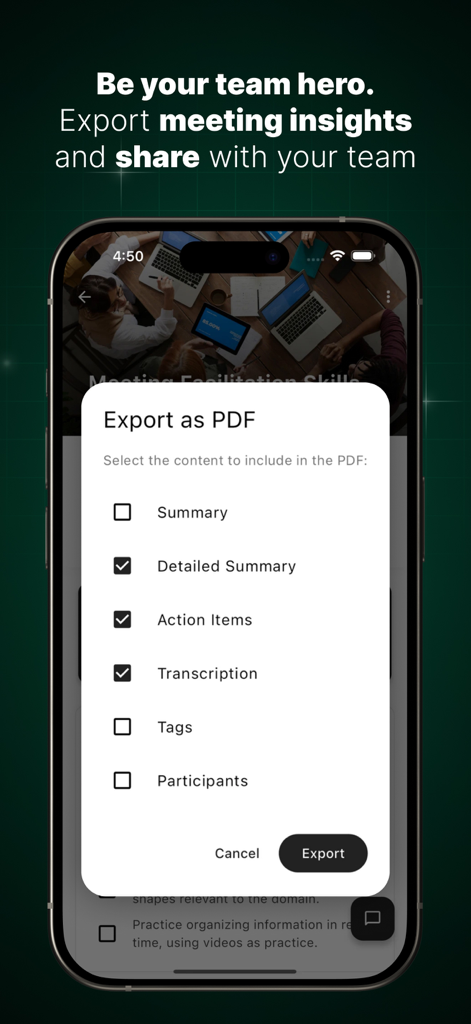
Smartphone screen displaying the Anotar app PDF export menu for meeting summaries and action items.
Description
Download
More Like This
Apps with similar features and user experience

Plaud: AI Note Taker
PLAUD LLC

Notee: AI Note Taker
GM UniverseApps Limited

클로바노트 - 음성 그 이상의 기록
NAVER Corp.

录音专家-专业录音转文字助手
Chongqing Yeyuegua Technology Co., Ltd

听脑AI - 实时录音转文字总结助手
Shanghai Xiuyu Network Technology Co., Ltd

Granola - AI Meeting Notes
Granola inc

Transkriptor - Speech to Text
Textintel FZE

Minutes: AI Meeting Note Taker
Minutes AI, LLC

Fireflies: AI notetaker
FIREFLIES.AI CORP.
This page is not an official page of the app or its developer, but an independent editorial publication created for informational and commentary purposes. Unless expressly stated otherwise, neither the app nor its developer is affiliated with, endorsed by, sponsored by, authorized by, or otherwise officially connected with MWM, Apple, Google Play, the app publisher, or the app's developer, and nothing on this page implies that the app was developed using MWM's services. Any trademarks, logos, screenshots, and other content remain the property of their respective owners.