
This page is not an official page of the app or its developer, but an independent editorial publication created for informational and commentary purposes. Unless expressly stated otherwise, neither the app nor its developer is affiliated with, endorsed by, sponsored by, authorized by, or otherwise officially connected with MWM, Apple, Google Play, the app publisher, or the app's developer, and nothing on this page implies that the app was developed using MWM's services. Any trademarks, logos, screenshots, and other content remain the property of their respective owners.


App Lock, Hide App & Lock Apps
Secure your photos, hide sensitive apps, and protect your private data with the most trusted all-in-one privacy suite for iPhone. Keep your personal life private and your digital assets safe.
Downloads
1M+User Rating
Total Ratings
37K+Publisher
Category
UtilitiesLocales
1Latest Version
1.6Size
123.8 MBFirst Released
Mar 30, 2022Ultimate Privacy & Security Suite
Take total control of your digital boundaries. Secure your photos, hide sensitive apps, and protect your private data with one powerful, all-in-one privacy vault designed for the modern user.
Invisible App & Media Vault
Hide and lock your private photos, videos, and social media apps behind a secure barrier that keeps your personal life invisible to anyone else holding your phone.
Sensitive Data Shield
Protect your most critical information, from banking details and credit cards to private notes, within a professional-grade encrypted environment.
Frequently Asked Questions
Everything you need to know about App Lock, Hide App & Lock Apps
What are the main features of App Lock, Hide App & Lock Apps?
App Lock, Hide App & Lock Apps provides App Lock, Hide App, Photos Lock, Videos Lock, Secret Password Manager, and secure storage for confidential information like bank details and contacts.
How does App Lock, Hide App & Lock Apps secure personal information?
App Lock, Hide App & Lock Apps secures personal information by requiring a separate, user-defined password. It manages documents and personal data confidentially, including bank accounts, notes, and contacts.
Can I hide applications using App Lock, Hide App & Lock Apps?
Yes, App Lock, Hide App & Lock Apps allows users to hide apps. The process involves searching and adding the app to hide, then removing it from the home screen. The app then becomes hidden.
What kind of confidential data can App Lock, Hide App & Lock Apps store?
App Lock, Hide App & Lock Apps stores confidential information data including bank details, account information, secure notes, addresses, and contact information. It also features a Secret Password Manager.
How can I manage my subscriptions for App Lock, Hide App & Lock Apps?
Users can manage their App Lock, Hide App & Lock Apps subscriptions and turn off auto-renewal through their iTunes Account Settings after purchase. A cancellation URL is also provided.
Does App Lock, Hide App & Lock Apps offer photo and video locking features?
Yes, App Lock, Hide App & Lock Apps includes Photos Lock and Videos Lock. It provides a Photos Vault feature to securely store and manage images and videos.
Is there customer support available for App Lock, Hide App & Lock Apps?
Yes, App Lock, Hide App & Lock Apps offers 24/7 customer support. Users can email the support team or contact them via the support website at https://lockdatamanager.kingsmen.website/.
What are the subscription periods for App Lock, Hide App & Lock Apps?
App Lock, Hide App & Lock Apps offers monthly or yearly subscription periods. Each subscription automatically renews at the chosen interval.
Does App Lock, Hide App & Lock Apps include a password manager?
Yes, App Lock, Hide App & Lock Apps includes a Secret Password Manager. This feature allows for safe storage and high security for various application credentials.
Can App Lock, Hide App & Lock Apps generate random passwords?
Yes, App Lock, Hide App & Lock Apps includes a feature to generate random passwords. This enhances security for new accounts or updates existing ones.
The following screenshots and description are sourced directly from the app's official store listing and are the property of the app developer.
App Store
Screenshots
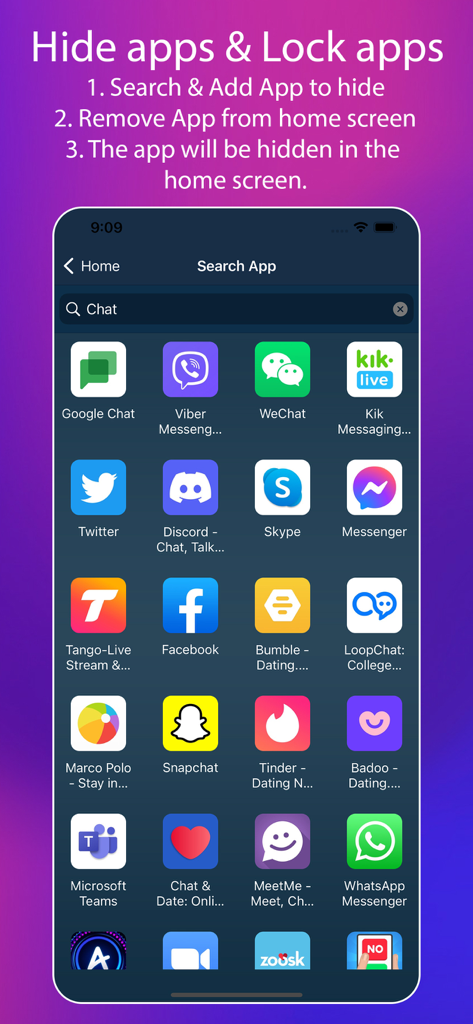
Search interface to select and hide apps like Snapchat and Tinder from the home screen
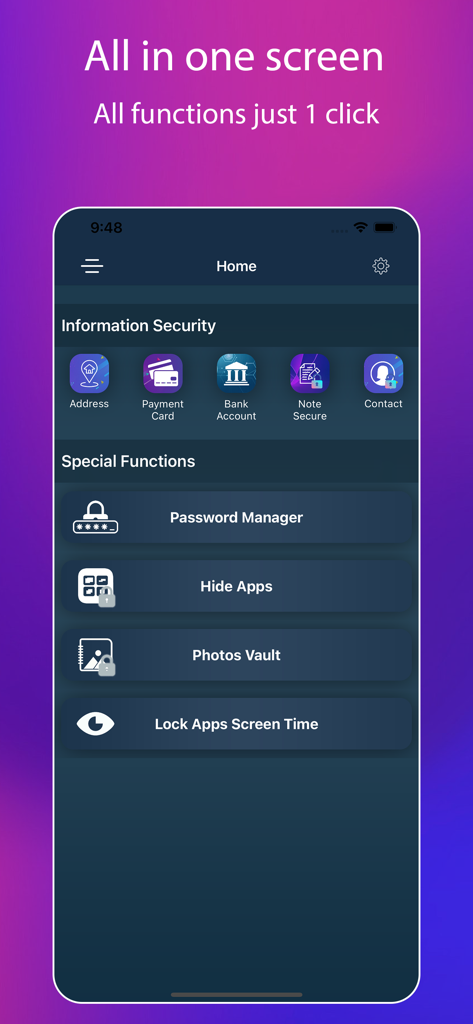
A mobile app interface displaying security features for hiding apps and locking personal information.
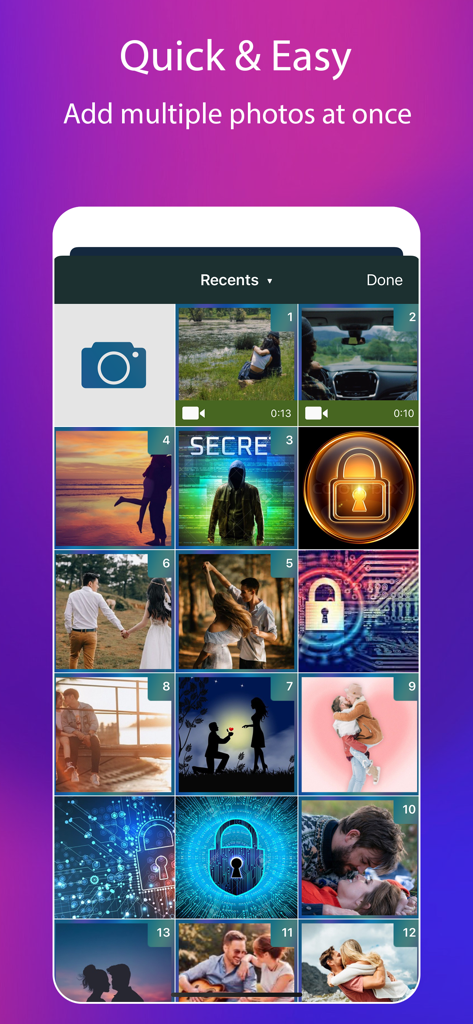
App interface for selecting multiple photos to hide and lock for privacy
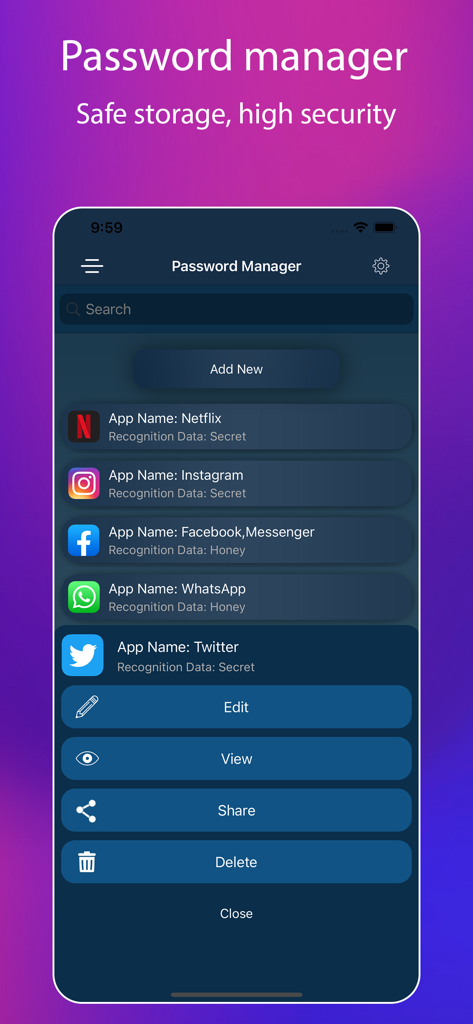
Interface of the Password Manager showing a list of secured apps like Netflix and Instagram with options to edit and view data.
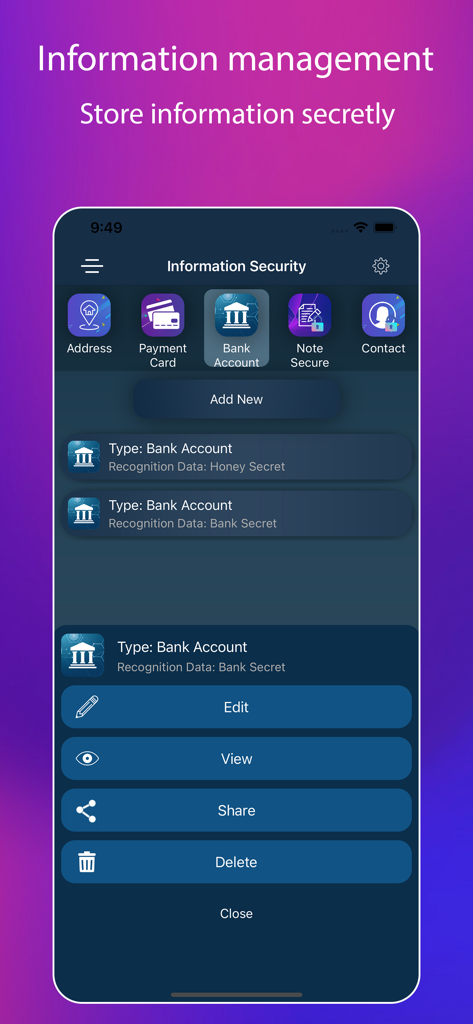
Interface of the app showing secret storage options for bank accounts and payment cards.
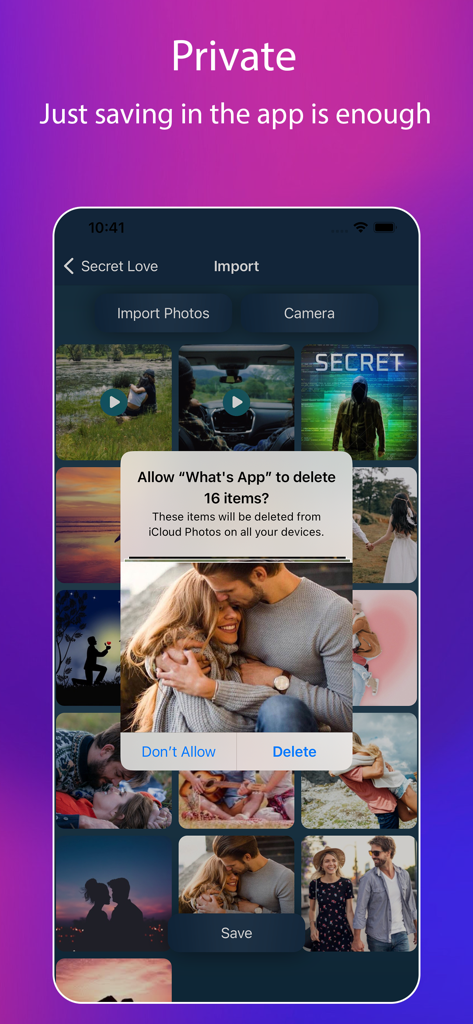
Interface of a private photo vault app showing a prompt to securely hide and delete photos from the device library
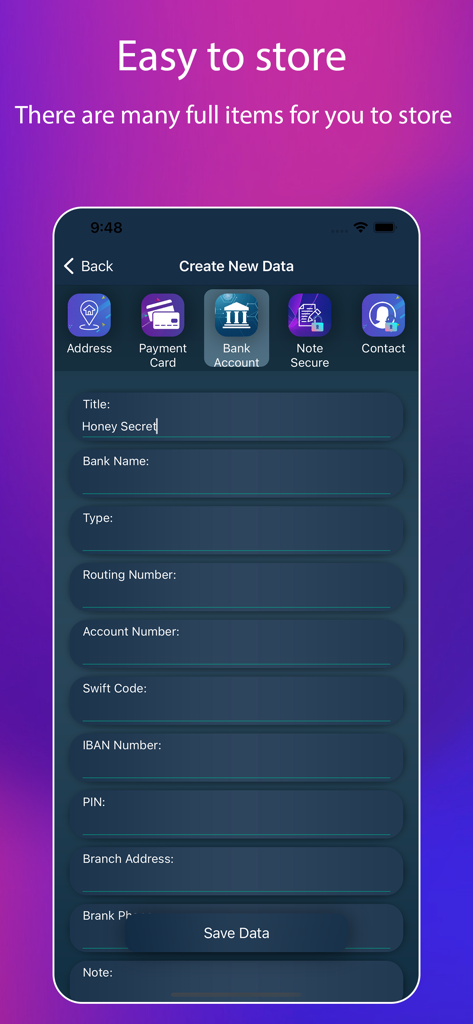
Form to securely store bank account details in the App Lock vault
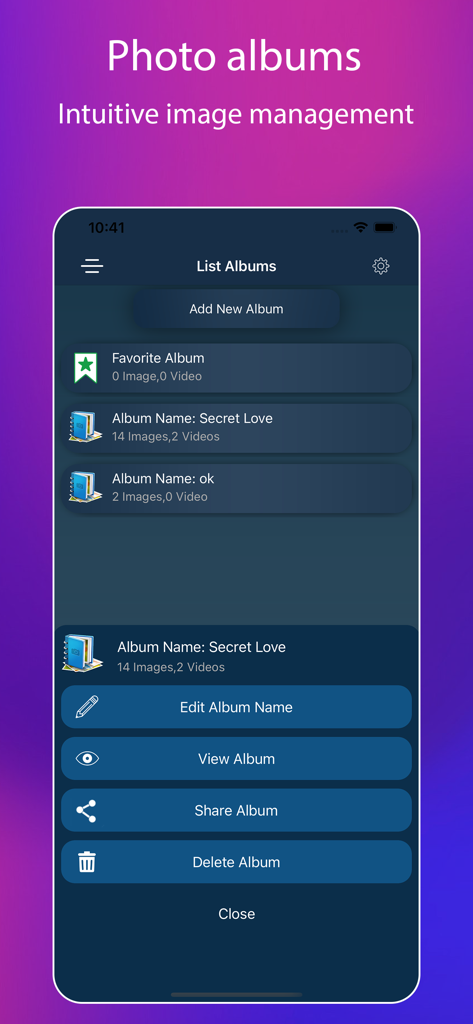
A screen showing a list of secret photo albums with options to edit view and share
Description
Download
More Like This
Apps with similar features and user experience

Google Photos: Backup & Edit
Google LLC

iMemories
iMemories, Inc

Amazon Photos: Photo & Video
AMZN Mobile LLC

App Lock - Block Apps
文忠 许
Super App Lock: Lock Apps
Jiangsu Chengying Technology Co.,LTD

Capture App - Photo Storage
Telenor Software Lab AS
App Lock - Lock Apps & Photos
KUPERTINO BIL. YAZ. HALIL IBRAHIM KARAHAN SAFFET ARSLAN MUSTAFA AYTEN MUHAMMET YALCIN OZDEMIR K. S.
Lock Apps ⁺ Safe Photo Album
Plane Cubes

App Lock, Hide Passwords Apps
CLEARPATH ACQUISITIONS LLC
This page is not an official page of the app or its developer, but an independent editorial publication created for informational and commentary purposes. Unless expressly stated otherwise, neither the app nor its developer is affiliated with, endorsed by, sponsored by, authorized by, or otherwise officially connected with MWM, Apple, Google Play, the app publisher, or the app's developer, and nothing on this page implies that the app was developed using MWM's services. Any trademarks, logos, screenshots, and other content remain the property of their respective owners.