
This page is not an official page of the app or its developer, but an independent editorial publication created for informational and commentary purposes. Unless expressly stated otherwise, neither the app nor its developer is affiliated with, endorsed by, sponsored by, authorized by, or otherwise officially connected with MWM, Apple, Google Play, the app publisher, or the app's developer, and nothing on this page implies that the app was developed using MWM's services. Any trademarks, logos, screenshots, and other content remain the property of their respective owners.

Google Photos: Backup & Edit
Chaos reigns in your gallery. This app gives every user the power to sculpt, secure, and instantly find their entire visual past.
Downloads
250M+User Rating
Total Ratings
4.1MPublisher
Category
Photo & VideoLocales
39Latest Version
7.69.0Size
382.9 MBFirst Released
May 28, 2015Google Photos: Core Capabilities Assessment
An analysis of key functionalities catering to mainstream digital memory management.
Generous Cloud Storage
The app provides 15 GB of free cloud storage, significantly more than many alternatives, ensuring ample space for automatic backup of photos and videos across devices.
Device Storage Optimization
It allows users to free up valuable space on their phone by safely removing backed-up photos from the device's local storage with a single tap.
Intelligent Photo Search
This tool features a powerful search capability that enables users to find photos using natural language descriptions, simplifying the process of locating specific memories.
Automatic Organization
The app helps declutter galleries by automatically organizing duplicates, similar photos, and creating smart folders for screenshots and documents, making content management effortless.
AI-Powered Editing
It allows users to make complex photo edits with ease, including removing distractions with Magic Eraser, unblurring images, and enhancing lighting with Portrait Light.
Seamless Sharing & Memories
It allows users to easily relive past moments and share photos, videos, and albums with contacts, even if recipients do not have the app installed.
Google Lens Integration
This tool integrates Google Lens, enabling users to search what they see in photos, identify text and objects, and take action directly from their images.
Unified Photo Library
With backup enabled, this tool simplifies the transfer of photos from other apps and devices, consolidating all digital memories into a single, accessible location.
Robust Security
The app ensures memories are safe and secure from the moment of storage, protected by advanced security infrastructure during backup and sharing.
Integrated Printing Services
The app offers the convenience of turning digital memories into physical products like photo books and prints, directly from the user's phone.
Frequently Asked Questions
Everything you need to know about Google Photos: Backup & Edit
How much free cloud storage does Google Photos offer?
Google Photos provides 15 GB of free cloud storage with every Google account. This storage is shared across Google Photos, Gmail, and Google Drive.
Does Google Photos include a Magic Eraser feature?
Yes, Google Photos includes the AI-powered Magic Eraser tool. It allows users to remove unwanted distractions and objects from their photos with ease.
Can Google Photos create videos from my pictures?
Yes, Google Photos offers a "Photo to video" feature that animates static memories. It transforms your photos into moving videos using AI-powered tools.
How can I search for specific photos in Google Photos?
Google Photos features "Ask Photos" which enables simple and complex searches. Users can quickly find specific photos or videos using natural language queries.
How does Google Photos help organize my gallery?
Google Photos automatically organizes duplicates into Photo Stacks. It also creates smart folders for screenshots, documents, and custom albums, enhancing gallery organization. A locked folder protects sensitive media.
What is the Remix feature in Google Photos?
The Remix feature in Google Photos uses AI-powered tools to transform pictures into fun, unique styles. It allows users to bring their images to life with creative variations.
Is my data secure in Google Photos?
Yes, your photos and videos are safe and secure in Google Photos. They are protected by Google's advanced security infrastructure from the moment they are stored.
Can Google Photos help free up space on my device?
Yes, Google Photos helps free up device space. Photos backed up in Google Photos can be removed from your device’s storage with a single tap, without losing the content.
Can I print photos directly from Google Photos?
Yes, Google Photos allows you to print your favorite moments. You can turn memories into photo books, prints, and canvas wall art directly from the app.
Does Google Photos integrate with Google Lens?
Yes, Google Photos includes Google Lens functionality. This feature enables users to identify text and objects within their photos to learn more and take action.
The following screenshots and description are sourced directly from the app's official store listing and are the property of the app developer.
App Store
Screenshots
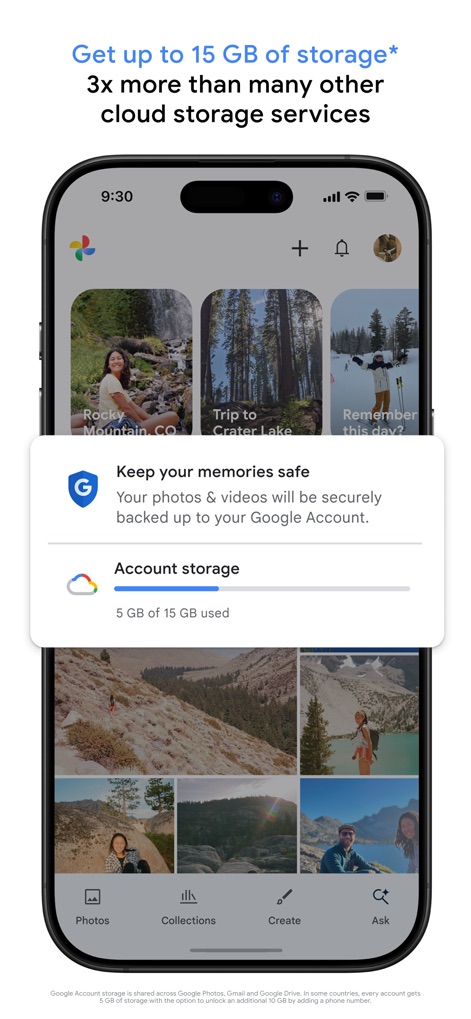
Smart Storage Overview
Users can effectively manage their cloud storage, instantly viewing the "Account storage" usage and browsing a dynamic gallery of all backed-up photos.
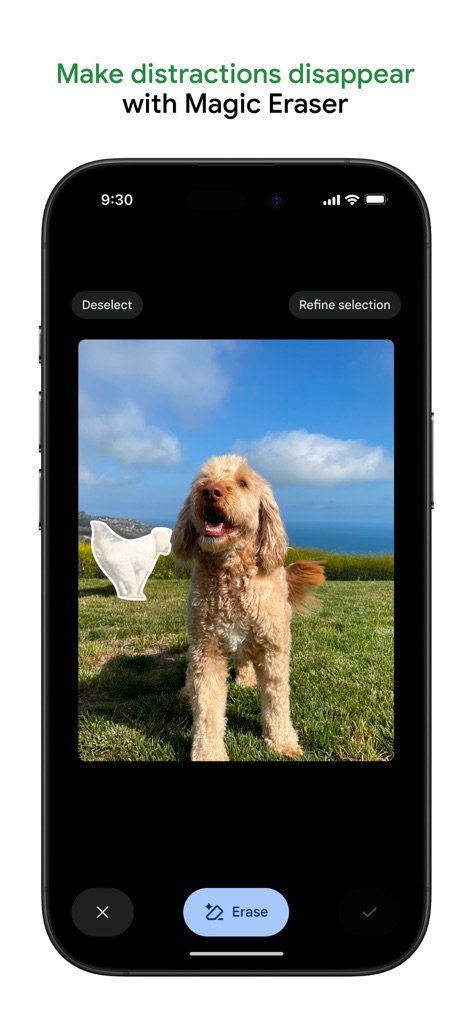
AI-Powered Editing
This tool allows for precise image manipulation, enabling users to seamlessly remove distractions using the "Magic Eraser" feature and refine selections for perfect results.
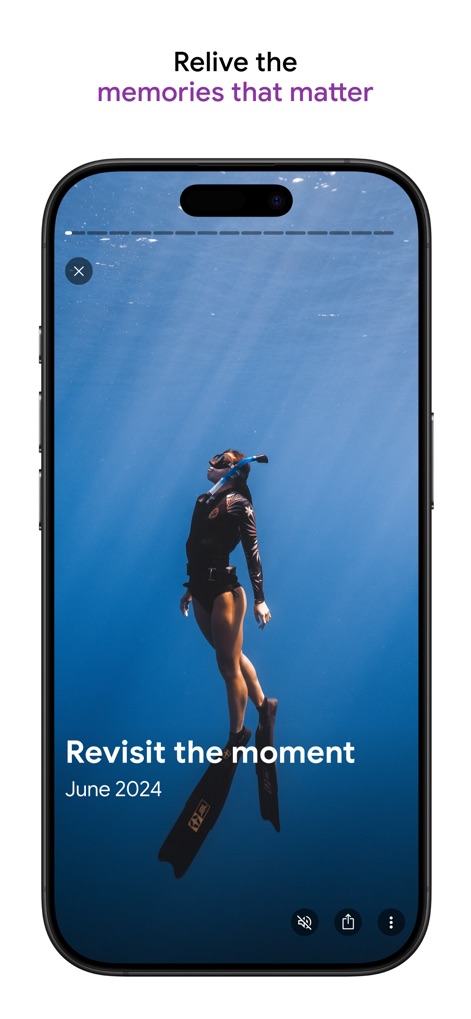
Relive Memories Instantly
The app provides an immersive experience for users to revisit past events through full-screen video playback and see contextual information like the "Revisit the moment" date.
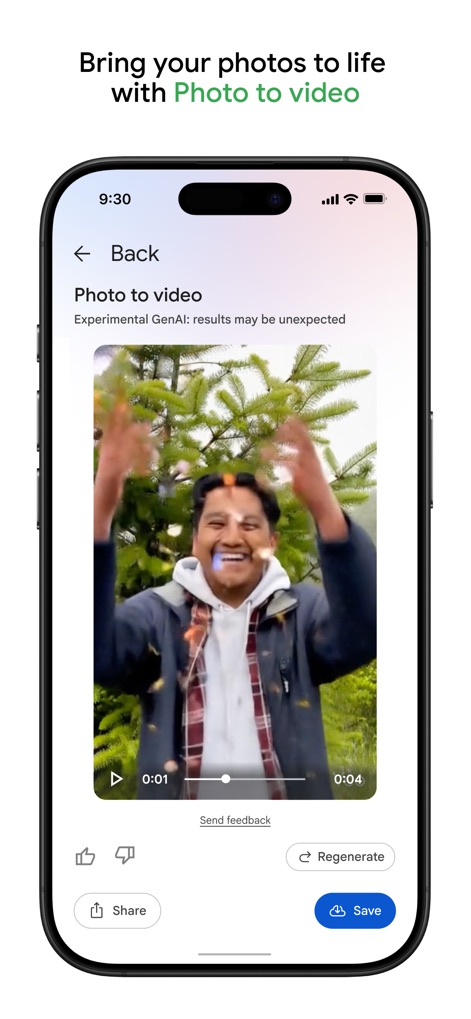
Dynamic Video Creation
Users can bring their images to life with the "Photo to video" feature, observing the experimental GenAI at work and controlling playback with intuitive video controls.
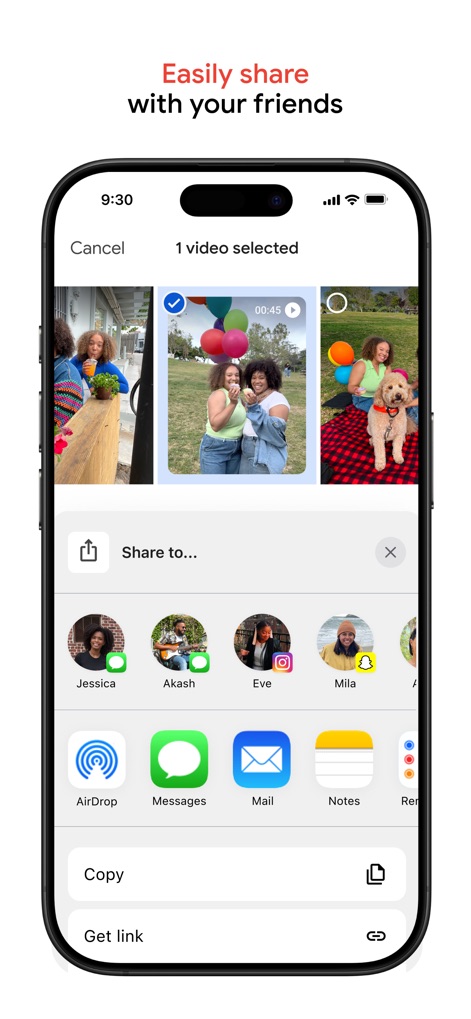
Effortless Sharing Options
The app offers a streamlined communication experience, allowing users to effortlessly share selected videos with multiple contacts and through various integrated app icons.
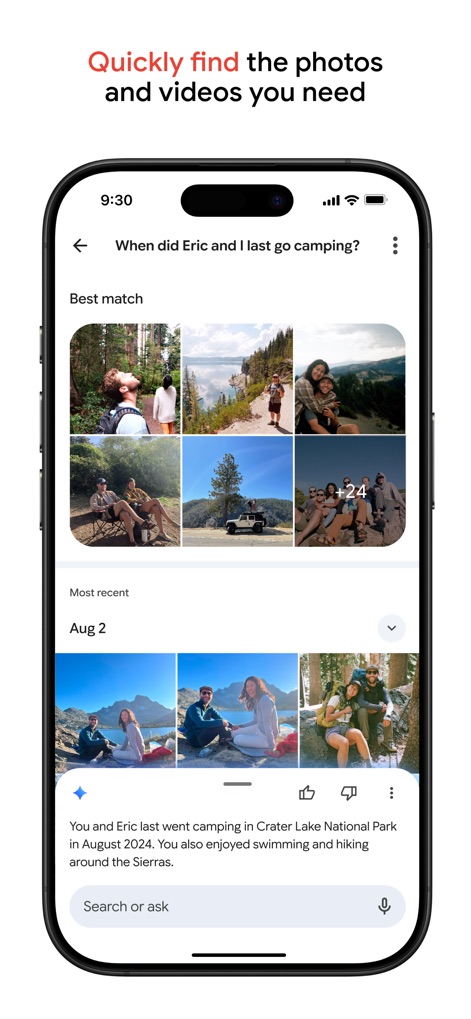
Intelligent Photo Search
The robust search functionality empowers users to quickly locate specific memories using natural language queries and review results presented in an organized grid by date.
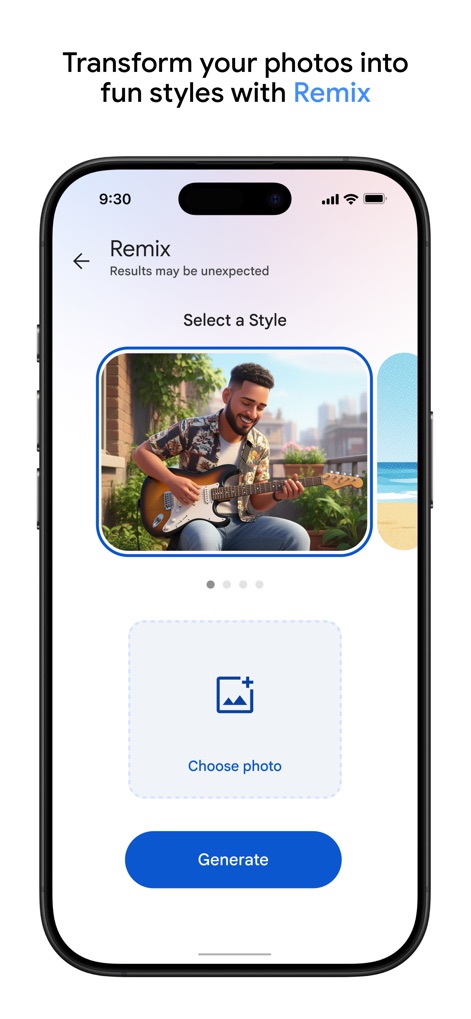
Creative Photo Remixes
Users can explore creative transformations with the "Remix" feature, selecting a source photo and generating diverse artistic styles with a simple tap of the "Generate" button.
Description
Download
More Like This
Apps with similar features and user experience

iMemories
iMemories, Inc

Amazon Photos: Photo & Video
AMZN Mobile LLC

App Lock - Block Apps
文忠 许

Super App Lock: Lock Apps
Jiangsu Chengying Technology Co.,LTD

Capture App - Photo Storage
Telenor Software Lab AS

App Lock - Lock Apps & Photos
KUPERTINO BIL. YAZ. HALIL IBRAHIM KARAHAN SAFFET ARSLAN MUSTAFA AYTEN MUHAMMET YALCIN OZDEMIR K. S.

App Lock, Hide App & Lock Apps
KINGSMEN VIETNAM COMPANY LIMITED

Lock Apps ⁺ Safe Photo Album
Plane Cubes

App Lock, Hide Passwords Apps
CLEARPATH ACQUISITIONS LLC
This page is not an official page of the app or its developer, but an independent editorial publication created for informational and commentary purposes. Unless expressly stated otherwise, neither the app nor its developer is affiliated with, endorsed by, sponsored by, authorized by, or otherwise officially connected with MWM, Apple, Google Play, the app publisher, or the app's developer, and nothing on this page implies that the app was developed using MWM's services. Any trademarks, logos, screenshots, and other content remain the property of their respective owners.