Apple Maps
Apple Maps
Download on App Store

This page is not an official page of the app or its developer, but an independent editorial publication created for informational and commentary purposes. Unless expressly stated otherwise, neither the app nor its developer is affiliated with, endorsed by, sponsored by, authorized by, or otherwise officially connected with MWM, Apple, Google Play, the app publisher, or the app's developer, and nothing on this page implies that the app was developed using MWM's services. Any trademarks, logos, screenshots, and other content remain the property of their respective owners.


Logo of Apple Maps
Download on App Store

Apple Maps

Experience stunning 3D cityscapes, plan national park hikes with offline topographic maps, and get seamless turn-by-turn directions across your iPhone, Apple Watch, and CarPlay.

Key Figures

Downloads

0

User Rating

2.5/5

Total Ratings

0

Publisher

Apple Inc.

Category

Navigation

Locales

33

Latest Version

2.1

Size

9.3 MB

First Released

Jun 1, 2016
Features

Navigate Your World with Precision

Experience the ultimate travel companion that blends detailed 3D cityscapes with rugged outdoor tools, all while keeping your data private.

Conquer Every Trail

Access detailed topographic maps and hiking routes offline to explore national parks and mountain ranges with complete confidence.

Stunning 3D Cityscapes

Master urban navigation with detailed lane guidance, crosswalk views, and immersive 3D landmarks in the world's major cities.

The following screenshots and description are sourced directly from the app's official store listing and are the property of the app developer.

App Store

Screenshots
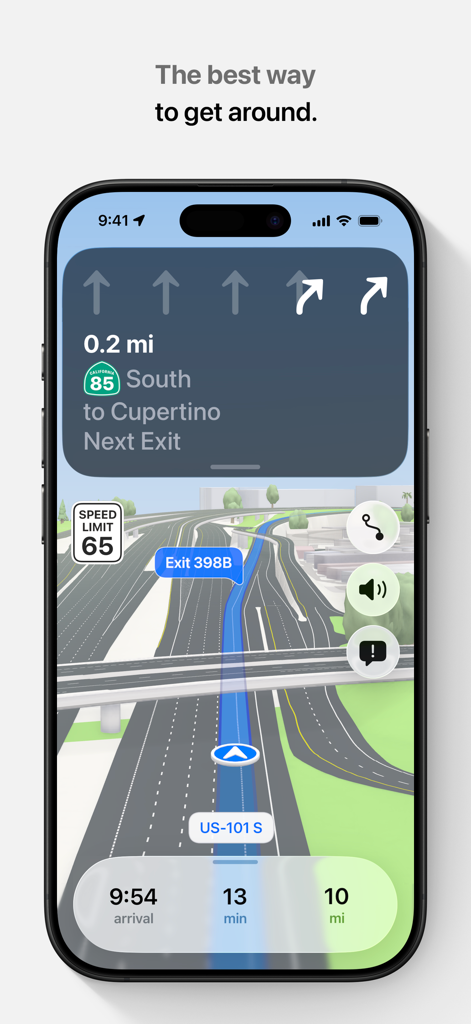
Apple Maps - Apple Maps driving navigation with 3D view and lane guidance on an iPhone
Apple Maps driving navigation with 3D view and lane guidance on an iPhone

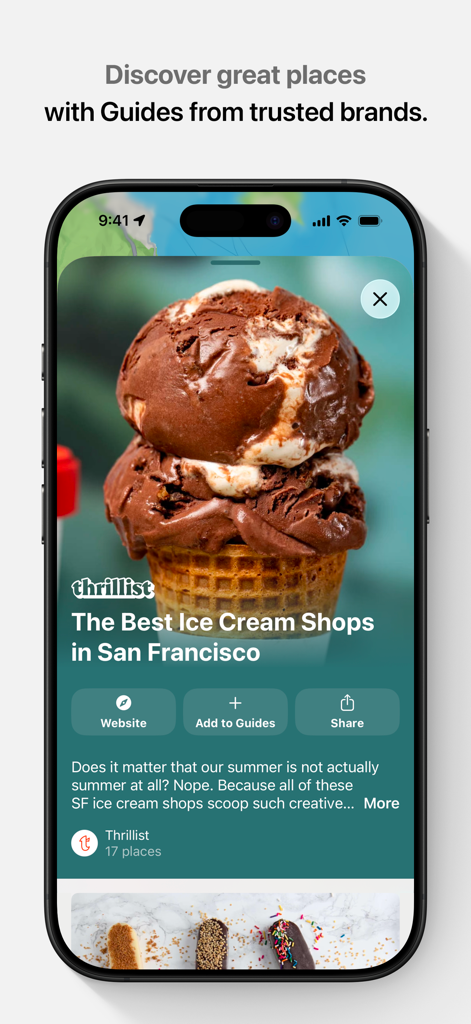
Apple Maps - Apple Maps interface showing a curated city guide from Thrillist titled The Best Ice Cream Shops in San Francisco.
Apple Maps interface showing a curated city guide from Thrillist titled The Best Ice Cream Shops in San Francisco.

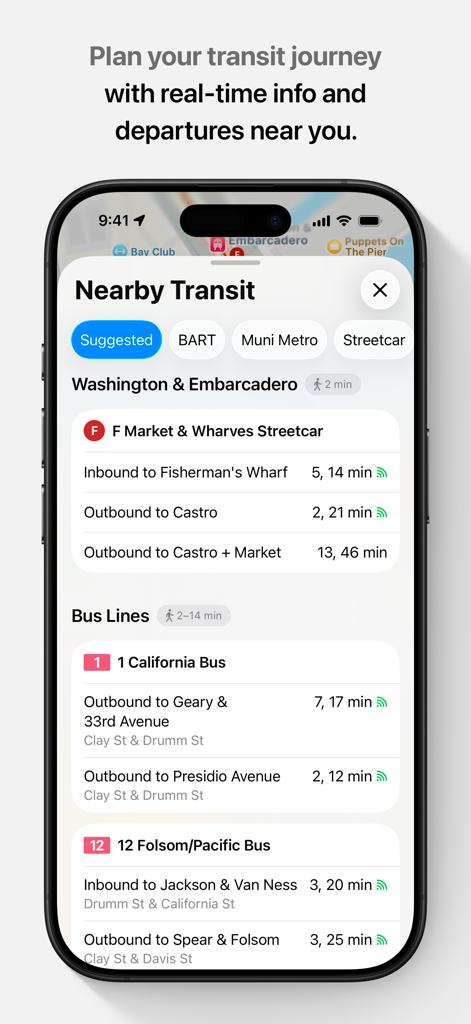
Apple Maps - Apple Maps screen displaying nearby bus and streetcar departure times for urban transit planning.

Apple Maps screen displaying nearby bus and streetcar departure times for urban transit planning.
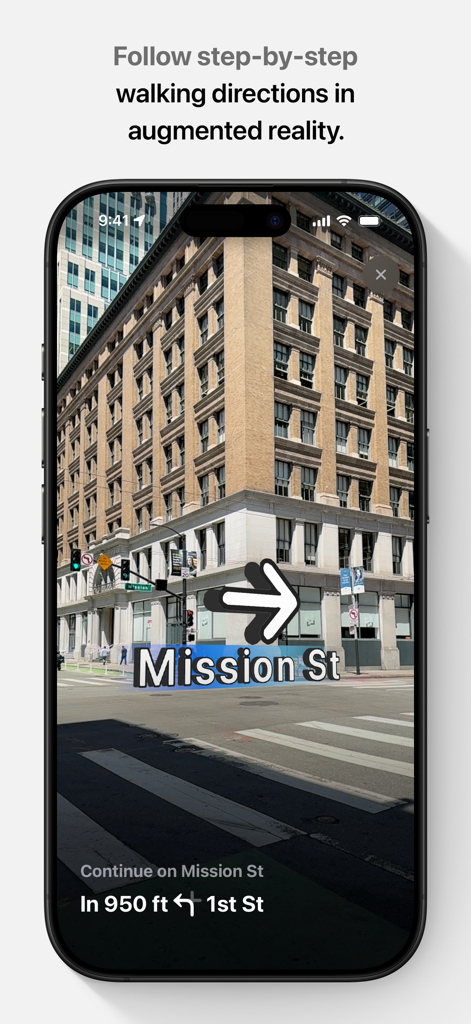
Apple Maps - iPhone screen showing Apple Maps augmented reality walking directions on Mission Street with a 3D navigation arrow.
iPhone screen showing Apple Maps augmented reality walking directions on Mission Street with a 3D navigation arrow.

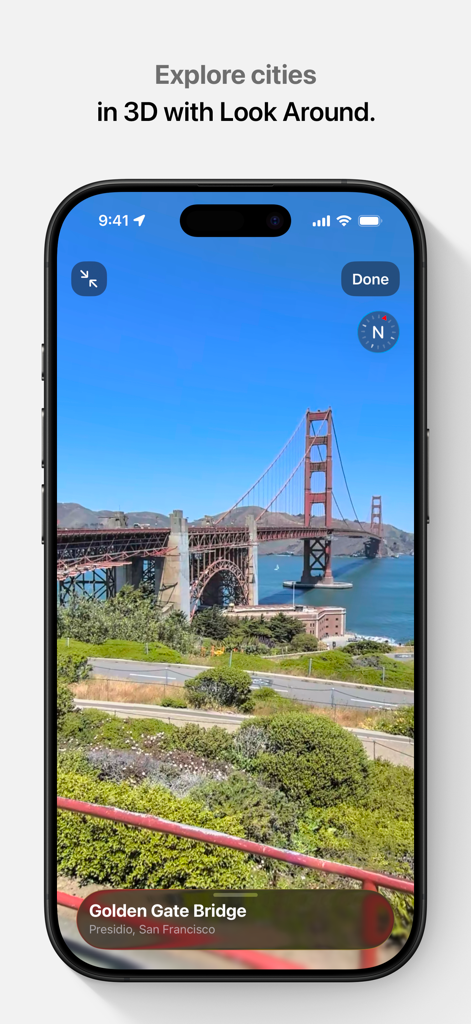
Apple Maps - Apple Maps 3D Look Around view of the Golden Gate Bridge in San Francisco
Apple Maps 3D Look Around view of the Golden Gate Bridge in San Francisco

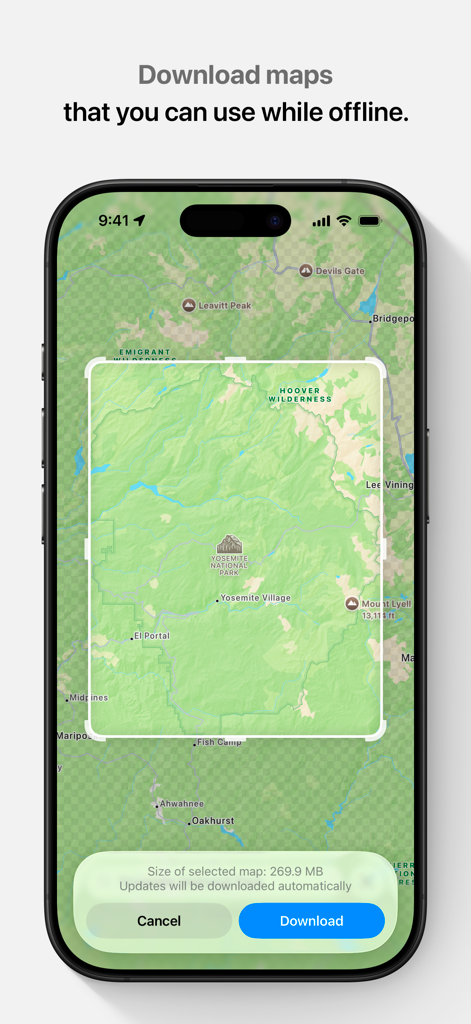
Apple Maps - Apple Maps interface showing the option to download a map of Yosemite National Park for offline use.

Apple Maps interface showing the option to download a map of Yosemite National Park for offline use.

Description

Apple Maps is the best way to navigate and explore the world - all with your privacy protected. What's new: • Topographic maps with stunning details like contour lines, hill shading, hiking trail information and more. • Hikes across U.S. national parks — with details like route type, length, and elevation — can be saved to your device for access offline. • Custom walking and hiking routes can be created and saved for easy access — even while offline. • Turn-by-turn navigation for hikes and custom walking routes helps you stay on track. • Search allows you to quickly discover and compare places by browsing photos, ratings, price level and more, all without leaving search. • An all-new Places Library allows you to easily save places and add a personal note about them. • Offline maps sync directly to your Watch for offline use, even when your phone isn’t nearby or powered on. Get around with ease. • Use voice-guided turn-by-turn navigation for driving, cycling, or walking. • Download offline maps to your iPhone or Watch and explore them while offline. View place information like hours and ratings and get turn-by-turn directions for driving, walking, cycling, or transit. • Get real-time transit schedules and directions via subways, buses, trains, and ferries. • Check real-time traffic conditions, incidents, and road closures. • See speed limits for the road you’re driving on and get guidance on which lane you should be in before your next move. • Report incidents in the Maps app and see incidents reported by other users, including accidents, hazards, and speed checks. • See when you’re approaching speed and red-light cameras along your route. • Get cycling directions to route along bike lanes, paths, and roads while taking elevation and busy streets into account. • Plan your drive or transit journey by choosing a future departure or arrival time. • Immersive walking directions show step-by-step guidance in augmented reality. • Glance at the Lock screen for turn-by-turn navigation, transit directions, and Time to Leave notifications. • Find your parked car and get directions to it. Discover and interact with places. • Look up information about places, including hours, photos, ratings, reviews, and support for Apple Pay. • Rate and add photos to places you’ve visited. • Discover great places to eat, shop, and explore with curated Guides from trusted brands and experts. • Make restaurant reservations, view menus, or place an order right within Maps. • Browse detailed indoor maps for hundreds of malls and airports worldwide. • Ask Siri to find places you’d like to go. Visit new places without leaving home. • Detailed city maps display elevation, landmarks, crosswalks and turn lanes, 3D views to navigate complex interchanges, and more in San Francisco, Los Angeles, New York, Paris, London, Toronto, Las Vegas, Sydney, and more. • Interactive 3D globe shows enhanced details for mountain ranges, deserts, forests, and oceans. • Explore cities with Look Around, which offers a ground-level, high-resolution, interactive 3D experience. • View major cities around the world from the air with photo-realistic, interactive 3D views using Flyover. Use any of your devices. • Access your saved places from your iPhone, iPad, Mac, or Apple Watch using iCloud. • Use Maps with your car’s display in your CarPlay-equipped vehicle. • Use Maps with your Apple Watch to get taps on your wrist when it’s time to make a turn. • Plan trips on your Mac and share them with Maps on your iOS device. Availability and features may vary by country or region. Apple Business Connect Business owners can use Apple Business Connect to take control of how their business is seen across Apple. Claim a location and add crucial information like business hours or address, and useful details including photos, a logo and cover image, limited time special offers and events, Good to Know information, and more. Visit businessconnect.apple.com for more details.

Download

Download on App Store

This page is not an official page of the app or its developer, but an independent editorial publication created for informational and commentary purposes. Unless expressly stated otherwise, neither the app nor its developer is affiliated with, endorsed by, sponsored by, authorized by, or otherwise officially connected with MWM, Apple, Google Play, the app publisher, or the app's developer, and nothing on this page implies that the app was developed using MWM's services. Any trademarks, logos, screenshots, and other content remain the property of their respective owners.