
This page is not an official page of the app or its developer, but an independent editorial publication created for informational and commentary purposes. Unless expressly stated otherwise, neither the app nor its developer is affiliated with, endorsed by, sponsored by, authorized by, or otherwise officially connected with MWM, Apple, Google Play, the app publisher, or the app's developer, and nothing on this page implies that the app was developed using MWM's services. Any trademarks, logos, screenshots, and other content remain the property of their respective owners.


AppSheet
The leading no-code platform for business. Connect your data from Google Sheets, Excel, or SQL to build, deploy, and manage professional mobile apps that work anywhere, even offline.
Downloads
2M+User Rating
Total Ratings
800Publisher
Category
BusinessLocales
1Latest Version
16.9Size
35.7 MBFirst Released
Nov 1, 2013Build the Custom Tools Your Business Demands
Transform your spreadsheets into powerful mobile apps. AppSheet empowers your team to automate workflows and capture data from anywhere without writing a single line of code.
Zero Code, Infinite Potential
Turn your Excel or Google Sheets into fully functional apps in minutes. No developers, no high costs—just your data working harder.
Built for the Field
Empower remote teams with offline data entry, GPS tracking, and barcode scanning. Capture critical info anywhere and sync it back to the office automatically.
Frequently Asked Questions
Everything you need to know about AppSheet
What is AppSheet?
AppSheet enables users to create and distribute custom mobile and web applications without writing code. It supports displaying content, taking notes, creating forms, capturing photos, signatures, GPS data, and scanning barcodes for various business scenarios.
What data sources does AppSheet integrate with?
AppSheet integrates with cloud storage services such as Google Sheets, Excel on Office365, Dropbox, Box, and Smartsheet. It also connects to various databases, including SQLServer, mySQL, Postgres, and DynamoDB for data management.
Can AppSheet create apps for logging locations and displaying maps?
Yes, AppSheet creates apps that log locations and display maps. For instance, a field service app can track functional locations and show them on a map interface, allowing users to input specific location-based data efficiently.
Does AppSheet support custom form creation for data capture?
Yes, AppSheet allows users to build smart forms. These custom forms can capture diverse data types, including text inputs, selections, and images, as demonstrated in inspection and inventory management applications within the AppSheet platform.
Can AppSheet be used for inventory management?
Yes, AppSheet can be used for inventory management. Users create custom inventory apps to capture and display data for various items, track quantities, and manage different categories of products or assets effectively within the app.
The following screenshots and description are sourced directly from the app's official store listing and are the property of the app developer.
App Store
Screenshots
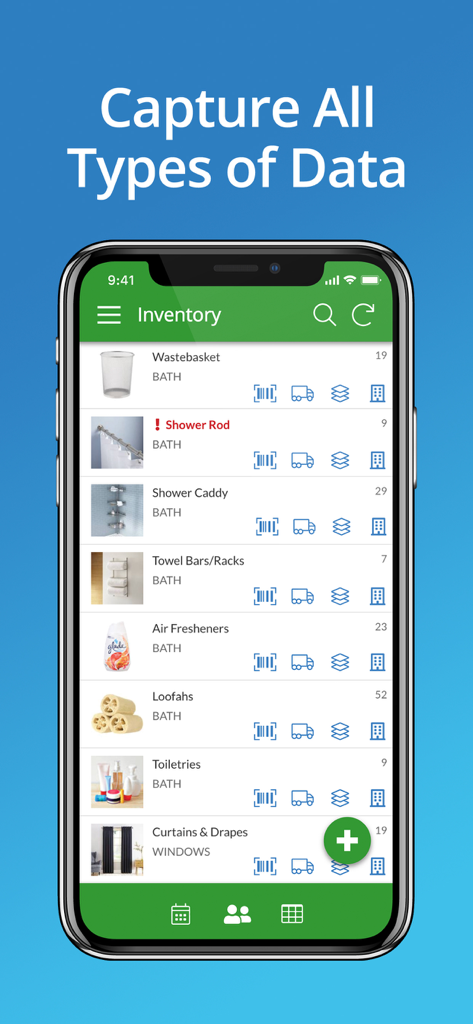
Mobile app screenshot of AppSheet showing an inventory list for bathroom products with data capture icons
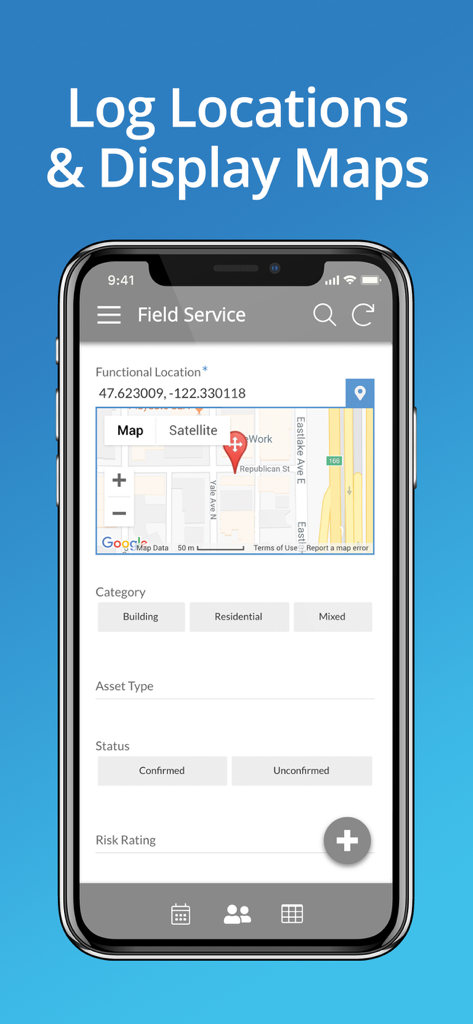
AppSheet field service app interface displaying GPS coordinates and map integration for location tracking.
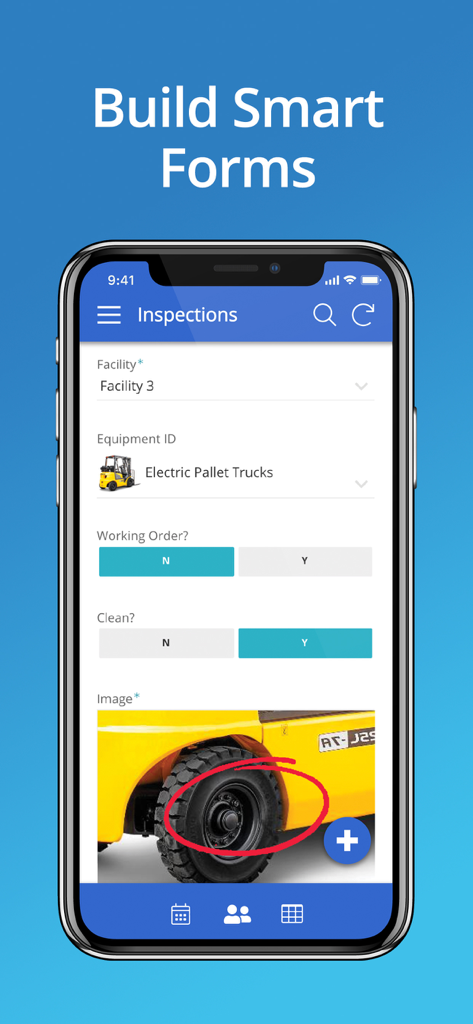
A mobile phone displaying an inspection form built with AppSheet
Description
Download
More Like This
Apps with similar features and user experience






This page is not an official page of the app or its developer, but an independent editorial publication created for informational and commentary purposes. Unless expressly stated otherwise, neither the app nor its developer is affiliated with, endorsed by, sponsored by, authorized by, or otherwise officially connected with MWM, Apple, Google Play, the app publisher, or the app's developer, and nothing on this page implies that the app was developed using MWM's services. Any trademarks, logos, screenshots, and other content remain the property of their respective owners.