Army NCO Tools & Guide
Download on App Store

This page is not an official page of the app or its developer, but an independent editorial publication created for informational and commentary purposes. Unless expressly stated otherwise, neither the app nor its developer is affiliated with, endorsed by, sponsored by, authorized by, or otherwise officially connected with MWM, Apple, Google Play, the app publisher, or the app's developer, and nothing on this page implies that the app was developed using MWM's services. Any trademarks, logos, screenshots, and other content remain the property of their respective owners.


Logo of Army NCO Tools & Guide
Download on App Store

Army NCO Tools & Guide

Stop wrestling with notebooks and spreadsheets. Get the battle-tested, offline-first toolkit designed to crush your daily duties in the field and the garrison—no accounts, no ads, and no fluff.

Key Figures

Downloads

18K+

User Rating

4.1/5

Total Ratings

100

Publisher

Polemics Applications LLC

Category

Reference

Locales

1

Latest Version

5.30

Size

60.4 MB

First Released

Feb 5, 2012
Features

Master the NCO Business

The digital command suite built for the field. No fluff, no ads, and 100% offline—everything you need to lead from the front.

Command Your Personnel

Ditch the paper rosters. Manage Alpha rosters and Troop-to-Task matrices instantly to keep your team mission-ready.

Battle-Tested Readiness

Conduct PCC/PCIs and SPOT reports in the most remote dead zones. Your data stays offline and secure on your device.

The following screenshots and description are sourced directly from the app's official store listing and are the property of the app developer.

App Store

Screenshots
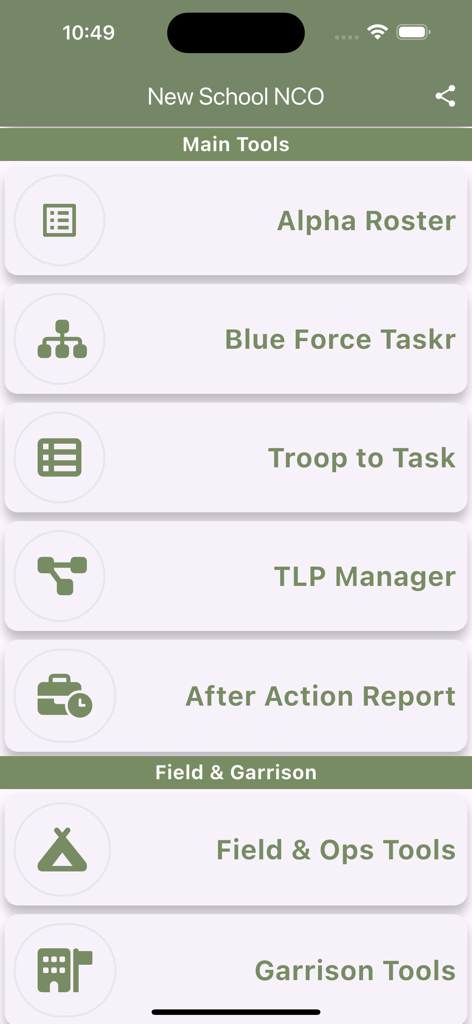
Army NCO Tools & Guide - Main menu of the Army NCO Tools and Guide app displaying leadership and management tools for military personnel.
Main menu of the Army NCO Tools and Guide app displaying leadership and management tools for military personnel.

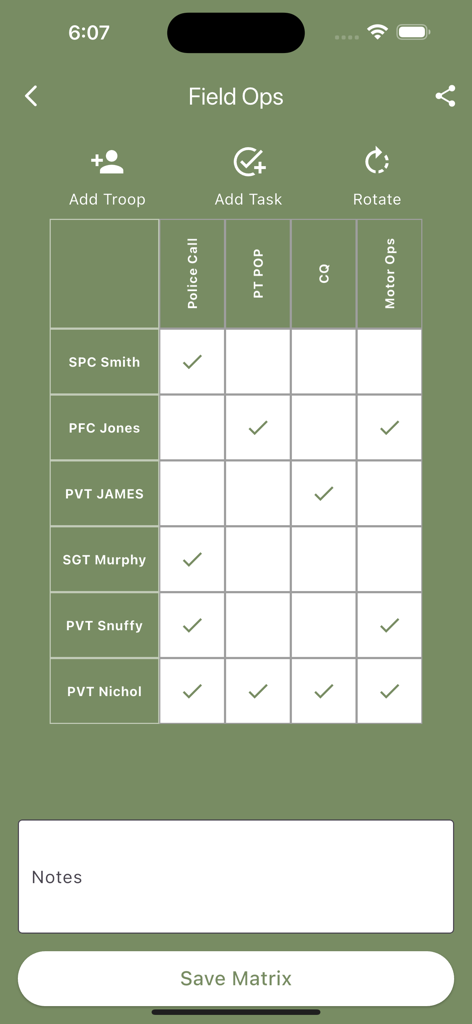
Army NCO Tools & Guide - A screenshot of the Troop to Task matrix in the Army NCO Tools app showing soldier names and assigned duties like Police Call and Motor Ops
A screenshot of the Troop to Task matrix in the Army NCO Tools app showing soldier names and assigned duties like Police Call and Motor Ops

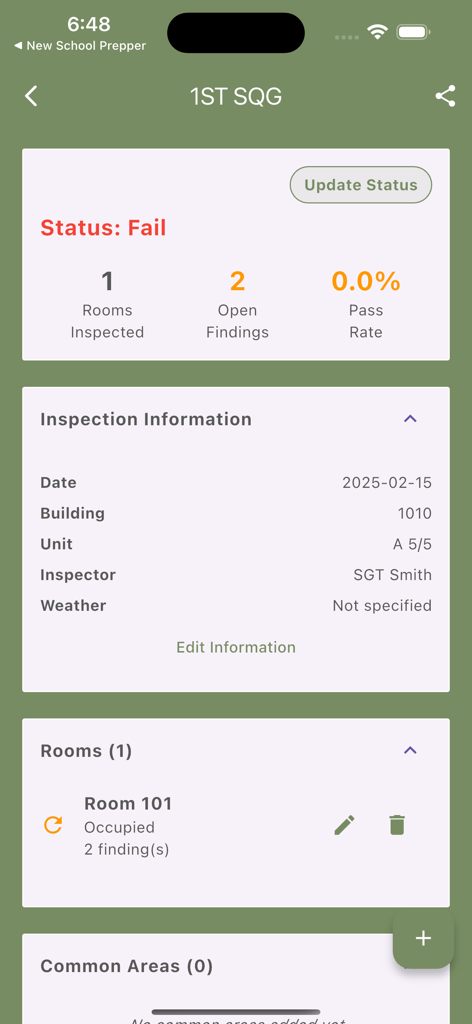
Army NCO Tools & Guide - Barracks inspection dashboard in the Army NCO Tools app showing a failed status and open findings for a military unit.
Barracks inspection dashboard in the Army NCO Tools app showing a failed status and open findings for a military unit.

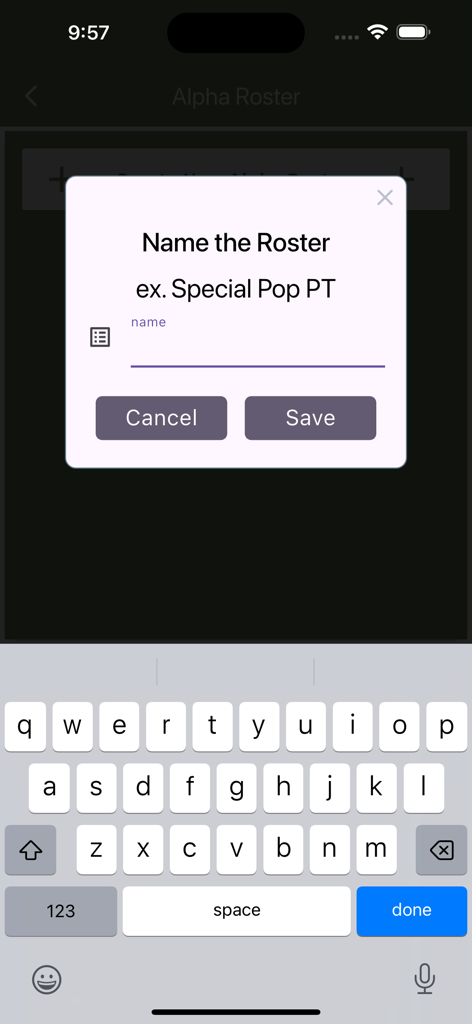
Army NCO Tools & Guide - Popup window to name a new alpha roster within the Army NCO Tools mobile app
Popup window to name a new alpha roster within the Army NCO Tools mobile app

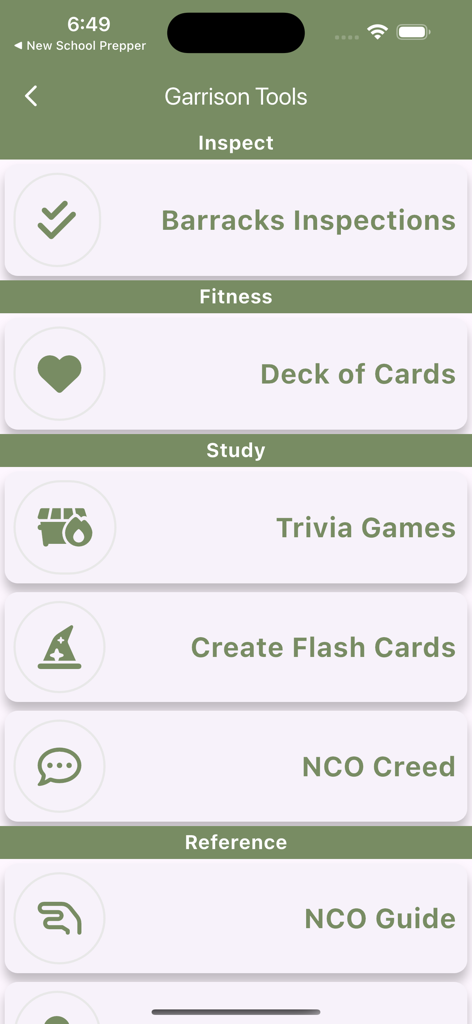
Army NCO Tools & Guide - Interface showing Garrison Tools for Army NCOs including barracks inspections fitness and study sections
Interface showing Garrison Tools for Army NCOs including barracks inspections fitness and study sections

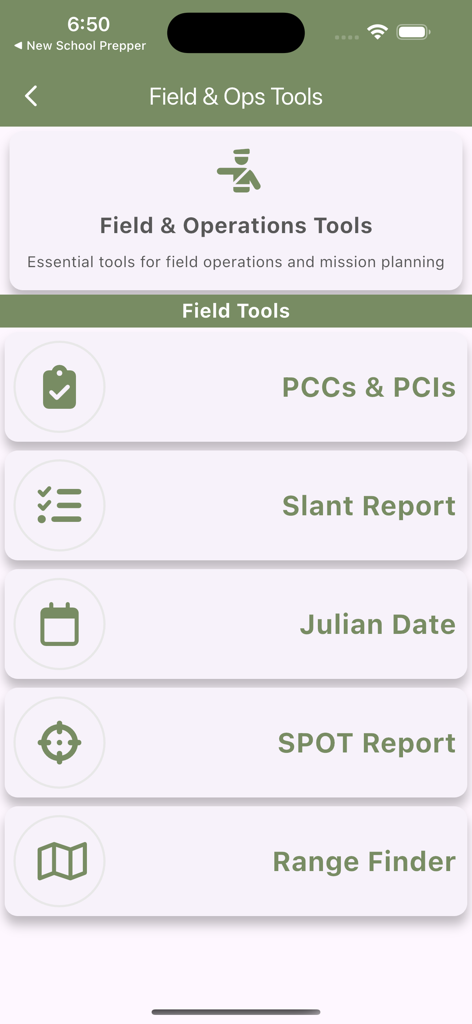
Army NCO Tools & Guide - Army NCO Tools app interface displaying a menu for field and operations tools including Slant Reports and Range Finder
Army NCO Tools app interface displaying a menu for field and operations tools including Slant Reports and Range Finder

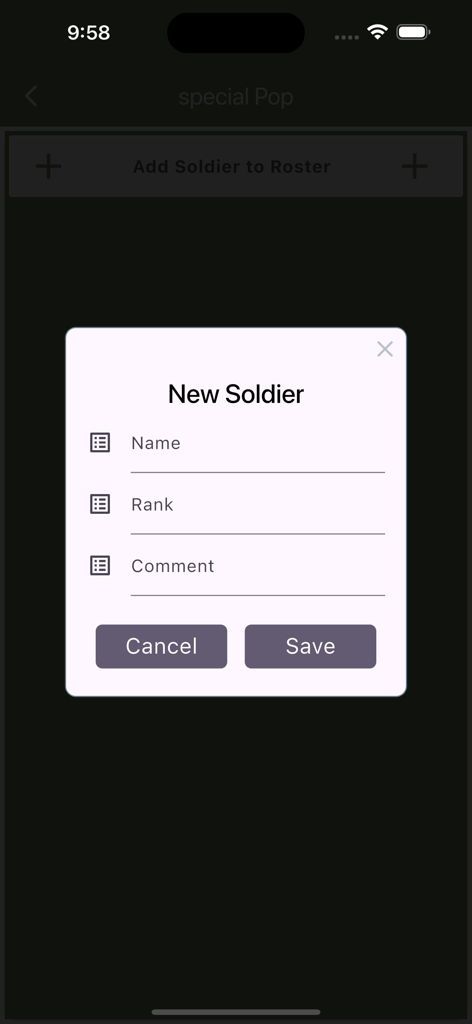
Army NCO Tools & Guide - A pop-up window in the Army NCO Tools app for adding a new soldier with fields for name, rank, and comments.
A pop-up window in the Army NCO Tools app for adding a new soldier with fields for name, rank, and comments.

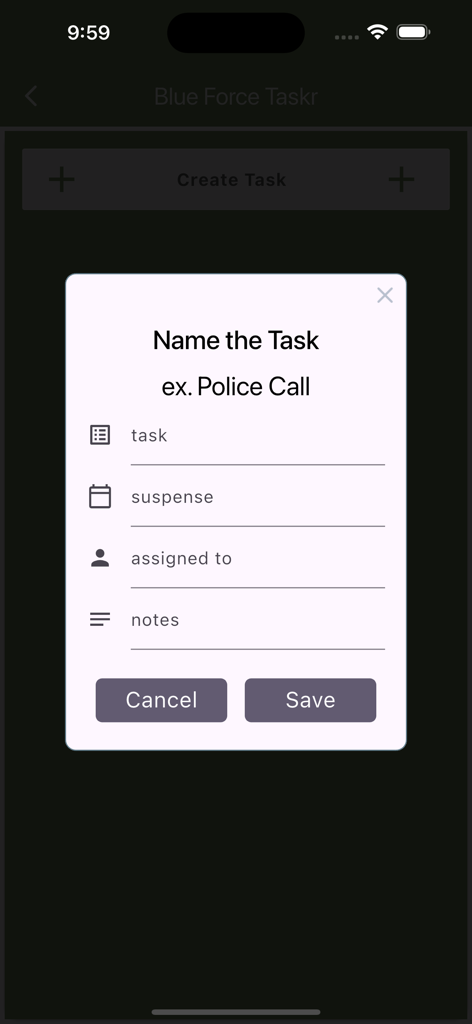
Army NCO Tools & Guide - Interface for creating a new task in the Blue Force Taskr section of the Army NCO Tools and Guide app
Interface for creating a new task in the Blue Force Taskr section of the Army NCO Tools and Guide app

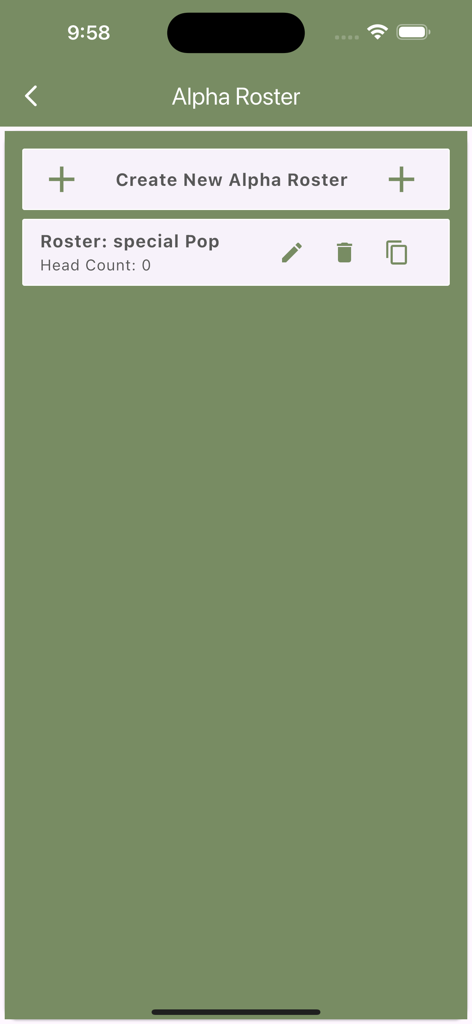
Army NCO Tools & Guide - Interface for managing military alpha rosters within the Army NCO Tools app showing a list of rosters and a creation button.
Interface for managing military alpha rosters within the Army NCO Tools app showing a list of rosters and a creation button.

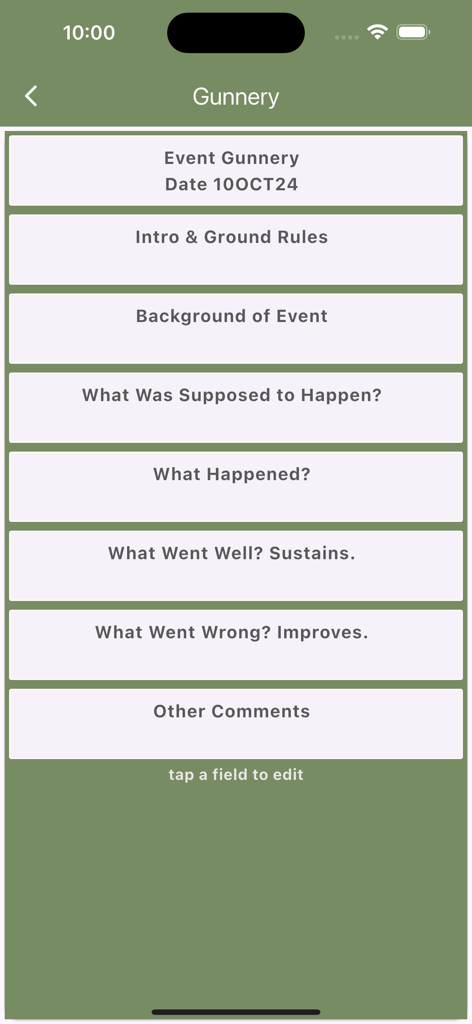
Army NCO Tools & Guide - After Action Review tool interface for a Gunnery event in the Army NCO Tools and Guide app

After Action Review tool interface for a Gunnery event in the Army NCO Tools and Guide app

Description

Born in the field, battle-tested for over a decade, and continuously refined through 50+ updates. No accounts, no ads, no data collection, no fluff, just straight gas for the NCO tool kit. This ain't your daddy's blue book - it's a full-blown command and control suite. Whether you're garrison or deployed, this toolset crushes your daily duties. Simply said we have a ton of tools ~ you do the NCO Business, track it all on the app, share by text and email. CORE NCO TOOLS: Alpha Roster Management - Full personnel tracking system at your fingertips. Build, modify, and maintain multiple rosters. Perfect for managing PT groups, duty rosters, or training teams. Duplicate rosters for recurring events or special details. Blue Force Taskr - Track your team's mission-essential tasks with military precision. Create, assign, and monitor tasks with clear suspense dates. No more lost sticky notes or forgotten details. Time Hackr - Create time hacks and backwards plan. Share your plan by text and email. Troop to Task Matrix - A 2D grid to assign troops to tasks. It's a sync matrix in your pocket. Create tasks (or use previously created tasks), add soldiers. Tap Tap and share with others. Too easy. Troop Leading Procedures - 8 Step TLPs for small unit and team management. Detailed reference, notes and check list for each step. Create your TLP project and share plans with your team. After Action Review (AAR) Tool - Because if we ain't learning, we ain't leading. Capture lessons learned while they're fresh. Document what was supposed to happen, what actually happened, and crucial sustains/improves. Safety Briefs - Create, store and share safety briefs with risks, mitigations and advisory statements. Tool Maker - We can't think of every tool you need so we made a tool maker. Make a tool, use the tool, share outputs from your tool. GARRISON TOOLS Barracks Inspections - track inspections by room, by common area, record faults and schedule follow up inspections. Good for busting slobs and showing Top trends over time with that pesky black mold. FIELD TOOLS Packing List - Create and distribute packing lists, use inspection mode to turn the packing list into a check list. PCC/PCI Inspection Tool - Digital checklists for PCC/PCIs. Create templates, track deficiencies, and maintain readiness standards. Sensitive Items - Create an inventory, add soldiers, add items, check them off then text full reports to your higher. Slant Report - Track your unit's equipment status in the field with a classic Slant Report, add/modify/delete equipment status. SPOT Reports - When stuff hits the fan, you need quick, accurate reporting. Document incidents in real-time using the standard SALUTE format. Ideal for recording disciplinary issues, safety concerns, or equipment failures. Share reports with your chain of command. Range Finder - Key lesson learned from Afghan, troops didn't know what 500 meters meant in real life. Our range finder is both a tool and a training device so you can hone your skill on common range estimates. Julian Date - Convert calendar dates to Julian format (YDDD). Perfect for supply, logistics, and administrative tasks that require Julian date calculations. READINESS & RECORDS: VA Disability Tracker - track and record your career injuries for easier VA claims when you get out. Export your records by PDF. Guides and tips on how to improve your VA disability rating. Important Links - APD, ATN, HRC, IgnitED, ACT, ATRRS, OneSource, Tricare, MyPay, Army Times, Army.mil News FEATURES THAT MATTER: - Works offline - because the field rarely has Wi-Fi - Zero cloud dependency - your data stays on your device - No account required - download and drive on - Built-in sharing for all reports and assessments FOR THE BACKBONE OF THE ARMY: Get back to leading troops instead of wrestling with notebooks and spreadsheets. Download NCO Tools and take command of your daily mission. Mission First, People Always - Now with better tools for both.

Download

Download on App Store

This page is not an official page of the app or its developer, but an independent editorial publication created for informational and commentary purposes. Unless expressly stated otherwise, neither the app nor its developer is affiliated with, endorsed by, sponsored by, authorized by, or otherwise officially connected with MWM, Apple, Google Play, the app publisher, or the app's developer, and nothing on this page implies that the app was developed using MWM's services. Any trademarks, logos, screenshots, and other content remain the property of their respective owners.







