
This page is not an official page of the app or its developer, but an independent editorial publication created for informational and commentary purposes. Unless expressly stated otherwise, neither the app nor its developer is affiliated with, endorsed by, sponsored by, authorized by, or otherwise officially connected with MWM, Apple, Google Play, the app publisher, or the app's developer, and nothing on this page implies that the app was developed using MWM's services. Any trademarks, logos, screenshots, and other content remain the property of their respective owners.


Atlas AI: PDF Document Scanner
Paperwork's digital afterlife begins now. The app gives users command over every document, from scan to AI insight.
Downloads
100k+User Rating
Total Ratings
715Publisher
Category
BusinessLocales
8Latest Version
1.0.62Size
177.4 MBFirst Released
Sep 1, 2025Evaluating core functionalities for enhanced productivity and document management.
Key Feature Analysis: Atlas AI Document Scanner
AI-Powered Document Analysis
It allows users to leverage AI for instant insights, summaries, data extraction, and content clarification directly from their documents.
Full-Featured PDF Editor
This tool features comprehensive PDF editing capabilities, enabling users to add text, highlights, drawings, shapes, and signatures directly within the app.
Smart Document Scanning
The app provides high-quality digitization of various physical documents, including IDs, passports, and QR codes, with precision and clarity.
Flexible Export Options
The app offers flexible export options, allowing documents to be saved or shared in popular formats such as PDF and JPEG.
Frequently Asked Questions
Everything you need to know about Atlas AI: PDF Document Scanner
What types of documents can Atlas AI scan?
Atlas AI scans paper documents, ID cards, passports, and QR codes. It also features scanning for math equations and can perform object counts.
Does Atlas AI: PDF Document Scanner allow document editing?
Yes, Atlas AI provides a full-featured PDF editor. Users can add text, highlights, drawings, shapes, and signatures directly to their scanned documents within the app.
Can Atlas AI summarize documents using AI?
Yes, Atlas AI features an AI-Powered Chat assistant. It provides instant insights by summarizing documents, extracting data, and clarifying content directly from scans.
Is Atlas AI free to use?
No, while Atlas AI is free to download, all its core features require a subscription. Available options are weekly, monthly, and annual, with pricing details displayed in-app.
How do I cancel my Atlas AI subscription?
Users can manage or cancel their Atlas AI subscription anytime. This is done through the device's Settings application, by navigating to Apple ID, then Subscriptions.
What file formats can Atlas AI export?
Atlas AI offers flexible export options. Users can save or share their digital documents in widely used formats, including PDF and JPEG.
Does Atlas AI have a real-world measurement tool?
Yes, Atlas AI integrates accurate measurement tools. Users can utilize their device's camera to measure distances and objects in their physical environment directly through the app.
Where is the privacy policy for Atlas AI located?
The official privacy policy for Atlas AI is accessible online. Users find the complete policy details at https://www.atlasdocs.app/privacy-policy.
The following screenshots and description are sourced directly from the app's official store listing and are the property of the app developer.
App Store
Screenshots
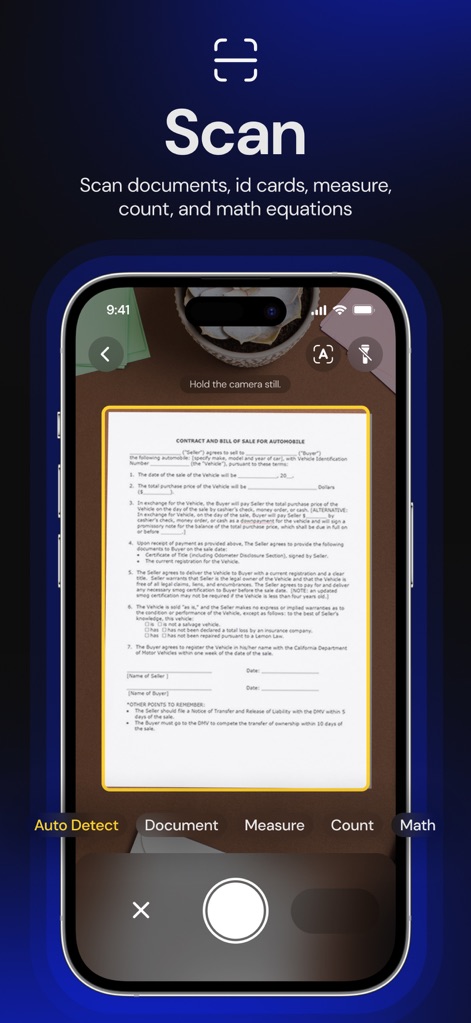
This tool offers "Auto Detect" scanning and dedicated "Document" modes for precise and clear capture of physical paperwork.
Smart Scan Modes
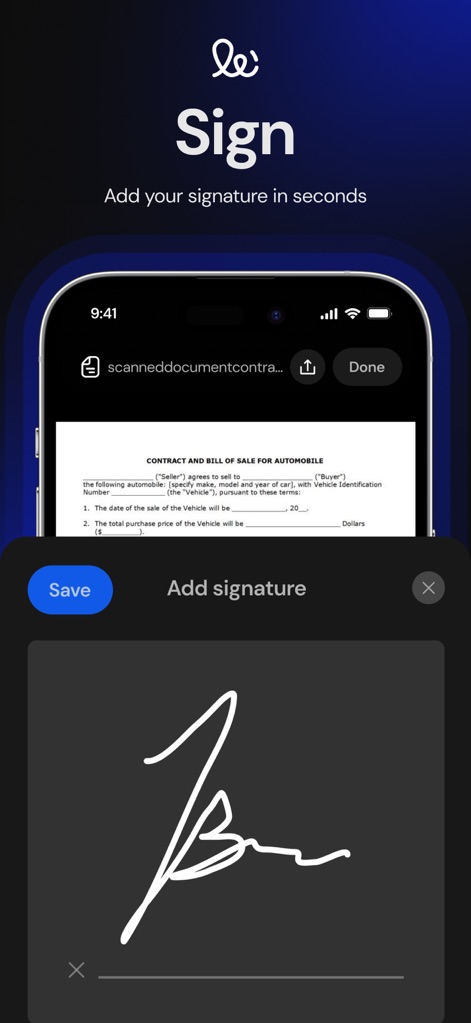
Users can effortlessly add a digital "signature" directly onto documents, with a clear "Save" option to finalize the process.
Digital Signature
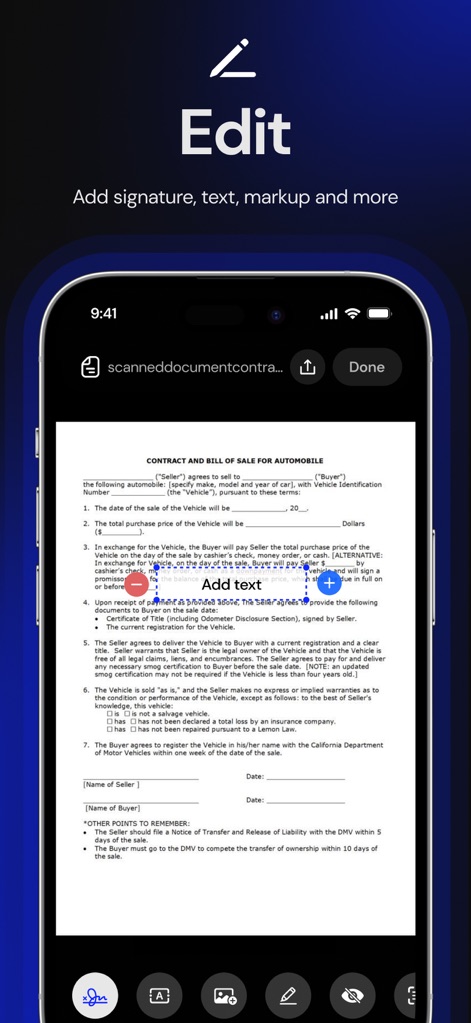
The app provides a versatile editing toolbar, allowing users to add "text" and various "shapes" directly onto their scanned documents.
Comprehensive Editor
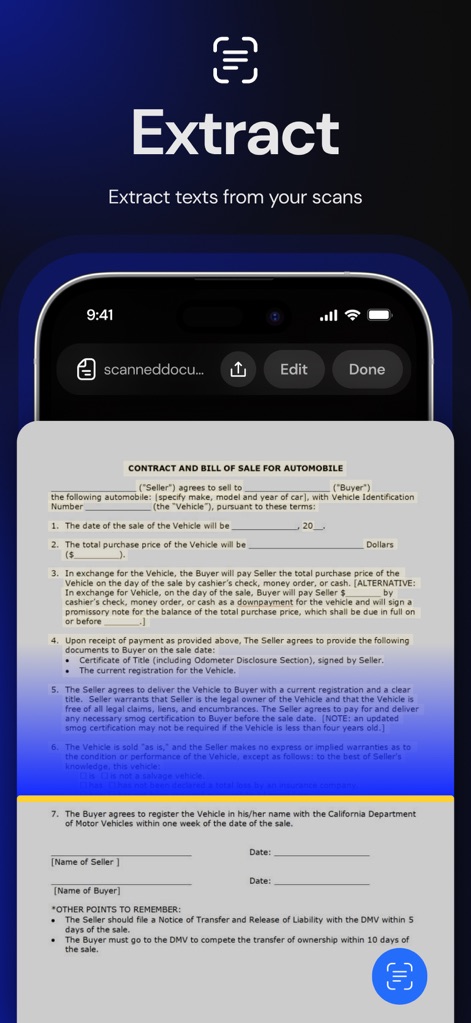
This feature highlights the ability to "extract texts" from scanned documents, providing an "Edit" button for immediate modifications.
Text Extraction
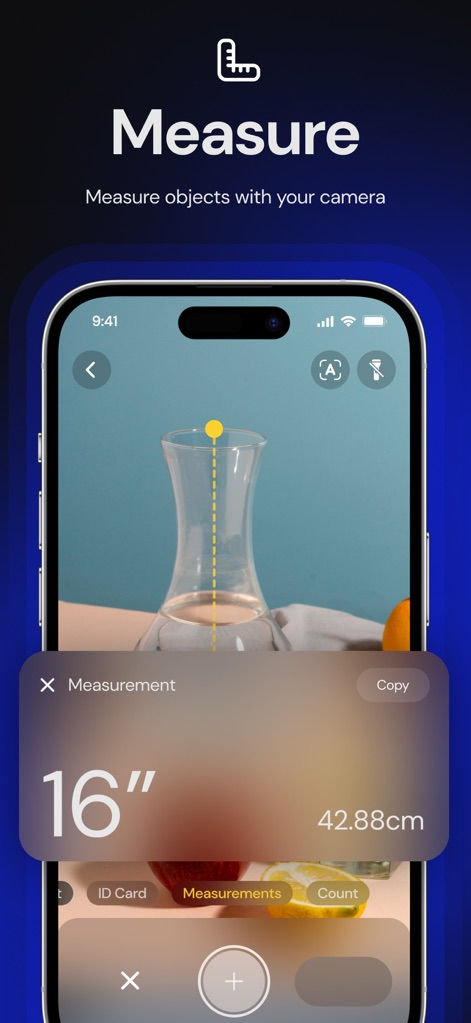
The app accurately measures real-world objects, displaying precise "16 inch" readings and offering a dedicated "Measurements" mode for various tasks.
Real-World Measurement
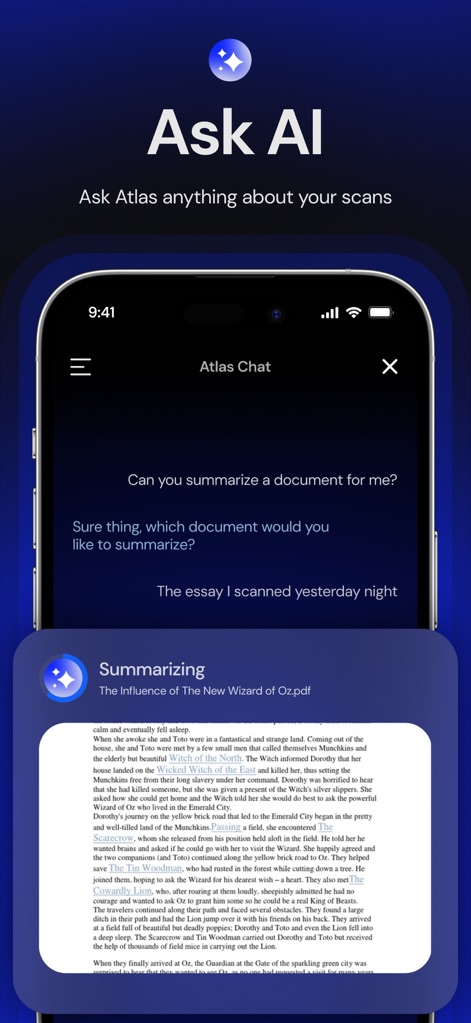
This powerful AI feature allows users to "summarize a document" through a conversational interface, providing insightful responses and detailed "summaries".
AI Document Assistant
Description
Download
More Like This
Top-ranked apps in the same category

Microsoft Teams
Microsoft Corporation

Zoom Workplace
Zoom Communications, Inc.

WhatsApp Business
WhatsApp Inc.

Indeed Job Search
Indeed Inc.

LinkedIn: Network & Job Finder
LinkedIn Corporation

Adobe Acrobat Reader: Sign PDF
Adobe Inc.

WeCom-Work Communication&Tools
Tencent Technology (Shenzhen) Company Limited

BOSS直聘-招聘求职找工作神器
Beijing China Product Bo Farce Network Technology Co., Ltd.

DingDing - Redefine Work in AI
DingTalk Technology Co., Ltd.
This page is not an official page of the app or its developer, but an independent editorial publication created for informational and commentary purposes. Unless expressly stated otherwise, neither the app nor its developer is affiliated with, endorsed by, sponsored by, authorized by, or otherwise officially connected with MWM, Apple, Google Play, the app publisher, or the app's developer, and nothing on this page implies that the app was developed using MWM's services. Any trademarks, logos, screenshots, and other content remain the property of their respective owners.