
This page is not an official page of the app or its developer, but an independent editorial publication created for informational and commentary purposes. Unless expressly stated otherwise, neither the app nor its developer is affiliated with, endorsed by, sponsored by, authorized by, or otherwise officially connected with MWM, Apple, Google Play, the app publisher, or the app's developer, and nothing on this page implies that the app was developed using MWM's services. Any trademarks, logos, screenshots, and other content remain the property of their respective owners.


Audio Lab: Music,Voice Editor
Record, mix, and master studio-quality podcasts, music, and voiceovers. Empower your creative workflow with multitrack editing and professional effects designed for the modern creator on the go.
Downloads
239K+User Rating
Total Ratings
2K+Publisher
Category
MusicLocales
9Latest Version
2.4.10Size
52.7 MBFirst Released
Apr 14, 2022Professional Audio Studio in Your Pocket
Audio Lab empowers creators to produce studio-quality podcasts, music, and voiceovers anywhere, bridging the gap between mobile convenience and professional production.
Multitrack Mastering
Layer vocals, instruments, and background music seamlessly. Perfect for podcasters and musicians who need to mix complex projects on the go.
Pro-Grade Enhancements
Elevate your sound with a 12-band EQ, normalization, and studio effects like Reverb and Delay to ensure your content sounds viral-ready.
Frequently Asked Questions
Everything you need to know about Audio Lab: Music,Voice Editor
What is Audio Lab: Music,Voice Editor?
Audio Lab: Music,Voice Editor is a powerful studio application for recording, mixing, and editing audio. It enables users to create podcasts, record music and voice, add sound effects, and save their work in various audio formats.
Can Audio Lab: Music,Voice Editor handle multitrack recording?
Yes, Audio Lab: Music,Voice Editor features a multitrack recorder. Users can add, edit, and move multiple audio files between tracks, allowing for complex audio projects within the application.
Does Audio Lab: Music,Voice Editor offer basic audio editing tools?
Yes, Audio Lab: Music,Voice Editor provides basic editing tools. Users can easily cut, copy, and paste parts of audio files to precisely modify their recordings and projects.
What audio effects are available in Audio Lab: Music,Voice Editor?
Audio Lab: Music,Voice Editor includes various audio effects like Reverb (with room presets), Delay, Distortion, Chorus, and Filters. It also features a 12-band equalizer to adjust frequencies.
How can I save my projects in Audio Lab: Music,Voice Editor?
Audio Lab: Music,Voice Editor allows users to save their work as projects. You can export files in multiple formats, adjust bitrate, and delete silence. Projects are saved to be revisited at any time.
What file formats does Audio Lab: Music,Voice Editor support?
Audio Lab: Music,Voice Editor supports popular audio formats. These include WAV, Mp3, Mp4, AAC, AIFF, and m4a, allowing for versatile import and export options for users.
Is there a free trial for Audio Lab: Music,Voice Editor?
Yes, Audio Lab: Music,Voice Editor offers a free trial. Users can try the application for 3 days. After this period, the account is automatically charged for the subscription if not cancelled.
How do I manage my Audio Lab: Music,Voice Editor subscription?
You can manage your Audio Lab: Music,Voice Editor subscription and turn off auto-renewal at any time. This option is available in your device's settings and your App Store account.
How long is an Audio Lab: Music,Voice Editor subscription?
An Audio Lab: Music,Voice Editor subscription lasts for one month. This subscription is auto-renewing, and your account will be charged for renewal within 24 hours before the current period ends.
Does Audio Lab: Music,Voice Editor allow adding third-party files?
Yes, Audio Lab: Music,Voice Editor supports adding third-party files. Users can import files and background noise from sources like iCloud Drive or their purchased tracks from iTunes.
Can Audio Lab: Music,Voice Editor work with long audio files?
Yes, Audio Lab: Music,Voice Editor is designed to work with long audio files, including those one hour or more in length. The application handles recording and adding files of various durations efficiently.
Does Audio Lab: Music,Voice Editor have a privacy policy?
Yes, Audio Lab: Music,Voice Editor has a privacy policy. Users can review the full policy to understand data handling practices before subscribing to the application.
The following screenshots and description are sourced directly from the app's official store listing and are the property of the app developer.
App Store
Screenshots
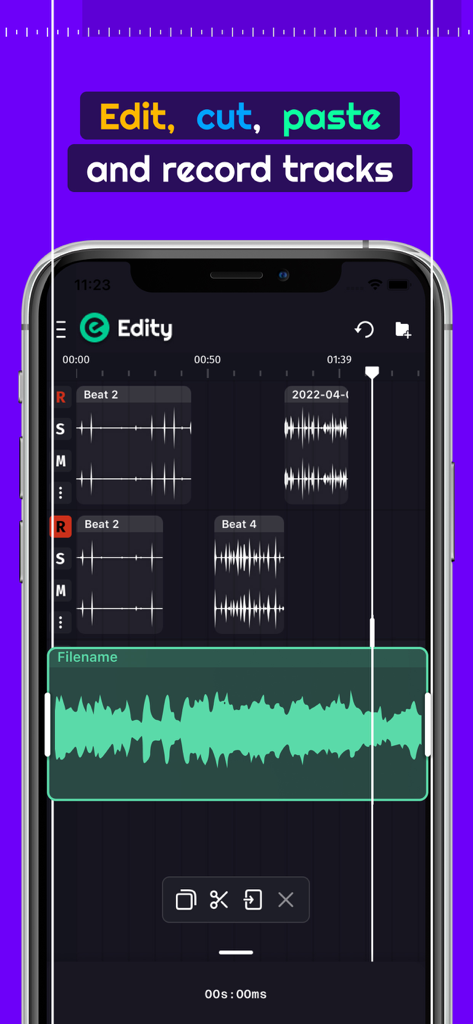
Mobile audio editing app interface showing multitrack recording and waveform editing tools
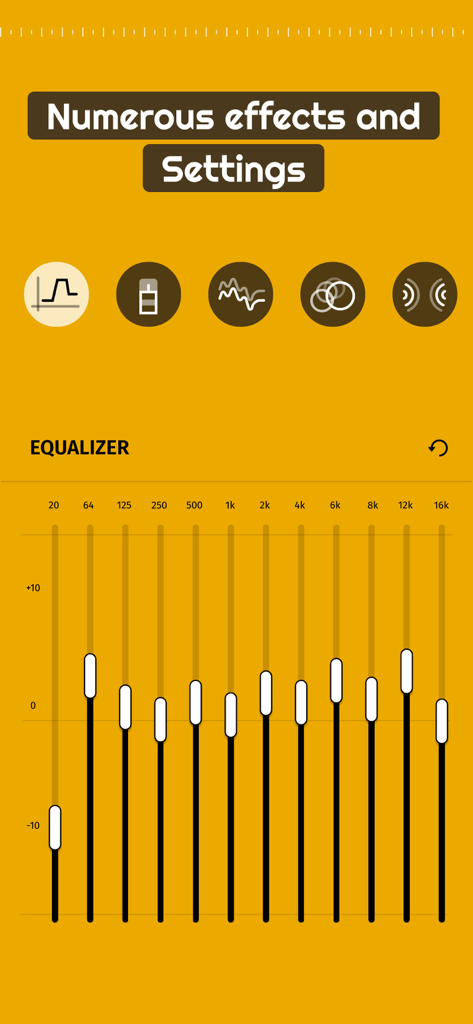
12 band equalizer and audio effects settings in Audio Lab
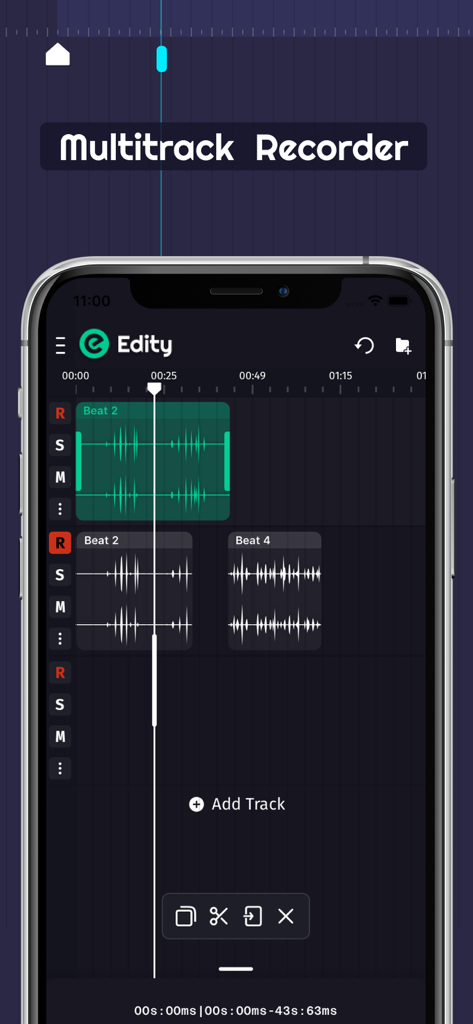
Multitrack audio recording and editing interface in the Audio Lab app
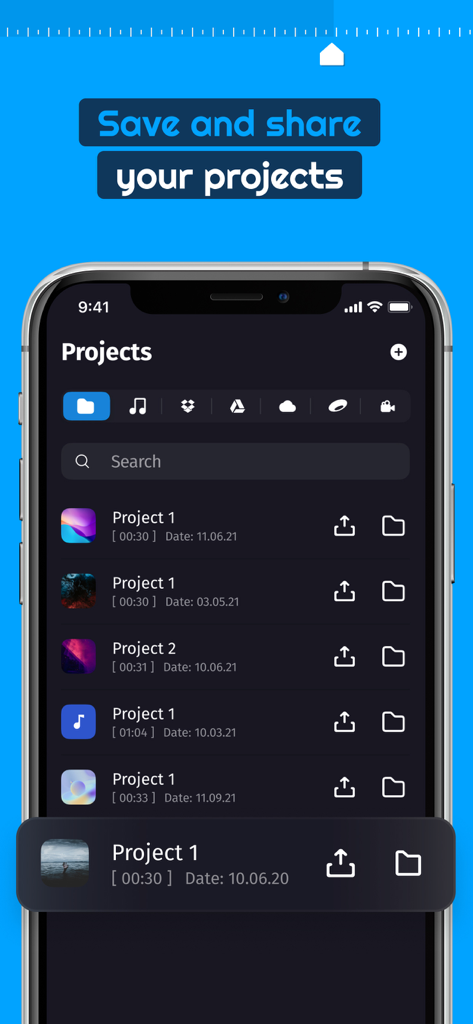
Smartphone screen showing the projects list in Audio Lab Music and Voice Editor app
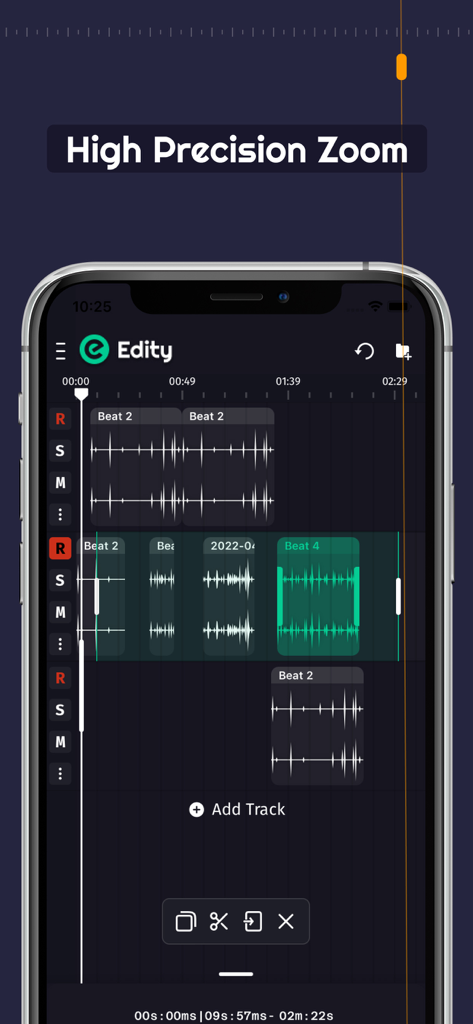
Smartphone screen displaying the high precision zoom feature in a multitrack audio editor
Description
Download
More Like This
Top-ranked apps in the same category

Spotify: Music and Podcasts
Spotify

YouTube Music
Google LLC

Shazam: Find Music & Concerts
Apple Inc.

SoundCloud: The Music You Love
SoundCloud Global Limited & Co KG

Suno - AI Songs & Music
Suno Inc.

QQ音乐 - 听我想听
Tencent Technology (Shenzhen) Company Limited

Audiomack - Play Music Offline
Audiomack, Inc.

GuitarTuna: Tune & Play Guitar
Yousician Ltd

BandLab – Music Maker & Beats
BandLab Singapore Pte Ltd
This page is not an official page of the app or its developer, but an independent editorial publication created for informational and commentary purposes. Unless expressly stated otherwise, neither the app nor its developer is affiliated with, endorsed by, sponsored by, authorized by, or otherwise officially connected with MWM, Apple, Google Play, the app publisher, or the app's developer, and nothing on this page implies that the app was developed using MWM's services. Any trademarks, logos, screenshots, and other content remain the property of their respective owners.