
This page is not an official page of the app or its developer, but an independent editorial publication created for informational and commentary purposes. Unless expressly stated otherwise, neither the app nor its developer is affiliated with, endorsed by, sponsored by, authorized by, or otherwise officially connected with MWM, Apple, Google Play, the app publisher, or the app's developer, and nothing on this page implies that the app was developed using MWM's services. Any trademarks, logos, screenshots, and other content remain the property of their respective owners.


AudioViz - Top Songs Online
Bring back the music television vibe. Automatically sync your favorite songs with YouTube videos, cast to your big screen for parties, and enjoy unlimited background play.
Downloads
425K+User Rating
Total Ratings
3K+Publisher
Category
MusicLocales
11Latest Version
13.1Size
87.0 MBFirst Released
Apr 7, 2013Your Music, Reimagined
Bridge the gap between your personal library and the visual world of YouTube. AudioViz brings back the golden age of music television directly to your living room.
The Modern MTV Experience
Breathe new life into your existing music library with a smart algorithm that automatically finds and plays the corresponding music video for every track.
Host the Perfect Party
Take the vibe to the big screen. Effortlessly mirror your curated video playlists to Apple TV or Chromecast for a high-definition social entertainment experience.
Frequently Asked Questions
Everything you need to know about AudioViz - Top Songs Online
What is the primary function of AudioViz?
AudioViz automatically scans your device's music library and displays corresponding YouTube music videos. It also enables users to create custom playlists from their library or YouTube.
Can AudioViz play music videos in the background?
Yes, AudioViz plays in the background, providing users with unlimited, free access to music video and audio. This feature enhances the entertainment experience.
How do I create a playlist in AudioViz?
AudioViz allows you to create custom playlists with songs from your music library or directly from YouTube. You can then store and share these playlists with other users.
Does AudioViz support mirroring videos to a TV?
Yes, AudioViz offers the freedom to mirror music videos via Apple TV and Chromecast. This allows users to enjoy their video content on a larger screen.
Is the AudioViz app free to use?
AudioViz provides unlimited, free access to music video and audio. However, it offers an auto-renewable subscription for additional features like unlimited playlists, a sleep timer, and ad removal.
What features are included with an AudioViz subscription?
An AudioViz subscription includes unlimited playlists, a sleep timer, and removes all ads within the app. Payment is charged to your iTunes Account upon confirmation of purchase.
How do I turn off auto-renewal for my AudioViz subscription?
You can turn off auto-renewal for your AudioViz subscription in your user's Account Settings after purchase. This must be done at least 24-hours before the current period ends.
Can I manually select music videos in AudioViz?
Yes, AudioViz provides the option to manually select music videos. This allows users to choose specific videos for playback, complementing the automatic scanning feature.
The following screenshots and description are sourced directly from the app's official store listing and are the property of the app developer.
App Store
Screenshots

Interface of the AudioViz app showing a music video playing with search and playback controls
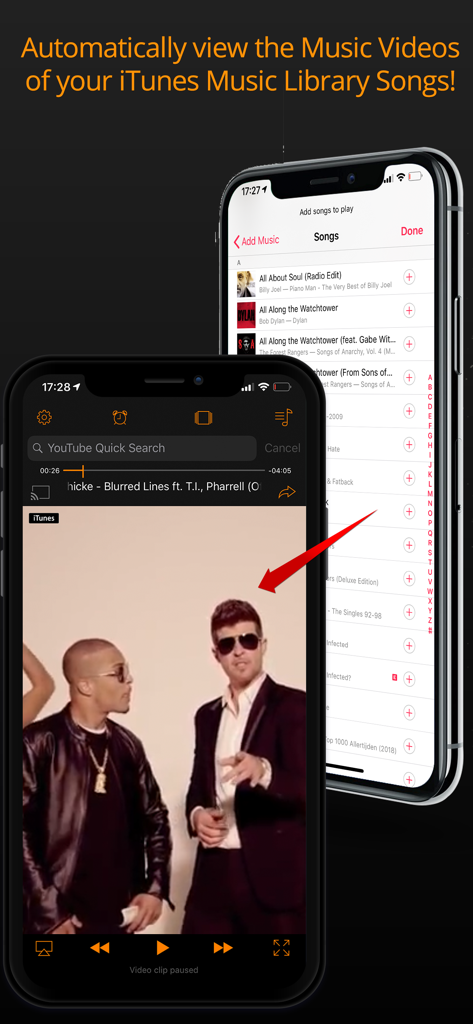
AudioViz app interface showing how to automatically view music videos from an iTunes library on iPhone
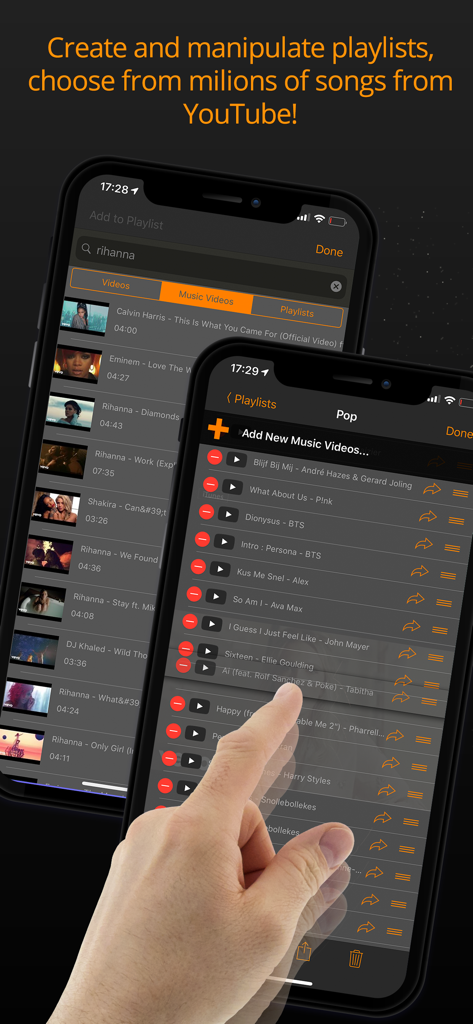
iPhone screens showing music video search for Rihanna and a curated Pop playlist in the AudioViz app.
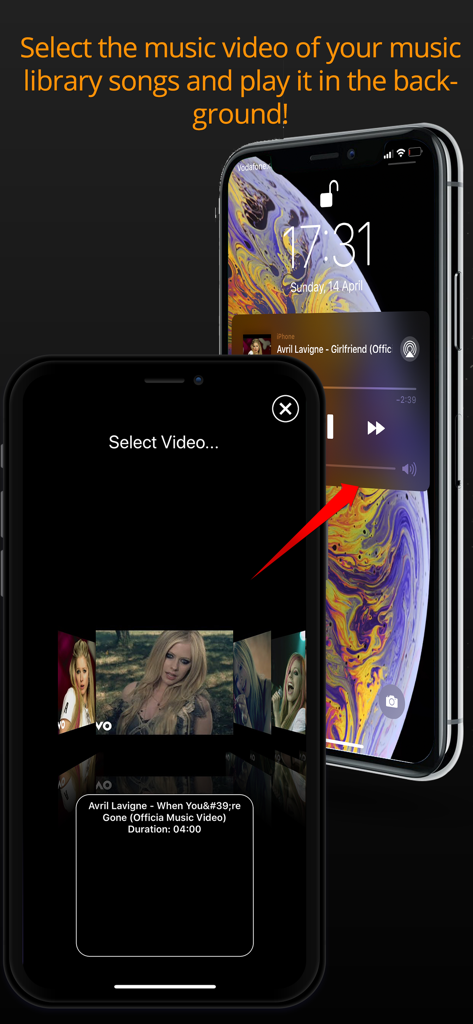
iPhone showing the AudioViz app music video selection screen and background playback feature on the lock screen.
Description
Download
More Like This
Top-ranked apps in the same category

Spotify: Music and Podcasts
Spotify

YouTube Music
Google LLC

Shazam: Find Music & Concerts
Apple Inc.

SoundCloud: The Music You Love
SoundCloud Global Limited & Co KG

Suno - AI Songs & Music
Suno Inc.

QQ音乐 - 听我想听
Tencent Technology (Shenzhen) Company Limited

Audiomack - Play Music Offline
Audiomack, Inc.

GuitarTuna: Tune & Play Guitar
Yousician Ltd

BandLab – Music Maker & Beats
BandLab Singapore Pte Ltd
This page is not an official page of the app or its developer, but an independent editorial publication created for informational and commentary purposes. Unless expressly stated otherwise, neither the app nor its developer is affiliated with, endorsed by, sponsored by, authorized by, or otherwise officially connected with MWM, Apple, Google Play, the app publisher, or the app's developer, and nothing on this page implies that the app was developed using MWM's services. Any trademarks, logos, screenshots, and other content remain the property of their respective owners.