
This page is not an official page of the app or its developer, but an independent editorial publication created for informational and commentary purposes. Unless expressly stated otherwise, neither the app nor its developer is affiliated with, endorsed by, sponsored by, authorized by, or otherwise officially connected with MWM, Apple, Google Play, the app publisher, or the app's developer, and nothing on this page implies that the app was developed using MWM's services. Any trademarks, logos, screenshots, and other content remain the property of their respective owners.


Australia Post
Take total control of your deliveries with automatic tracking, real-time notifications, and 24/7 contactless locker access. Designed for the way you shop and live today.
Downloads
6M+User Rating
Total Ratings
456K+Publisher
Category
BusinessLocales
1Latest Version
7.9.3Size
63.5 MBFirst Released
Jul 10, 2010Master Your Deliveries with Total Ease
Stop hunting for tracking numbers and take full control of your logistics. From automatic tracking to secure 24/7 lockers, manage every parcel from the palm of your hand.
Automated Parcel Tracking
No more manual entry. Eligible parcels are automatically synced to your account, providing a unified view of your shopping and household deliveries without the hassle of copy-pasting numbers.
Ultimate Delivery Control
Stay flexible even when life gets busy. Redirect your parcels in-transit, set safe-drop preferences, and receive 2-hour delivery windows so you never miss a moment that matters.
Frequently Asked Questions
Everything you need to know about Australia Post
What is the Australia Post app?
The Australia Post app allows users to safely track and manage their parcels on a smart device. It provides trusted notifications and features for delivery preferences.
Can I track my parcels automatically with the AusPost app?
Yes, the AusPost app automatically displays eligible parcels in your track list if matched to your account. You do not need to add tracking numbers manually.
How can I set delivery preferences using the Australia Post app?
The Australia Post app lets you request parcels be left in a safe place or redirected while in transit, if eligible. This can be done directly within the app.
Does the Australia Post app provide proof of parcel delivery?
Yes, the Australia Post app provides proof of delivery. Users can view photos of where their parcel is left, if this feature is eligible for their delivery.
How do I collect a missed delivery from the Post Office using the AusPost app?
The AusPost app provides a collection QR code to collect missed deliveries from the Post Office. Users present this QR code instead of a physical collection card.
Can I authorize someone else to collect my parcel using the Australia Post app?
Yes, the Australia Post app allows you to authorize another person to collect a parcel for you from the Post Office. This involves sharing collection authority through the app.
Does the Australia Post app support contactless parcel collection?
Yes, the Australia Post app facilitates contactless collection from free 24/7 Parcel Lockers. This feature offers an entirely contactless experience using the app.
Can I pay bills using the Australia Post app?
Yes, the Australia Post app allows users to pay eligible bills with PostBill Pay. This feature is integrated into the app for convenience.
How do I pay for and print postage labels with the Australia Post app?
The Australia Post app allows you to pay for and print postage labels online. You can create new postage labels directly within the app.
Can I find Post Office locations and hours using the Australia Post app?
Yes, the Australia Post app helps you find Post Office locations, their opening times, and postcodes. It includes a map view for easy navigation.
What features does the Australia Post watch app offer?
The Australia Post watch app synchronizes with the phone app for tracking notifications, checking parcel nicknames, viewing delivery times, and unlocking Parcel Lockers with a QR code from your wrist.
The following screenshots and description are sourced directly from the app's official store listing and are the property of the app developer.
App Store
Screenshots
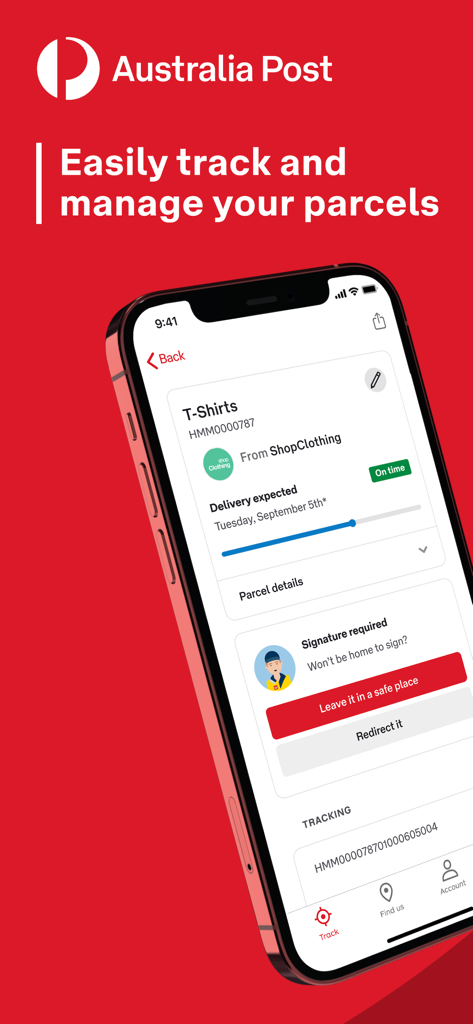
Australia Post mobile app interface showing parcel tracking status and delivery management options on a smartphone screen.
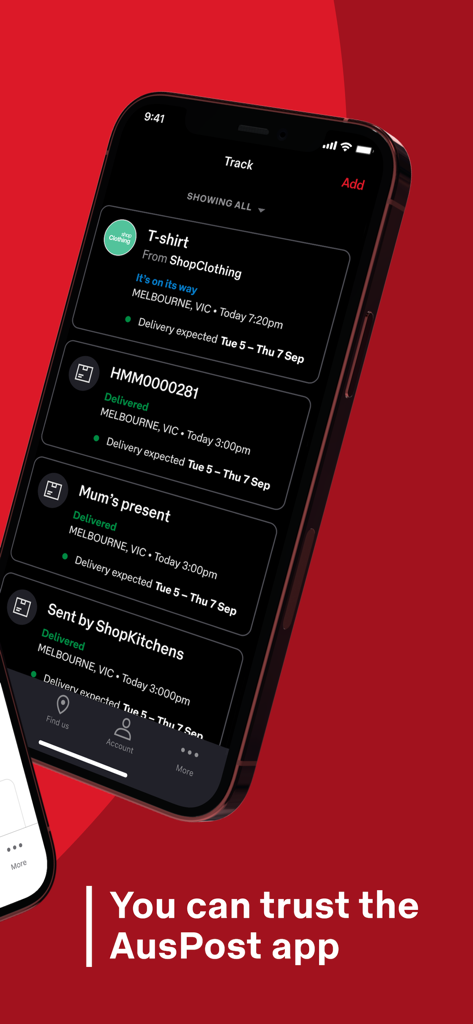
Australia Post app interface showing a list of tracked parcels and their delivery statuses on a smartphone
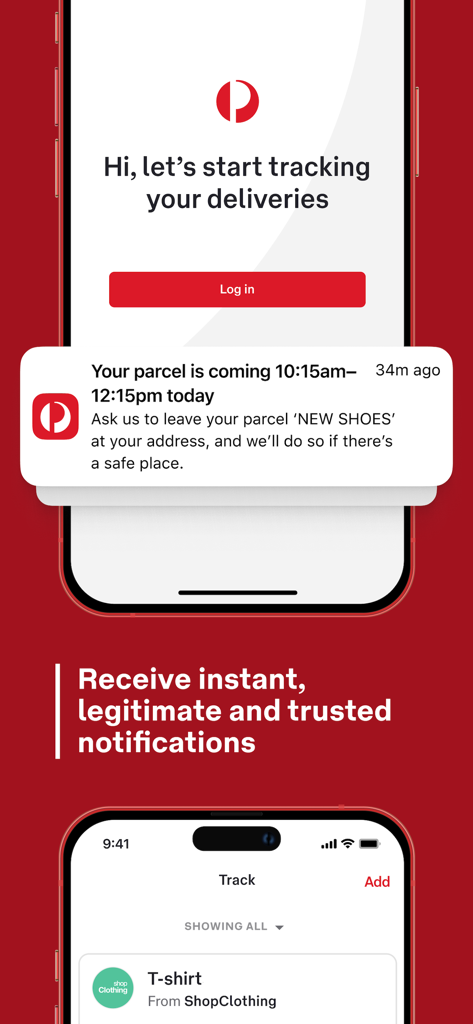
Australia Post app interface showing parcel delivery tracking and push notifications
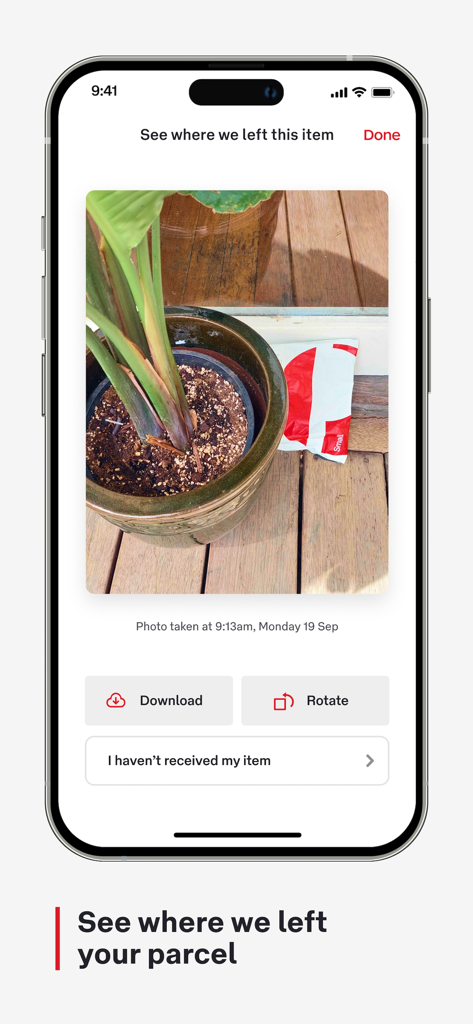
Screenshot of Australia Post app showing a photo of a delivered parcel as proof of delivery
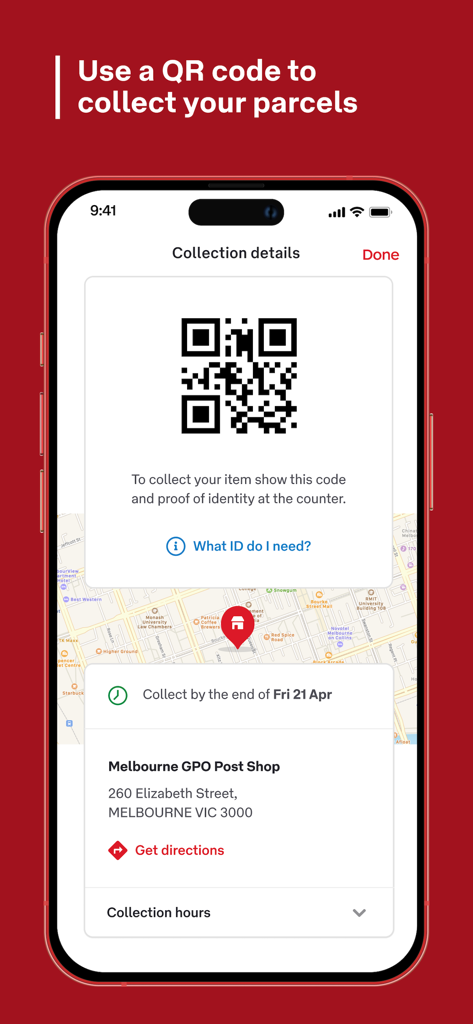
Australia Post app screen displaying a QR code for parcel collection
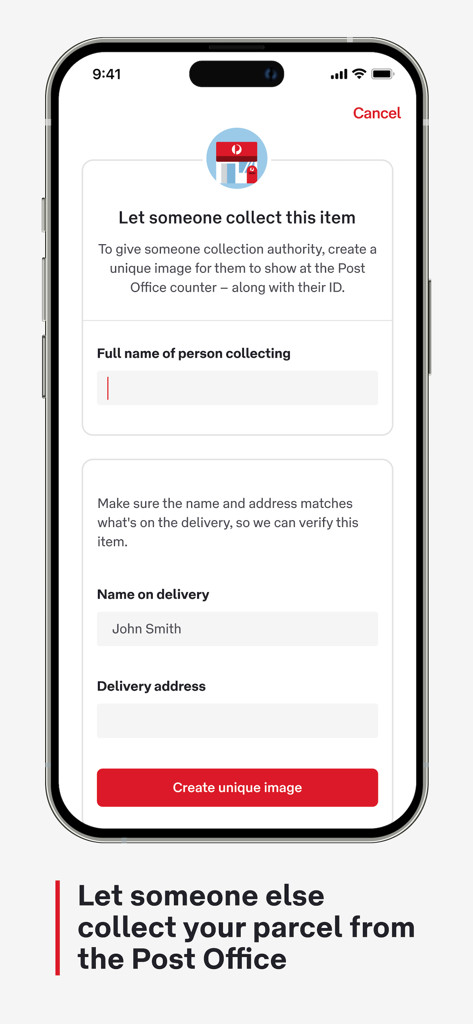
Australia Post app screen for authorizing someone else to collect a parcel.
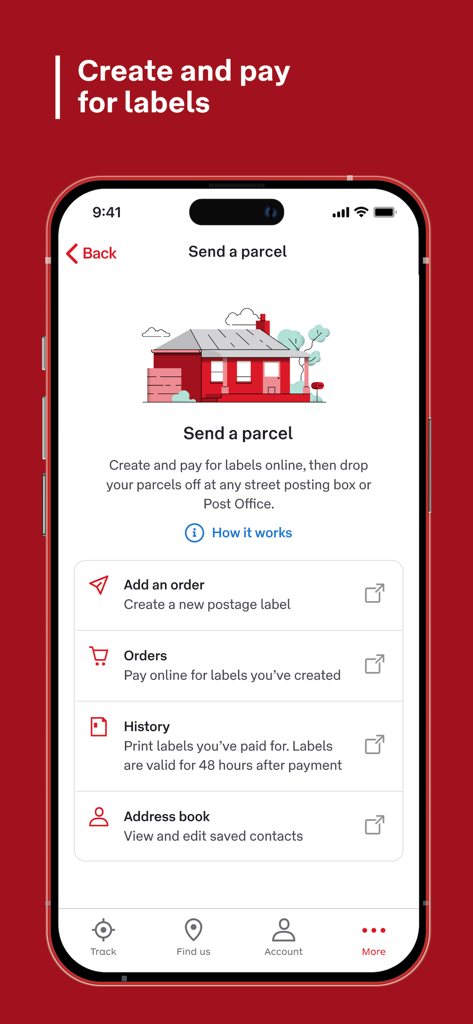
Australia Post mobile app screen for sending a parcel and creating postage labels
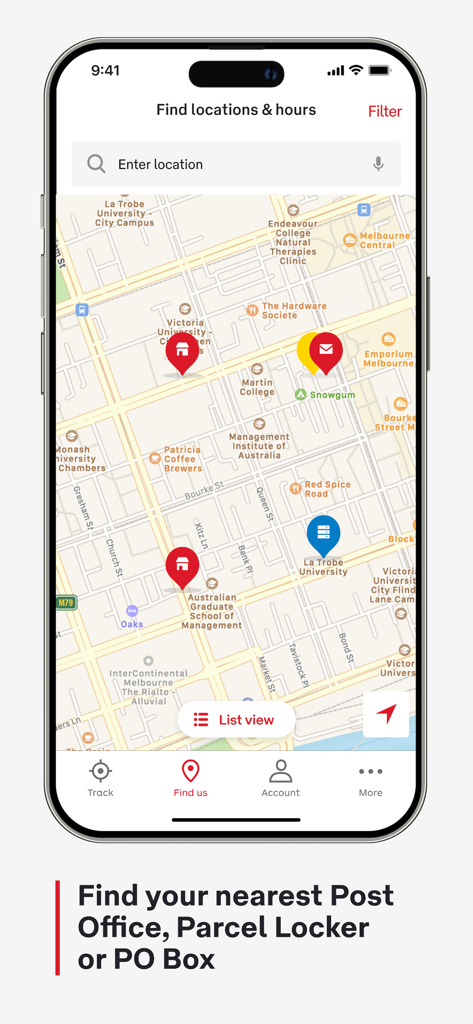
Australia Post app map view for finding nearby Post Offices and Parcel Lockers.
Description
Download
More Like This
Apps with similar features and user experience

CDEK: Delivery & Shopping
SDEK-DS, OOO

Почта России
Federal State Unitary Enterprise Russian Post

InPost Mobile
InPost Paczkomaty Sp. z o.o.

USPS Mobile®
United States Postal Service

快递100
Shenzhen Qianhai Baidi Network Co., Ltd.

Mój DHL
DHL eCommerce (Poland) sp. z o.o.

Packeta
Zasilkovna s.r.o.

iBoxen
iBoxen Infrastruktur Sverige AB

FAN Courier Mobile
FAN Courier Express SRL
This page is not an official page of the app or its developer, but an independent editorial publication created for informational and commentary purposes. Unless expressly stated otherwise, neither the app nor its developer is affiliated with, endorsed by, sponsored by, authorized by, or otherwise officially connected with MWM, Apple, Google Play, the app publisher, or the app's developer, and nothing on this page implies that the app was developed using MWM's services. Any trademarks, logos, screenshots, and other content remain the property of their respective owners.