
This page is not an official page of the app or its developer, but an independent editorial publication created for informational and commentary purposes. Unless expressly stated otherwise, neither the app nor its developer is affiliated with, endorsed by, sponsored by, authorized by, or otherwise officially connected with MWM, Apple, Google Play, the app publisher, or the app's developer, and nothing on this page implies that the app was developed using MWM's services. Any trademarks, logos, screenshots, and other content remain the property of their respective owners.


Australian Taxation Office
Track your refund in real-time, record work expenses with GPS, and manage your superannuation with secure, biometric access anytime, anywhere.
Downloads
2M+User Rating
Total Ratings
1K+Publisher
Category
FinanceLocales
-Latest Version
6.1.6Size
180.4 MBFirst Released
Jun 28, 2013Tax Management, Reimagined for Your Pocket
From tracking work expenses to monitoring your retirement savings, the ATO app puts you in total control of your financial obligations with ease and security.
Effortless Expense Tracking
Stop losing receipts. Use myDeductions to snap photos of work expenses and log GPS work trips automatically for a seamless tax time.
Live Financial Dashboard
Stay informed with real-time updates on your tax return progress, superannuation balances, and upcoming lodgment due dates.
Frequently Asked Questions
Everything you need to know about Australian Taxation Office
What is the purpose of the ATO app?
The ATO app allows users to manage their tax and super affairs on the go, making the process simple and easy.
Does the ATO app allow me to track my tax return?
Yes, the ATO app allows you to follow your 2024-25 tax return from start to finish, including checking prefill information and tracking its progress.
How do I access a personalised experience in the ATO app?
You need a myGov account linked to the ATO and a registered device with an Australian mobile number and email address to access a personalised experience.
Can I use Face ID or fingerprint recognition for quick login in the ATO app?
Yes, the ATO app supports quick login using your device’s security features like face and fingerprint recognition.
What is myDeductions in the ATO app?
myDeductions is a tool within the ATO app that helps employees and sole traders record work expenses and allows sole traders to record income. You can upload these records to your tax return.
Does the ATO app provide information on my super balance?
Yes, the ATO app provides an overview of your super balance and accounts, helping you see your super funds and their details.
Can I view my employment income using the ATO app?
Yes, the ATO app allows you to view your employment income and superannuation contributions required from your employers.
Does the ATO app send usage data?
Yes, the ATO app can automatically send usage data to improve the app. This data does not identify you, and you can disable it in the app’s settings.
Does the myDeductions tool use GPS in the ATO app?
Yes, GPS can be used to record trips in myDeductions. For this feature, the app needs access to your device location.
Can I see overdue lodgments in the ATO app?
Yes, the ATO app allows you to view in real-time when lodgments and payments are due. It highlights lodgments that require action.
The following screenshots and description are sourced directly from the app's official store listing and are the property of the app developer.
App Store
Screenshots
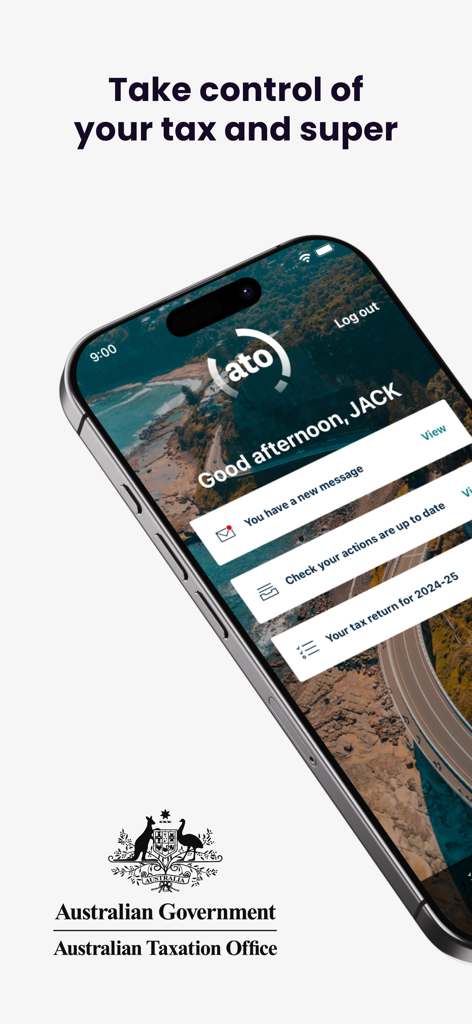
Dashboard of the Australian Taxation Office mobile app showing personal tax and superannuation status
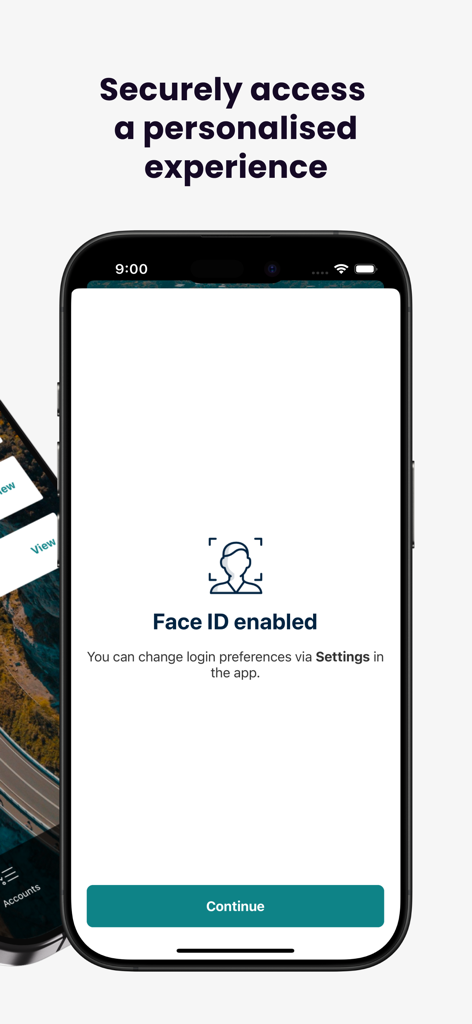
Secure login screen with Face ID enabled on the ATO mobile app
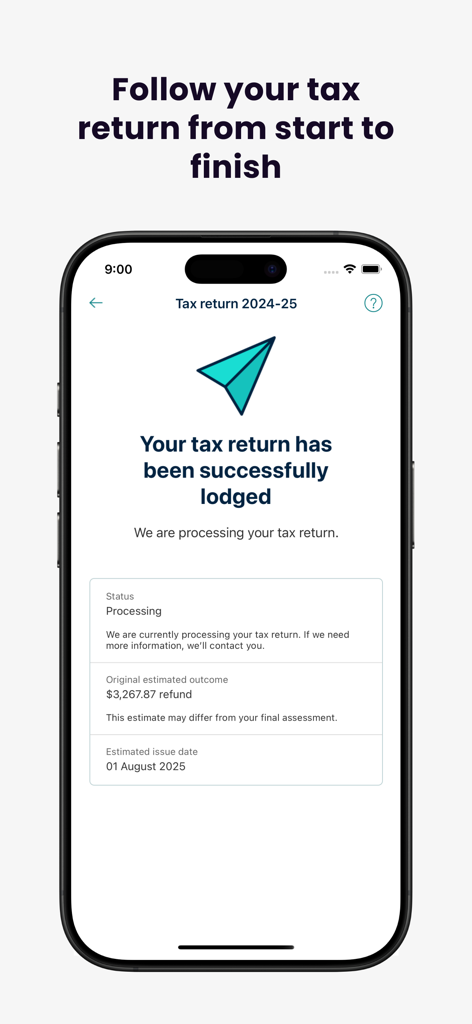
Screenshot of the ATO app showing a successfully lodged tax return with processing status and estimated refund
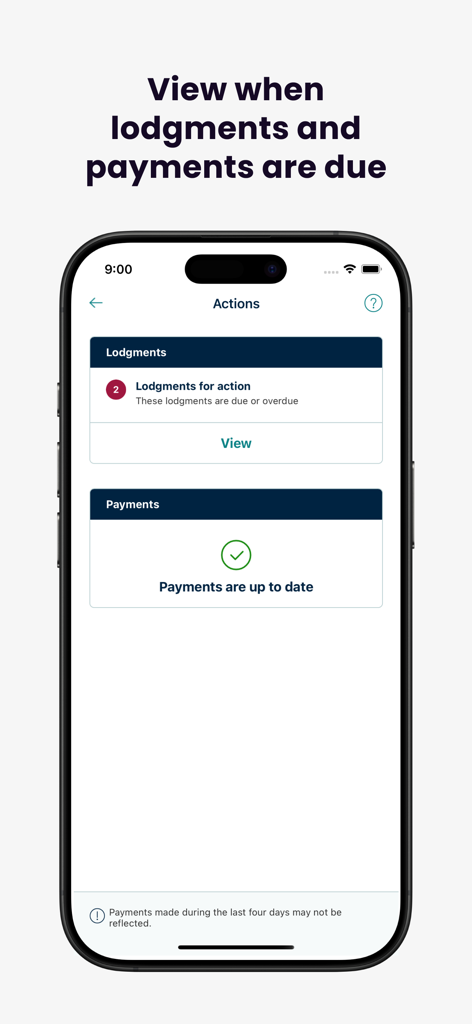
Screenshot of the Australian Taxation Office app showing due lodgments and current payment status.
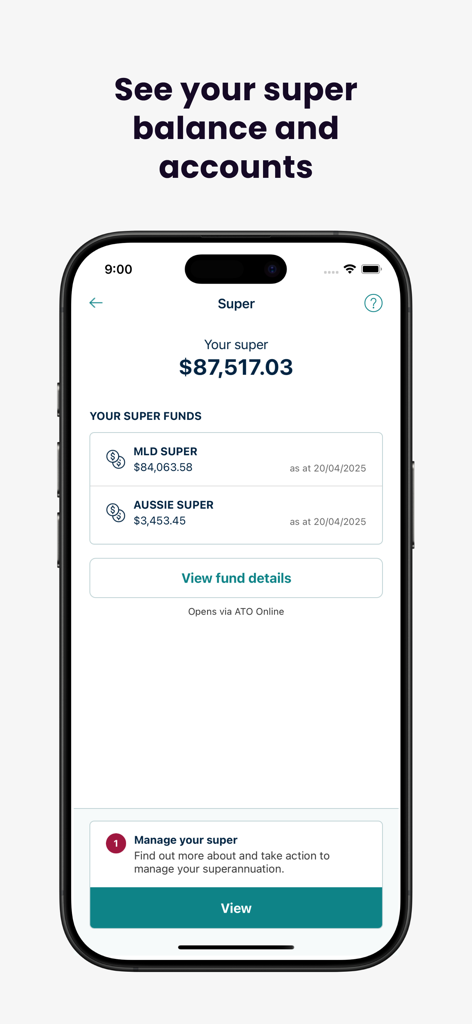
A smartphone screen displaying the ATO app showing a superannuation balance of over eighty-seven thousand dollars and a list of super funds.
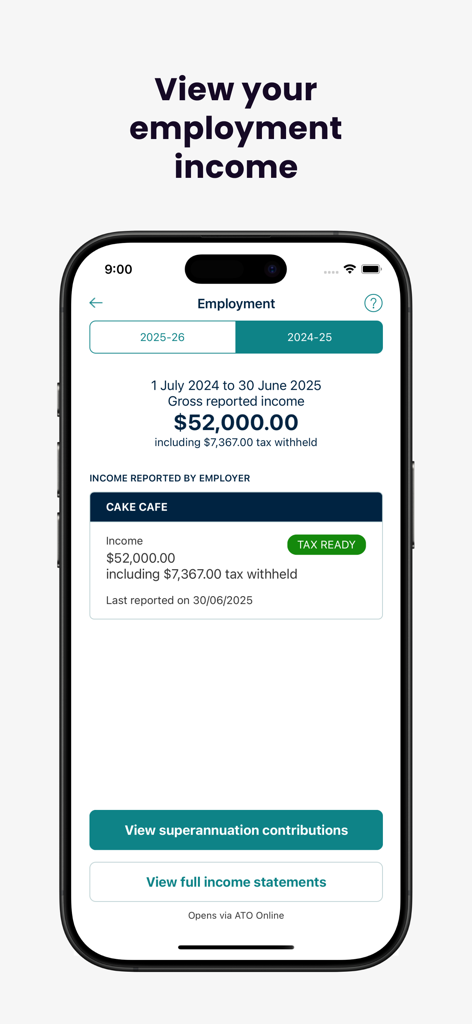
A mobile screen from the Australian Taxation Office app showing gross reported employment income and tax withheld details for the financial year.
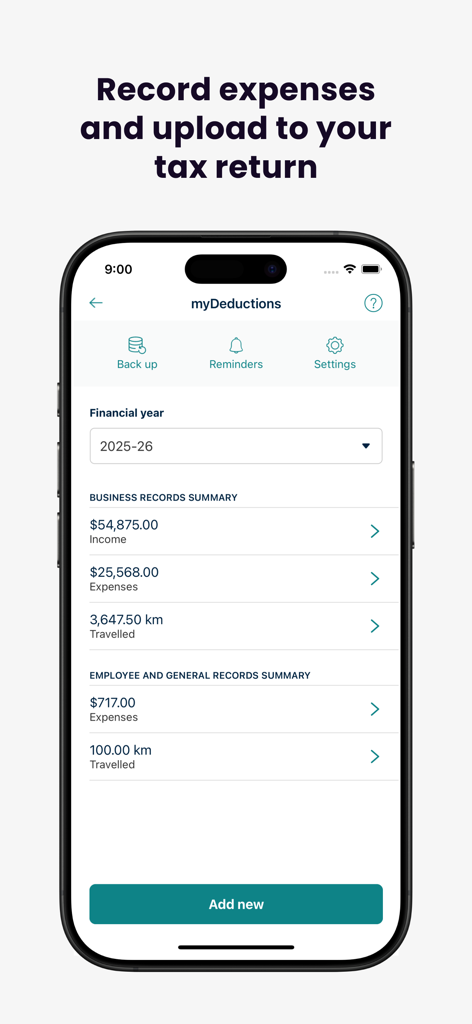
Australian Taxation Office app myDeductions tool showing business income and expense summaries
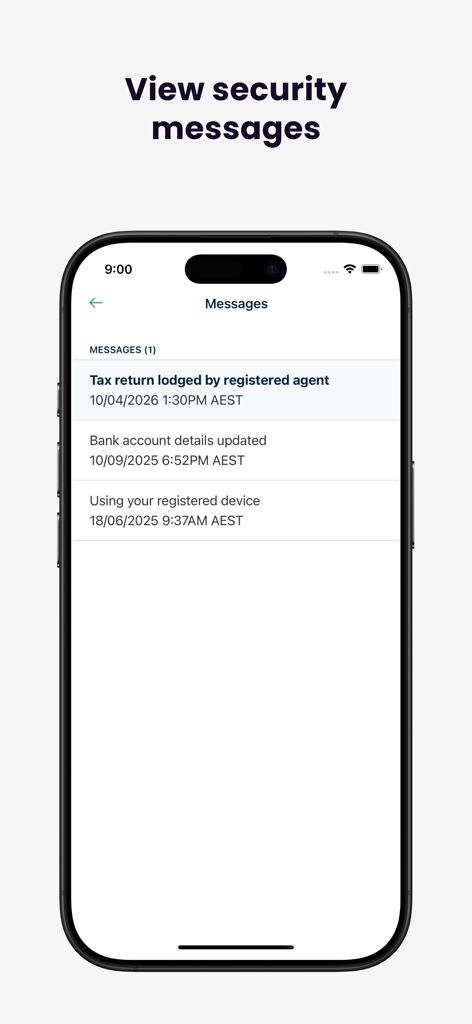
A mobile app screen titled Messages displaying security alerts from the Australian Taxation Office.
Description
Download
More Like This
Apps with similar features and user experience

Meu INSS - Central de Serviços
Servicos e Informacoes do Brasil

HMRC
HMRC

VA: Health and Benefits
US Department of Veterans Affairs (VA)

SSO+
Social Security Office

IMSS Digital
Instituto Mexicano del Seguro Social

Cadastro Único
Servicos e Informacoes do Brasil

APP Personas
Superintendencia Nacional de Aduanas y Administraci�n Tributaria

Carteira de Trabalho Digital
Servicos e Informacoes do Brasil

حساب المواطن
Ministry of Human Resources and Social Development
This page is not an official page of the app or its developer, but an independent editorial publication created for informational and commentary purposes. Unless expressly stated otherwise, neither the app nor its developer is affiliated with, endorsed by, sponsored by, authorized by, or otherwise officially connected with MWM, Apple, Google Play, the app publisher, or the app's developer, and nothing on this page implies that the app was developed using MWM's services. Any trademarks, logos, screenshots, and other content remain the property of their respective owners.