
This page is not an official page of the app or its developer, but an independent editorial publication created for informational and commentary purposes. Unless expressly stated otherwise, neither the app nor its developer is affiliated with, endorsed by, sponsored by, authorized by, or otherwise officially connected with MWM, Apple, Google Play, the app publisher, or the app's developer, and nothing on this page implies that the app was developed using MWM's services. Any trademarks, logos, screenshots, and other content remain the property of their respective owners.


VA: Health and Benefits
Skip the phone lines and paper mail. Refill prescriptions, track your disability status, and access your veteran benefits directly from your phone with the official app built for you.
Downloads
1M+User Rating
Total Ratings
280K+Publisher
Category
MedicalLocales
1Latest Version
2.65.0Size
28.1 MBFirst Released
Jul 13, 2021Take Command of Your VA Benefits
Skip the phone lines and the paperwork. Access your health care, track your claims, and manage your payments in one secure, mobile-first experience built for Veterans.
Real-Time Claim Tracking
Stay informed on your disability claim or appeal status without the wait. Upload evidence and check your rating progress instantly from anywhere.
Seamless Health Management
Refill prescriptions, message your VA care team, and view upcoming appointments. Your medical records and health tools are always in your pocket.
Frequently Asked Questions
Everything you need to know about VA: Health and Benefits
What is the VA: Health & Benefits app?
The VA: Health & Benefits app allows users to manage their VA health care, benefits, and payments directly from a mobile phone or tablet.
Does the VA: Health & Benefits app support biometric sign-in?
Yes, the VA: Health & Benefits app supports biometric sign-in using your phone's built-in security features like fingerprint and face recognition.
Can I refill my VA prescriptions using the VA: Health & Benefits app?
Yes, the VA: Health & Benefits app allows users to refill and track their VA prescriptions. It also provides an option to start a refill request.
How can I contact my VA health care team with the VA: Health & Benefits app?
The VA: Health & Benefits app enables users to send and receive secure messages directly with their VA health care team.
Can I view my VA appointments in the VA: Health & Benefits app?
Yes, users can review their VA appointments within the VA: Health & Benefits app and add them to their personal calendar.
Does the VA: Health & Benefits app provide access to vaccine records?
Yes, the VA: Health & Benefits app provides access to your records for VA vaccines, including information related to COVID-19.
How do I check my disability rating using the VA: Health & Benefits app?
The VA: Health & Benefits app includes tools to check your disability rating directly from your mobile device.
Can I track my VA claim status on the VA: Health & Benefits app?
Yes, the VA: Health & Benefits app allows users to review their claim or appeal status and submit additional evidence.
Can I download VA letters from the VA: Health & Benefits app?
Yes, the VA: Health & Benefits app provides the functionality to download common VA letters and documents directly.
How do I review my VA payment history with the VA: Health & Benefits app?
The VA: Health & Benefits app includes tools to review the payments that the VA has sent to you.
Can I update my direct deposit information in the VA: Health & Benefits app?
Yes, the VA: Health & Benefits app allows users to update their direct deposit information for VA payments.
Does the VA: Health & Benefits app have a facility locator?
Yes, the VA: Health & Benefits app features a facility locator to help users find nearby VA facilities and services.
How can I access the Veterans Crisis Line through the VA: Health & Benefits app?
The VA: Health & Benefits app provides quick and direct access to the Veterans Crisis Line.
Can I show proof of Veteran status using the VA: Health & Benefits app?
Yes, the VA: Health & Benefits app allows users to display proof of their Veteran status.
What is the contact number for support for the VA: Health & Benefits app?
For assistance with the VA: Health & Benefits app, you can call 800-698-2411 (TTY: 711). Support is available 24/7.
The following screenshots and description are sourced directly from the app's official store listing and are the property of the app developer.
App Store
Screenshots
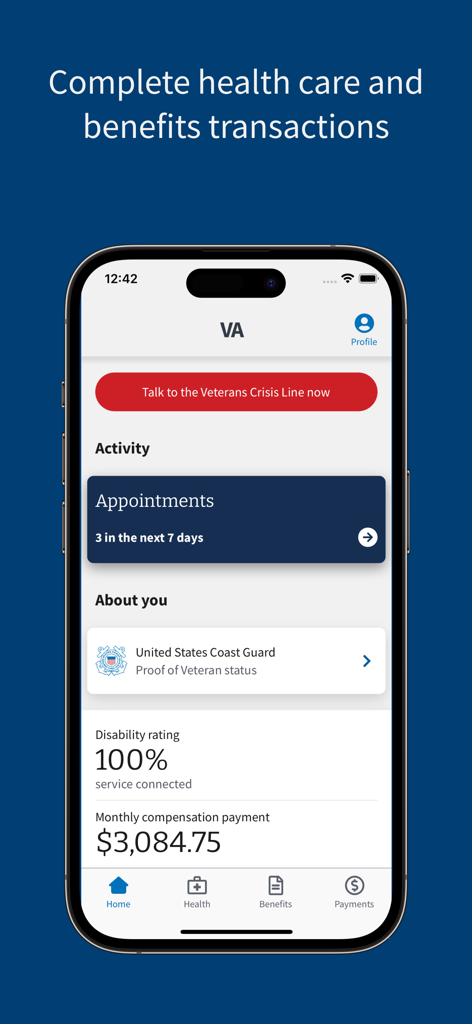
Home screen of the VA Health and Benefits app showing veteran status disability rating and monthly compensation information
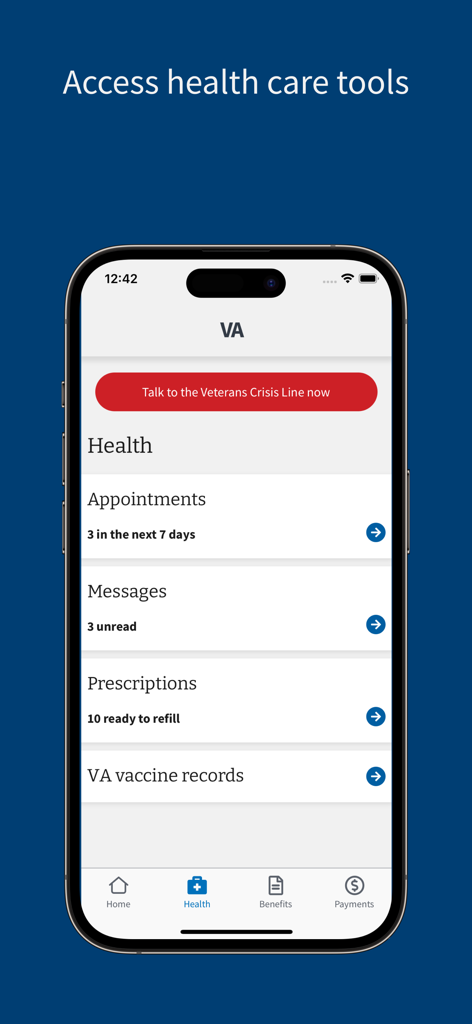
VA Health and Benefits app healthcare dashboard showing appointments, messages, and prescriptions.
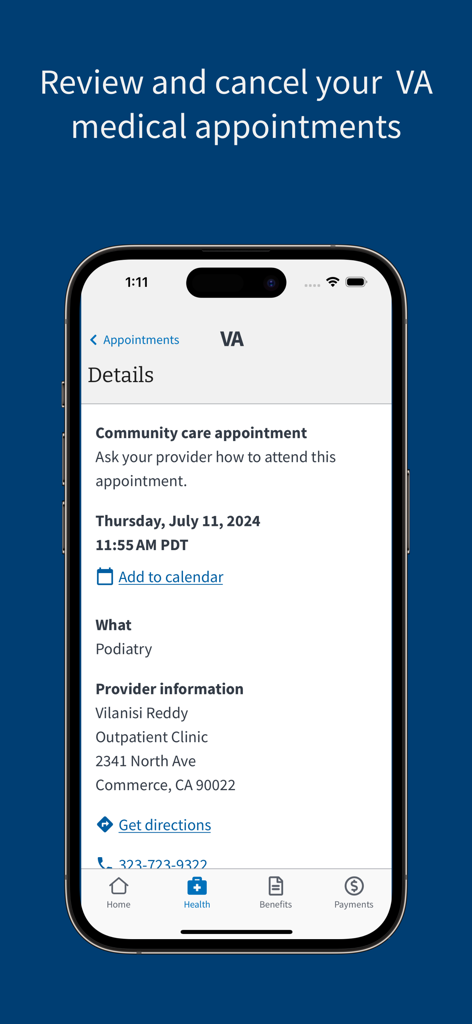
Screenshot of the VA Health and Benefits app displaying details for a medical appointment including provider information and location.
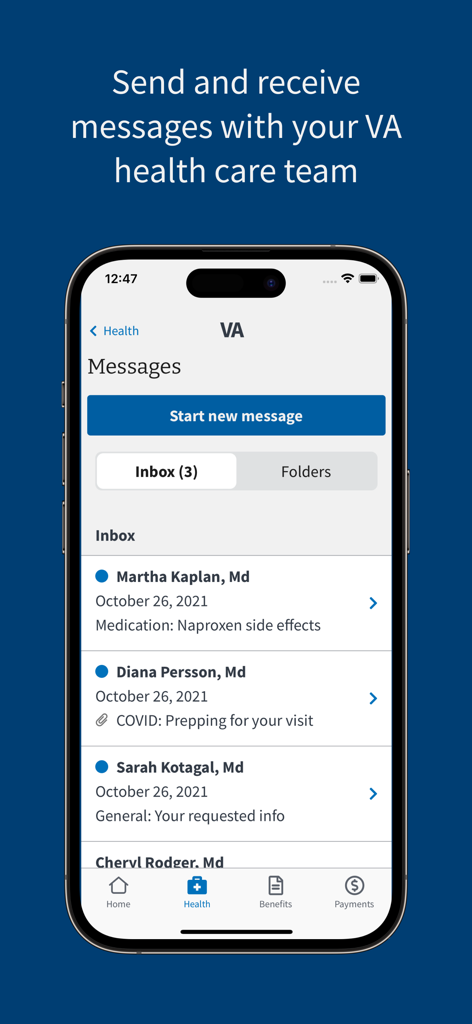
A mobile phone screen displaying the secure messaging feature of the VA Health and Benefits app showing a list of doctor communications
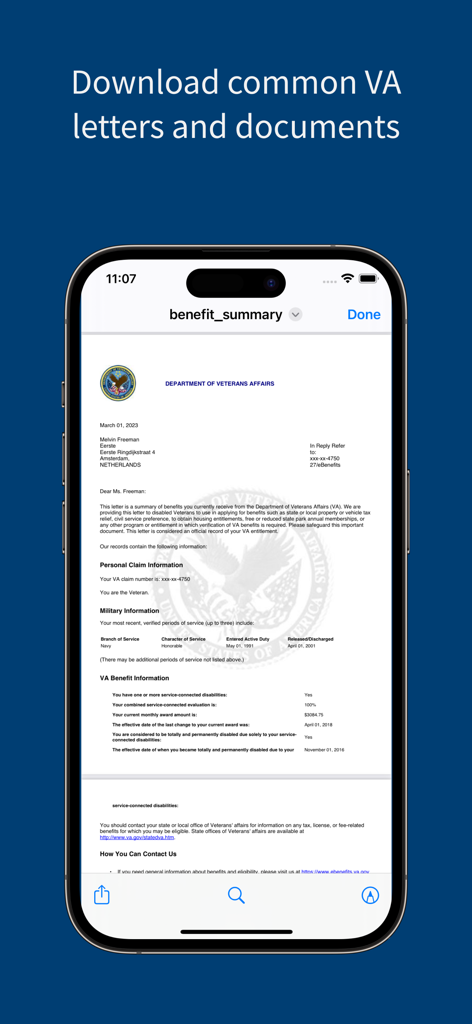
A mobile phone screen displaying a VA benefit summary document within the VA Health and Benefits app
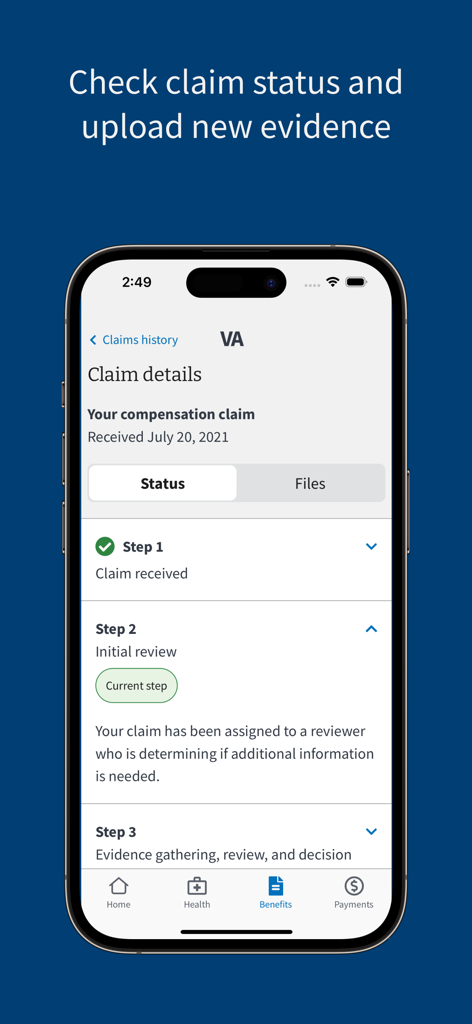
Mobile screen showing VA compensation claim status and progress steps
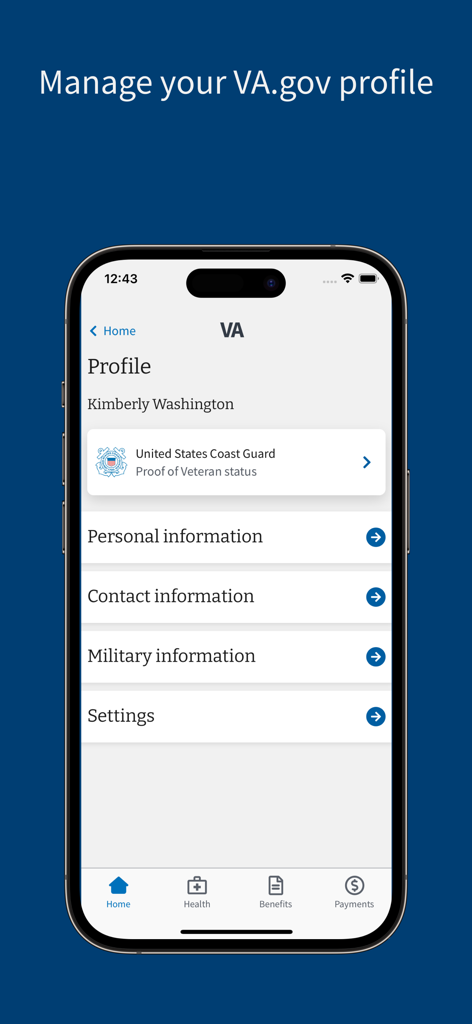
A screenshot of the VA Health and Benefits app showing a veteran profile page with options to manage personal and military information
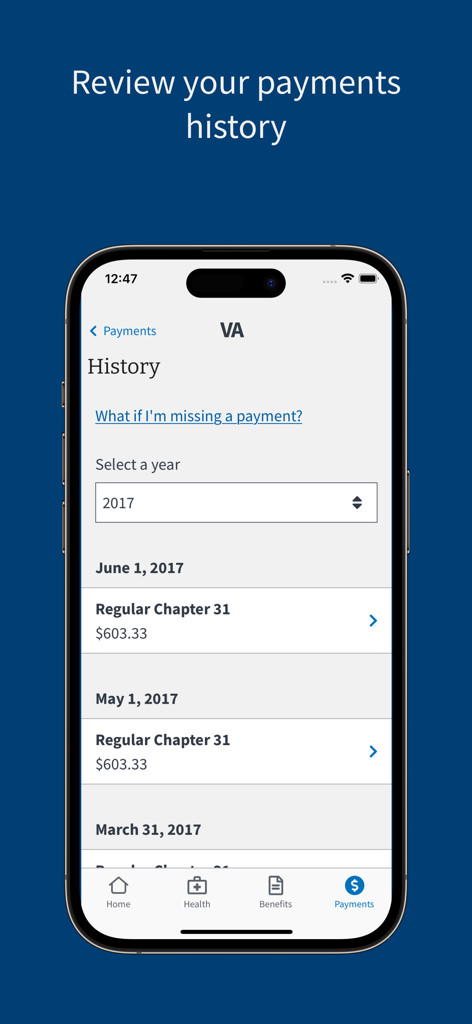
Screenshot of the VA Health and Benefits app displaying a veteran's payment history with dates and amounts
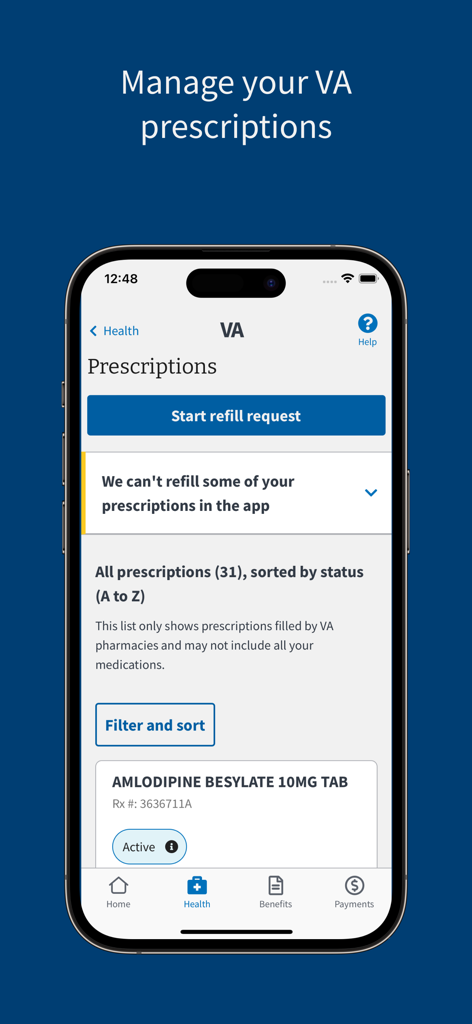
VA Health and Benefits app screen for managing and refilling prescriptions
Description
Download
More Like This
Apps with similar features and user experience

Meu INSS - Central de Serviços
Servicos e Informacoes do Brasil

HMRC
HMRC

SSO+
Social Security Office

IMSS Digital
Instituto Mexicano del Seguro Social

Cadastro Único
Servicos e Informacoes do Brasil

APP Personas
Superintendencia Nacional de Aduanas y Administraci�n Tributaria

Carteira de Trabalho Digital
Servicos e Informacoes do Brasil

حساب المواطن
Ministry of Human Resources and Social Development

Bolsa Família
Caixa Economica Federal
This page is not an official page of the app or its developer, but an independent editorial publication created for informational and commentary purposes. Unless expressly stated otherwise, neither the app nor its developer is affiliated with, endorsed by, sponsored by, authorized by, or otherwise officially connected with MWM, Apple, Google Play, the app publisher, or the app's developer, and nothing on this page implies that the app was developed using MWM's services. Any trademarks, logos, screenshots, and other content remain the property of their respective owners.