
This page is not an official page of the app or its developer, but an independent editorial publication created for informational and commentary purposes. Unless expressly stated otherwise, neither the app nor its developer is affiliated with, endorsed by, sponsored by, authorized by, or otherwise officially connected with MWM, Apple, Google Play, the app publisher, or the app's developer, and nothing on this page implies that the app was developed using MWM's services. Any trademarks, logos, screenshots, and other content remain the property of their respective owners.


Auto Clicker - Auto Click App
Stop tapping, start dominating. This app gives users effortless digital command.
Downloads
1M+User Rating
Total Ratings
21.7KPublisher
Category
UtilitiesLocales
6Latest Version
1.1.2Size
86.8 MBFirst Released
Dec 14, 2023An evaluation of key functionalities for mobile-first users.
App Feature Analysis: Auto Clicker - Auto Click App
Automated Tapping Solution
The app provides an auto-clicker feature that automates repetitive screen taps, which is highly beneficial for mobile gaming and streamlining routine tasks.
Dynamic Lock Screen Customization
It allows users to transform videos into Live Photos for animated lock screen wallpapers on iOS 17, enabling significant device personalization.
On-Screen Magnification
This tool features a magnifier to zoom in on screen details, aiding in reading small text or examining images with clarity.
Persistent Time Display
The app offers a floating clock that displays the current time without interrupting other activities, useful for time management during tasks or gaming.
Frequently Asked Questions
Everything you need to know about Auto Clicker - Auto Click App
What is the main function of the Auto Clicker - Auto Click App?
The Auto Clicker - Auto Click App provides an auto-clicker tool to set and adjust repetitive clicking actions within its built-in web environment. This frees users from manual tapping.
Does the Auto Clicker - Auto Click App include a magnifier tool?
Yes, the Auto Clicker - Auto Click App includes a magnifier tool. It allows users to zoom in with crystal clarity to view fine details on their screen, aiding in reading small text.
Can I measure screen lengths with Auto Clicker - Auto Click App?
Yes, Auto Clicker - Auto Click App offers a practical ruler tool. Users can quickly measure lengths directly on their screen, which is useful for various size-related tasks.
What is the purpose of the Floating Clock feature in Auto Clicker - Auto Click App?
The Floating Clock feature in Auto Clicker - Auto Click App displays the current time. It stays visible while users operate other functions within the app, providing uninterrupted timekeeping.
Can Auto Clicker - Auto Click App convert videos to Live Photos?
Yes, Auto Clicker - Auto Click App converts videos into Live Photos. Users can then set these as dynamic lock screen wallpapers on iOS 17 devices, adding motion and personality.
How can I access VIP features in Auto Clicker - Auto Click App?
Access to VIP features in Auto Clicker - Auto Click App requires a basic membership. Subscriptions are billed automatically, granting unlimited access to all app features.
How do I manage my subscription for Auto Clicker - Auto Click App?
Users can control their Auto Clicker - Auto Click App subscription and disable auto-renewal in their iTunes account settings. Auto-renewal must be opted out at least 24 hours before the period ends.
Where can I find the Privacy Policy for Auto Clicker - Auto Click App?
The Privacy Policy for Auto Clicker - Auto Click App is available at https://www.qianduolai.com/privacyp/privacypolicycc.html. Users agree to this policy by using the app.
Where are the Terms of Use for Auto Clicker - Auto Click App located?
The Terms of Use for Auto Clicker - Auto Click App are located at https://www.qianduolai.com/privacyp/tremsofusecc.html. Agreement to these terms is implied by using the app.
The following screenshots and description are sourced directly from the app's official store listing and are the property of the app developer.
App Store
Screenshots
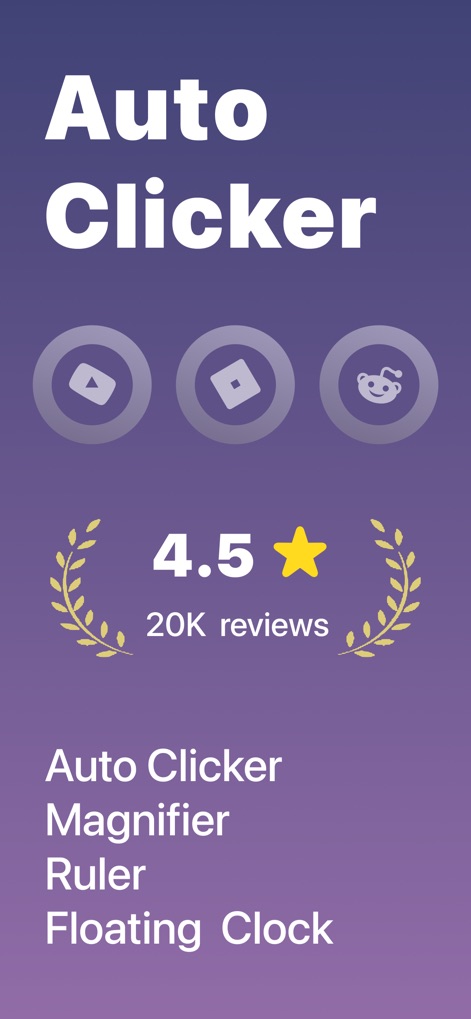
Discover how the app proudly displays its "Auto Clicker" identity and highlights essential tools such as the "Magnifier" and "Floating Clock".
Core Features Unveiled
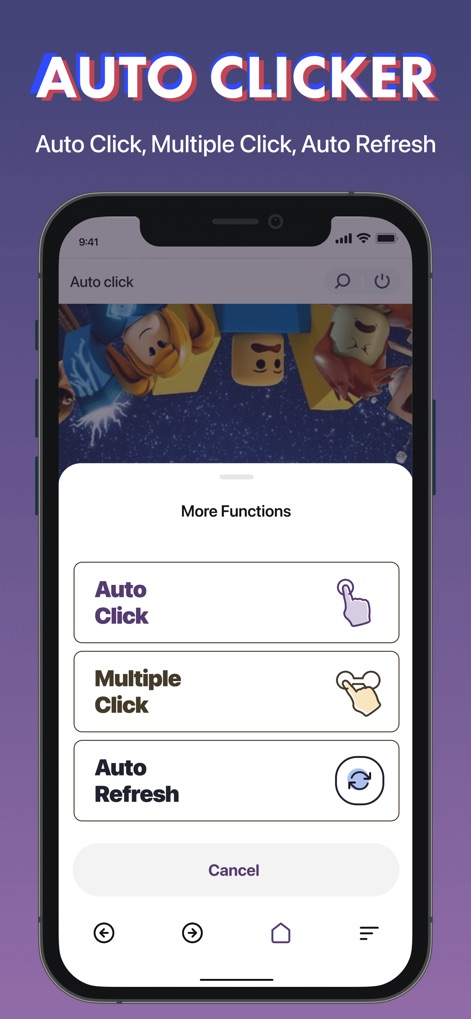
This tool presents seamless options for "Auto Click" and "Multiple Click" within its intuitive interface, enhancing user efficiency.
Effortless Automation

The app offers a robust "Magnifier" tool, enabling users to zoom into fine details within a circular overlay and adjust clarity with intuitive controls.
Crystal Clear Magnifier
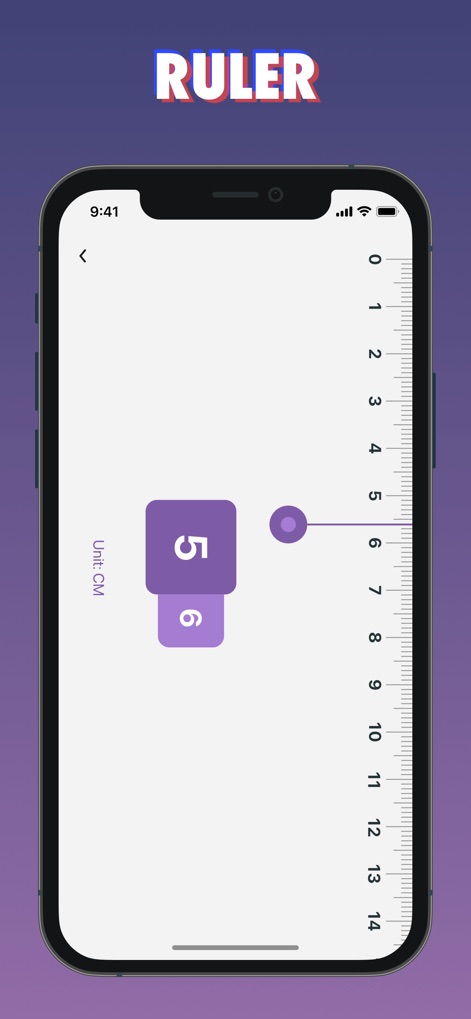
This tool includes a convenient "Ruler" feature, displaying measurements in "CM" and offering a draggable point for accurate on-screen assessment.
Digital Ruler Precision

Explore the app's capability to convert videos "Into Live Photo", complete with a "New Project" option and a gallery of past creations.
Dynamic Photo Creation
Description
Download
More Like This
Apps with similar features and user experience

Tiny Life Tools
泽勇 黄

Phone Cleaner & File Manager
KASPI MUNAI GAZ SERVIS, TOO

Dual App - WA Web Cloner
VO THI DIEU HOA

手机管家-相册空间整理,文档扫描,智能识物
明星 房

手机管家-照片视频管理,文件扫描,文本纠错
晓蕾 沈

手机助手-相册管理、 OCR识别、AR智能测距
平 刘

起点集-多功能实用工具箱
坤明 周

手机助手-图片管理、ai智能计数、一键格式转换
宝成 刘

自动点击器 - 连点器·自动化工具
泱帆 武
This page is not an official page of the app or its developer, but an independent editorial publication created for informational and commentary purposes. Unless expressly stated otherwise, neither the app nor its developer is affiliated with, endorsed by, sponsored by, authorized by, or otherwise officially connected with MWM, Apple, Google Play, the app publisher, or the app's developer, and nothing on this page implies that the app was developed using MWM's services. Any trademarks, logos, screenshots, and other content remain the property of their respective owners.