
This page is not an official page of the app or its developer, but an independent editorial publication created for informational and commentary purposes. Unless expressly stated otherwise, neither the app nor its developer is affiliated with, endorsed by, sponsored by, authorized by, or otherwise officially connected with MWM, Apple, Google Play, the app publisher, or the app's developer, and nothing on this page implies that the app was developed using MWM's services. Any trademarks, logos, screenshots, and other content remain the property of their respective owners.


Auto Clicker - Click Assistant
Stop tapping. Start automating. The app offers users the power to dominate repetitive online actions.
Downloads
5M+User Rating
Total Ratings
25.6KPublisher
Category
ProductivityLocales
1Latest Version
4.6.2Size
37.0 MBFirst Released
Nov 5, 2022An Analytical Overview of Core Features for Enhanced Digital Interaction
Key Automation Capabilities: Auto Clicker - Click Assistant
Multi-Touch Gesture Automation
The app provides comprehensive multi-touch gesture automation, enabling users to program complex interactions such as tapping, swiping, pinching, and spreading fingers across the screen. This is crucial for navigating sophisticated game interfaces and advanced app functionalities.
Unlimited Recording
This tool features unlimited recording capabilities for clicks and gestures, allowing users to capture and automate extensive and intricate sequences without duration constraints. This is particularly beneficial for long-form repetitive tasks or complex gaming routines.
Script Saving & Loading
It allows users to save and load custom automation scripts, facilitating the reuse of complex configurations across different applications, web pages, or gaming sessions. This significantly enhances efficiency by eliminating the need to reconfigure settings for recurring tasks.
Gesture Recording
The app provides a gesture recording function, allowing users to easily record and then automatically repeat their exact touch interactions. This simplifies the creation of automation sequences for any repetitive action.
Customizable Click Parameters
This tool features granular control over click parameters, enabling users to separately define delay times, touch durations, and the number of repetitions for each automated action. This precision is vital for optimizing performance in time-sensitive applications and games.
Real-time Script Control
It allows users to stop, pause, or resume active automation scripts at any moment. This real-time control offers flexibility and responsiveness, crucial for adapting to dynamic scenarios in games or during web browsing.
Advanced Swipe & Zoom Gestures
The app provides innovative capabilities for curve swipes and two-finger zoom gestures, extending automation beyond simple taps to more complex and naturalistic touch interactions. This enhances utility for specific games or creative applications requiring nuanced movements.
User-Friendly Interface
The app offers an intuitive and easy-to-use interface, ensuring that users can quickly set up and manage their automation tasks without extensive technical knowledge. This accessibility lowers the barrier for entry for all users.
Frequently Asked Questions
Everything you need to know about Auto Clicker - Click Assistant
What is the primary function of Auto Clicker - Click Assistant?
Auto Clicker - Click Assistant automates clicks, curve swipes, and pinch gestures on web pages or web games. It assists users with tasks requiring repeated clicks or swipes.
Does Auto Clicker - Click Assistant support multi-touch gestures?
Yes, Auto Clicker - Click Assistant supports multi-touch gestures. Users can tap, swipe, pinch, or spread one or more fingers to perform various actions.
Can users record gestures with Auto Clicker - Click Assistant?
Yes, Auto Clicker - Click Assistant provides recording gestures. Users easily record their gestures for automation.
What is the price of a weekly subscription for Auto Clicker - Click Assistant?
A 1-week subscription for Auto Clicker - Click Assistant costs $4.99. Renewal automatically occurs unless cancelled at least 24 hours before the period ends.
Does Auto Clicker - Click Assistant work on all applications?
No, Auto Clicker - Click Assistant only supports web pages. It does not provide functionality for native applications.
What premium features does Auto Clicker - Click Assistant offer?
Premium features include unlimited click recording, unlimited script repeat, unlimited auto refresh, unlimited auto scroll, more delay flexibility, and ad removal.
Does Auto Clicker - Click Assistant offer an auto-scroll function?
Yes, Auto Clicker - Click Assistant includes an auto scroll feature. This is available as a premium feature for smooth browsing.
The following screenshots and description are sourced directly from the app's official store listing and are the property of the app developer.
App Store
Screenshots
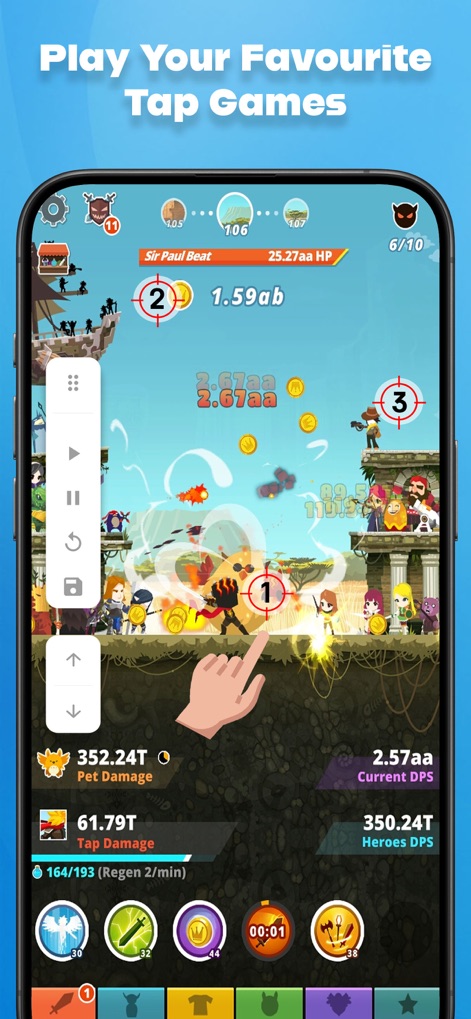
Users can easily automate repetitive actions in tap games, utilizing the intuitive control panel and precise circular target points for flawless execution.
Game Automation Mastered
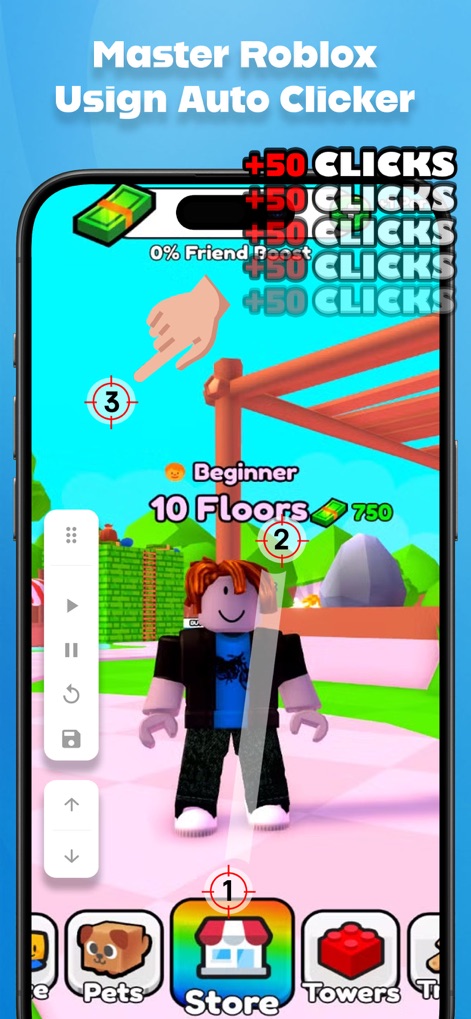
Gain a competitive edge in Roblox games by leveraging the app's ability to automate clicks, evident in the clear Roblox game environment and numbered circular target points.
Roblox Game Advantage
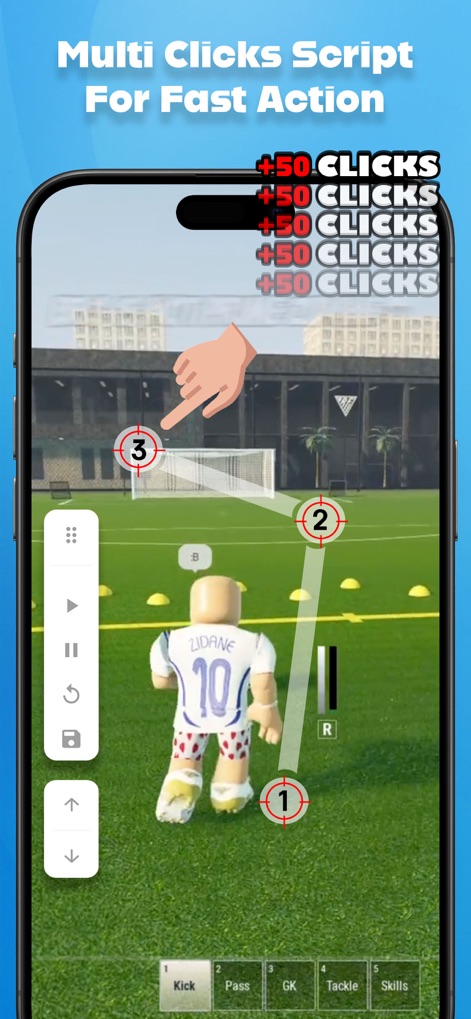
This tool offers advanced multi-click scripting for complex actions, visually represented by the interconnected circular target points forming a path, all manageable via the accessible overlay control panel.
Scripted Automation Flows
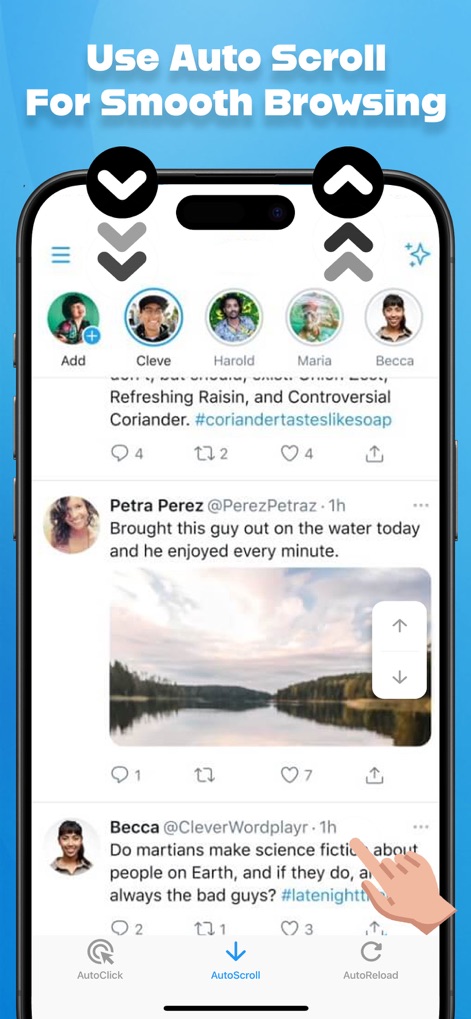
Experience seamless content consumption with the app's auto-scroll feature, guided by the prominent up/down scroll arrows and easily toggled from the integrated bottom navigation bar.
Effortless Web Navigation

Maximize your chances for securing deals by using the auto-reload function, ensuring timely page updates for time-sensitive offers like the displayed countdown timer, all controlled from the versatile bottom navigation bar.
Smart Deal Hunting
Description
Download
More Like This
Apps with similar features and user experience

自动ּ连点器 - 自动点击器
壮壮 彭

连点器-高效自动点击按键辅助工具
和圆 魏

连点器 - 自动点击持续滚动刷新&旋转指针工具
源 韦

自动点击器·连点器
磊 赵

Auto Clicker-Auto Tapper tool
佳豪 张

Auto Clicker: Click Automatic
RH LANDSCAPING LLC

连点器-自动连点神器&点赞抢购助手
倩格 刘

Auto Clicker - Tap Assistant
乐飞 张

Auto Tapper Assistant App
KUPERTINO BIL. YAZ. HALIL IBRAHIM KARAHAN SAFFET ARSLAN MUSTAFA AYTEN MUHAMMET YALCIN OZDEMIR K. S.
This page is not an official page of the app or its developer, but an independent editorial publication created for informational and commentary purposes. Unless expressly stated otherwise, neither the app nor its developer is affiliated with, endorsed by, sponsored by, authorized by, or otherwise officially connected with MWM, Apple, Google Play, the app publisher, or the app's developer, and nothing on this page implies that the app was developed using MWM's services. Any trademarks, logos, screenshots, and other content remain the property of their respective owners.