
This page is not an official page of the app or its developer, but an independent editorial publication created for informational and commentary purposes. Unless expressly stated otherwise, neither the app nor its developer is affiliated with, endorsed by, sponsored by, authorized by, or otherwise officially connected with MWM, Apple, Google Play, the app publisher, or the app's developer, and nothing on this page implies that the app was developed using MWM's services. Any trademarks, logos, screenshots, and other content remain the property of their respective owners.


Auto Tapper Assistant App
Tedious taps? That's over. The app hands users robotic precision, freeing them from repetitive screen-poking.
Downloads
250k+User Rating
Total Ratings
1.9KPublisher
Category
ProductivityLocales
1Latest Version
1.0.5Size
126.1 MBFirst Released
Nov 19, 2025An Analytical Overview of Key Functionalities
Auto Tapper Assistant App: Core Features Evaluation
Precise Auto Clicker (Single & Multi)
The app provides flexible auto-tapping capabilities, allowing users to automate single-point actions or intricate multi-target sequences, significantly reducing manual effort and saving time for repetitive tasks.
Advanced Automation Controls
This tool features comprehensive controls for tap intervals, hold durations, repeat counts, and multi-cursor functionality, enabling highly customized and human-like automation routines for complex workflows.
Smart Tap Mode (Accessibility)
It allows users to leverage iOS Accessibility for precise and consistent tap sequences within supported applications, ensuring reliable automation behavior and accuracy.
Integrated Private Browser
The app includes a built-in private browser that ensures user privacy by offering a browsing environment without history, accounts, or sync, allowing for secure and contained online activities.
Reusable Automation Profiles
This tool enables the saving and quick retrieval of custom automation configurations, streamlining the process of switching between different tasks and enhancing workflow efficiency.
Intuitive Floating Control Panel
The app offers a convenient floating panel for starting, stopping, and pausing automation routines, providing users with immediate and precise control over their auto-tap sequences.
Frequently Asked Questions
Everything you need to know about Auto Tapper Assistant App
What is the Auto Tapper Assistant App?
The Auto Tapper Assistant App is an iOS precision tap assistant. It automates repetitive tap actions in apps or websites, saving time and performing with human-like timing.
Does Auto Tapper Assistant App support single and multi-click actions?
Yes, the Auto Tapper Assistant App supports both single-point taps for simple tasks and multi-target paths for complex, intricate tap flows.
How can I customize the Auto Tapper Assistant App's auto-clicker?
Users can customize the Auto Tapper Assistant App by choosing the number of cursors, setting clicks per second, and fine-tuning the interval between taps. These settings can be saved as reusable profiles.
Does Auto Tapper Assistant App require iOS Accessibility?
Yes, the Auto Tapper Assistant App's Smart Tap Mode requires enabling iOS Accessibility to run precise tap sequences in supported applications, ensuring predictable behavior and consistent accuracy.
Does Auto Tapper Assistant App include a private browser?
Yes, the Auto Tapper Assistant App includes a built-in private browser. It offers no account, no sync, and no history, allowing users to browse privately within the app and clear data.
How do I control the Auto Tapper Assistant App's autoclicker?
The Auto Tapper Assistant App features a floating panel to start/stop with a long-press pause. It also offers per-step delays and global loop counts for precise control over autoclicker routines.
Is Auto Tapper Assistant App safe for third-party apps and games?
Yes, the Auto Tapper Assistant App does not modify or interfere with any third-party apps, games, or accounts, ensuring safe and non-intrusive use.
Can I save click settings in Auto Tapper Assistant App?
Yes, the Auto Tapper Assistant App allows users to configure intervals, hold durations, and repeat counts, then save these settings as reusable profiles for future use.
The following screenshots and description are sourced directly from the app's official store listing and are the property of the app developer.
App Store
Screenshots
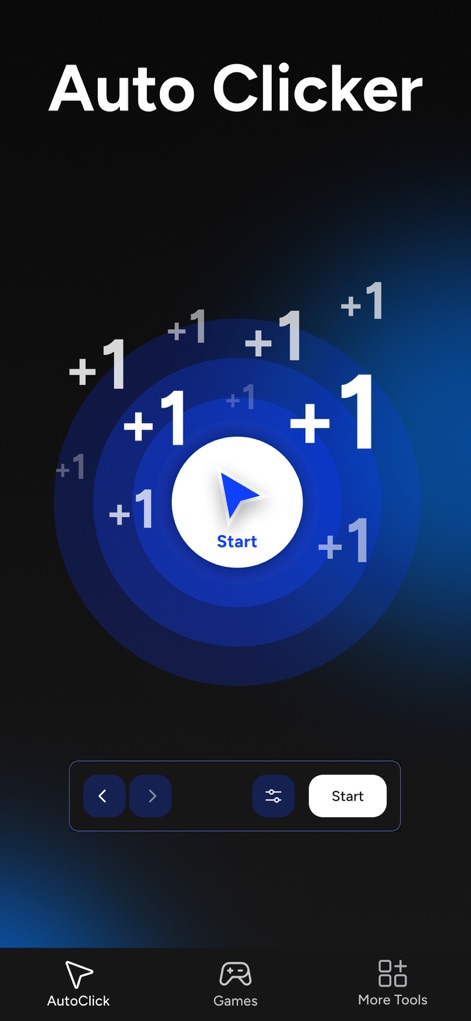
See the prominent "Start" button and dynamic "+1" visual indicators confirming tap actions.
Automated Tap Experience
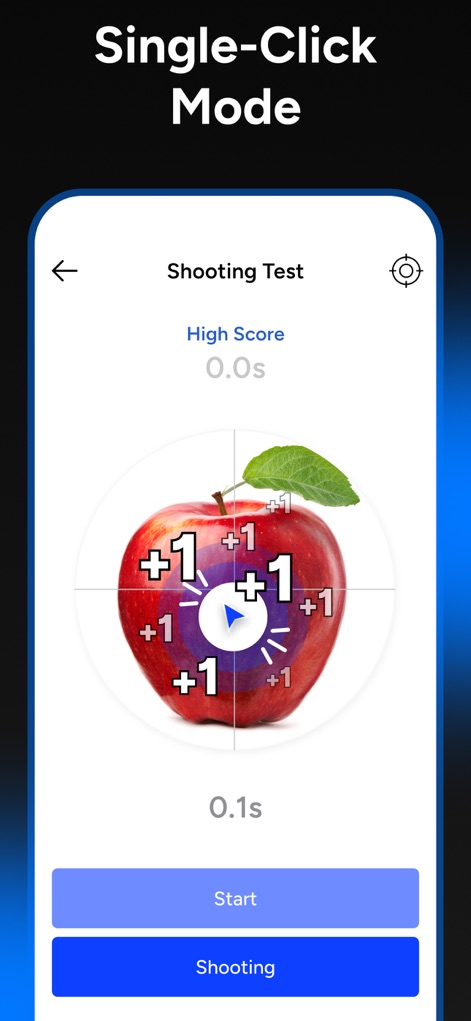
The app showcases "Single-Click Mode" with a clear target and real-time score in the "Shooting Test".
Single-Tap Precision
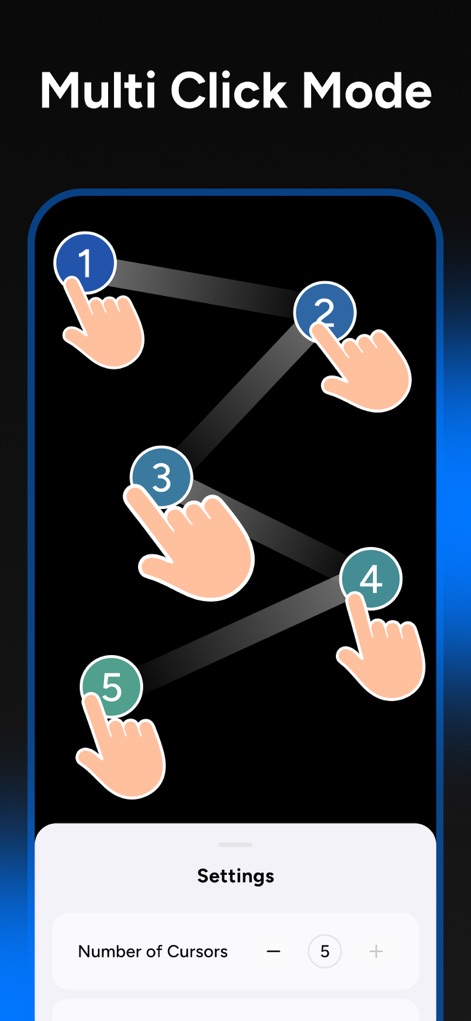
Observe the "Multi Click Mode" arranging a sequence of tap points and adjustable "Number of Cursors" for complex tasks.
Multi-Tap Choreography
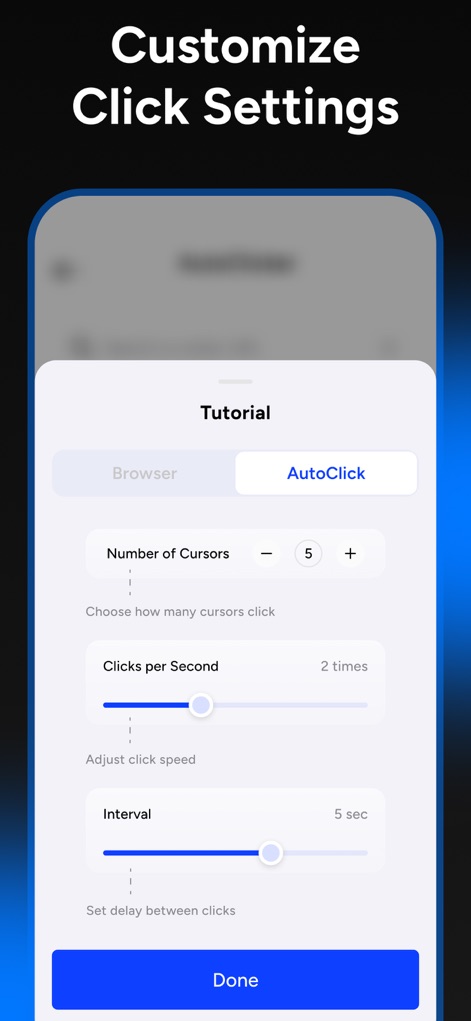
Users can customize "Clicks per Second" and fine-tune the "Interval" between taps for optimal performance.
Tailored Click Settings
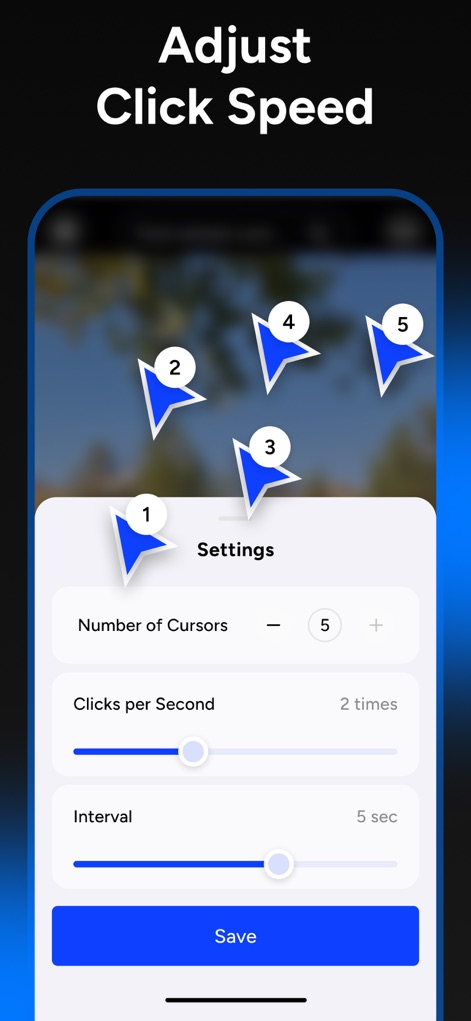
Easily adjust the "Clicks per Second" and visualize multiple "Number of Cursors" working simultaneously.
Advanced Tap Control
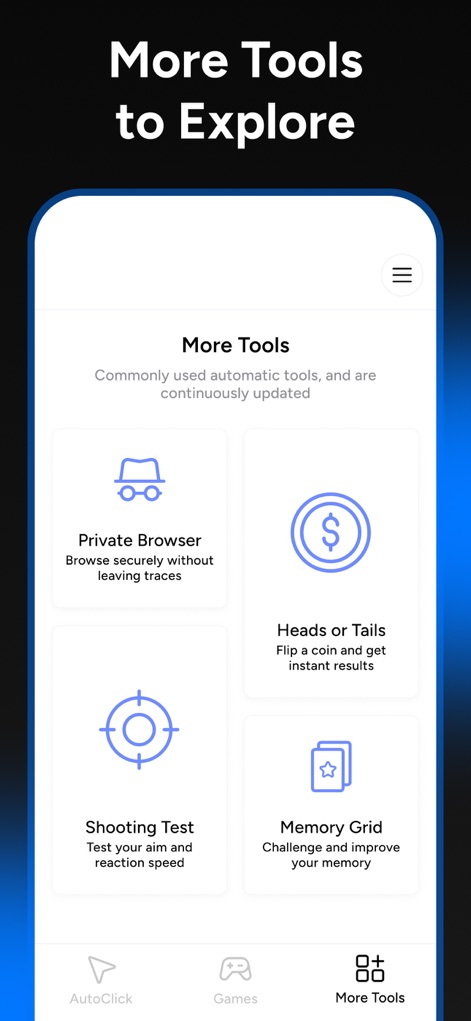
Explore valuable utilities such as the "Private Browser" for secure navigation and the engaging "Memory Grid" game.
Expand Your Toolkit
Description
Download
More Like This
Apps with similar features and user experience

自动ּ连点器 - 自动点击器
壮壮 彭

连点器-高效自动点击按键辅助工具
和圆 魏

连点器 - 自动点击持续滚动刷新&旋转指针工具
源 韦

自动点击器·连点器
磊 赵

Auto Clicker-Auto Tapper tool
佳豪 张

Auto Clicker: Click Automatic
RH LANDSCAPING LLC

连点器-自动连点神器&点赞抢购助手
倩格 刘

Auto Clicker - Tap Assistant
乐飞 张

Auto Clicker - Automatic Tap Q
家豪 魏
This page is not an official page of the app or its developer, but an independent editorial publication created for informational and commentary purposes. Unless expressly stated otherwise, neither the app nor its developer is affiliated with, endorsed by, sponsored by, authorized by, or otherwise officially connected with MWM, Apple, Google Play, the app publisher, or the app's developer, and nothing on this page implies that the app was developed using MWM's services. Any trademarks, logos, screenshots, and other content remain the property of their respective owners.