Avid Control
Avid Control
Download on App Store

This page is not an official page of the app or its developer, but an independent editorial publication created for informational and commentary purposes. Unless expressly stated otherwise, neither the app nor its developer is affiliated with, endorsed by, sponsored by, authorized by, or otherwise officially connected with MWM, Apple, Google Play, the app publisher, or the app's developer, and nothing on this page implies that the app was developed using MWM's services. Any trademarks, logos, screenshots, and other content remain the property of their respective owners.

Logo of Avid Control
Download on App Store

Avid Control

Break free from the mouse and take wireless command of Pro Tools, Logic Pro, and Media Composer. Experience high-speed EUCON technology and tactile precision directly from your iPad to accelerate your creative workflow.

Key Figures

Downloads

138K+

User Rating

4.7/5

Total Ratings

0

Publisher

Avid Technology Inc

Category

Music

Locales

-

Latest Version

2025.12.0

Size

47.5 MB

First Released

Aug 6, 2015
Features

Master Your Mix with Precision

Bring the power of high-end professional consoles to your iPad. Seamlessly integrate with Pro Tools, Logic, and Media Composer for a tactile, cable-free experience that moves with you.

Record Anywhere, Anytime

Break free from your desk. Control your session wirelessly from the vocal booth or across the studio, perfect for the independent pro who does it all.

Tactile Multi-Touch Mixing

Stop clicking and start creating. Ride multiple faders simultaneously and trigger complex macros with a single tap to keep your workflow in a constant flow state.

The following screenshots and description are sourced directly from the app's official store listing and are the property of the app developer.

App Store

Screenshots
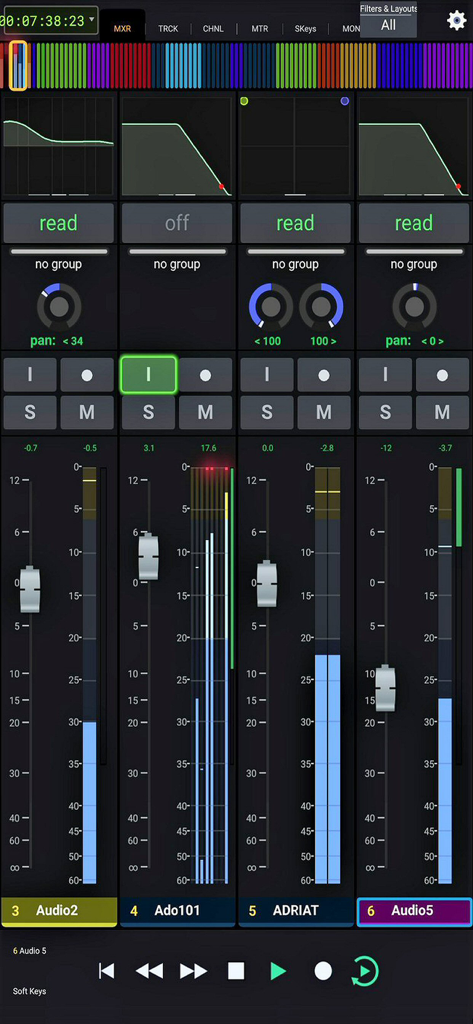
Avid Control - Professional audio mixing console interface with faders and channel strips
Professional audio mixing console interface with faders and channel strips

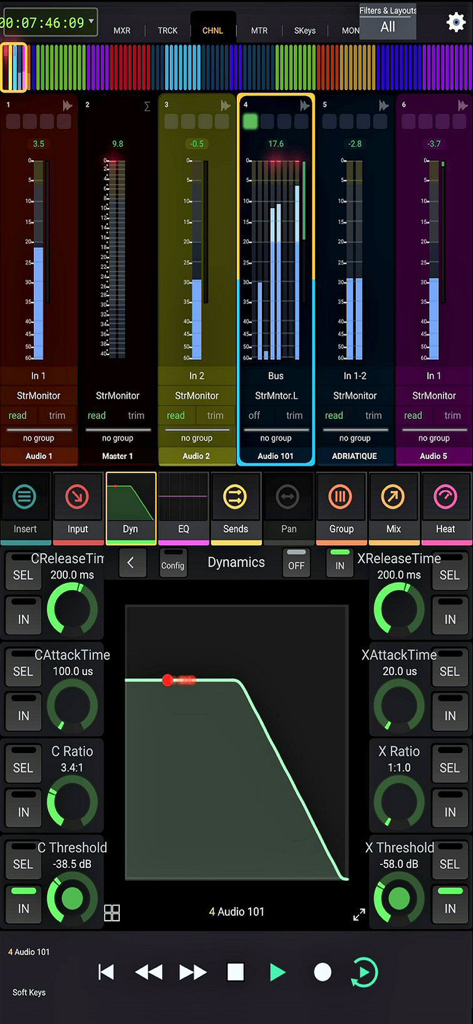
Avid Control - Professional audio mixing and dynamics control interface in Avid Control app

Professional audio mixing and dynamics control interface in Avid Control app

Description

For full instructions please see: http://avid.force.com/pkb/articles/faq/Avid-Control-Support SYSTEM REQUIREMENTS • Qualified Mac or Windows-based computer running any supported EUCON-enabled application and EuControl 2025.12 (NOTE: The free EUCON 2025.12 software must be downloaded from Avid and installed before using Avid Control) • One of the following connections: - Accessible wireless network (5 Ghz Wi-Fi network recommended), or - Lightning-to-USB 3 Camera Adapter + USB 2-to-Ethernet Adapter to connect an Ethernet cable directly to iPad (be sure to disable Wi-Fi on your iPad when using this connection type) ABOUT AVID CONTROL Take wireless control of your favorite audio and video software—right from your iPad. With Avid Control, you can record and mix audio in Pro Tools, Media Composer, Logic, Cubase, Nuendo, Digital Performer, Premiere and other media software, faster and more easily than working with a mouse and keyboard alone. The app combines the tight hardware/software integration and high-speed communication power of EUCON technology with the multi-touch advancements of iOS, so you get deep control, with great mixing flexibility. And when used with an Avid control surface (including the new Avid S1), you gain new touch workflows and custom control. Best of all… it’s free! Track and mix with just a touch • Speed up your efficiency using a host of controls • Record, mute, and solo tracks with a tap • Ride multiple faders to bring more life to your mix • Get insight into your mix with extensive visual feedback Get unrivaled audio and video control • Access and control hundreds of software commands • Punch in audio and toggle automation modes • Trigger complex macros that will save you tons of time • Switch control to different applications using a single app Mix faster with intelligent design • Gain multitouch control to speed up your efficiency • Interact with and control your mix in whole new ways • Perform keystroke shortcuts and more with a single tap • Bring tactile control with you, anywhere you go Navigate huge mixes easily • Get fast access to any channel with Tracks view • Quickly scroll through large mixes • Select, record-enable, solo, and mute multiple tracks • Keep an eye on levels with S6-style metering Free yourself from the cables that bind • Work in ways not possible with a wired mouse or control surface • Record yourself in a different room from your DAW • Control up to two networked workstations across a facility • Trigger playback or recording from anywhere Extend your control surface's workflows • Get enhanced touch control and customizable layouts • Navigate mixes faster with Tracks view • View a counter display and additional visual feedback • Recall layouts and trigger macros Work with your favorite audio and video software* • Avid Pro Tools • Avid Media Composer • Apple Logic Pro X • Steinberg Cubase • Steinberg Nuendo • Merging Pyramix • Mackie Control * Please see Avid’s Control app support page for a full compatibility list.

Download

Download on App Store

This page is not an official page of the app or its developer, but an independent editorial publication created for informational and commentary purposes. Unless expressly stated otherwise, neither the app nor its developer is affiliated with, endorsed by, sponsored by, authorized by, or otherwise officially connected with MWM, Apple, Google Play, the app publisher, or the app's developer, and nothing on this page implies that the app was developed using MWM's services. Any trademarks, logos, screenshots, and other content remain the property of their respective owners.







