
This page is not an official page of the app or its developer, but an independent editorial publication created for informational and commentary purposes. Unless expressly stated otherwise, neither the app nor its developer is affiliated with, endorsed by, sponsored by, authorized by, or otherwise officially connected with MWM, Apple, Google Play, the app publisher, or the app's developer, and nothing on this page implies that the app was developed using MWM's services. Any trademarks, logos, screenshots, and other content remain the property of their respective owners.


AZAL - Book Flight Ticket
Experience superior travel from the US to Baku and 50+ destinations. Book in one click, manage your AZAL Miles, and enjoy 48-hour online check-in for a seamless journey.
Downloads
324K+User Rating
Total Ratings
7K+Publisher
Category
TravelLocales
3Latest Version
6.6.1Size
183.6 MBFirst Released
Oct 2, 2019Your Gateway to Seamless Journeys
From the energy hubs of the US to the heart of the Silk Road, manage every detail of your flight with precision and ease.
Effortless Mobile Check-In
Skip the airport lines with 48-hour early check-in and digital QR boarding passes at your fingertips.
Tailored In-Flight Comfort
Pre-select your gourmet meals and upgrade to your preferred seat to ensure a relaxing long-haul experience.
Frequently Asked Questions
Everything you need to know about AZAL - Book Flight Ticket
How do I book a flight ticket with the AZAL app?
Yes, the AZAL app allows users to book flight tickets directly. Users can search from over 50 destinations, view tariffs, select preferences, and complete booking in a few simple steps.
Can I manage my flight booking using the AZAL app?
Yes, the AZAL app enables users to manage their bookings. You can make changes, purchase extra baggage, and select preferred seats directly within the app.
Does the AZAL app support online check-in?
Yes, the AZAL app offers online check-in for flights. Online check-in opens 48 hours before departure. Users input their surname and booking number to check-in.
What is the AZAL Miles program in the AZAL app?
The AZAL Miles program in the AZAL app allows users to access their account, track points, and explore program benefits. Users can also book award tickets using their accumulated miles.
What languages does the AZAL app support?
The AZAL app supports three languages. It is available in Azerbaijani, Russian, and English, providing multilingual assistance to users.
Can I add extra services to my flight booking through the AZAL app?
Yes, the AZAL app allows users to add extra services. You can pre-select meals, purchase extra baggage, and choose preferred seats to customize your trip.
How do I check my flight status using the AZAL app?
The AZAL app provides real-time information on flight departure and arrival times. Users can get updates on their flight status directly within the app.
Does the AZAL app offer a family account for collecting miles?
Yes, the AZAL app includes a Family Account feature. This allows users to collect miles together with their family members, enhancing shared travel experiences.
How can I contact customer support through the AZAL app?
The AZAL app provides easy access to customer service. Users can reach out to 24-hour support service or find information about branch offices directly from the app.
The following screenshots and description are sourced directly from the app's official store listing and are the property of the app developer.
App Store
Screenshots
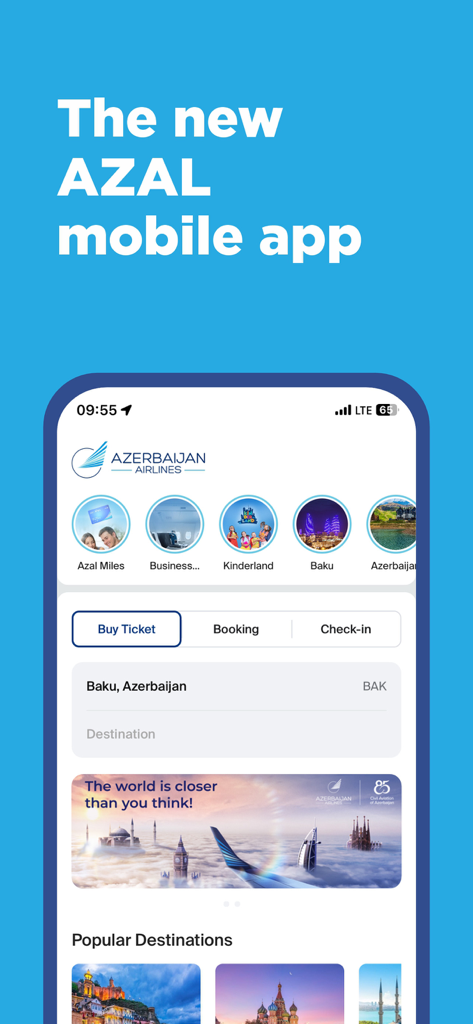
The home screen of the new AZAL Azerbaijan Airlines mobile application for flight booking and travel management
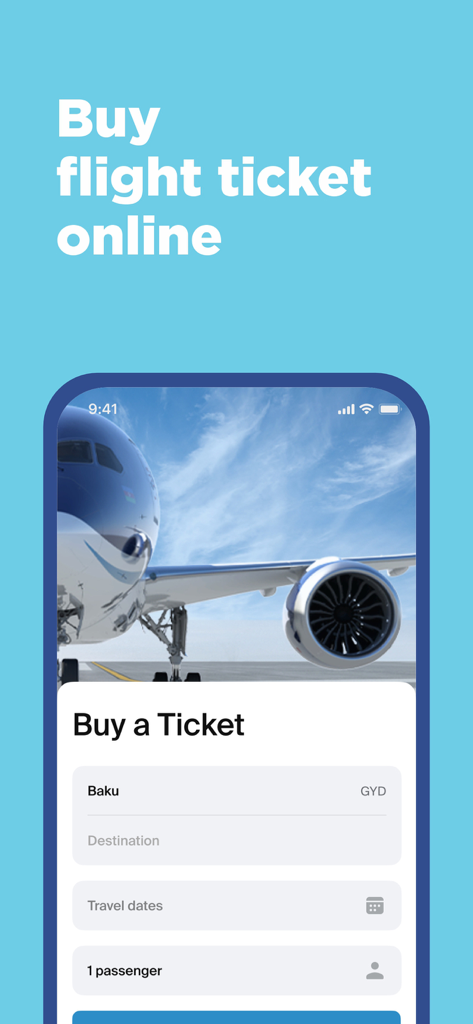
AZAL app booking screen showing fields for selecting flight destination travel dates and passenger count
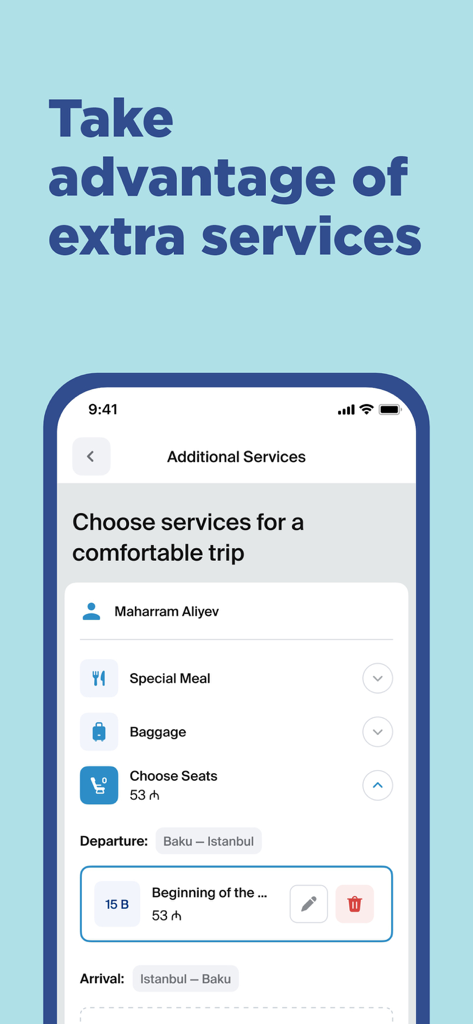
AZAL mobile app screen for choosing extra flight services like meals and seat selection
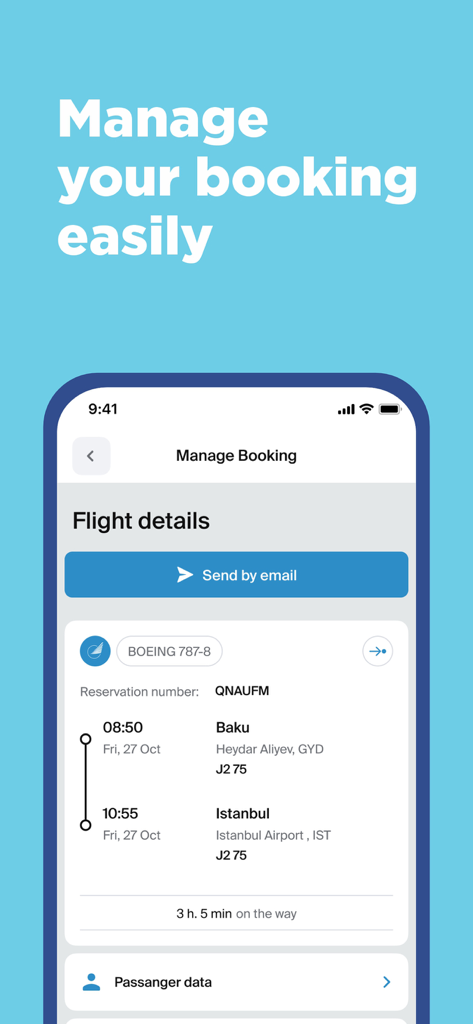
AZAL mobile app screen showing flight details and booking management options
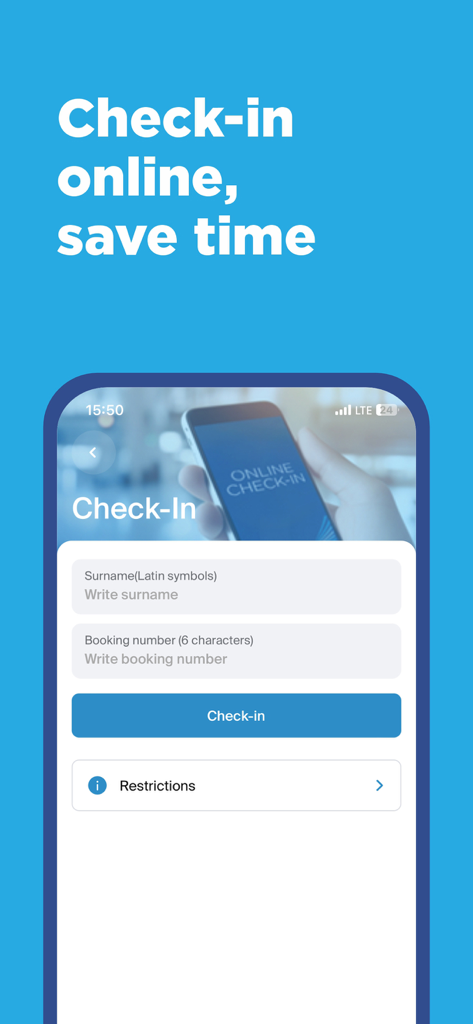
AZAL airline app online check-in interface with surname and booking number fields
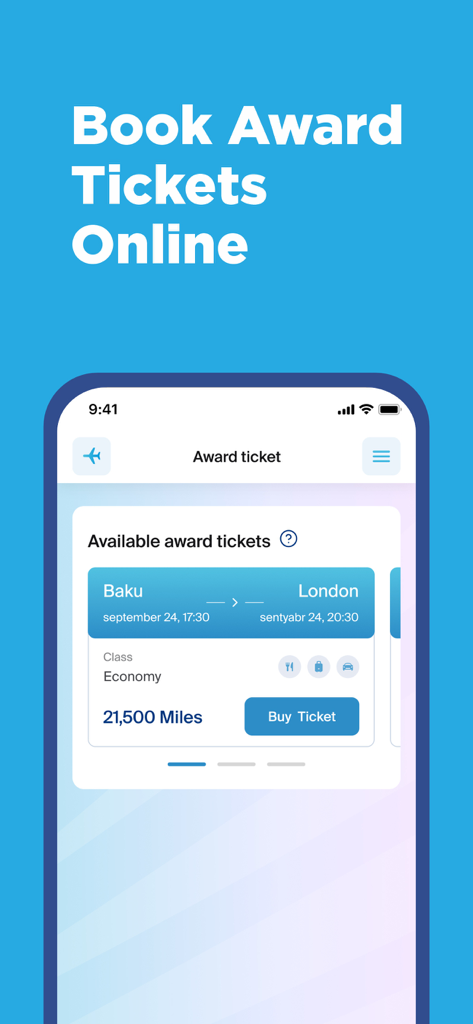
Azerbaijan Airlines app interface for booking award tickets with AZAL Miles from Baku to London
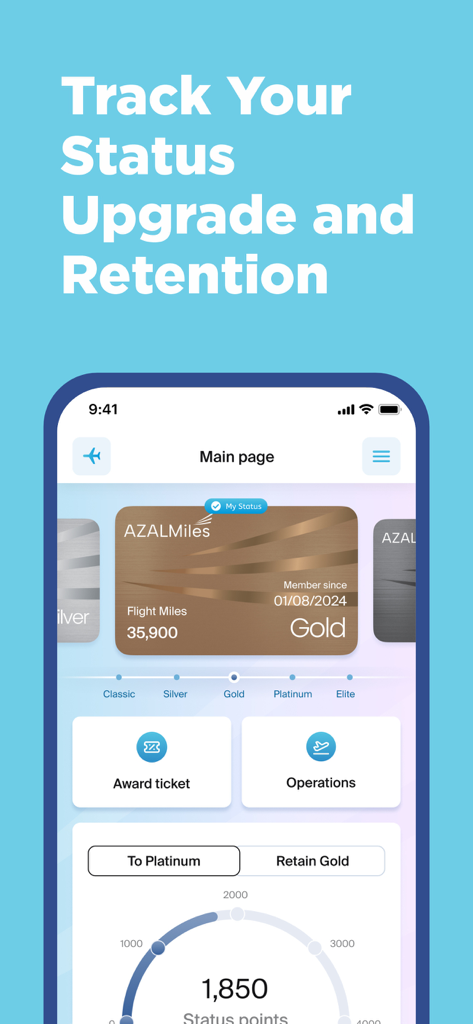
AZAL Miles app screen showing Gold status membership details and progress bar for reaching Platinum level.
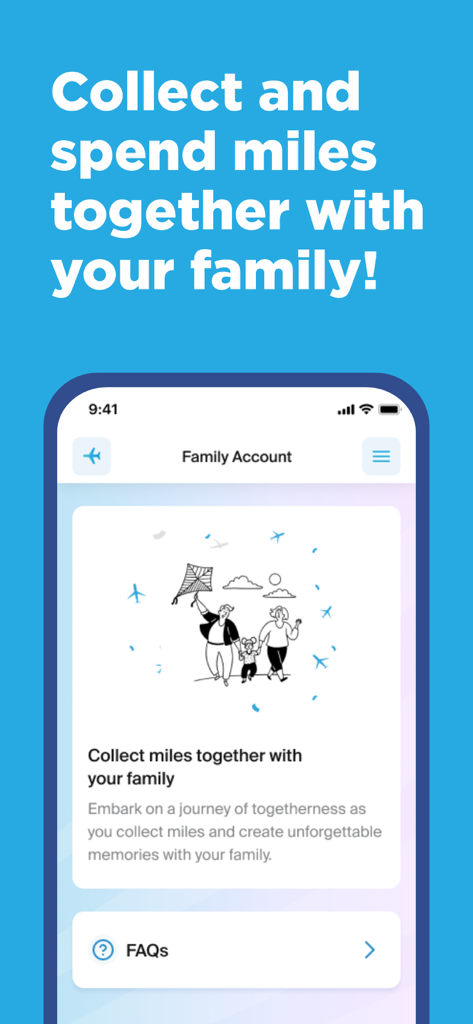
Azerbaijan Airlines app screen showing the Family Account feature for sharing loyalty points with family members.
Description
Download
More Like This
Apps with similar features and user experience
China Southern Airlines
China Southern Airlines Company Limited

United Airlines
United Air Lines

Fly Delta
Delta Air Lines, Inc

Southwest Airlines: Travel App
Southwest Airlines

Air China
Air China Limited

easyJet: Travel App
easyJet Airline Company Limited

Turkish Airlines: Book Flights
Turkish Airlines

Aeroméxico
Aerovias de Mexico, S.A. de C.V.

LATAM: Flights, Hotels, Cars
LATAM Airlines Group S.A.
This page is not an official page of the app or its developer, but an independent editorial publication created for informational and commentary purposes. Unless expressly stated otherwise, neither the app nor its developer is affiliated with, endorsed by, sponsored by, authorized by, or otherwise officially connected with MWM, Apple, Google Play, the app publisher, or the app's developer, and nothing on this page implies that the app was developed using MWM's services. Any trademarks, logos, screenshots, and other content remain the property of their respective owners.