
This page is not an official page of the app or its developer, but an independent editorial publication created for informational and commentary purposes. Unless expressly stated otherwise, neither the app nor its developer is affiliated with, endorsed by, sponsored by, authorized by, or otherwise officially connected with MWM, Apple, Google Play, the app publisher, or the app's developer, and nothing on this page implies that the app was developed using MWM's services. Any trademarks, logos, screenshots, and other content remain the property of their respective owners.

Bank of America Events
Navigate every keynote and breakout session with ease. Access real-time updates, exclusive event content, and seamless networking tools designed for the efficiency-driven executive.
Downloads
536K+User Rating
Total Ratings
100Publisher
Category
FinanceLocales
30Latest Version
10.21.3Size
59.8 MBFirst Released
Dec 14, 2017Maximize Every Professional Moment
Navigate high-stakes events with a suite of tools built for efficiency, exclusive access, and seamless executive engagement.
Real-Time Schedule Management
Access your personalized agenda with instant updates on session changes, ensuring you never miss a strategic networking opportunity.
Exclusive Content Access
Securely view proprietary event materials and financial forecasts directly on your device for immediate strategic review.
Frequently Asked Questions
Everything you need to know about Bank of America Events
What is the Bank of America Events app?
The Bank of America Events app provides an engaging event experience. It allows attendees to view and manage agendas, access event content, stay updated, and interact during event sessions.
How do users manage their event schedules in the Bank of America Events app?
Users manage their event schedules by accessing the "Schedule" section within the Bank of America Events app. This feature displays "My Schedule" and "All Sessions" tabs to view and organize event agendas.
What interaction features does the Bank of America Events app offer for attendees?
The Bank of America Events app offers interaction features such as "Announcements," "Messages," "Connections," and "Surveys." These allow attendees to stay updated, communicate, network, and provide feedback.
Does the Bank of America Events app require email verification for access?
Yes, the Bank of America Events app requires email verification for access. Users must check their email for a verification code to complete the login process and gain entry.
Can attendees access event content through the Bank of America Events app?
Yes, attendees can access event content through the Bank of America Events app. The app facilitates viewing agendas and other event-related materials to keep participants informed.
What profile options are available to users in the Bank of America Events app?
The Bank of America Events app profile includes options such as QR Code, Announcements, Messages, Connections, Surveys, and Settings. Users can also select to exit the event.
The following screenshots and description are sourced directly from the app's official store listing and are the property of the app developer.
App Store
Screenshots

Bank of America Events app splash screen with logo
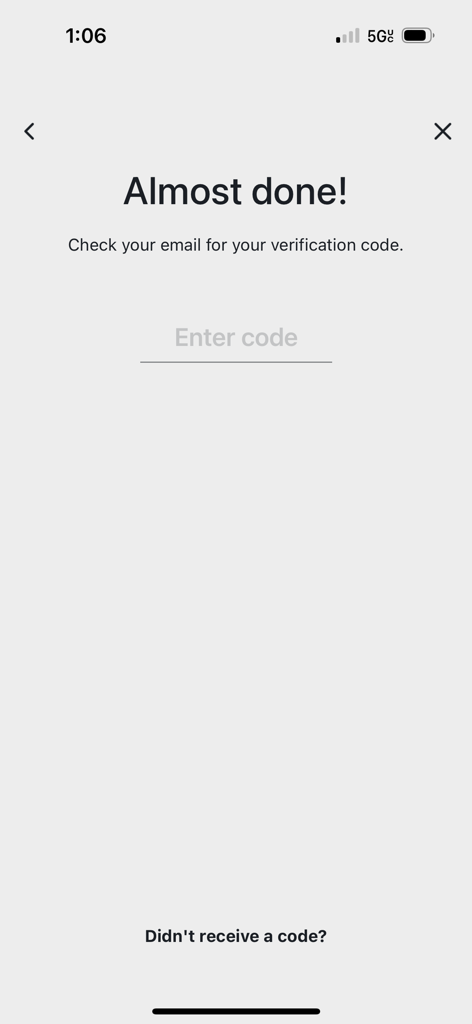
Email verification screen in the Bank of America Events app
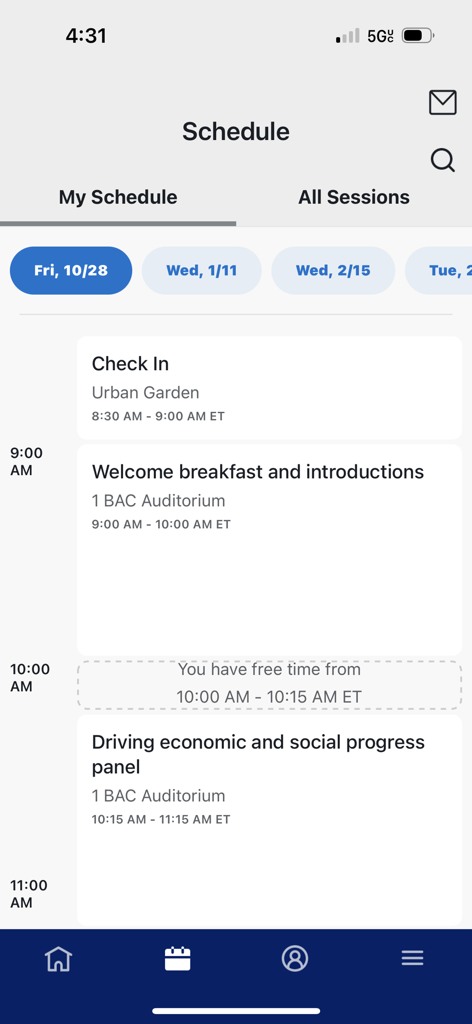
Mobile interface of the Bank of America Events app showing a personalized daily schedule for corporate conference sessions
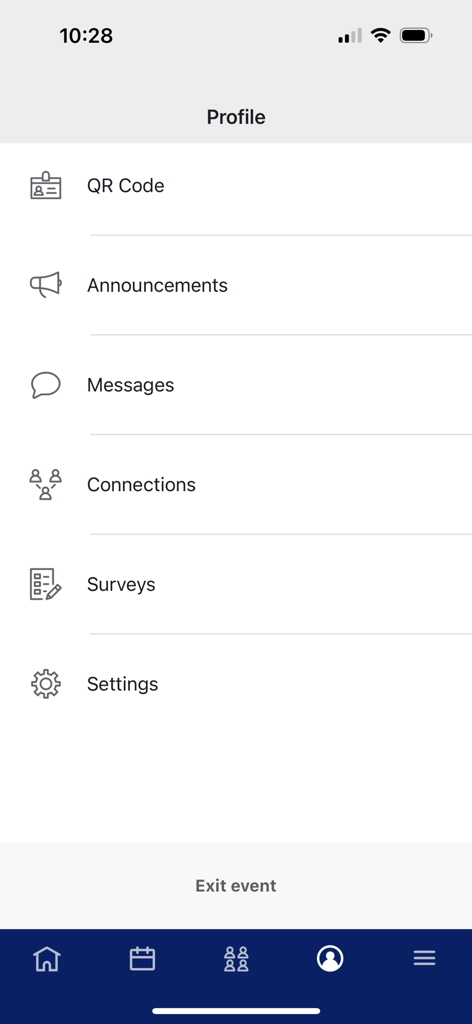
Profile screen in the Bank of America Events app displaying menu options like QR code, announcements, messages, and connections.
Description
Download
More Like This
Apps with similar features and user experience

Amsterdam Dance Event App
Stichting Amsterdam Dance Event

Cvent Events
Cvent, Inc.

5K parkrunner results
parkrun Global Limited

Whova - Event & Conference App
Whova Inc.

SportsEngine Tourney
SportsEngine, Inc.

Blocos de Rua - Carnaval 2026
Mexeri.ca Digital Ltda Me
Sched
Sched

Exposure Events
Exposure Events, LLC

WDW Food&Wine
Small World Code, LLC
This page is not an official page of the app or its developer, but an independent editorial publication created for informational and commentary purposes. Unless expressly stated otherwise, neither the app nor its developer is affiliated with, endorsed by, sponsored by, authorized by, or otherwise officially connected with MWM, Apple, Google Play, the app publisher, or the app's developer, and nothing on this page implies that the app was developed using MWM's services. Any trademarks, logos, screenshots, and other content remain the property of their respective owners.