
This page is not an official page of the app or its developer, but an independent editorial publication created for informational and commentary purposes. Unless expressly stated otherwise, neither the app nor its developer is affiliated with, endorsed by, sponsored by, authorized by, or otherwise officially connected with MWM, Apple, Google Play, the app publisher, or the app's developer, and nothing on this page implies that the app was developed using MWM's services. Any trademarks, logos, screenshots, and other content remain the property of their respective owners.


Cvent Events
Effortlessly manage your agenda, connect with speakers, and network with attendees. Maximize every moment of your conference with the all-in-one app built for the modern professional.
Downloads
4M+User Rating
Total Ratings
28K+Publisher
Category
BusinessLocales
30Latest Version
1.128.1Size
62.9 MBFirst Released
Mar 30, 2020Maximize Your Event Experience
Transform the way you navigate conferences with a powerful suite of tools designed to optimize your time and professional growth.
Dynamic Agenda Management
Build your personalized schedule by browsing keynotes and workshops to ensure you never miss a critical learning opportunity.
Strategic Professional Networking
Identify and connect with fellow attendees, speakers, and industry leaders to build high-value partnerships before the event even starts.
Frequently Asked Questions
Everything you need to know about Cvent Events
What is the Cvent Events app used for?
The Cvent Events app helps users plan their event experience, find locations, network with other attendees, and learn about sponsors and exhibitors. It centralizes all event information.
Can I view multiple events in the Cvent Events app?
Yes, the Cvent Events app allows users to access different events they are attending all from a single application. This feature centralizes event management for users.
How do I find the agenda or schedule in the Cvent Events app?
The Cvent Events app features an Agenda section to explore the complete conference schedule, including keynotes, workshops, and special sessions. It is accessible via the calendar icon in the navigation bar.
Does the Cvent Events app provide information about speakers?
Yes, the Cvent Events app provides a Speakers section. Users can learn more about who is speaking and access their presentations directly within the app, as seen on the Home screen.
How can I find sponsors and exhibitors in the Cvent Events app?
The Cvent Events app includes a section dedicated to Sponsors and Exhibitors. Users can view event sponsors and exhibitors like "UPCLOUD" and "ChatConnect" within the app, accessed via the Exhibitors screen.
What information is available in the 'More' section of the Cvent Events app?
The "More" section of the Cvent Events app provides essential event information. This includes Weather, Event Dress Code, Agenda at a Glance, WiFi details, Floor Plans, and Transportation information.
Can I connect with other attendees using the Cvent Events app?
Yes, the Cvent Events app facilitates networking. The "My updates" section shows connection requests, such as "Roy Borrelli wants to connect," allowing users to view and manage these interactions from their profile.
The following screenshots and description are sourced directly from the app's official store listing and are the property of the app developer.
App Store
Screenshots
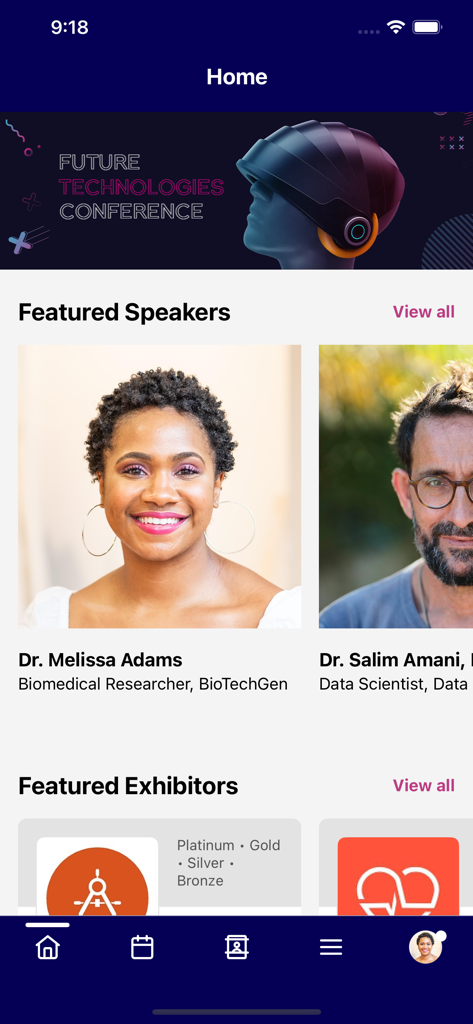
Cvent Events app home screen showing featured speakers and exhibitors for a tech conference
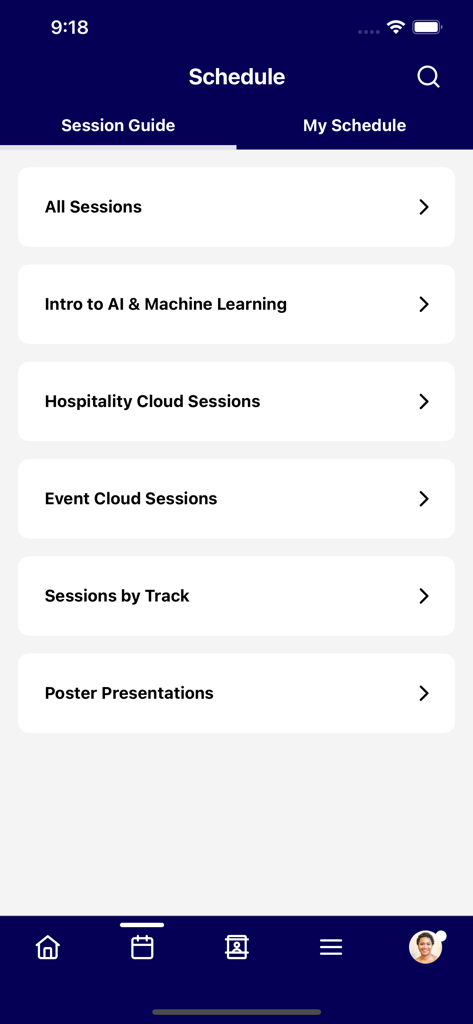
The schedule screen of the Cvent Events app showing session categories like AI and Machine Learning.
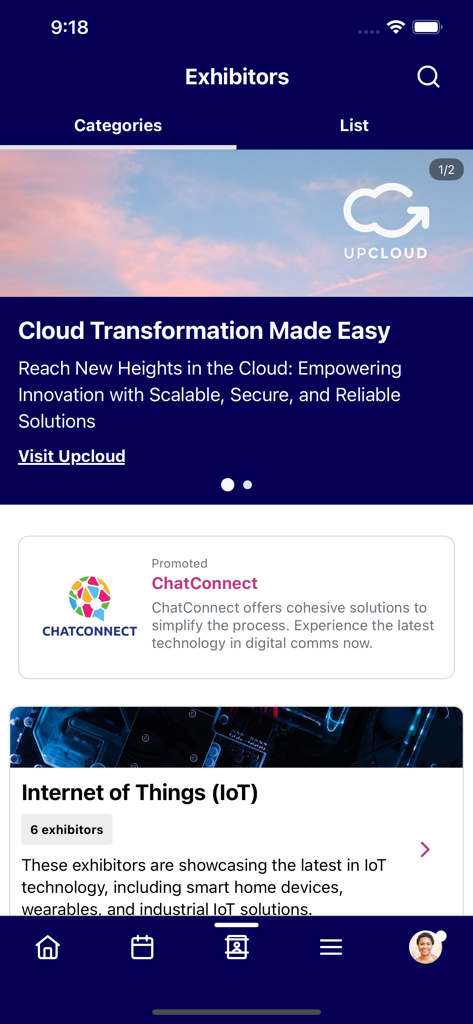
The Exhibitors screen in the Cvent Events app showing featured companies and industry categories like IoT.
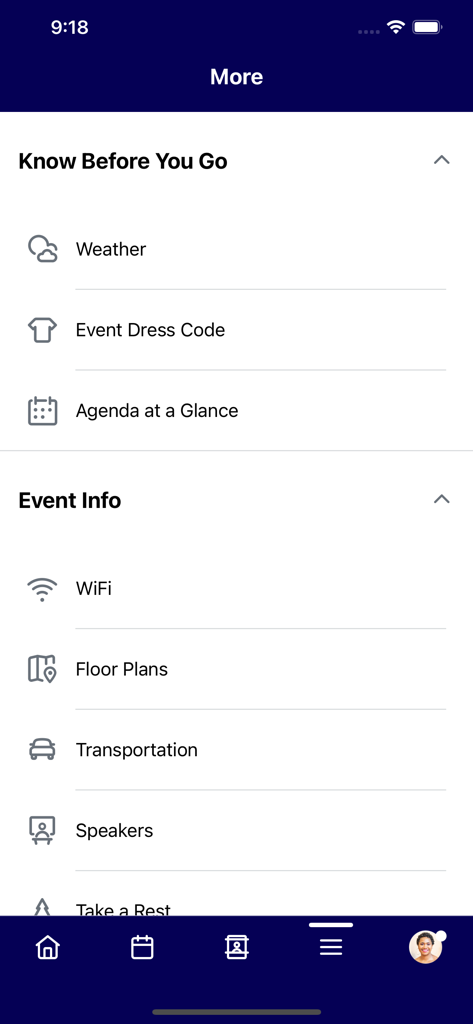
Interface of Cvent Events app displaying event logistics including weather, dress code, WiFi details, and floor plans.
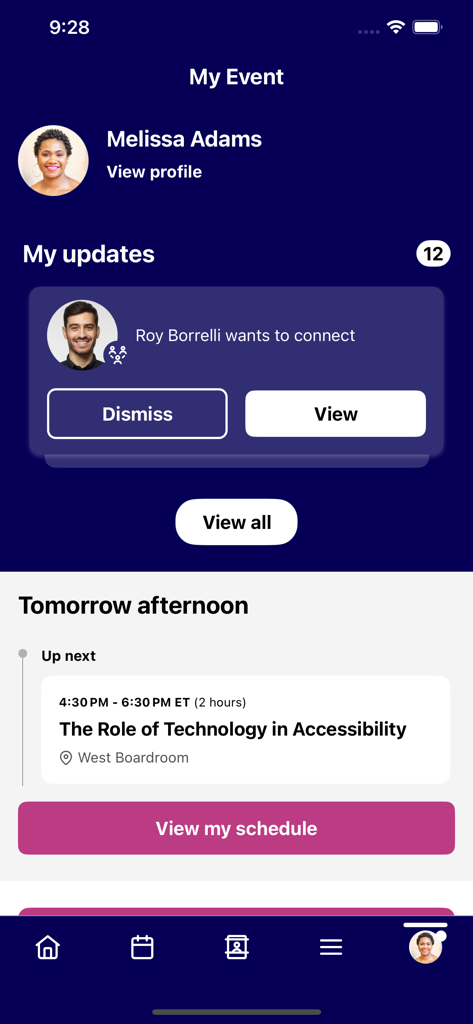
Cvent Events app interface showing a user dashboard with networking requests and an upcoming event schedule session on technology in accessibility
Description
Download
More Like This
Apps with similar features and user experience

Amsterdam Dance Event App
Stichting Amsterdam Dance Event

5K parkrunner results
parkrun Global Limited

Whova - Event & Conference App
Whova Inc.

SportsEngine Tourney
SportsEngine, Inc.

Blocos de Rua - Carnaval 2026
Mexeri.ca Digital Ltda Me
Sched
Sched

Exposure Events
Exposure Events, LLC

WDW Food&Wine
Small World Code, LLC
Stichting Zevenheuvelenloop
Stichting Zevenheuvelenloop
This page is not an official page of the app or its developer, but an independent editorial publication created for informational and commentary purposes. Unless expressly stated otherwise, neither the app nor its developer is affiliated with, endorsed by, sponsored by, authorized by, or otherwise officially connected with MWM, Apple, Google Play, the app publisher, or the app's developer, and nothing on this page implies that the app was developed using MWM's services. Any trademarks, logos, screenshots, and other content remain the property of their respective owners.