
This page is not an official page of the app or its developer, but an independent editorial publication created for informational and commentary purposes. Unless expressly stated otherwise, neither the app nor its developer is affiliated with, endorsed by, sponsored by, authorized by, or otherwise officially connected with MWM, Apple, Google Play, the app publisher, or the app's developer, and nothing on this page implies that the app was developed using MWM's services. Any trademarks, logos, screenshots, and other content remain the property of their respective owners.


Banorte Movil
Unleash financial autonomy: The app hands users complete command over their money, anytime, anywhere.
Downloads
5M+User Rating
Total Ratings
154.9KPublisher
Category
FinanceLocales
2Latest Version
7.15.0.53044Size
205.7 MBFirst Released
Jun 11, 2010Evaluating core functionalities for the tech-savvy Mexican consumer
Banorte Móvil: A Comprehensive Digital Banking Analysis
Real-time Account Monitoring & Alerts
The app provides immediate insight into financial activity, helping users maintain control over their accounts and stay informed about all transactions.
Seamless Transfers & Bill Payments
This tool features comprehensive options for managing funds, enabling users to effortlessly transfer money between accounts, to third parties, and pay a variety of services directly from their device.
Biometric Login & Cardless Cash Withdrawals
It allows users to access their accounts quickly and securely using biometric authentication, and offers the convenience of withdrawing cash from ATMs without needing a physical debit card.
Digital Card for Secure Online Shopping
The app provides a dedicated digital card for online transactions, enhancing security by masking actual card details and reducing fraud risk during e-commerce activities.
In-App Customer Service Scheduling
It allows users to schedule a callback from a customer service executive directly through the app, saving time and providing a more convenient support experience.
Integrated Branch & ATM Locator
This tool features an integrated locator that helps users quickly find nearby Banorte ATMs, branches, or associated financial points.
Frequently Asked Questions
Everything you need to know about Banorte Movil
What is Banorte Móvil?
Banorte Móvil is an application that allows users to control their Banorte accounts and cards, perform banking operations securely from their cell phone, and access various financial services.
How can I log in to the Banorte Móvil app?
Yes, users can log in to Banorte Móvil using a selfie or fingerprint for secure access. Existing Banco en Línea users can use their current access codes.
Is Banorte Móvil a secure application?
Yes, Banorte Móvil is a secure application. All transactions are protected, a digital card is available for online purchases, and it uses passwords for access, making it unusable if the phone is lost.
Can I withdraw cash without a card using Banorte Móvil?
Yes, Banorte Móvil allows users to withdraw cash without needing a physical card or send a reference to a contact for ATM withdrawals.
What operating system does Banorte Móvil require?
Banorte Móvil is available for iOS 13 or higher. It also requires little storage and can be downloaded using mobile data or a stable WiFi network.
Can I check my account balances and movements with Banorte Móvil?
Yes, Banorte Móvil allows users to check their balances and movements for both accounts and cards. The app also notifies users of charges and deposits.
Does Banorte Móvil offer digital payment options?
Yes, Banorte Móvil offers a digital card for secure online purchases. It also supports adding cards to Apple Wallet and services like CoDi and Dimo.
Does Banorte Móvil allow scheduling calls with customer service?
Yes, Banorte Móvil allows users to schedule a call from within the app for an executive to contact them, saving time on calls to the Contact Center.
How much does the Banorte Móvil app cost to download?
The Banorte Móvil application is free to download and activate. Users only need to have their credit or debit card on hand for activation.
Can I manage my savings goals with Banorte Móvil?
Yes, Banorte Móvil allows users to manage savings goals through 'Ahorro Programado' or 'Mis Apartados.' Users can set specific goals like travel, car, or home.
The following screenshots and description are sourced directly from the app's official store listing and are the property of the app developer.
App Store
Screenshots
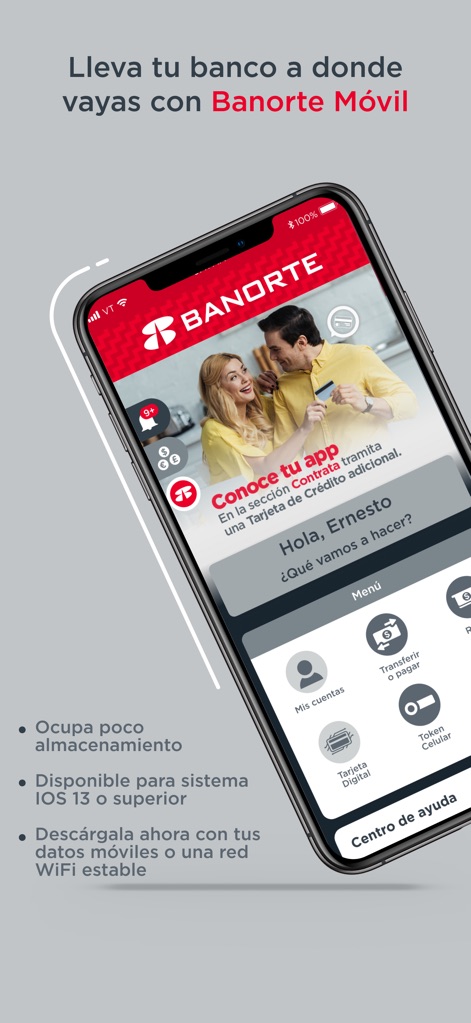
The app's initial screen prominently features key navigation options like "Mis Cuentas" and displays a dynamic "Conoce tu app" promotional banner.
App Dashboard Overview
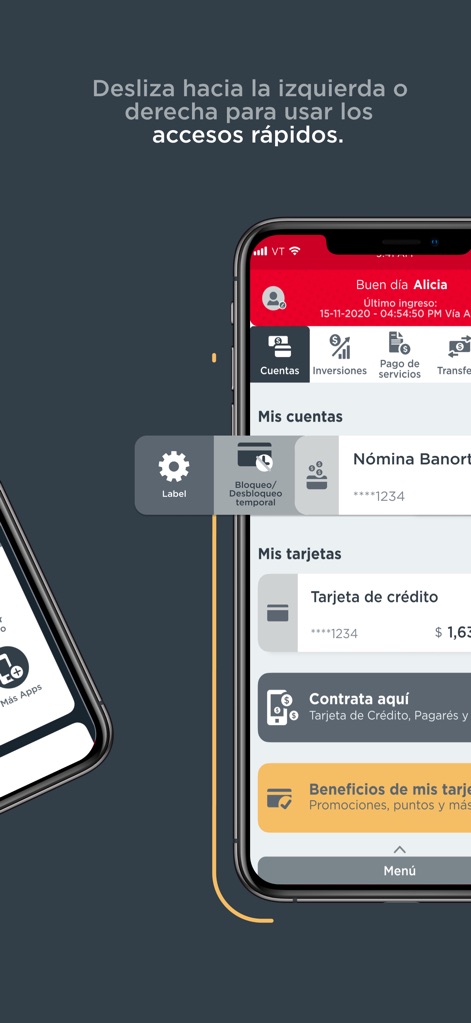
Users can efficiently navigate between financial sections, with a clear swipe gesture indication revealing quick access shortcuts to managing "Mis Cuentas" and "Mis Tarjetas".
Intuitive Navigation Access
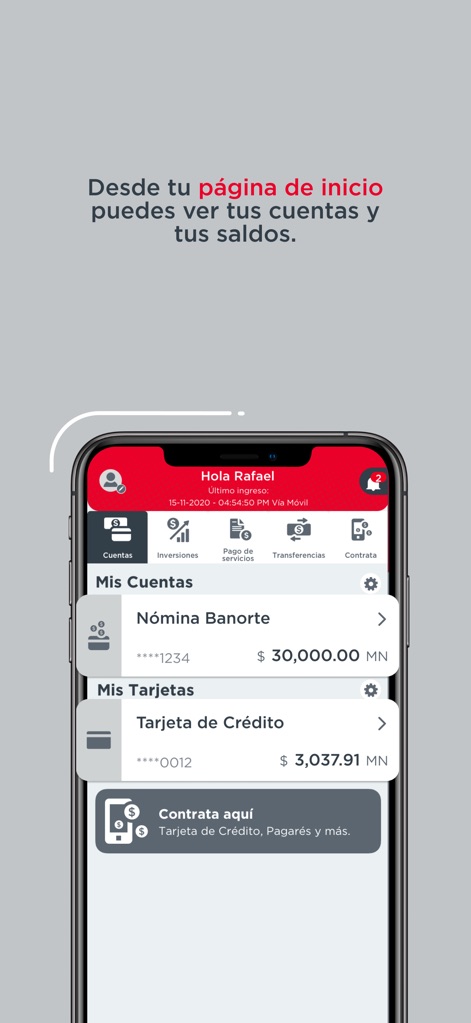
The home page provides an immediate overview of financial health, clearly presenting both "Nómina Banorte" account balances and current "Tarjeta de Crédito" details.
Account Balance Insights
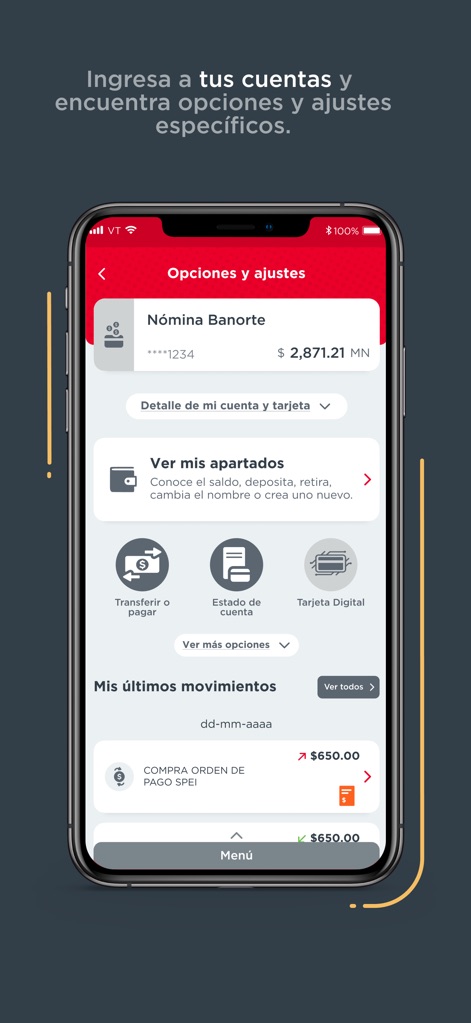
This screen allows users to access specific "Opciones y ajustes" for their accounts and review their "Mis últimos movimientos" with ease.
Detailed Account Management
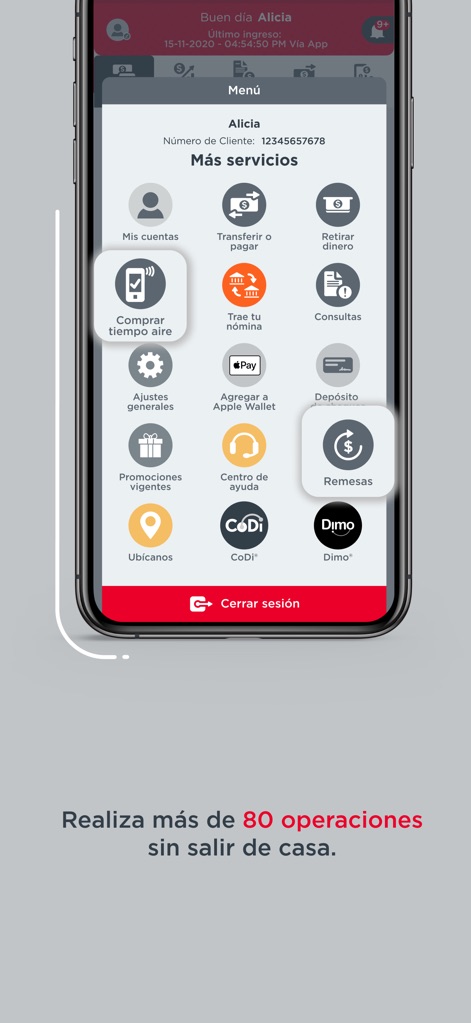
The "Más servicios" menu showcases an extensive range of functionalities, including options for "Transferir o pagar" and direct integration for "Agregar a Apple Wallet".
Comprehensive Service Hub
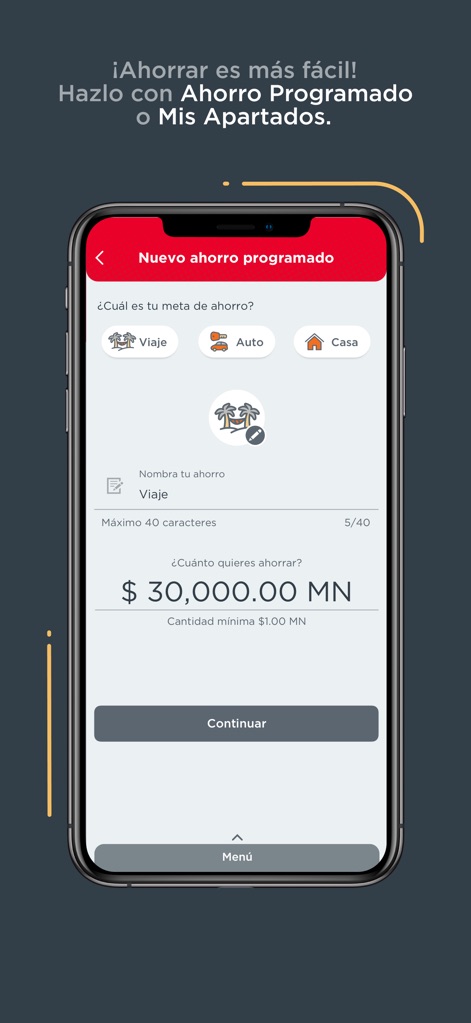
The programmed savings feature empowers users to define financial "Viaje" or "Auto" goals and specify desired contribution amounts.
Smart Savings Planning
Description
Download
More Like This
Apps with similar features and user experience

PayPal - Pay, Send, Save
PayPal, Inc.

中国农业银行
AGRICULTURAL BANK OF CHINA LIMITED

Mercado Pago: cuenta digital
MercadoLibre S.A.

中国工商银行
Industrial and Commercial Bank of China

Revolut: Send, spend and save
Revolut Ltd

HDFC Bank App (Early Access)
HDFC Bank Ltd

Zalopay - Quét Mọi QR
ZION JOINT STOCK COMPANY

Cash App
Block, Inc.

招商银行
CHINA MERCHANTS BANK CO.,LTD.
This page is not an official page of the app or its developer, but an independent editorial publication created for informational and commentary purposes. Unless expressly stated otherwise, neither the app nor its developer is affiliated with, endorsed by, sponsored by, authorized by, or otherwise officially connected with MWM, Apple, Google Play, the app publisher, or the app's developer, and nothing on this page implies that the app was developed using MWM's services. Any trademarks, logos, screenshots, and other content remain the property of their respective owners.