Basic Calculator with History
Download on App Store

This page is not an official page of the app or its developer, but an independent editorial publication created for informational and commentary purposes. Unless expressly stated otherwise, neither the app nor its developer is affiliated with, endorsed by, sponsored by, authorized by, or otherwise officially connected with MWM, Apple, Google Play, the app publisher, or the app's developer, and nothing on this page implies that the app was developed using MWM's services. Any trademarks, logos, screenshots, and other content remain the property of their respective owners.

Logo of Basic Calculator with History
Download on App Store

Basic Calculator with History

Experience the perfect blend of tactile realism and sleek functionality. Track every entry with a built-in history log and express your style with designer skins—all in a premium, ad-free environment.

Key Figures

Downloads

274K+

User Rating

4.6/5

Total Ratings

12K+

Publisher

Alenrom sp. z o.o.

Category

Utilities

Locales

23

Latest Version

1.7.4

Size

175.6 MB

First Released

Aug 6, 2024
Features

Elevate Your Daily Math

Ditch the boring stock app for a tactile, ad-free experience that matches your aesthetic and boosts your productivity.

Never Lose a Number

Access your full calculation history and see every step of your process to review or reuse entries effortlessly.

Match Your Aesthetic

Personalize your workspace with exclusive designer skins that turn a basic utility into a stylish accessory.

The following screenshots and description are sourced directly from the app's official store listing and are the property of the app developer.

App Store

Screenshots
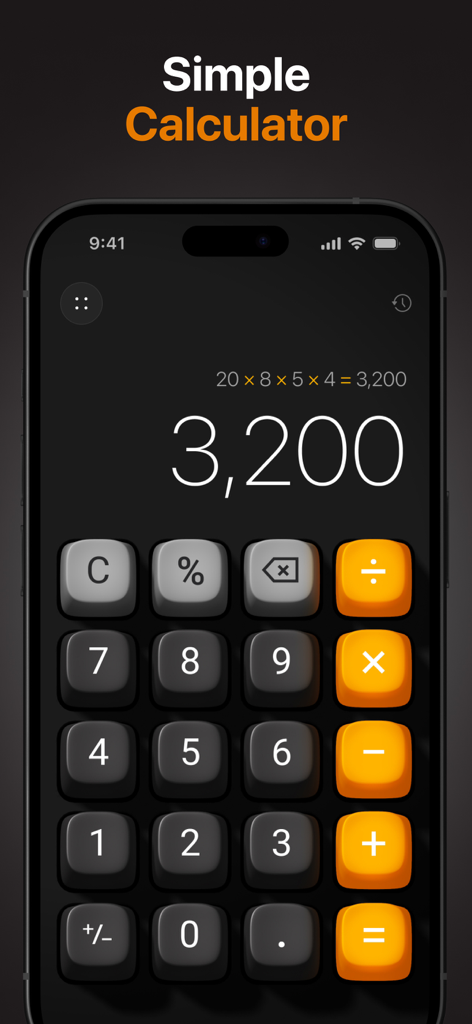
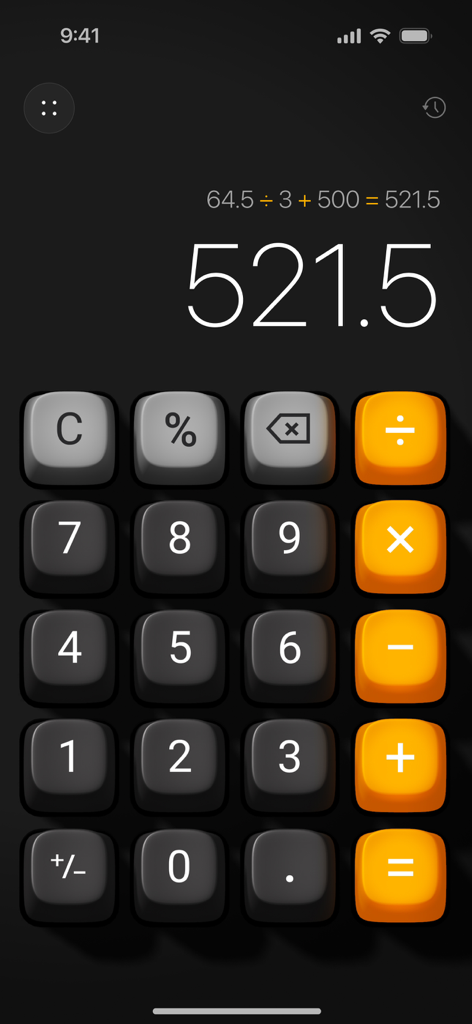
Basic Calculator with History - Aesthetic 3D calculator with history on a dark iPhone screen
Aesthetic 3D calculator with history on a dark iPhone screen

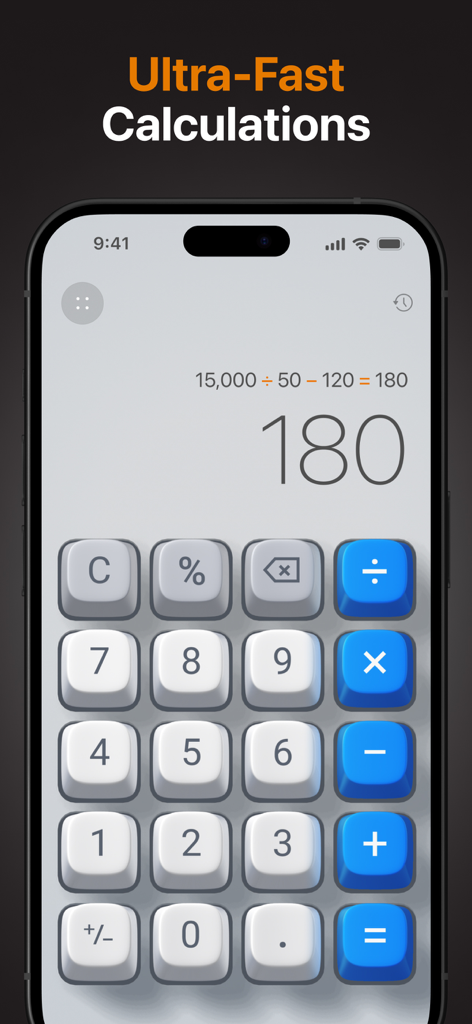
Basic Calculator with History - Basic Calculator with History app interface showing 3D buttons and a calculation result on an iPhone
Basic Calculator with History app interface showing 3D buttons and a calculation result on an iPhone

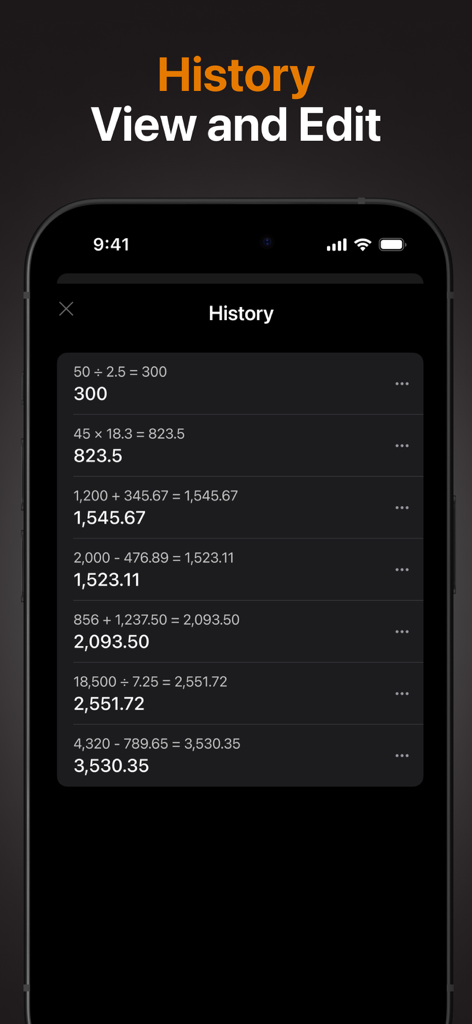
Basic Calculator with History - Smartphone screen showing a detailed calculation history list with past math equations and results in a dark mode interface.
Smartphone screen showing a detailed calculation history list with past math equations and results in a dark mode interface.

Basic Calculator with History - Aesthetic iOS calculator interface with realistic 3D buttons and visible calculation history process
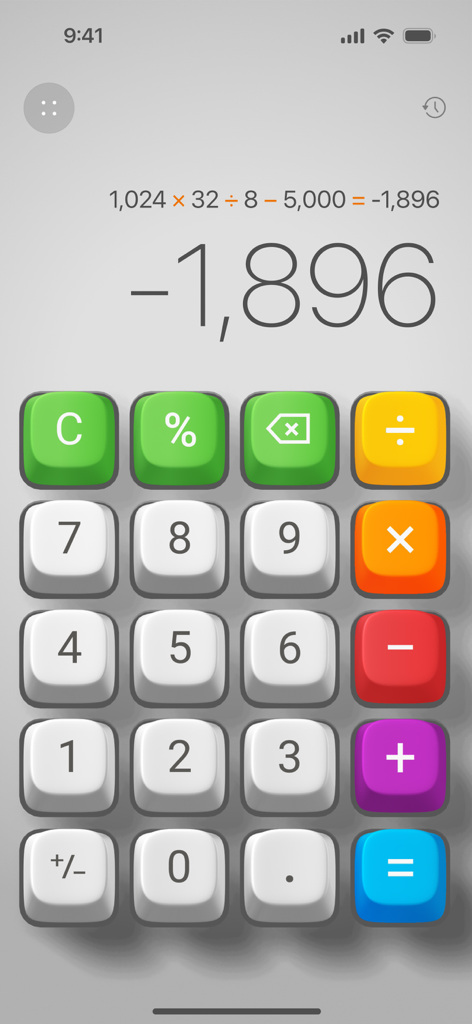
Aesthetic iOS calculator interface with realistic 3D buttons and visible calculation history process

Basic Calculator with History - Interface of the Basic Calculator with History app featuring 3D colorful buttons and a displayed calculation process.
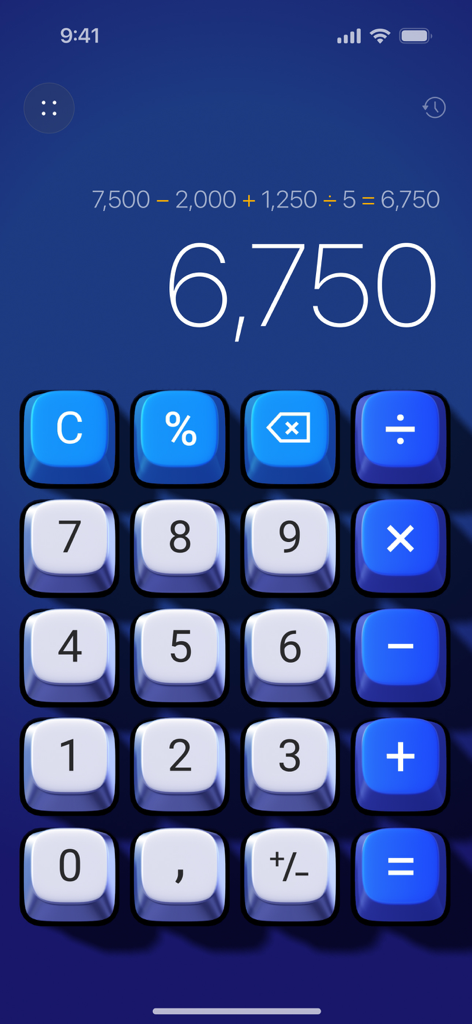
Interface of the Basic Calculator with History app featuring 3D colorful buttons and a displayed calculation process.

Basic Calculator with History - Basic Calculator 3D app with blue buttons and calculation history on screen
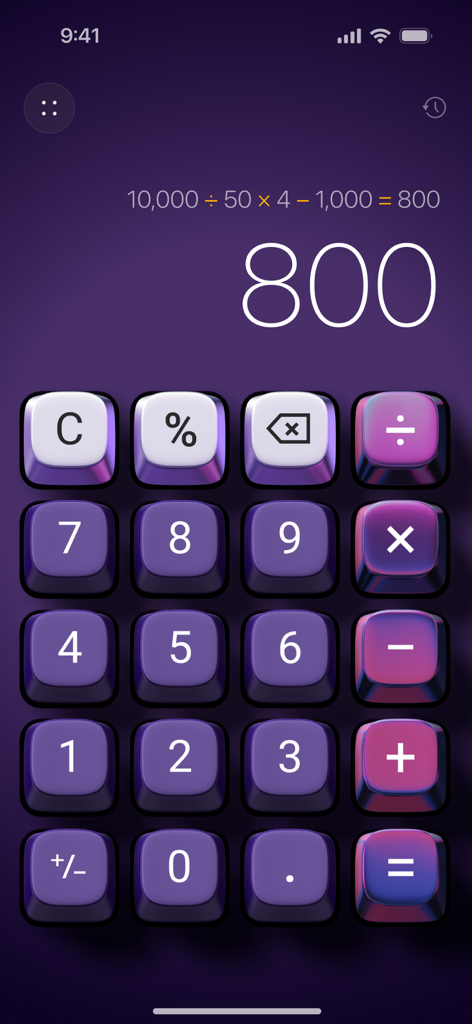
Basic Calculator 3D app with blue buttons and calculation history on screen

Basic Calculator with History - Aesthetic purple 3D calculator interface with calculation history display
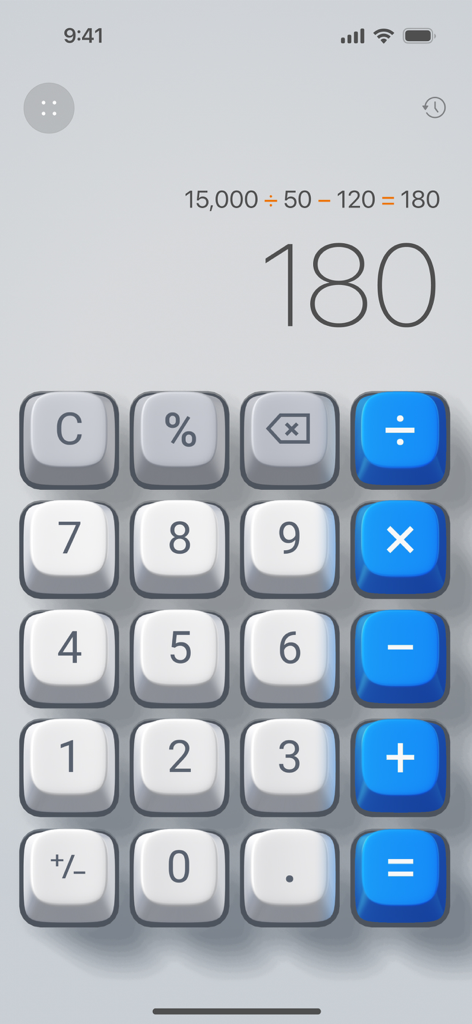
Aesthetic purple 3D calculator interface with calculation history display

Basic Calculator with History - Tactile 3D calculator interface showing the calculation process and history icon
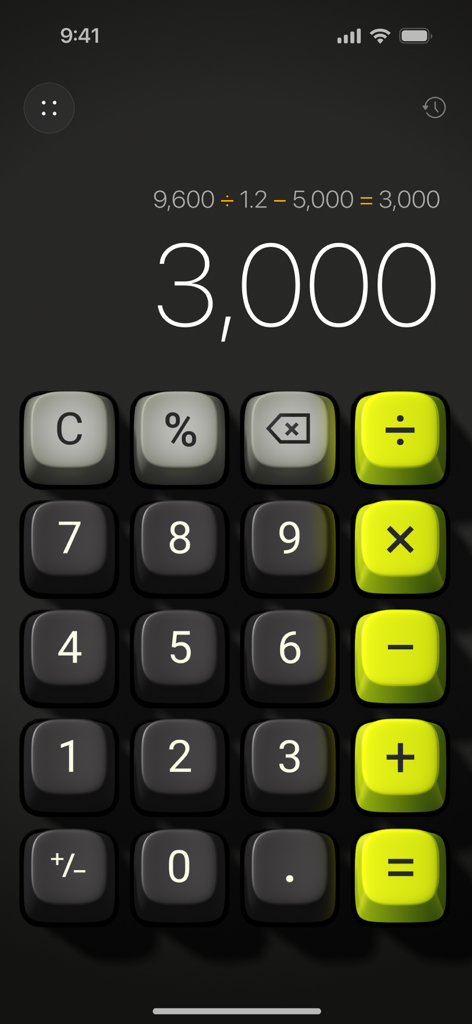
Tactile 3D calculator interface showing the calculation process and history icon

Basic Calculator with History - A 3D calculator interface with tactile lime green and dark grey buttons showing a calculation result
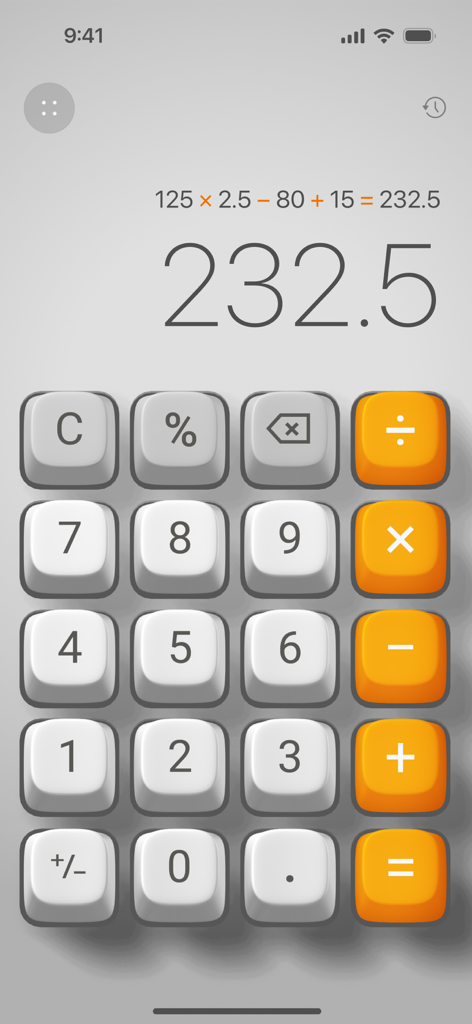
A 3D calculator interface with tactile lime green and dark grey buttons showing a calculation result

Basic Calculator with History - Simple 3D calculator interface showing a calculation process and result on iOS

Simple 3D calculator interface showing a calculation process and result on iOS

Description

A Better Everyday Calculator • Do the math with Calculator 3D Simple - a perfect blend of functionality and elegance, designed to enhance your daily calculations. Key Features: • Elegant Design: Enjoy a sleek calculator with realistic 3D button press effects, bringing a tactile, immersive experience. • Plays Like a Game, Works Like an App: Experience a next-generation user interface with 3D animations and sounds, making calculations fun and interactive. • Custom Skins: Transform the entire look of the app with unique designer skins, allowing you to personalize your calculator to match your style. • Calculation History: Keep track of your past calculations with the new history feature, enabling you to review and reuse previous entries effortlessly. • Ad-Free Experience: Focus on your work without interruptions. Calculator 3D Simple is completely ad-free. • Show the Calculation Process: Each step is clearly displayed, ensuring transparency and accuracy in your calculations. • Backspace Key: Easily correct mistakes with the dedicated backspace key, providing a seamless and hassle-free experience. • One-Handed Use: Designed for convenience, the app can be easily operated with one hand. Why Choose Calculator 3D Simple? • User-Friendly: Perfect for everyday use, our calculator is designed with simplicity and efficiency in mind. • Enhanced Visuals and Interactivity: The 3D buttons and animations provide a unique and engaging experience, unlike any other calculator. • Customization: Stand out with exclusive skins that reflect your personal style. • No Distractions: Our ad-free environment lets you focus solely on your calculations. • Calculation History: Access and revisit your past calculations whenever you need them. SUBSCRIPTION PLANS: Calculator offers 3 types of subscriptions to choose from 1. Week plan with 3-day trial period 2. Monthly plan 3. Annual plan More Subscription Information: - Payment will be charged to your Apple ID account at confirmation of purchase. - Subscription automatically renews unless auto-renew is turned off at least 24 hours before the end of the current period. - Within 24-hours prior to the end of the current period, the account will be charged for the renewal of the subscription, indicating the cost of the renewal. - You can manage subscriptions and turn off auto-renewal after purchase by going to your App Store account settings. - Any unused portion of a free trial period, if offered, will be forfeited when purchasing a subscription. - The offer is limited to a 3-day trial for a weekly subscription. At the end of the 3-day trial period, the subscription will automatically renew according to the tariff, unless it is canceled at least 24 hours before the end of the 3-day trial. Privacy Policy https://appalenrom.eu/privacy.html Terms of Use https://appalenrom.eu/terms.html

Download

Download on App Store

This page is not an official page of the app or its developer, but an independent editorial publication created for informational and commentary purposes. Unless expressly stated otherwise, neither the app nor its developer is affiliated with, endorsed by, sponsored by, authorized by, or otherwise officially connected with MWM, Apple, Google Play, the app publisher, or the app's developer, and nothing on this page implies that the app was developed using MWM's services. Any trademarks, logos, screenshots, and other content remain the property of their respective owners.