
This page is not an official page of the app or its developer, but an independent editorial publication created for informational and commentary purposes. Unless expressly stated otherwise, neither the app nor its developer is affiliated with, endorsed by, sponsored by, authorized by, or otherwise officially connected with MWM, Apple, Google Play, the app publisher, or the app's developer, and nothing on this page implies that the app was developed using MWM's services. Any trademarks, logos, screenshots, and other content remain the property of their respective owners.


Beautiful ID Photo Creator
Stop settling for unflattering passport photos. Take control of your image with professional skin retouching, background adjustment, and custom sizing for any official document—right from your phone.
Downloads
2M+User Rating
Total Ratings
97K+Publisher
Category
Photo & VideoLocales
2Latest Version
26.1.0Size
7.7 MBFirst Released
Apr 16, 2016Professional ID Photos, Perfected by You
Skip the expensive drugstore visits and harsh lighting. Create studio-quality, government-compliant ID photos in minutes using just your smartphone.
Flawless Skin & Lighting
No more unflattering ID photos. Use professional skin retouching and background control to ensure you look your best for years to come.
Precision Global Standards
From US Passports to Japanese Resumes, our smart guides and custom sizing ensure your photo meets specific document requirements perfectly.
Frequently Asked Questions
Everything you need to know about Beautiful ID Photo Creator
What is Beautiful ID Photo Creator?
Beautiful ID Photo Creator is a mobile application designed to easily create ID photos on your phone. It is optimized for Japanese ID photo requirements for resumes and official documents.
Does Beautiful ID Photo Creator adjust face position?
Yes, Beautiful ID Photo Creator provides fine face position adjustment. Users can set the top of their head and chin on specific lines, utilizing zoom, resize, or move functions.
Can I retouch skin in Beautiful ID Photo Creator?
Yes, Beautiful ID Photo Creator offers skin retouching. Users can control "Beauty Skin" and "Complexion" using sliders within the "Color Control" feature to enhance their ID photos.
Can I change the background color in Beautiful ID Photo Creator?
Yes, Beautiful ID Photo Creator enables background color control. This feature is explicitly listed as a core capability, allowing users to adjust the background for their ID photos.
Is Beautiful ID Photo Creator suitable for ID photos outside Japan?
Beautiful ID Photo Creator is optimized for Japanese ID photo requirements. While custom photo sizes are available, sizes and rules may differ for ID photos for other countries.
Does Beautiful ID Photo Creator support custom photo sizes?
Yes, Beautiful ID Photo Creator supports custom photo sizes. Users can select from various predefined dimensions like "30 x 24 mm" or other sizes during the "Size Selection" process.
The following screenshots and description are sourced directly from the app's official store listing and are the property of the app developer.
App Store
Screenshots
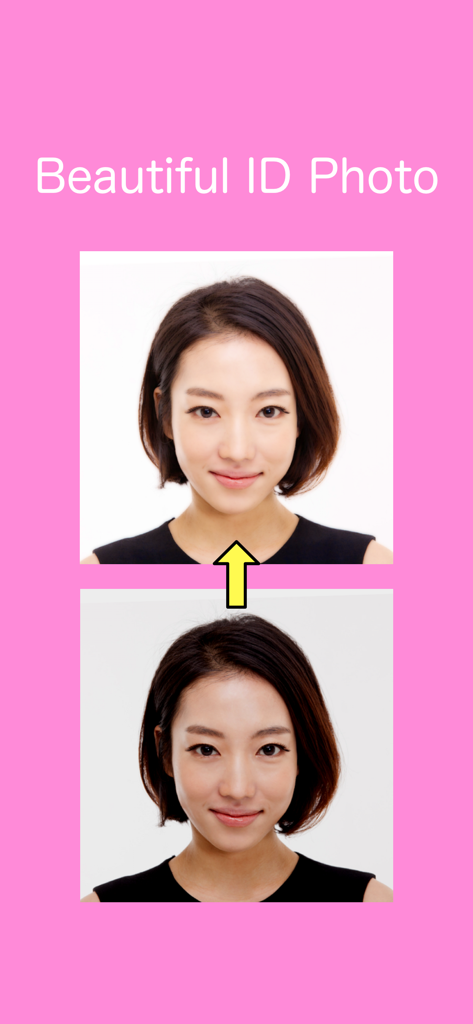
Before and after comparison showing skin retouching on a professional ID photo
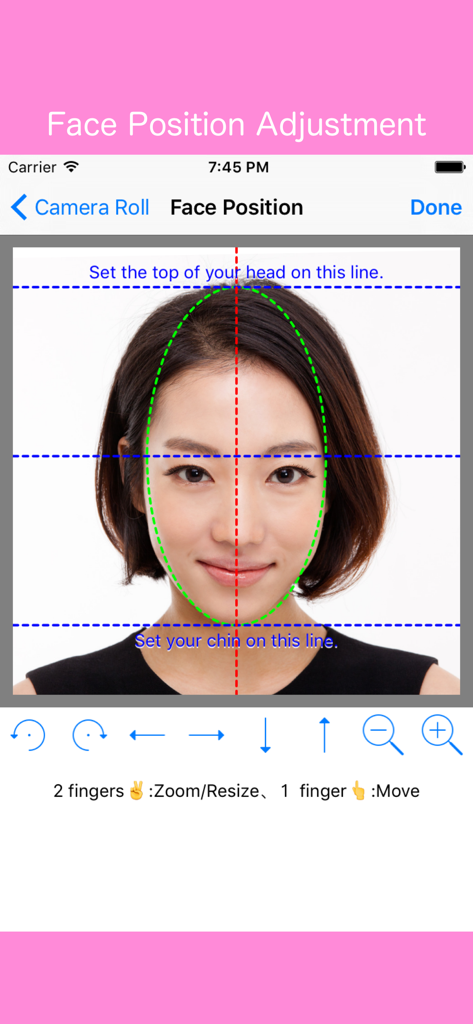
Interface of the Beautiful ID Photo Creator app showing a woman aligning her face within guide lines for a professional passport photo.
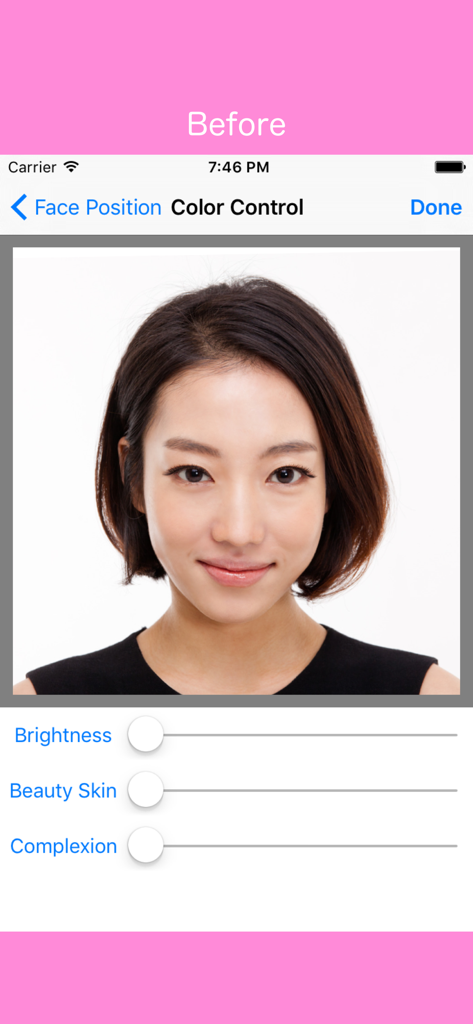
Color control screen showing sliders for brightness beauty skin and complexion retouching in the app
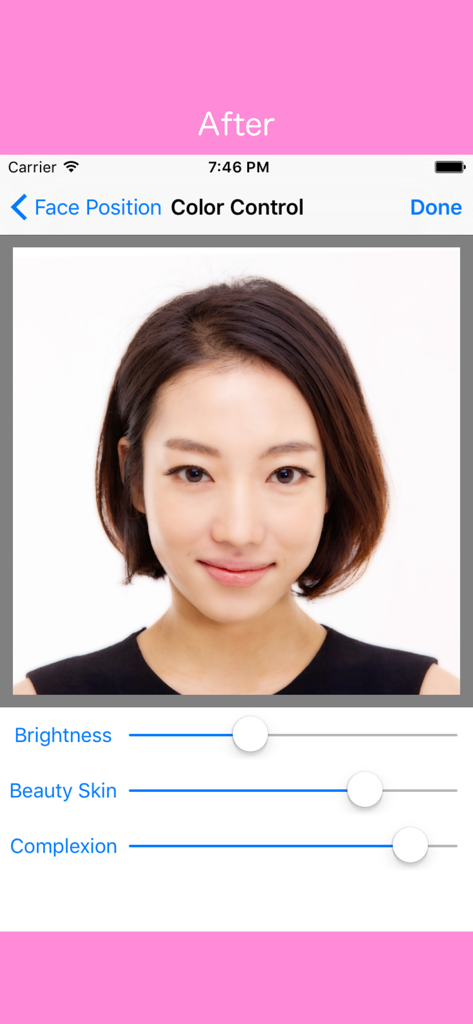
A mobile interface for an ID photo app showing skin retouching sliders for brightness beauty skin and complexion on a womans portrait
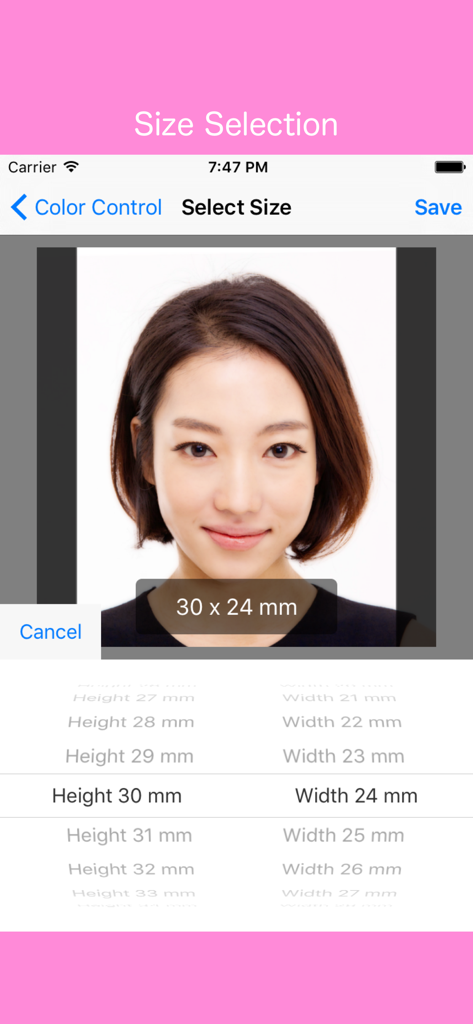
User interface for selecting custom ID photo dimensions in the Beautiful ID Photo Creator app
Description
Download
More Like This
Apps with similar features and user experience

Passport Photo Maker :ID Booth
Appable Yazilim Hizmetleri Limited Sirketi

Passport Photo-ID Photo Cutout
润娟 邹

ID photo passport maker:IDCam
Hangzhou Jiadi Bozhong Enterprise Management Partnership

证件照随拍-智能证件照制作软件
Shenzhen Piaopiao Baobei Co., Ltd

Passport Size Photo Maker App
Jatin Maniya

Print to Size
Clafou Ltd

Passport Photo Maker ID Photo・
泽沛 许

ID Photo:Passport Photo Maker
Retouch Photo Editor Technology Limited

ID Photo - Print Passport Pics
书敏 贾
This page is not an official page of the app or its developer, but an independent editorial publication created for informational and commentary purposes. Unless expressly stated otherwise, neither the app nor its developer is affiliated with, endorsed by, sponsored by, authorized by, or otherwise officially connected with MWM, Apple, Google Play, the app publisher, or the app's developer, and nothing on this page implies that the app was developed using MWM's services. Any trademarks, logos, screenshots, and other content remain the property of their respective owners.