Bendigo Bank

Bendigo Bank

Download on App StoreDownload on Google Play
Logo of Bendigo Bank

Bendigo Bank: Your Australian Banking, Sorted Anywhere

Manage your accounts, send instant payments with Osko, and maintain total card control from overseas. Secure, seamless banking at your fingertips, no matter where you are in the world.

Publisher

Bendigo and Adelaide Bank Ltd

Category

Finance

Downloads

1M+

User Rating

4.7/5

Total Ratings

23K+

Locales

1

Banking at a Glance

Discover the interface used by 1M+ users.
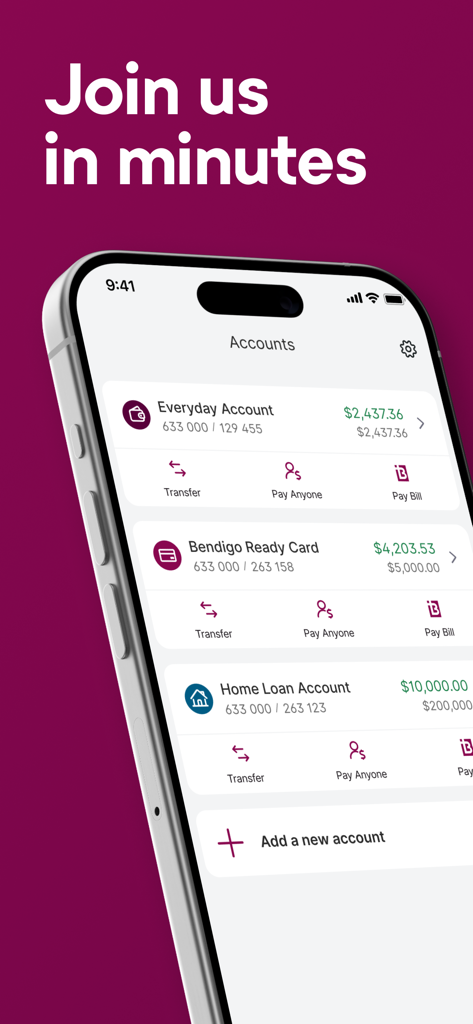
Bendigo Bank mobile app screen showing account balances for Everyday, Ready Card, and Home Loan accounts.

Bendigo Bank mobile app screen showing account balances for Everyday, Ready Card, and Home Loan accounts.

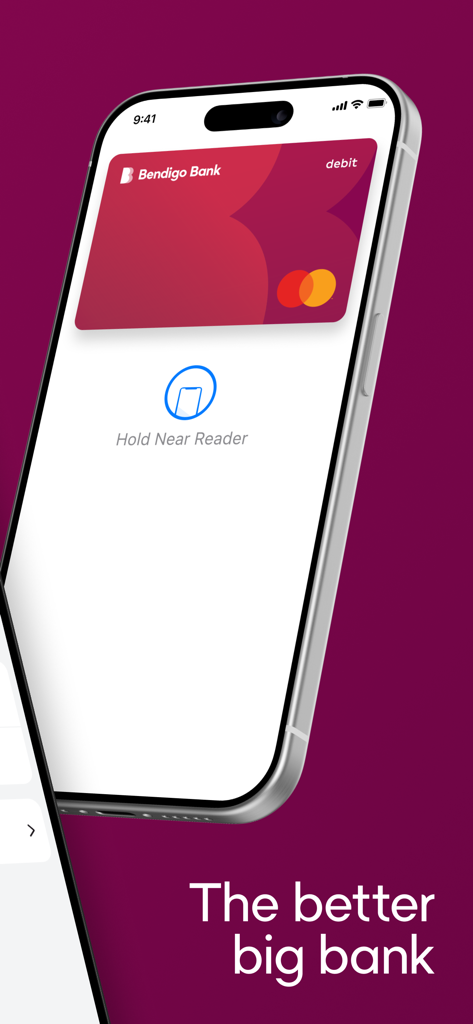
Bendigo Bank mobile app showing Apple Pay contactless payment interface on an iPhone

Bendigo Bank mobile app showing Apple Pay contactless payment interface on an iPhone

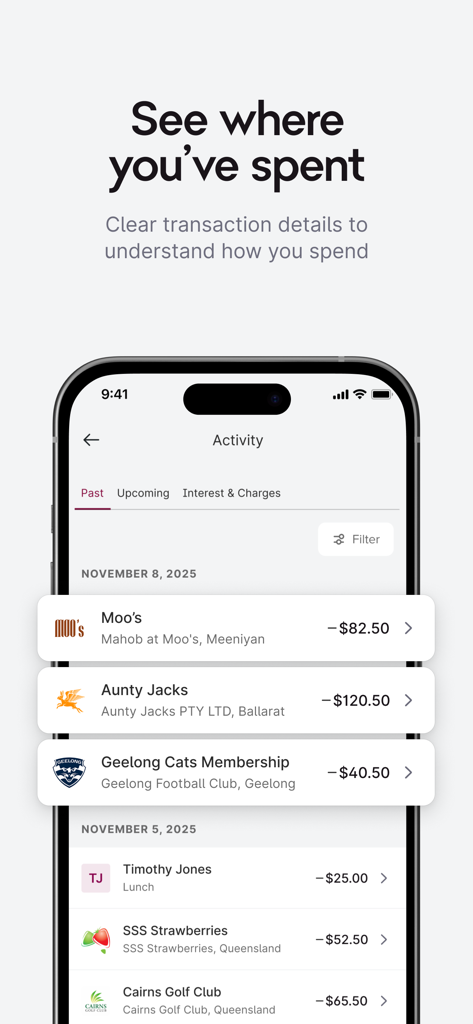
Bendigo Bank app activity screen showing a list of recent transactions with merchant logos and dollar amounts

Bendigo Bank app activity screen showing a list of recent transactions with merchant logos and dollar amounts

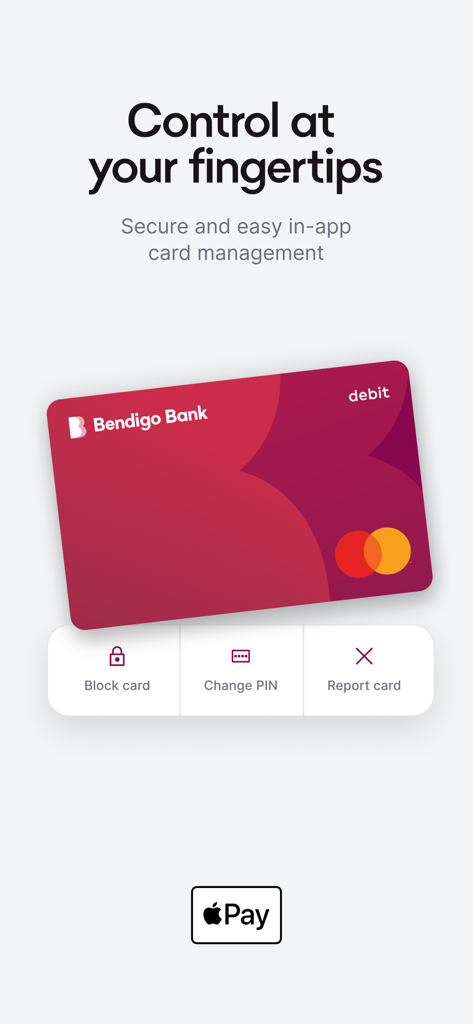
Bendigo Bank app screen displaying in-app card management tools including block card change PIN and report card features

Bendigo Bank app screen displaying in-app card management tools including block card change PIN and report card features

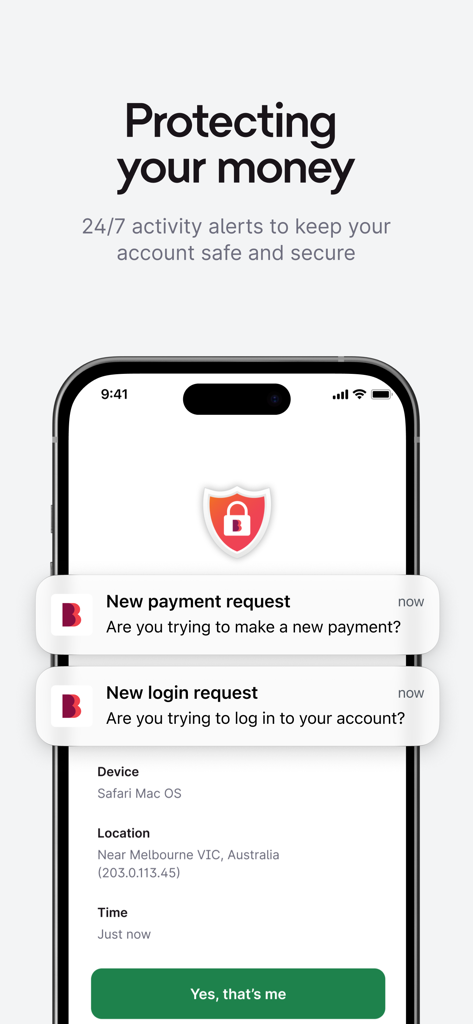
Bendigo Bank app interface showing security notifications for login and payment requests

Bendigo Bank app interface showing security notifications for login and payment requests

Your Australian Bank, Anywhere in the World

The tools that make this app stand out, trusted by 1M+ users.

🔒

Remote Security Controls

Keep your Australian funds safe while abroad. Toggle temporary blocks or restrict spending categories like gambling instantly via the app.

24/7 Self-Service Banking

Skip the midnight phone calls to Australia. Generate Proof of Account PDFs, open new accounts, and approve multi-sig payments on your schedule.

📱

Instant Digital Wallet

Don't wait for international mail. Add your card to Apple Wallet straight from the app and start spending even before your physical card arrives.

About the app

Everything you need to know about Bendigo Bank.

Description

Bendigo Bank is making banking easy and secure for everyone. New to us? Join in minutes. Already a customer? Log in for simple and fast banking at your fingertips. Your everyday banking, sorted • Check your balance at a glance without logging in. • View your transaction history and download statements anytime. • See merchant logos for clear and easy-to-understand transaction details. • Instantly get a Proof of Account PDF when you need it. • Create new EasySaver accounts and Term Deposits on the go. • Approve multi-signature payments on the go directly from your phone. Pay people & bills, fast • Send money to anyone instantly with PayID and Osko. • Set up recurring payments for regular bills. • Pay your bills easily, and manage them with BPAY View. Pay on the go with Apple Pay • Add your card to Apple Wallet straight from the app. • Start spending with Apple Pay even before your physical card arrives. • Make secure mobile payments on the go. Full card controls • Activate your new card and use it immediately. • Misplaced your card? Temporarily block it while you search. • Instantly report a card lost or stolen, and we'll arrange a new one fast. • Set spending blocks for categories like gambling or liquor transactions. • Toggle your card controls on or off at your convenience. Secure & verified activity • Log in securely with Face ID, Touch ID, or a four-digit PIN. • Verify every critical action, from new logins to payments and security changes directly from your phone using Multi-Factor Authentication (MFA). Need help? Visit bendigobank.com.au/help/ebanking, call us on 1300 236 344, or drop into your nearest Bendigo Bank branch.

Latest Version

4.20.4

Size

37.7 MB

First Released

Feb 1, 2018

Your Australian Bank, Always Within Reach

Manage your finances across time zones with total card control and instant transfers. Join over 1 million customers banking better today.

Download on App StoreDownload on Google Play
FAQ

Frequently Asked Questions

Everything you need to know about Bendigo Bank

Can I open an account with the Bendigo Bank app?

Yes, new customers can join Bendigo Bank in minutes directly through the app. Existing customers can log in for simple and fast banking at their fingertips.

Can I check my account balance quickly with the Bendigo Bank app?

Yes, the Bendigo Bank app allows users to check their account balance at a glance without needing to log in. This provides quick access to account summaries.

Does the Bendigo Bank app support Apple Pay?

Yes, the Bendigo Bank app supports Apple Pay. Users can add their card to Apple Wallet directly from the app and start spending even before their physical card arrives.

Can I manage my card controls within the Bendigo Bank app?

Yes, the Bendigo Bank app provides full card controls. Users can activate new cards, temporarily block misplaced cards, report lost or stolen cards, and set spending blocks.

Can I see merchant details for transactions in the Bendigo Bank app?

Yes, the Bendigo Bank app displays merchant logos for transaction details. This makes understanding your transaction history clear and easy. Users can also view and download statements.

Is the Bendigo Bank app secure for banking?

Yes, the Bendigo Bank app is secure. Users can log in securely using Face ID, Touch ID, or a four-digit PIN. Multi-Factor Authentication verifies critical actions like new logins.

Can I send money and pay bills using the Bendigo Bank app?

Yes, the Bendigo Bank app allows users to send money instantly with PayID and Osko. It also supports setting up recurring payments for bills and managing them with BPAY View.

Does the Bendigo Bank app support multi-signature payments?

Yes, the Bendigo Bank app allows users to approve multi-signature payments directly from their phone. This provides flexibility for managing shared accounts or business transactions.

App information, icons, screenshots, and descriptions displayed on this page are sourced from the Apple App Store and are the property of their respective developers. Download estimates and rankings are based on MWM's proprietary models and may not reflect actual figures. This page is provided for informational and analytical purposes only.

Believe this page infringes your intellectual property? File a dispute