
This page is not an official page of the app or its developer, but an independent editorial publication created for informational and commentary purposes. Unless expressly stated otherwise, neither the app nor its developer is affiliated with, endorsed by, sponsored by, authorized by, or otherwise officially connected with MWM, Apple, Google Play, the app publisher, or the app's developer, and nothing on this page implies that the app was developed using MWM's services. Any trademarks, logos, screenshots, and other content remain the property of their respective owners.


FNB Banking App
Experience the future of finance with effortless profile switching, conversational Chat Pay, and an Action Panel designed for your fast-paced digital lifestyle.
Downloads
2M+User Rating
Total Ratings
328K+Publisher
Category
FinanceLocales
1Latest Version
7.17.0-59Size
67.4 MBFirst Released
Jul 19, 2011Smart Banking for Your Modern Lifestyle
Experience a financial ecosystem designed for speed, social connection, and total control over your personal and professional accounts.
Revolutionary Chat Pay
Pay anyone in your contact list through a simple, secure chat. Experience the convenience of social payments within a verified banking environment.
Seamless Profile Switching
Designed for the modern entrepreneur. Effortlessly toggle between your personal and business accounts without the friction of logging out.
Frequently Asked Questions
Everything you need to know about FNB Banking App
How do I switch users on the FNB Banking App?
The FNB Banking App allows easy user switching. Select "My profile" on the bottom navigation, then choose "Switch user" to move seamlessly between different profiles.
What is Chat Pay in the FNB Banking App?
Chat Pay is a feature in the FNB Banking App that allows users to pay any FNB customer via a simple chat. It operates within FNB’s secure ecosystem, ensuring recipient verification.
How does the FNB Banking App ensure secure transactions?
The FNB Banking App ensures security through features like Chat Pay's verified recipients and Smart inContact messages for online purchase verification. It operates within a secure ecosystem.
Can I add my FNB cards to Apple Wallet using the FNB Banking App?
Yes, the FNB Banking App allows you to add your FNB cards to Apple Wallet directly for easy contactless payments. This feature is available within the Cards section.
What features are available in the Action Panel of the FNB Banking App?
The FNB Banking App's Action Panel brings core banking features front and center. These include payments, transfers, managing your cards, and cash withdrawals for quick access.
What is Secure Messaging in the FNB Banking App?
Secure Messaging in the FNB Banking App allows FNB/RMB customers to chat securely. Features include Chat Pay, voice notes, attachments, and location sharing after granting contact list access.
Does the FNB Banking App support airtime and data top-ups?
Yes, the FNB Banking App supports topping up data and airtime. Users can top up for themselves or for others directly within the application.
Can I customize the FNB Banking App interface?
Yes, the FNB Banking App allows users to customize the app interface. This enables users to personalize their app experience to suit their preferences.
What is PayShap in the FNB Banking App?
PayShap is a feature in the FNB Banking App that enables users to send and receive payments of up to R3000 instantly. It provides an affordable way for real-time payments.
The following screenshots and description are sourced directly from the app's official store listing and are the property of the app developer.
App Store
Screenshots
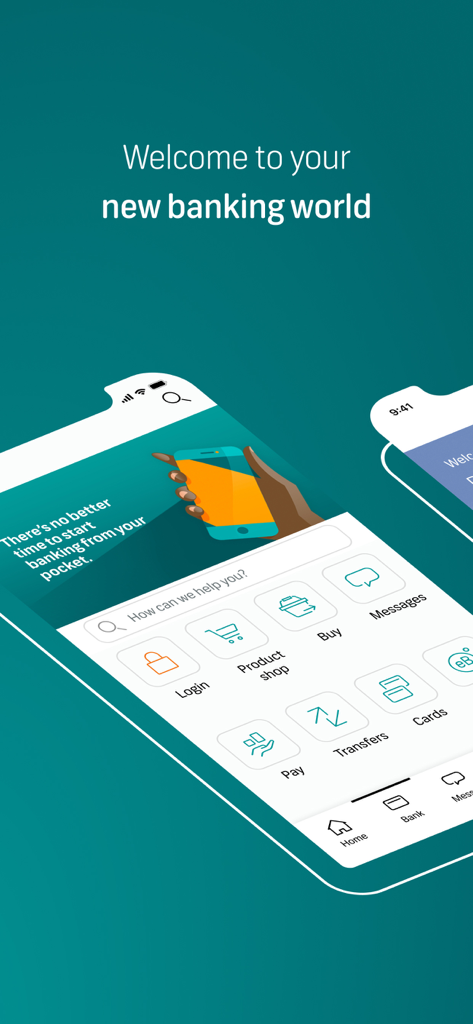
The FNB Banking App welcome screen displaying the main dashboard with icons for payments, transfers, and card management.
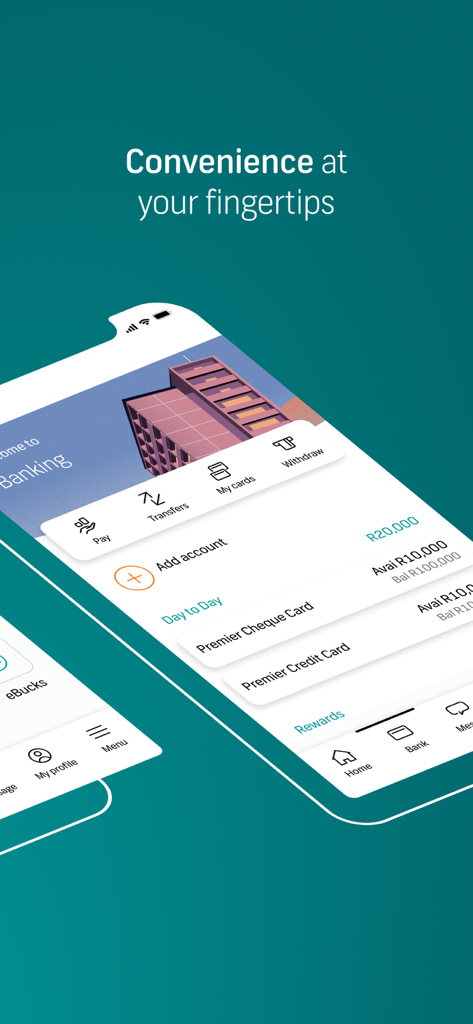
FNB Banking App dashboard showing account balances and quick action shortcuts for payments and transfers
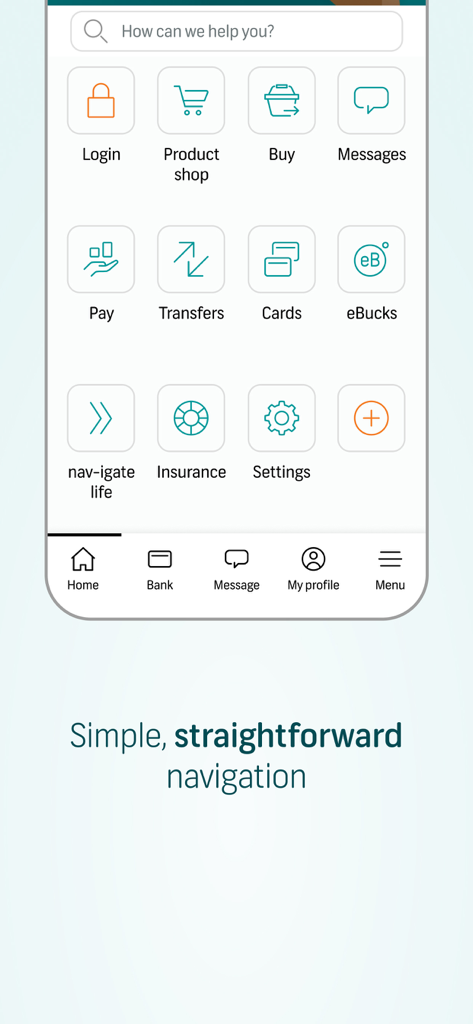
FNB Banking App home screen showing simple navigation with icons for pay, transfers, and cards
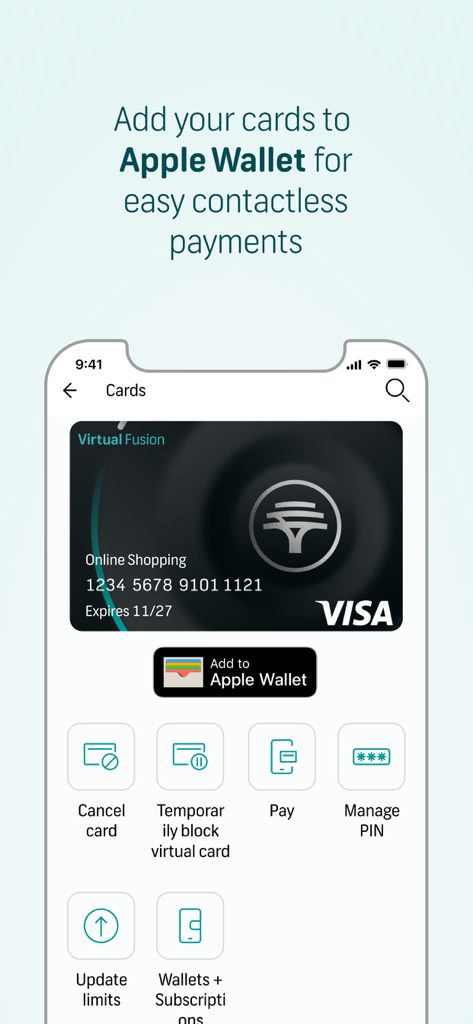
FNB Banking App interface for managing virtual cards and adding them to Apple Wallet for contactless payments.
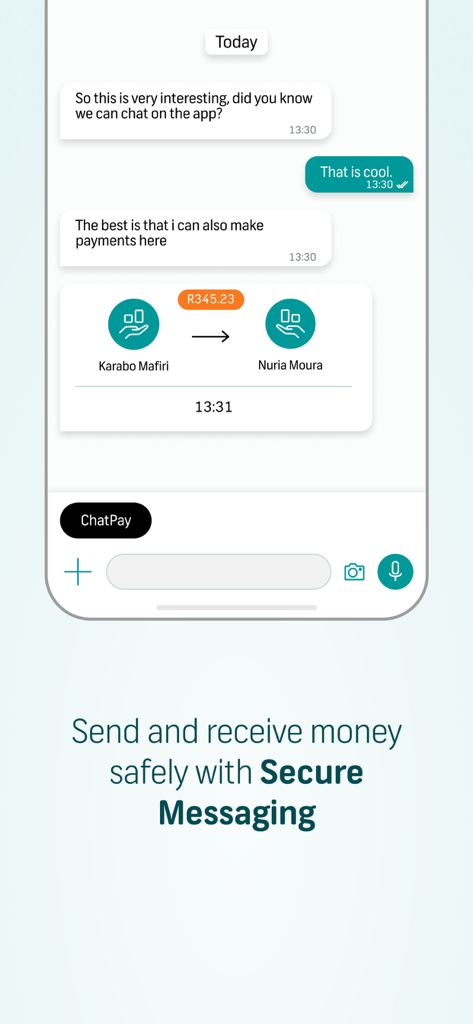
FNB Banking App interface displaying the Chat Pay feature within a secure messaging window for peer to peer money transfers
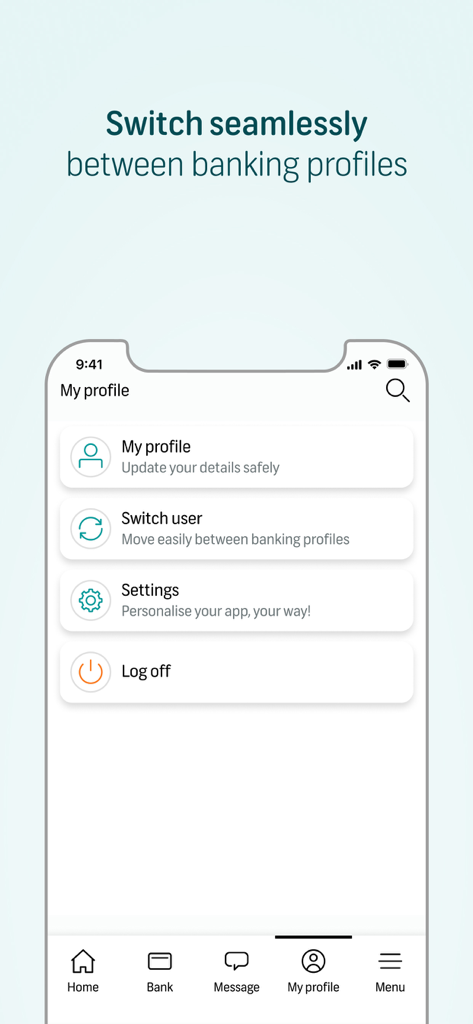
FNB Banking App profile screen displaying the switch user feature for managing multiple banking profiles
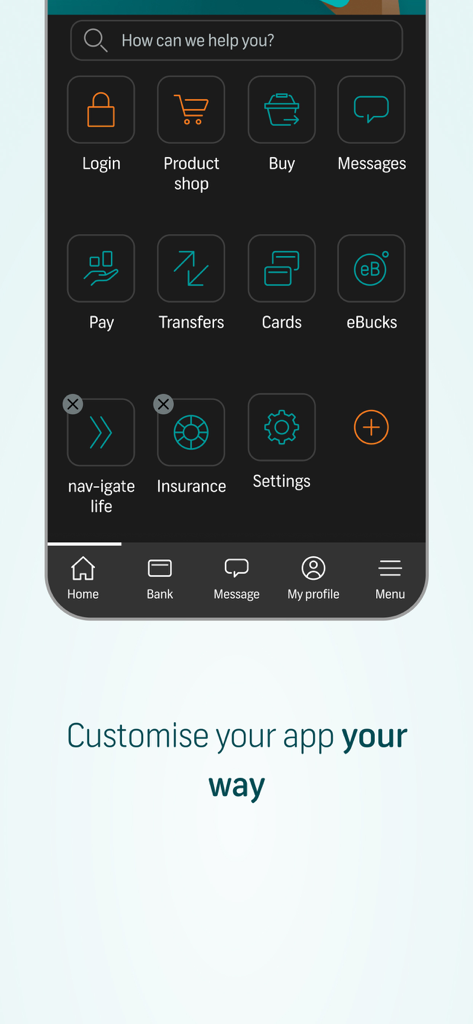
FNB Banking App interface showing a customizable menu of financial services icons including payments transfers and insurance
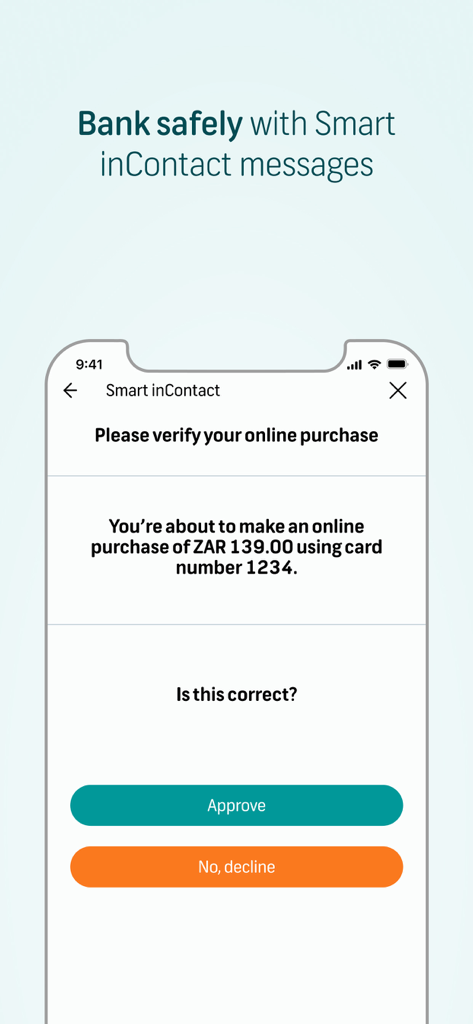
A mobile screen showing the FNB Banking App Smart inContact feature for verifying an online purchase with approve and decline buttons.
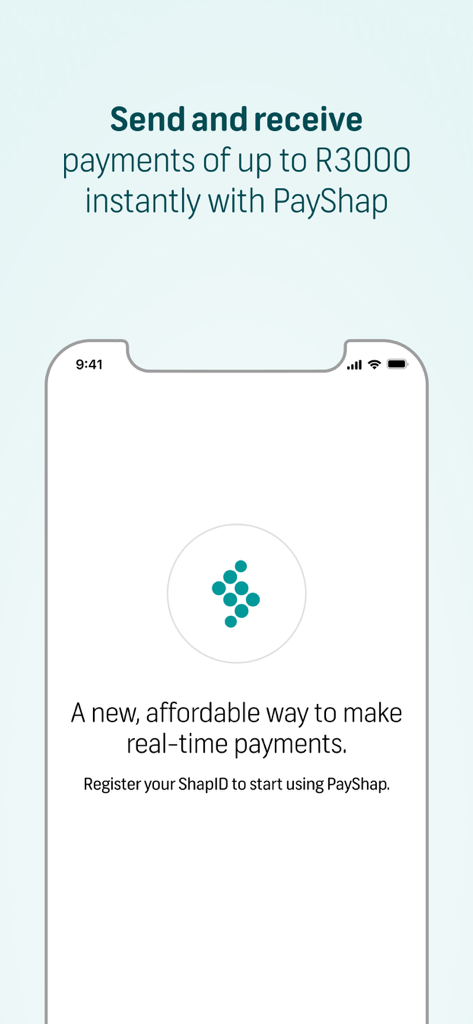
Interface of FNB Banking App showing PayShap for instant real-time payments up to R3000.
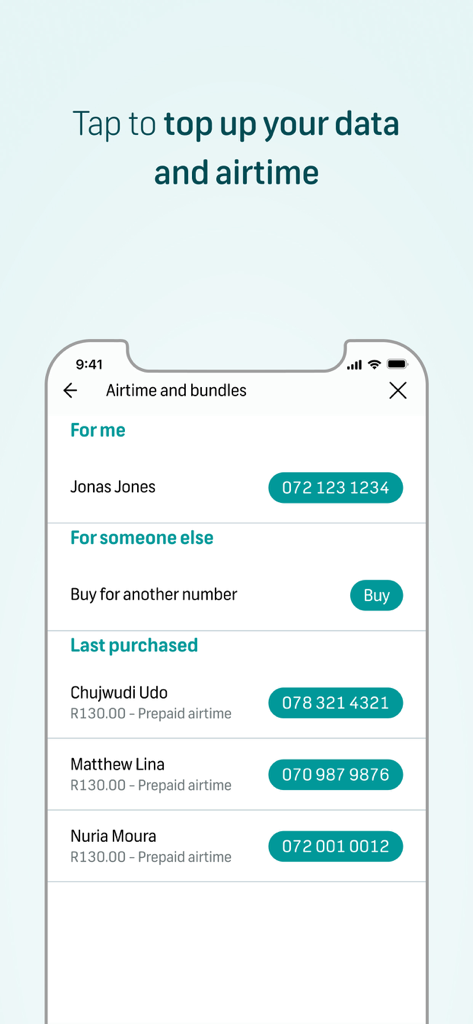
A mobile interface for topping up data and airtime for yourself or others within the FNB Banking App.
Description
Download
More Like This
Apps with similar features and user experience

Enpara Bank Cep Şube
Enpara Bank Anonim Sirketi

Alinma App - تطبيق الإنماء
Alinma Bank

Huntington Mobile Banking
The Huntington National Bank, Inc

國泰世華網路銀行CUBE
Cathay United Bank

中國信託行動銀行
CTBC Bank Co., Ltd.

Riyad Bank App
Riyad Bank

CIMB OCTO MY
CIMB Bank Berhad

Regions Mobile
Regions Financial

Interbank APP
Banco Internacional del Peru
This page is not an official page of the app or its developer, but an independent editorial publication created for informational and commentary purposes. Unless expressly stated otherwise, neither the app nor its developer is affiliated with, endorsed by, sponsored by, authorized by, or otherwise officially connected with MWM, Apple, Google Play, the app publisher, or the app's developer, and nothing on this page implies that the app was developed using MWM's services. Any trademarks, logos, screenshots, and other content remain the property of their respective owners.