
This page is not an official page of the app or its developer, but an independent editorial publication created for informational and commentary purposes. Unless expressly stated otherwise, neither the app nor its developer is affiliated with, endorsed by, sponsored by, authorized by, or otherwise officially connected with MWM, Apple, Google Play, the app publisher, or the app's developer, and nothing on this page implies that the app was developed using MWM's services. Any trademarks, logos, screenshots, and other content remain the property of their respective owners.

Regions Mobile
Join over 4 million users who trust us to manage accounts, send money with Zelle®, and track their FICO® score—all with the convenience of your favorite hometown bank.
Downloads
4M+User Rating
Total Ratings
523K+Publisher
Category
FinanceLocales
2Latest Version
8.3.0Size
74.7 MBFirst Released
Feb 8, 2011Smart Banking Made Simple
Join over 4 million users who manage their finances with ease. Our app combines powerful money management tools with the security and local service you trust.
Move Money Instantly
Send and receive money with Zelle®, make mobile deposits, or transfer funds between accounts with just a few taps.
Total Card Protection
Take control of your security with LockIt®. Instantly lock your cards if lost and set custom alerts to stay informed.
Frequently Asked Questions
Everything you need to know about Regions Mobile
Can I check my account balances using the Regions Mobile app?
Yes, the Regions Mobile app allows users to check their account balances anywhere. This provides convenient monitoring of all linked accounts.
How far back can I search for transactions in the Regions Mobile app?
The Regions Mobile app allows users to search up to 18 months of past transactions. This provides a comprehensive financial history for review.
Does the Regions Mobile app offer card management features?
Yes, the Regions Mobile app offers card management features. Users can manage their cards, set alerts, and protect them using LockIt® directly within the application.
How do I set up alerts in the Regions Mobile app?
The Regions Mobile app enables users to set up various alerts for accounts and cards. This helps monitor activity and stay informed about financial changes.
Can I transfer funds between my accounts using the Regions Mobile app?
Yes, the Regions Mobile app facilitates fund transfers between your Regions accounts. This simplifies moving money directly from your mobile device.
Does the Regions Mobile app support mobile deposits?
Yes, the Regions Mobile app supports mobile deposits. Users can deposit checks remotely, though this feature may be subject to fees and separate terms.
Can I send money using Zelle® with the Regions Mobile app?
Yes, the Regions Mobile app integrates Zelle® for sending money securely. Users can send funds to friends and family directly from the app.
Can I log into the Regions Mobile app using biometric ID?
Yes, the Regions Mobile app allows secure login using biometric ID. This enhances security and simplifies the login process for users.
What is LockIt® in the Regions Mobile app?
LockIt® is a security feature in the Regions Mobile app designed to protect your cards. It provides controls to manage and secure your debit and credit cards.
Does the Regions Mobile app include budgeting tools?
Yes, the Regions Mobile app provides access to budget and planning tools. Users can set budgets and track spending from their Regions and external accounts.
Can I pay bills using the Regions Mobile app?
Yes, the Regions Mobile app includes Regions Bill Pay. This allows users to pay their bills conveniently and manage payments directly within the app.
Can I check my FICO® Score with the Regions Mobile app?
Yes, the Regions Mobile app allows users to check their FICO® Score anytime. This tool helps users monitor their credit health directly within the application.
Is the Regions Mobile app available in Spanish?
Yes, the Regions Mobile app can be used in English or Spanish. Users can select their preferred language for the app interface.
How can I find a Regions branch or ATM using the Regions Mobile app?
The Regions Mobile app includes a locator feature to find nearby Regions branches or ATMs. It provides directions and operating hours for convenience.
Is Regions Bank FDIC-insured?
Yes, Regions Bank is FDIC-insured. Deposits are backed by the full faith and credit of the U.S. Government, providing financial security.
How can I contact support for the Regions Mobile app?
Users can contact support for the Regions Mobile app by emailing MobileApps@Regions.com. The app also offers a 24/7 chat function for assistance.
The following screenshots and description are sourced directly from the app's official store listing and are the property of the app developer.
App Store
Screenshots
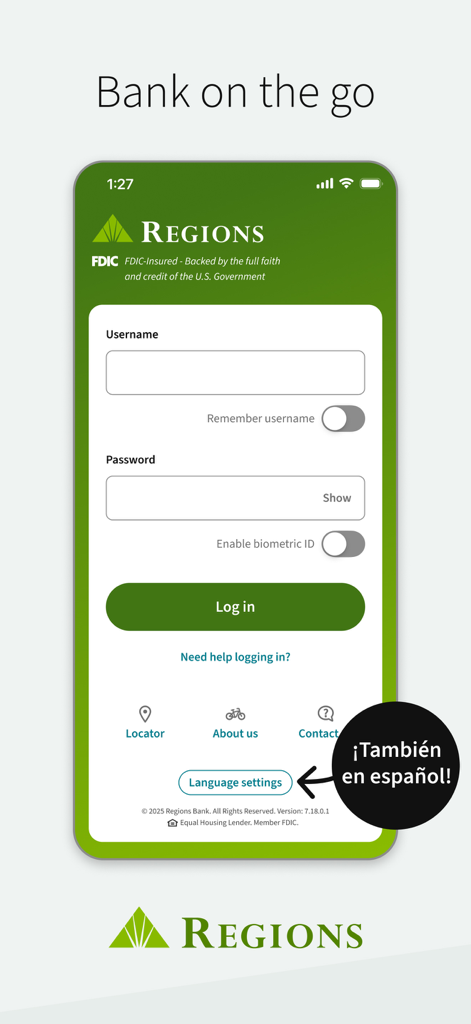
Regions Mobile app login screen featuring fields for username and password with a highlight on Spanish language options.
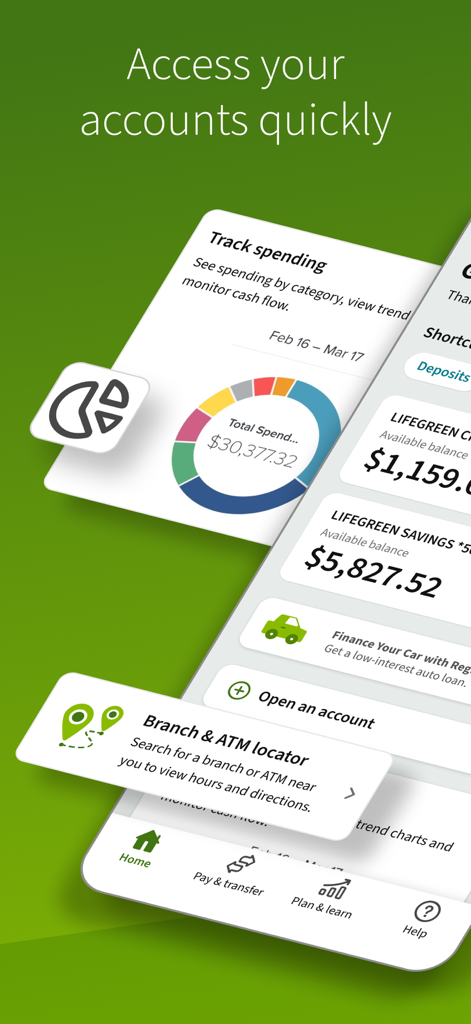
Screenshot of the Regions Mobile banking app showing account balances spending tracking and branch locator tools
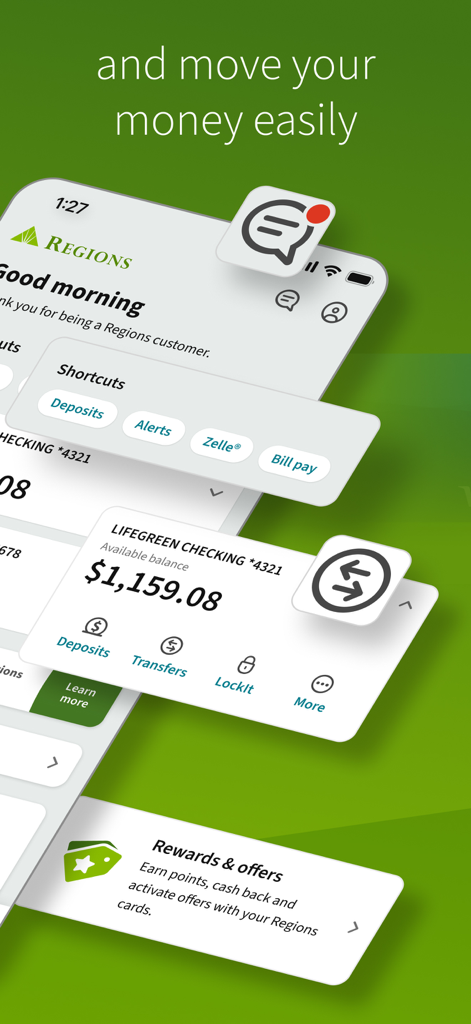
Interface of the Regions Mobile app showing account balance, money transfer options, and banking shortcuts.
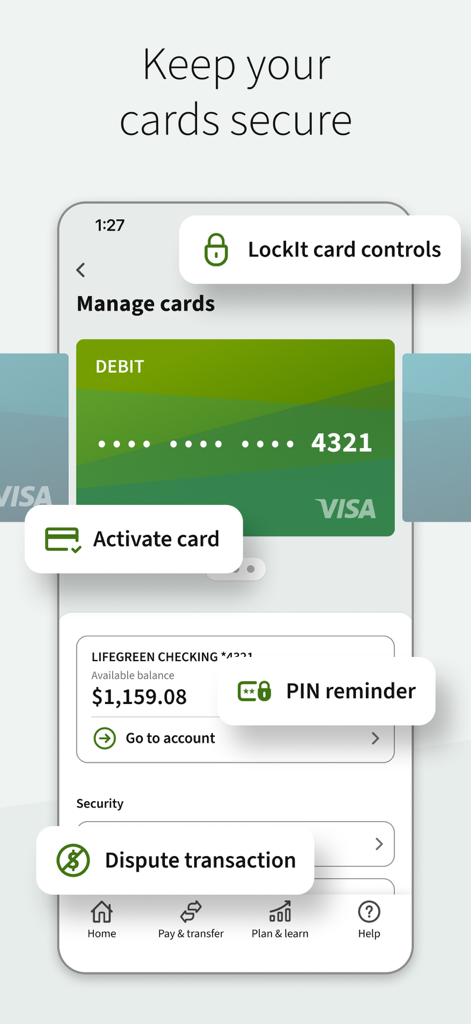
Regions Mobile app interface for managing cards with LockIt security controls and transaction disputes
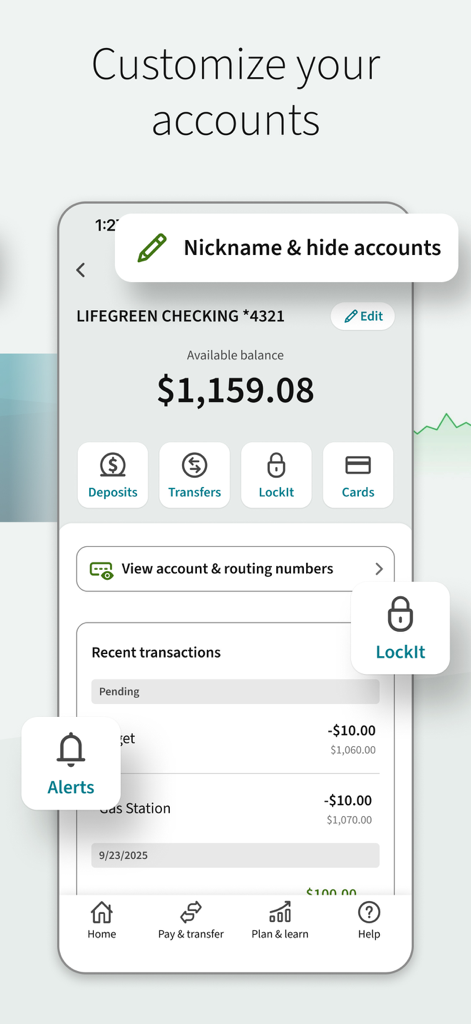
Regions Mobile app interface showing account customization options and checking balance
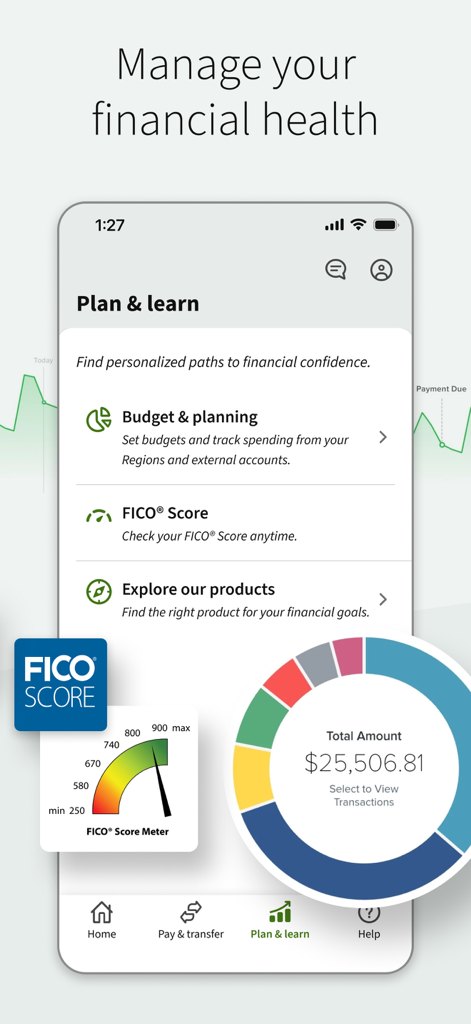
Regions Mobile app screen showing financial planning tools and FICO Score meter
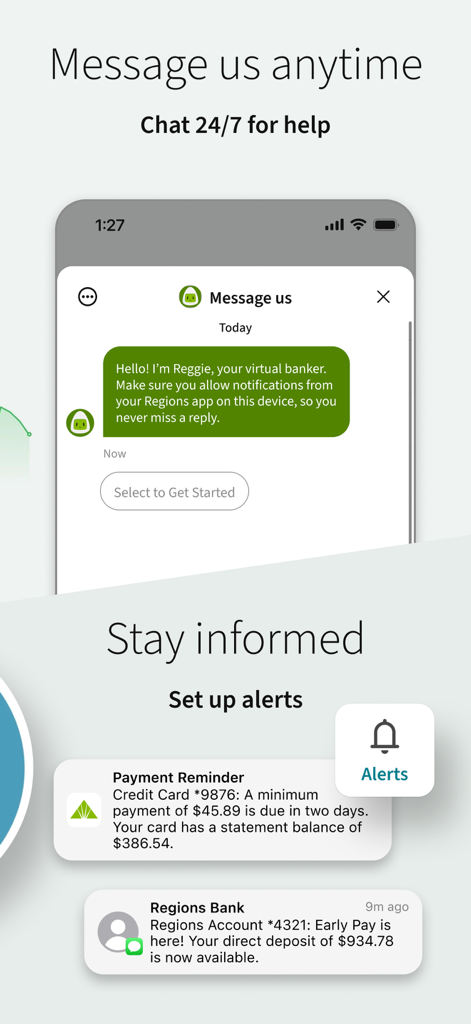
Regions Mobile app interface showing 24/7 virtual banker chat and account notification alerts for payments and deposits
Description
Download
More Like This
Apps with similar features and user experience

Enpara Bank Cep Şube
Enpara Bank Anonim Sirketi

Alinma App - تطبيق الإنماء
Alinma Bank

Huntington Mobile Banking
The Huntington National Bank, Inc

國泰世華網路銀行CUBE
Cathay United Bank

中國信託行動銀行
CTBC Bank Co., Ltd.

FNB Banking App
FirstRand Bank Limited

Riyad Bank App
Riyad Bank

CIMB OCTO MY
CIMB Bank Berhad

Interbank APP
Banco Internacional del Peru
This page is not an official page of the app or its developer, but an independent editorial publication created for informational and commentary purposes. Unless expressly stated otherwise, neither the app nor its developer is affiliated with, endorsed by, sponsored by, authorized by, or otherwise officially connected with MWM, Apple, Google Play, the app publisher, or the app's developer, and nothing on this page implies that the app was developed using MWM's services. Any trademarks, logos, screenshots, and other content remain the property of their respective owners.