Benkyo Box
Benkyo Box
Download on App Store

This page is not an official page of the app or its developer, but an independent editorial publication created for informational and commentary purposes. Unless expressly stated otherwise, neither the app nor its developer is affiliated with, endorsed by, sponsored by, authorized by, or otherwise officially connected with MWM, Apple, Google Play, the app publisher, or the app's developer, and nothing on this page implies that the app was developed using MWM's services. Any trademarks, logos, screenshots, and other content remain the property of their respective owners.


Logo of Benkyo Box
Download on App Store

Benkyo Box

Stop burying important facts in note-taking apps. Master complex exams and professional knowledge with a beautiful, private flashcard system featuring AI-powered entry, visual diagram annotations, and secure iCloud encryption for the Apple ecosystem.

Key Figures

Downloads

0

User Rating

1.0/5

Total Ratings

0

Publisher

autorelease LLC

Category

Education

Locales

6

Latest Version

1.6.0

Size

58.1 MB

First Released

Apr 4, 2025
Features

Elevate Your Learning Efficiency

Benkyo Box is the premium study layer for your second brain, designed for students and professionals who demand a powerful, native, and private learning experience.

Master Visual Complexity

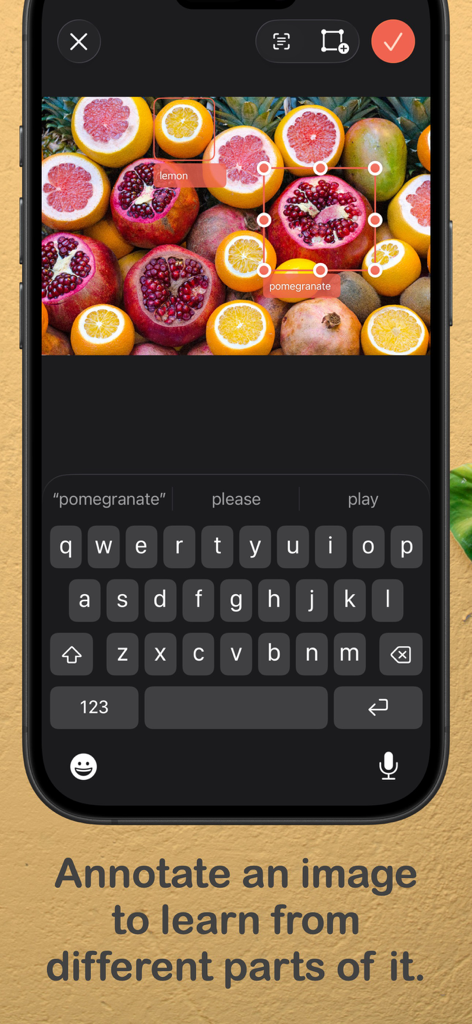
Turn any diagram into an active recall session. Annotate anatomical parts, circuitry, or maps directly within the app to master complex visual concepts without external tools.

Frictionless Card Creation

Stop wasting time on data entry. Use Quick Entry to paste content from LLMs or import CSVs and folders to transform your research into study material in seconds.

The following screenshots and description are sourced directly from the app's official store listing and are the property of the app developer.

App Store

Screenshots
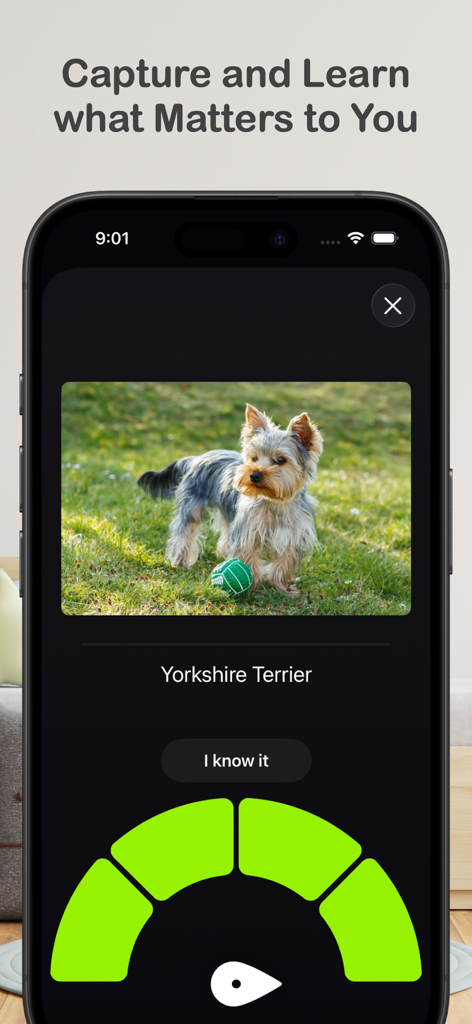
Benkyo Box - Benkyo Box flashcard study interface with an image of a dog and a rating dial
Benkyo Box flashcard study interface with an image of a dog and a rating dial

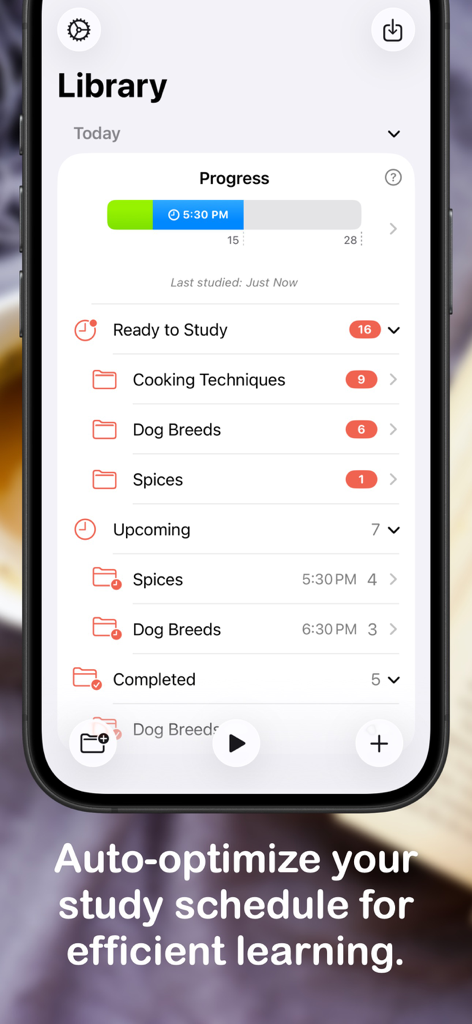
Benkyo Box - Benkyo Box library interface on iPhone displaying study progress and automated scheduling for efficient learning.
Benkyo Box library interface on iPhone displaying study progress and automated scheduling for efficient learning.

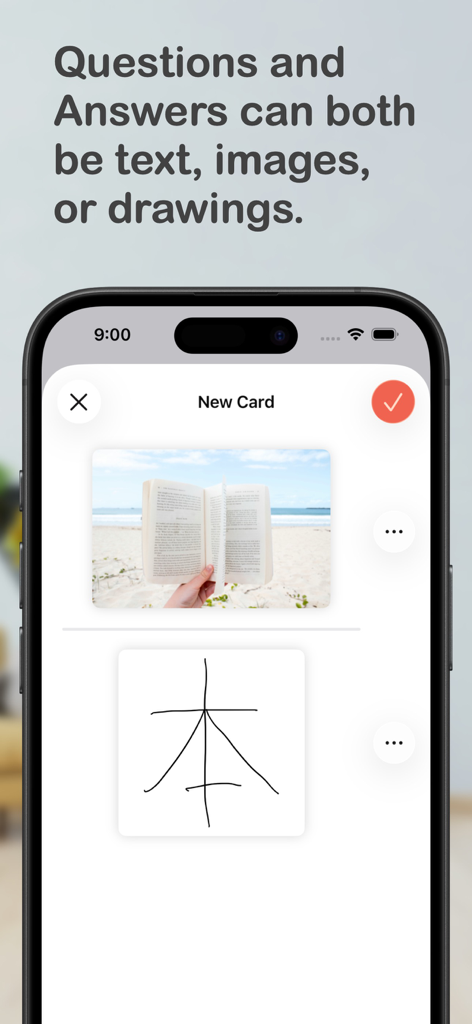
Benkyo Box - Interface of Benkyo Box showing a flashcard being created with an image question and a hand-drawn sketch answer.
Interface of Benkyo Box showing a flashcard being created with an image question and a hand-drawn sketch answer.

Benkyo Box - Benkyo Box app interface showing the image annotation feature used to label specific parts of a fruit image for studying.
Benkyo Box app interface showing the image annotation feature used to label specific parts of a fruit image for studying.

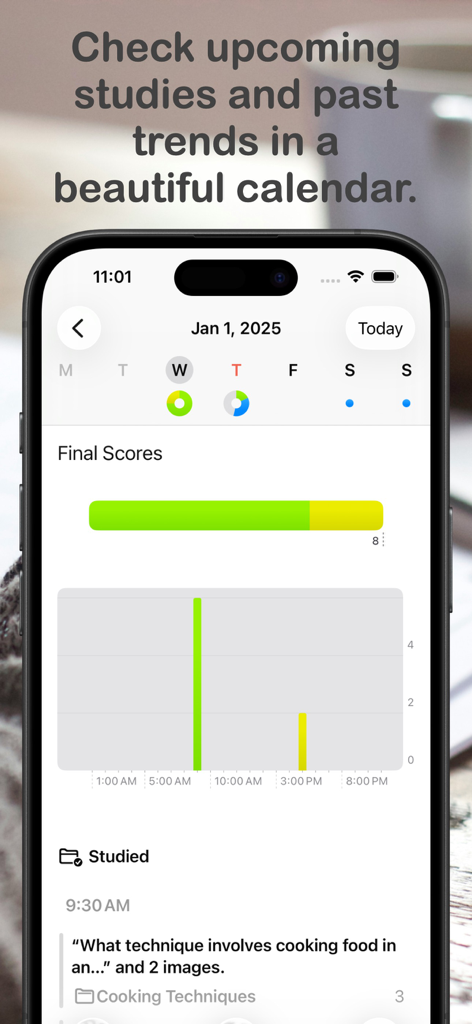
Benkyo Box - Benkyo Box app calendar view displaying study trends and performance scores
Benkyo Box app calendar view displaying study trends and performance scores

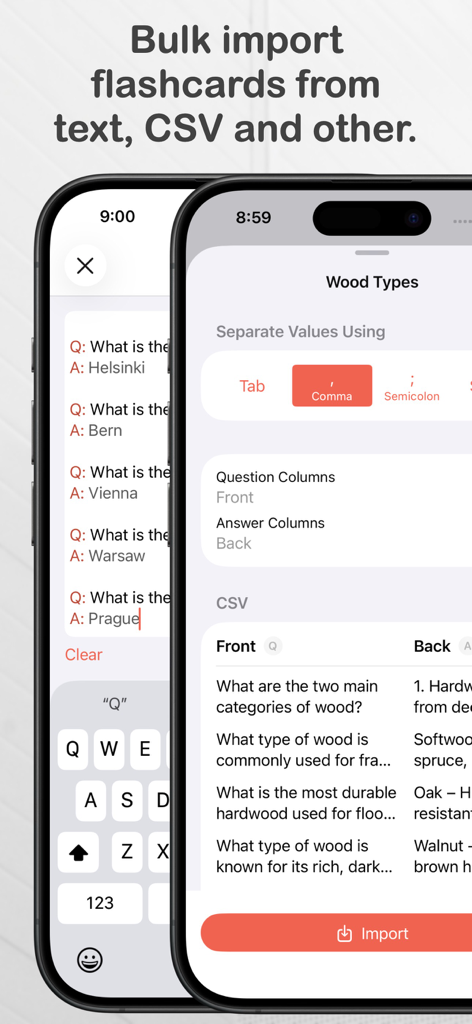
Benkyo Box - Bulk flashcard import interface for CSV and text in Benkyo Box

Bulk flashcard import interface for CSV and text in Benkyo Box

Description

Benkyo Box is a flashcard app that is like your notes, but of the things that you want to commit to memory like names, fun facts, or exam material. These are the facts that you don't want to bury in a note taking app, and want to ensure you truly know them. Every flashcard you add to Benkyo Box is added to your daily studies, in which a beautiful study interface shows you the card’s question, you try to recall its answer, reveal it, then rate yourself after seeing the actual answer. Based on that rating, the card is re-surfaced in future with a notification so that you can practice again until you know it. Flexible flashcard content: Flashcards not only have the standard image/text front and back format, they also support in-app sketching and images for both the question and answer. Text supports multiple lines in both the question and answer so you can learn lists in a single flashcard. Powerful annotation cards: It is common to want to learn multiple concepts found on a single image, such as: - the components of a mechanical object - anatomical parts - different elements of a dish Typically, you’d have to use a separate app to crop parts of an image containing these concepts and add them to a flashcard app to study them. Benkyo Box makes this easier with Annotation Cards - simply annotate an image within the app and Benkyo Box creates flashcards from those annotations. It preserves the original image as incredibly useful context. Easily add many cards at once: - Quick Entry: Enter many cards at once by alternating questions and answers in plain text. This is specially helpful for pasting content from LLMs easily, or from a longer note that you can edit in Quick Entry to strip out only the flashcard content. - CSV import: import a spreadsheet with flexible options on how to interpret the columns for the final flashcards - Folder import: select a folder with multiple images, creating a flashcard for each image in the question, filename on the answer. If the folder contains a CSV, the CSV can be used to customize how the images are imported (used as question, answer or both). Shortcuts for everything: Quickly do almost anything that you can do in the app within Shortcuts, like adding cards, checking your study status, importing content, and even updating app settings. Flexible organization: Organize your flashcards using folders and subfolders for all your topics, or keep them in the default unsorted folder if you prefer them that way. Your schedule and trends, at a glance: Open the app and you'll immediately see your study progress for the day and the time for your next study (also available as a widget). Navigate to the calendar to see what you have scheduled for today, the following days and how you scored the previous day. Flexible study sessions: Study a specific topic by navigating to it, or study all topics scheduled for today by studying from the Today view. Study times and flashcard frequencies can be configured in settings. Also if you are feeling like studying a topic but the cards are not available yet, you can always reset the folder and study right away. Privacy: Cards are private information and we have no access to them. If you use iCloud sync, Benkyo Box securely encrypts your content in iCloud with client-side encryption - nobody in the server can read your cards. Themes, each with a Dark Mode version: Choose a theme to match the mood of the study session. Advanced Learner Features: With Advanced Learner, a paid tier, you get features that help you streamline your studies: - Extract cards from text and articles using on devices that support Apple Intelligence - Hidden folders that are ignored from studies until you are ready to unhide them - Deadlines that help prioritize studies before an important date Most importantly, the app is fully functional without Advanced Learner and we work hard to ensure that it’s easy to unsubscribe from it with the least disruption as possible.

Download

Download on App Store

This page is not an official page of the app or its developer, but an independent editorial publication created for informational and commentary purposes. Unless expressly stated otherwise, neither the app nor its developer is affiliated with, endorsed by, sponsored by, authorized by, or otherwise officially connected with MWM, Apple, Google Play, the app publisher, or the app's developer, and nothing on this page implies that the app was developed using MWM's services. Any trademarks, logos, screenshots, and other content remain the property of their respective owners.