
This page is not an official page of the app or its developer, but an independent editorial publication created for informational and commentary purposes. Unless expressly stated otherwise, neither the app nor its developer is affiliated with, endorsed by, sponsored by, authorized by, or otherwise officially connected with MWM, Apple, Google Play, the app publisher, or the app's developer, and nothing on this page implies that the app was developed using MWM's services. Any trademarks, logos, screenshots, and other content remain the property of their respective owners.

BizXpenseTracker Pro
Join thousands of mobile professionals and business owners who trust our 11-year legacy. Capture receipts, automate mileage, and generate professional PDF reports that your accountant will love.
Downloads
600User Rating
Total Ratings
500Publisher
Category
BusinessLocales
5Latest Version
1.8.5Size
71.6 MBFirst Released
May 27, 2021Maximize Your Deductions & Productivity
The all-in-one toolkit designed for professionals to effortlessly track expenses, mileage, and time with audit-ready precision.
Set-and-Forget Mileage Tracking
Use AutoTrack to passively record every business mile. No more manual logs—just drive and let the app handle your tax-deductible travel.
Audit-Proof Professional Reports
Generate beautiful, finished PDF reports from over two dozen templates. Impress your accountant and ensure you're ready for any IRS inquiry.
Frequently Asked Questions
Everything you need to know about BizXpenseTracker Pro
What is BizXpenseTracker Pro?
BizXpenseTracker Pro is a full-featured app for tracking and reporting expenses, mileage, and time. It enables users to create professional PDF reports and efficiently manage financial data.
Can BizXpenseTracker Pro track mileage automatically?
Yes, BizXpenseTracker Pro offers AutoTrack, an optional feature that automatically tracks your drives. It also supports live mileage tracking and manual odometer entry.
What types of reports can BizXpenseTracker Pro generate?
BizXpenseTracker Pro generates flexible reports in PDF or CSV formats. It provides over two dozen built-in templates and can embed photo receipts directly within the reports.
Does BizXpenseTracker Pro support photo receipts for expenses?
Yes, BizXpenseTracker Pro supports capturing multiple photo receipts per entry and includes cropping tools. These images can be added to generated PDF reports.
Is a subscription required to use BizXpenseTracker Pro?
Yes, a subscription for Unlimited Usage or AutoTrack is required after adding 25 free entries in BizXpenseTracker Pro. Subscriptions are available monthly or yearly.
How does BizXpenseTracker Pro handle data backup and security?
BizXpenseTracker Pro backs up data to iCloud, Dropbox, or desktop. Users configure automatic backups to cloud services and protect the app with a password or TouchID.
Can I customize expense categories in BizXpenseTracker Pro?
Yes, BizXpenseTracker Pro allows complete customization of categories and sub-categories. It also remembers the last payment type used for each category for fast data entry.
What is the HumanScan optional subscription in BizXpenseTracker Pro?
The HumanScan optional subscription in BizXpenseTracker Pro allows a human to extract key information from a photographed receipt and update your expense entry.
Does BizXpenseTracker Pro support international currencies?
Yes, BizXpenseTracker Pro supports all major international currencies. It also offers extensive support for VAT calculations.
How long has BizXpenseTracker been available?
BizXpenseTracker (BXT) has been helping users track expenses, mileage, and time since 2010. The app is currently in its 11th year of operation.
The following screenshots and description are sourced directly from the app's official store listing and are the property of the app developer.
App Store
Screenshots
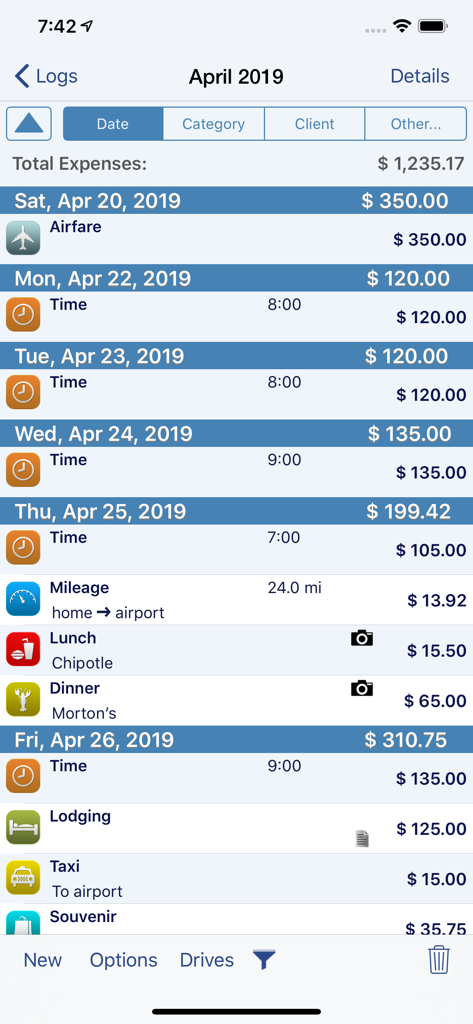
A detailed business expense log screen in BizXpenseTracker Pro showing categories for airfare, time tracking, mileage, and meals with associated costs.
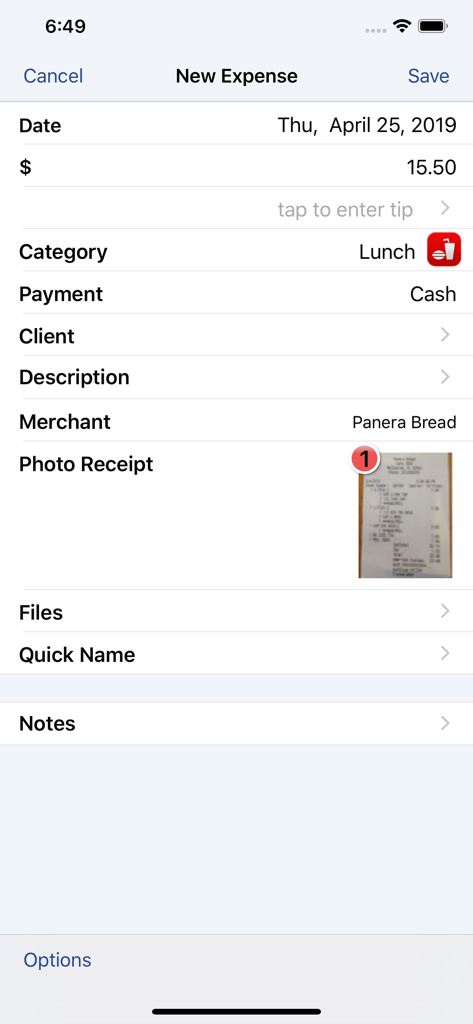
Interface of BizXpenseTracker Pro showing a new expense entry for a lunch at Panera Bread with an attached photo receipt
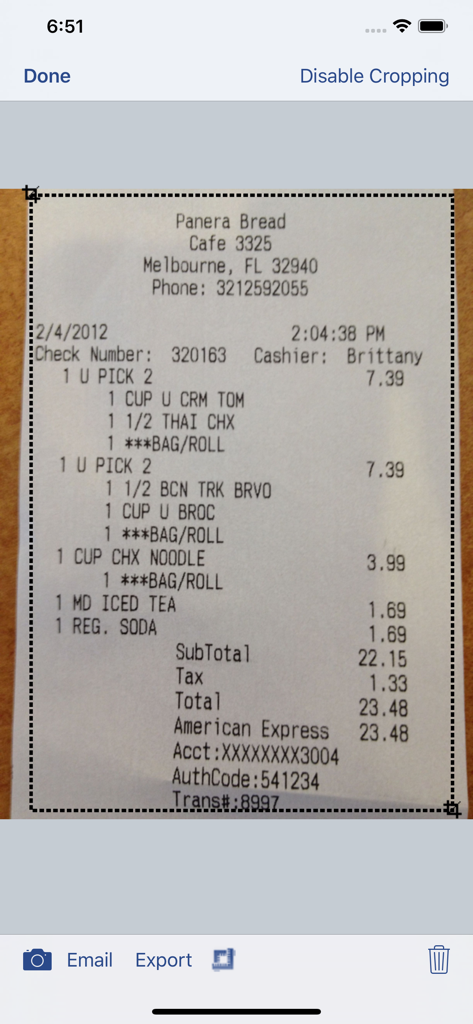
Interface of the BizXpenseTracker Pro app showing a Panera Bread receipt being cropped for digital record keeping.
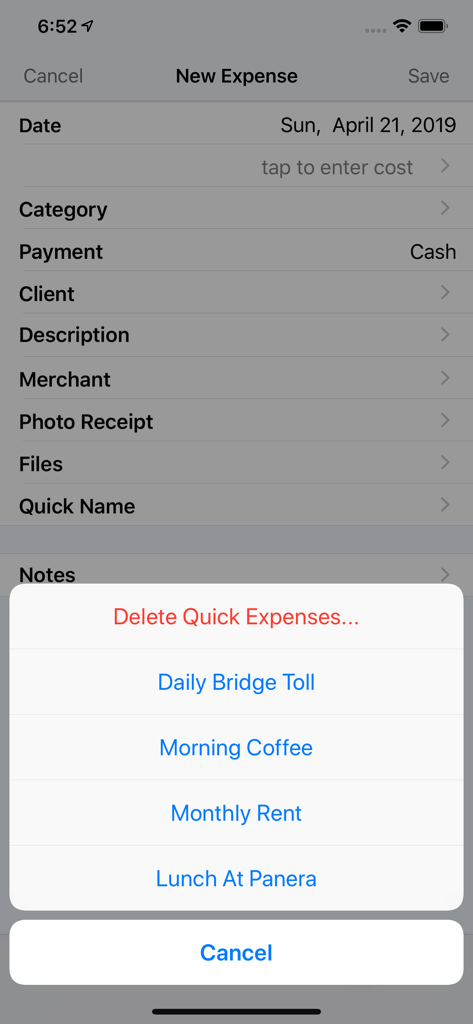
BizXpenseTracker Pro interface displaying quick expense shortcuts on the new entry screen
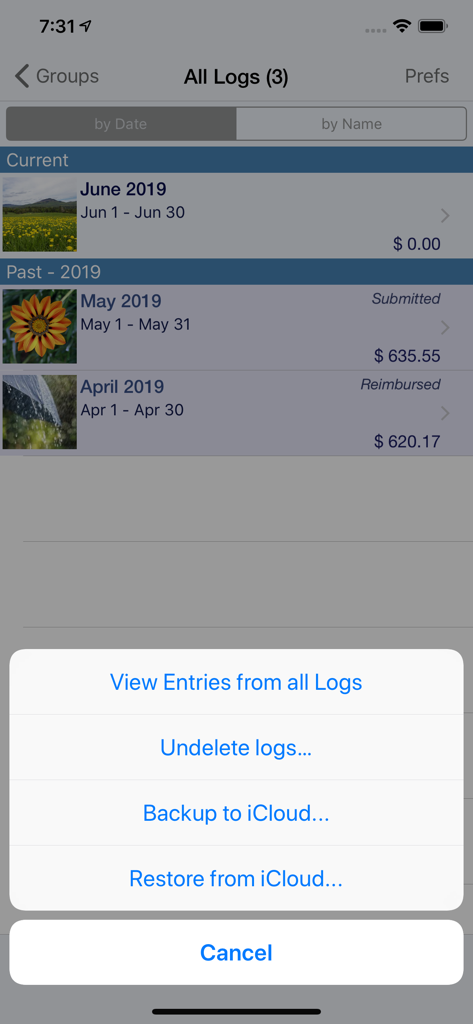
BizXpenseTracker Pro app interface showing monthly expense logs and a popup menu with iCloud backup and restore options.
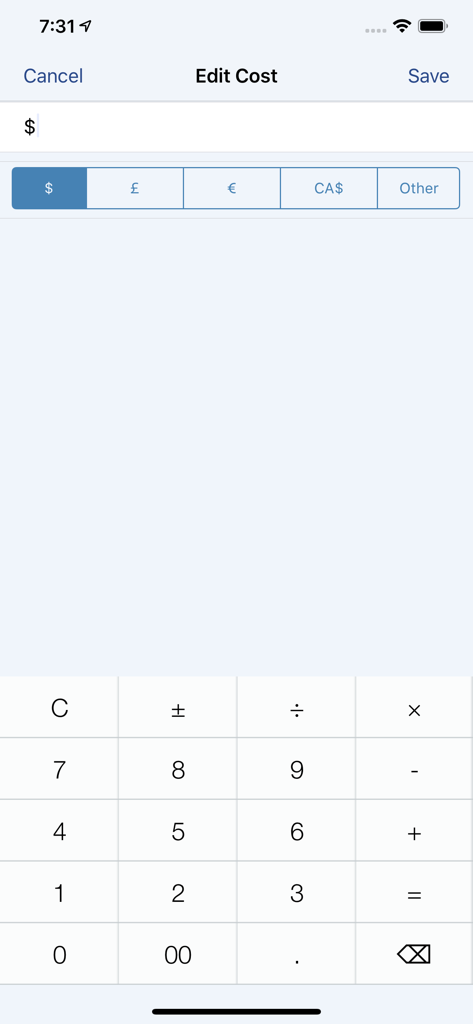
BizXpenseTracker Pro edit cost interface with currency selection and calculator keypad
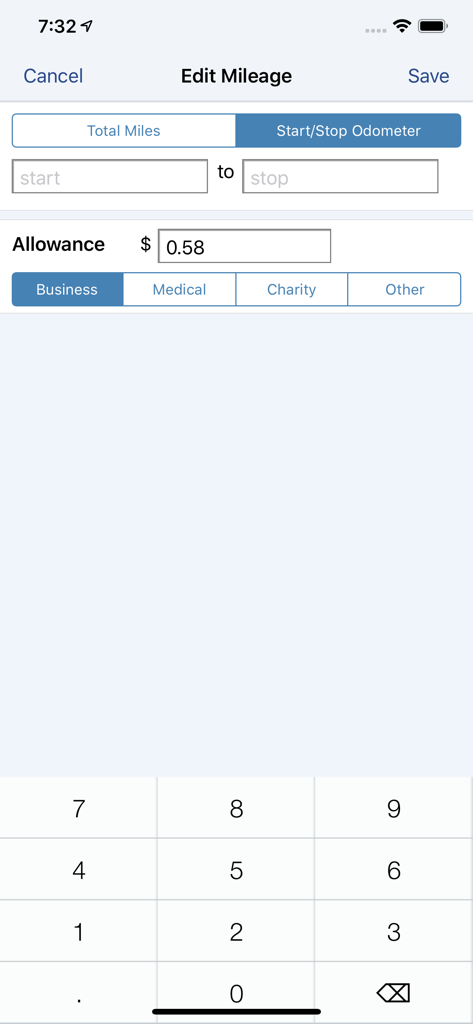
BizXpenseTracker Pro mileage entry screen showing odometer input and category selection
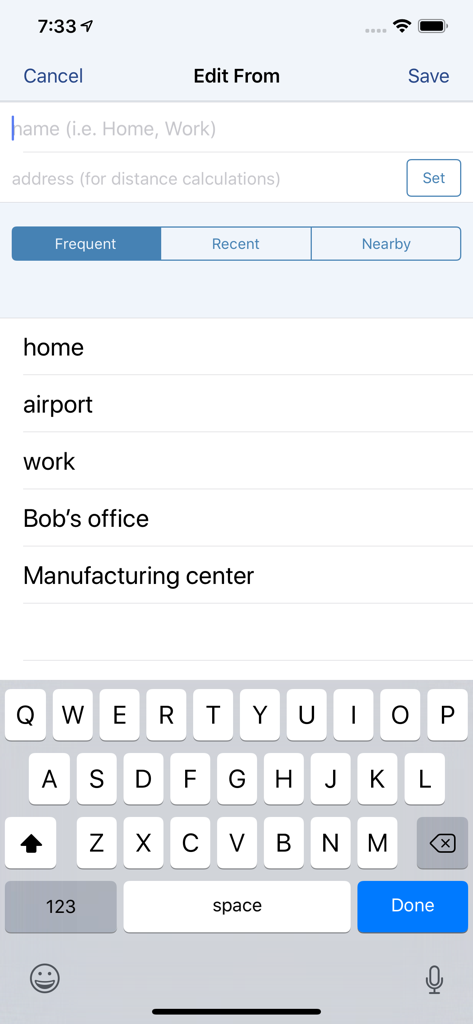
BizXpenseTracker Pro screen for selecting frequent start locations like home and work for mileage tracking.
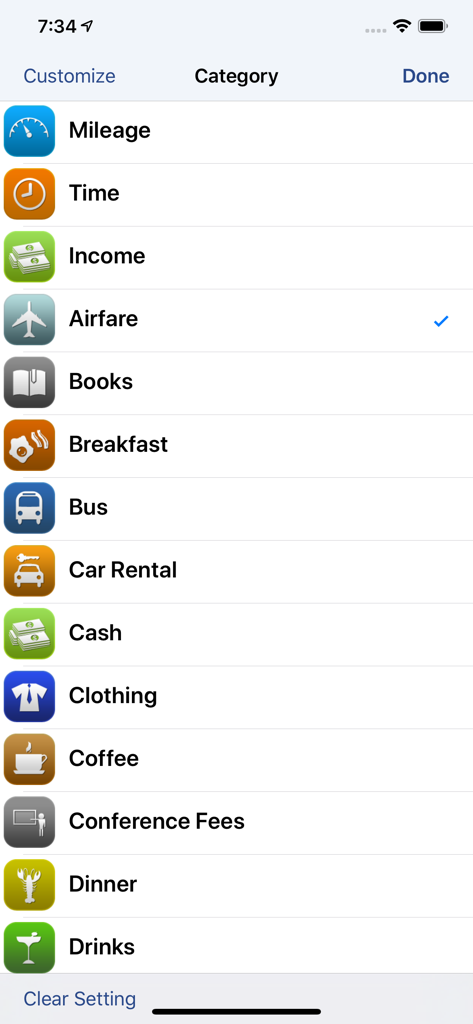
A list of customizable business expense categories like Mileage Time and Airfare within the BizXpenseTracker Pro app
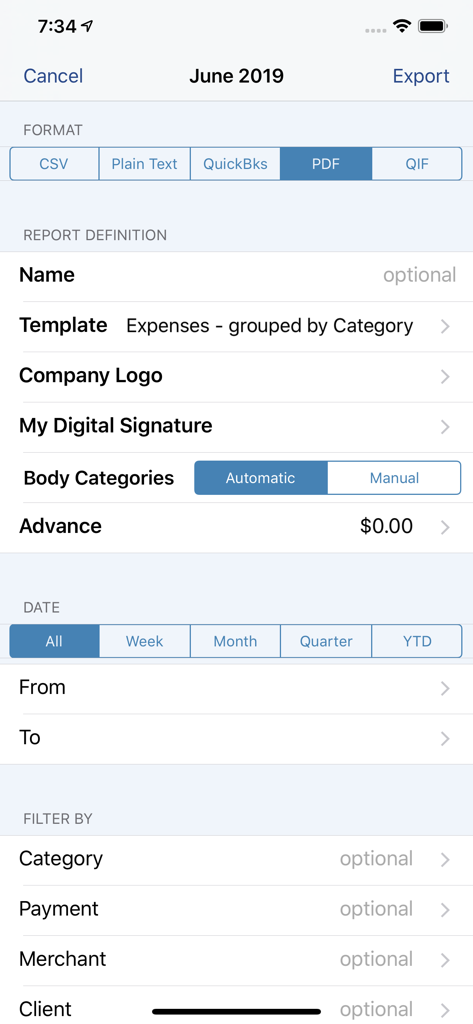
Report export settings screen in the BizXpenseTracker Pro app showing format options and filters
Description
Download
More Like This
Top-ranked apps in the same category

Microsoft Teams
Microsoft Corporation

Zoom Workplace
Zoom Communications, Inc.

WhatsApp Business
WhatsApp Inc.

Indeed Job Search
Indeed Inc.

LinkedIn: Network & Job Finder
LinkedIn Corporation

Adobe Acrobat Reader: Sign PDF
Adobe Inc.

WeCom-Work Communication&Tools
Tencent Technology (Shenzhen) Company Limited

BOSS直聘-招聘求职找工作神器
Beijing China Product Bo Farce Network Technology Co., Ltd.

DingDing - Redefine Work in AI
DingTalk Technology Co., Ltd.
This page is not an official page of the app or its developer, but an independent editorial publication created for informational and commentary purposes. Unless expressly stated otherwise, neither the app nor its developer is affiliated with, endorsed by, sponsored by, authorized by, or otherwise officially connected with MWM, Apple, Google Play, the app publisher, or the app's developer, and nothing on this page implies that the app was developed using MWM's services. Any trademarks, logos, screenshots, and other content remain the property of their respective owners.