
Bluetooth BLE Device Finder

Stop the panic and save hundreds on replacements. Our precision signal radar and background tracker guide you straight to your misplaced gadgets before the battery runs out.
Publisher
Category
ProductivityDownloads
2M+User Rating
Total Ratings
40K+Locales
1Discover the interface used by 2M+ users.
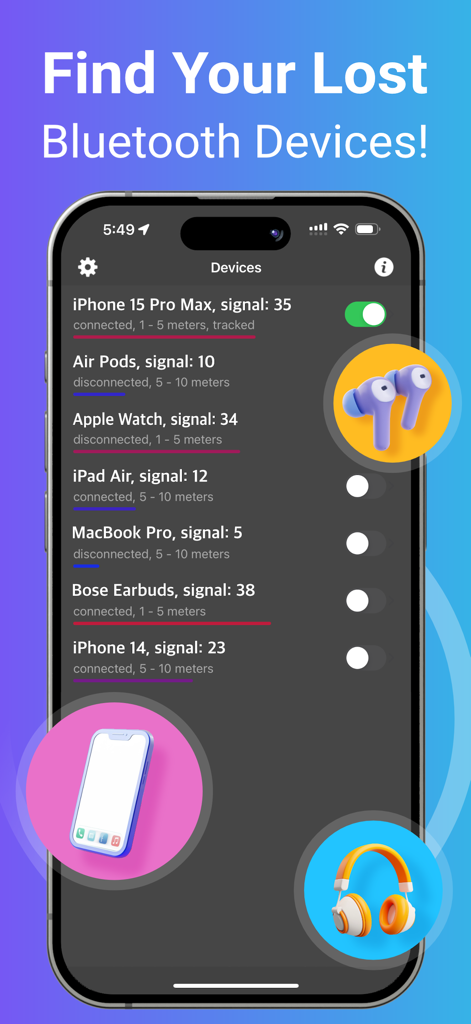
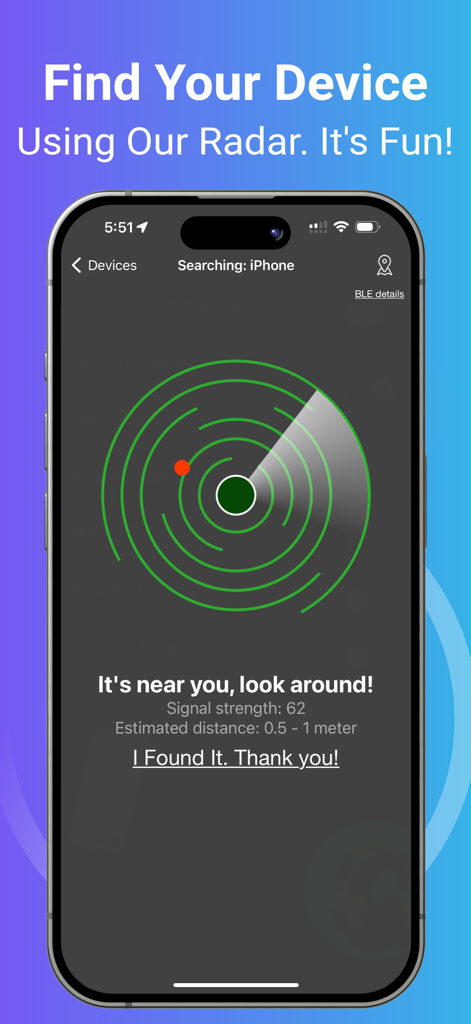
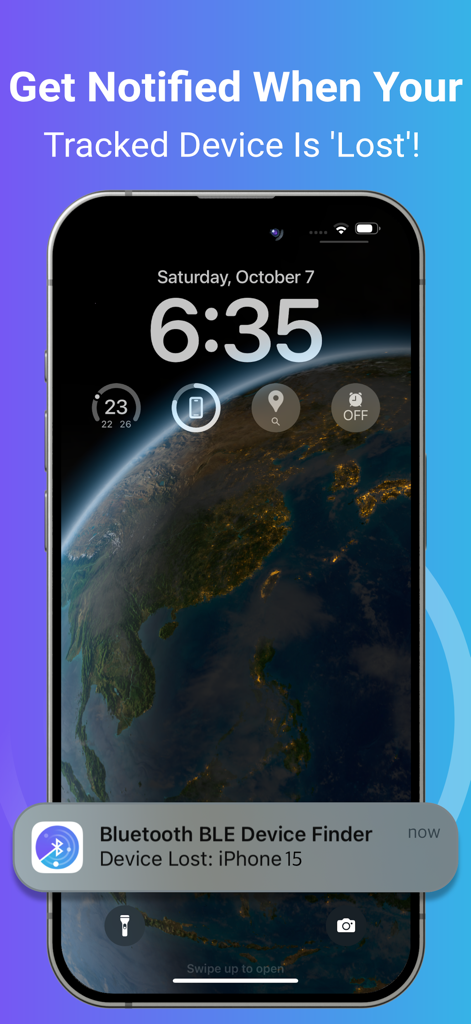
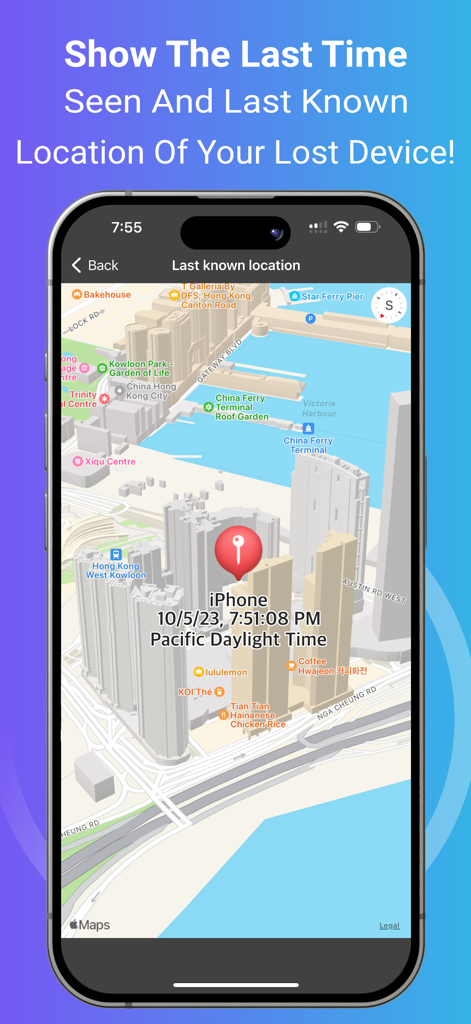
The tools that make this app stand out, trusted by 2M+ users.
Turn your iPhone into a professional tracker. Use real-time signal strength to pinpoint your device's exact location, even if it's hidden under a seat or behind a wall.
Get an instant notification the moment your device disconnects. Perfect for busy travelers and commuters who want to ensure their tech stays with them.
Can't remember where you left it? View the exact time and location your device was last detected on a map to narrow down your search immediately.
Insights from user reviews.
Sentiment Score
Summary
The app garners highly polarized feedback. Many users laud its exceptional ability to successfully locate lost Bluetooth devices, such as earbuds, Fitbits, and phones, often praising its signal tracking for leading them directly to their missing items where other apps had failed. Conversely, a significant portion of reviews criticize the app for its aggressive paywall and mandatory subscription model, which many find too expensive and renders the free version largely useless. Common complaints also highlight misleading "radar" advertising and a general lack of precision or difficulty in identifying specific devices in tech-dense environments, suggesting that the premium version often doesn't deliver sufficient added value.
Common Themes
Everything you need to know about Bluetooth BLE Device Finder.
Description
Latest Version
2.2.7
Size
2.7 MB
First Released
May 29, 2019
Join 2 million users who save hundreds in replacement costs by locating their AirPods, Apple Watch, and gadgets in seconds. Download your digital insurance today.
Everything you need to know about Bluetooth BLE Device Finder
Bluetooth BLE Device Finder helps you locate lost devices by displaying signal strength and estimated distance on a radar screen. It indicates proximity, turning red when very close, and showing 0-0.5m when within range.
Bluetooth BLE Device Finder locates AirPods, AirTag, Apple Watch, iPhone, iPad, iPod Touch, Apple Pencil, and Mac devices. It supports various models of each, including the latest iPhone 16 and Apple Watch Series 10.
Yes, Bluetooth BLE Device Finder offers background tracking for devices. Users enable this feature via a switch on the device list, receiving notifications if a tracked device disconnects or is lost.
Yes, Bluetooth BLE Device Finder shows the last seen time and last known location of your lost device on a map. This feature helps users trace their device's last detected position.
Bluetooth BLE Device Finder utilizes Bluetooth Low Energy (BLE) signals to locate devices. The app can locate any BLE device broadcasting a signal and displays its BLE details like UUID and RSSI.
No, some key features in Bluetooth BLE Device Finder require an In-App Purchase. These include background tracking, radar, hints, signal strength, estimated distance, and showing last seen location.
No, Bluetooth BLE Device Finder requires the device to be powered on and within a detectable Bluetooth range to locate it. The app relies on active BLE signal broadcasting.
Bluetooth BLE Device Finder can find non-Apple devices such as Microsoft Gear/Band, Samsung Earbuds/Galaxy Watch, JBL speakers/headphones, Bellabeat Leaf, Garmin Watches, Bose, Sony, Google, Jabra, Logitech, Anker, and Sennheiser devices.
The radar in Bluetooth BLE Device Finder visually represents signal strength and estimated distance to the lost device. It helps guide the user, turning red when the device is very close (0-0.5m), indicating it is nearby.
Apps with similar features and user experience
Hendrik Folkerts

FIG FILMS LTD
Find My Device L.L.C-FZ
Mustafa Uz
FIRESTAR TECHNOLOGY CO., LIMITED

Molly Baumstein

Ruslan Voloshyn

GIEL POSTEL

Security app ltd
App information, icons, screenshots, and descriptions displayed on this page are sourced from the Apple App Store and are the property of their respective developers. Download estimates and rankings are based on MWM's proprietary models and may not reflect actual figures. This page is provided for informational and analytical purposes only.
Believe this page infringes your intellectual property? File a dispute