
This page is not an official page of the app or its developer, but an independent editorial publication created for informational and commentary purposes. Unless expressly stated otherwise, neither the app nor its developer is affiliated with, endorsed by, sponsored by, authorized by, or otherwise officially connected with MWM, Apple, Google Play, the app publisher, or the app's developer, and nothing on this page implies that the app was developed using MWM's services. Any trademarks, logos, screenshots, and other content remain the property of their respective owners.


Wunderfind: Find Lost Device
No more panic-fueled searches. This app gives users the power to pinpoint vanished tech with surgical precision.
Downloads
10M+User Rating
Total Ratings
218.6KPublisher
Category
UtilitiesLocales
33Latest Version
1.9.2Size
28.4 MBFirst Released
Apr 6, 2019Evaluating core functionalities for efficient Bluetooth device tracking.
Key Features Analysis: Wunderfind for Lost Device Recovery
Real-time Proximity Indicator
It allows users to observe a dynamic distance score, which increases as they get closer to their lost device, providing immediate feedback for efficient searching.
Rapid Location Capability
It allows users to quickly pinpoint lost devices within seconds, significantly reducing the time and stress associated with misplacing valuable gadgets.
Comprehensive Device Radar
The app provides a device radar that displays all nearby Bluetooth-enabled items, helping users quickly identify and select the specific lost device.
Broad Bluetooth Device Compatibility
This tool features extensive support for a wide array of devices, including Apple products (AirPods, iPhones, Apple Watch), Fitbit trackers, and portable speakers, ensuring versatility for diverse users.
Frequently Asked Questions
Everything you need to know about Wunderfind: Find Lost Device
What is Wunderfind: Find Lost Device?
Wunderfind is an app that helps users locate lost Bluetooth devices, including AirPods, iPhones, Apple Watch, and Fitbit trackers. It utilizes a device radar and distance score to guide users to their lost items.
How does Wunderfind help find lost devices?
Wunderfind locates devices using a device radar and a distance score. Users move around, and the increasing distance score indicates proximity to the lost device. It also offers a map view for last known locations.
Which devices are compatible with Wunderfind?
Wunderfind supports Apple Devices (AirPods, Apple Pencil, iPhone, iPad, Apple Watch, MacBook Pro), portable speakers, and fitness trackers like Fitbit. It works with a wide range of Bluetooth devices.
Can I find both AirPods using Wunderfind?
Yes, Wunderfind helps users find one AirPod or both AirPods. The app's radar and distance score features assist in pinpointing the location of lost AirPods quickly and efficiently.
Does Wunderfind show the last known location of a lost device?
Yes, Wunderfind provides a 'Map View' displaying the last known location of a lost device. This map indicates when the device was last seen at that specific spot.
Does Wunderfind offer a sound feature to locate devices?
Yes, Wunderfind includes a 'Play Sound' feature. This option is accessible on the distance score screen, helping users precisely locate their lost device by sound.
How can I contact support for Wunderfind?
Users can contact support for Wunderfind by sending an email to support@Wunderfind.app. The support team addresses any app-related inquiries or assistance requirements.
Does Wunderfind utilize GPS for tracking devices?
Yes, Wunderfind uses GPS functionality. The app description states that continued use of GPS running in the background can dramatically decrease device battery life.
The following screenshots and description are sourced directly from the app's official store listing and are the property of the app developer.
App Store
Screenshots
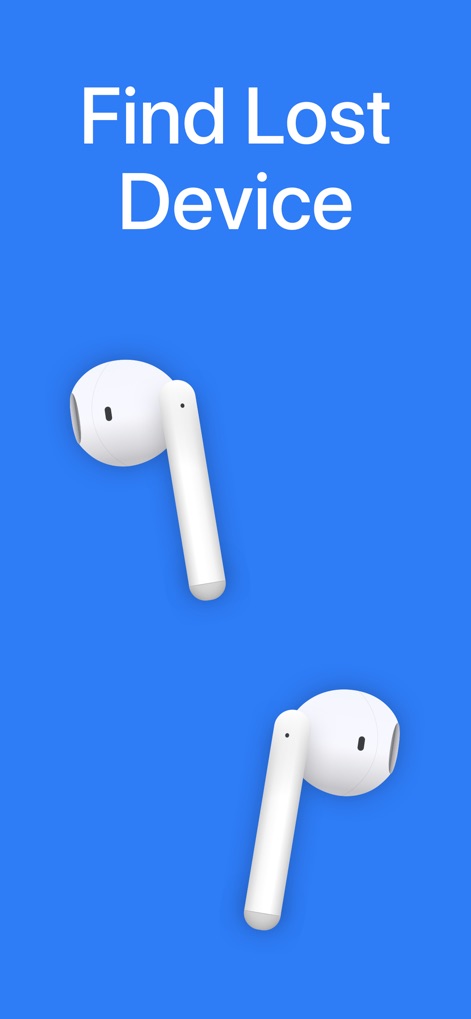
The app immediately presents its core function 'Find Lost Device' and showcases prominent visuals of common items like AirPods for instant user recognition.
Get Started Instantly
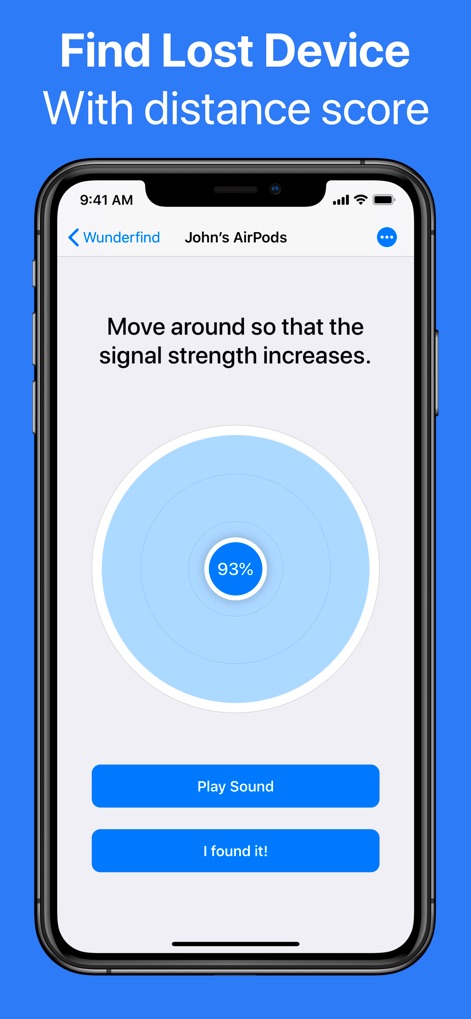
Users can utilize the dynamic distance score meter and the 'Play Sound' feature to accurately home in on their misplaced devices.
Proximity Meter

This tool visually pinpoints the last known location on a clear map interface and offers a convenient 'Notify When Found' toggle for passive tracking.
Last Seen Map
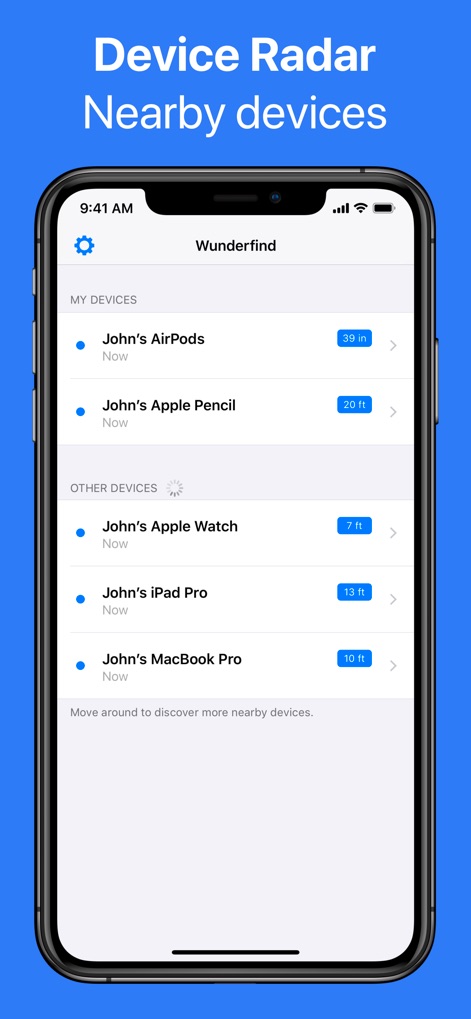
The comprehensive Device Radar displays a live list of all 'MY DEVICES' and 'OTHER DEVICES' with their precise distances, such as '39 in' or '20 ft'.
Nearby Devices Radar
Description
Download
More Like This
Apps with similar features and user experience

Find Device: Bluetooth Scanner
FIG FILMS LTD

Device Tracker
Find My Device L.L.C-FZ
tracker detect
Mustafa Uz
Air Find - My Devices Tracker
FIRESTAR TECHNOLOGY CO., LIMITED

Bluetooth Scanner, Find Device
Molly Baumstein

Bluetooth - BLE Device finder
Ruslan Voloshyn

Device Finder: Easy Find
GIEL POSTEL

Find My: Air Headphone Phone
Security app ltd

Bluetooth Finder & Scanner.
Olexander Orlyk
This page is not an official page of the app or its developer, but an independent editorial publication created for informational and commentary purposes. Unless expressly stated otherwise, neither the app nor its developer is affiliated with, endorsed by, sponsored by, authorized by, or otherwise officially connected with MWM, Apple, Google Play, the app publisher, or the app's developer, and nothing on this page implies that the app was developed using MWM's services. Any trademarks, logos, screenshots, and other content remain the property of their respective owners.