Bluink eID-Me Digital ID
Download on App Store

This page is not an official page of the app or its developer, but an independent editorial publication created for informational and commentary purposes. Unless expressly stated otherwise, neither the app nor its developer is affiliated with, endorsed by, sponsored by, authorized by, or otherwise officially connected with MWM, Apple, Google Play, the app publisher, or the app's developer, and nothing on this page implies that the app was developed using MWM's services. Any trademarks, logos, screenshots, and other content remain the property of their respective owners.


Logo of Bluink eID-Me Digital ID
Download on App Store

Bluink eID-Me Digital ID

Digitize your government IDs with the only digital wallet that uses zero cloud storage. Take total control of your identity and simplify online verification using the hardware security of your iPhone.

Key Figures

Downloads

137K+

User Rating

4.8/5

Total Ratings

7K+

Publisher

Bluink Ltd.

Category

Productivity

Locales

2

Latest Version

2.18.7

Size

31.5 MB

First Released

Mar 9, 2020
Features

Your Identity, Reclaimed and Secure

Join the digital wallet revolution with a verified identity that stays on your iPhone, eliminates the need for cloud storage, and simplifies your online life.

Privacy-First Architecture

Say goodbye to central servers. Your identity data is stored exclusively on your iPhone, ensuring you are the only person who can access or share it.

Hardware-Bound Security

Leverage your iPhone's hardware security to protect your credentials. Every transaction is authenticated via Face ID, Touch ID, or your personal PIN.

The following screenshots and description are sourced directly from the app's official store listing and are the property of the app developer.

App Store

Screenshots
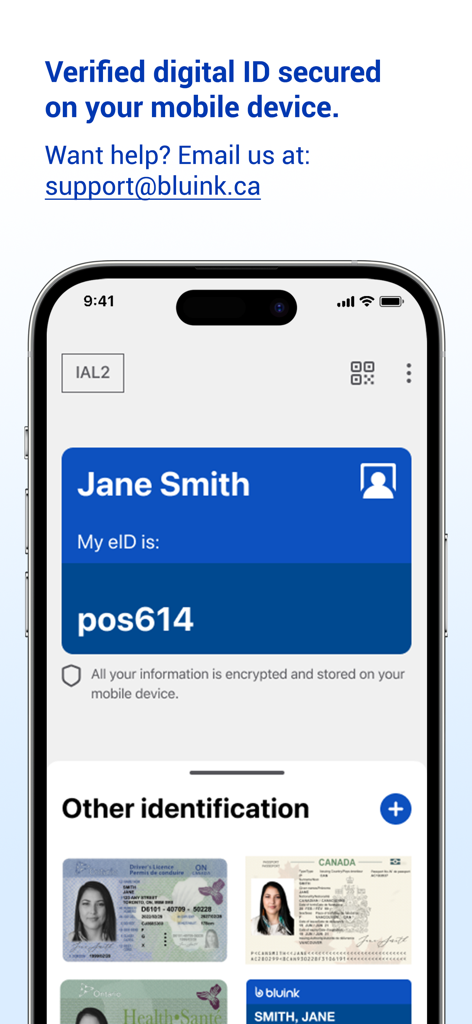
Bluink eID-Me Digital ID - Screenshot of Bluink eID-Me app showing a digital identity card and stored identification documents like a drivers license and passport on an iPhone
Screenshot of Bluink eID-Me app showing a digital identity card and stored identification documents like a drivers license and passport on an iPhone

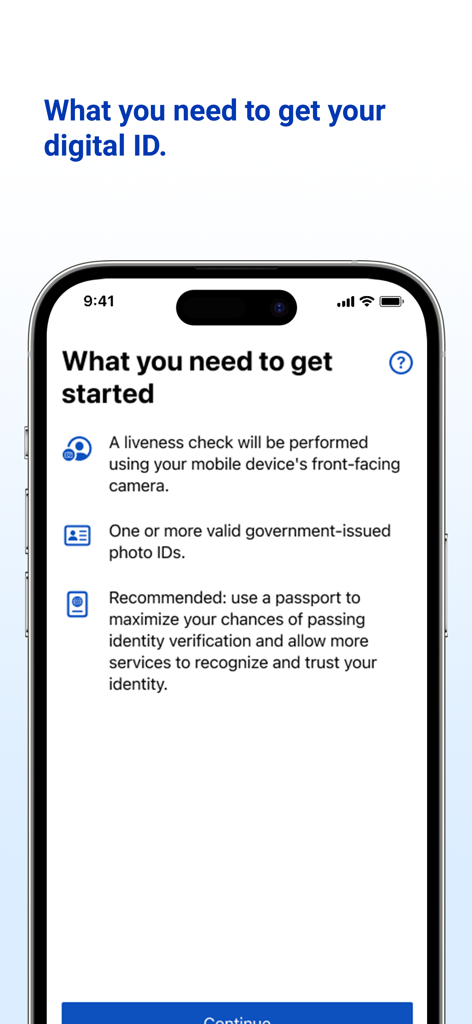
Bluink eID-Me Digital ID - Onboarding screen for the eID-Me app listing identity verification requirements
Onboarding screen for the eID-Me app listing identity verification requirements

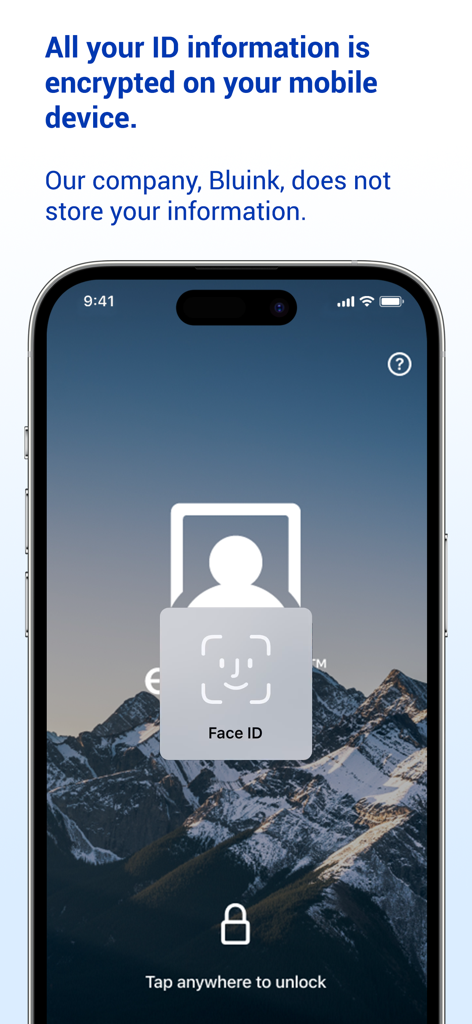
Bluink eID-Me Digital ID - Smartphone showing Bluink eID-Me app with Face ID unlock and encrypted data privacy message
Smartphone showing Bluink eID-Me app with Face ID unlock and encrypted data privacy message

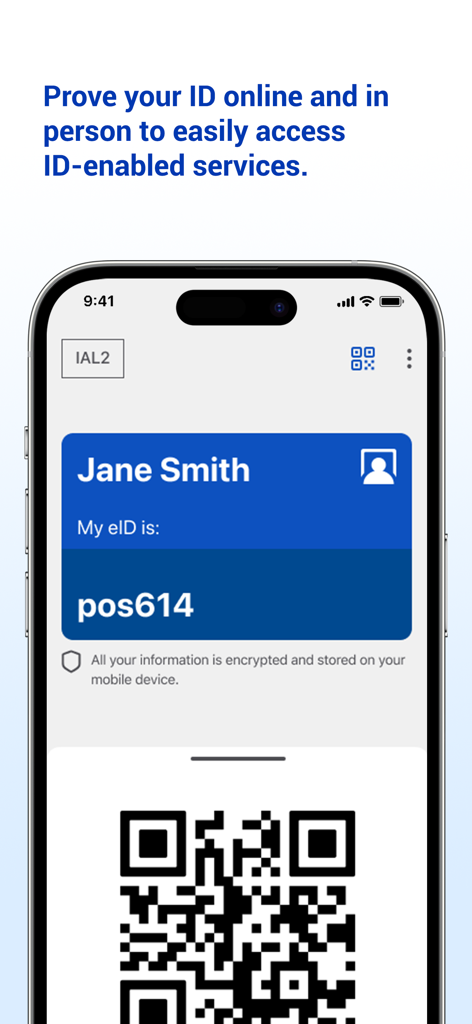
Bluink eID-Me Digital ID - A mobile phone screen displaying a digital identity card for Jane Smith in the Bluink eID Me app with a QR code for verification
A mobile phone screen displaying a digital identity card for Jane Smith in the Bluink eID Me app with a QR code for verification

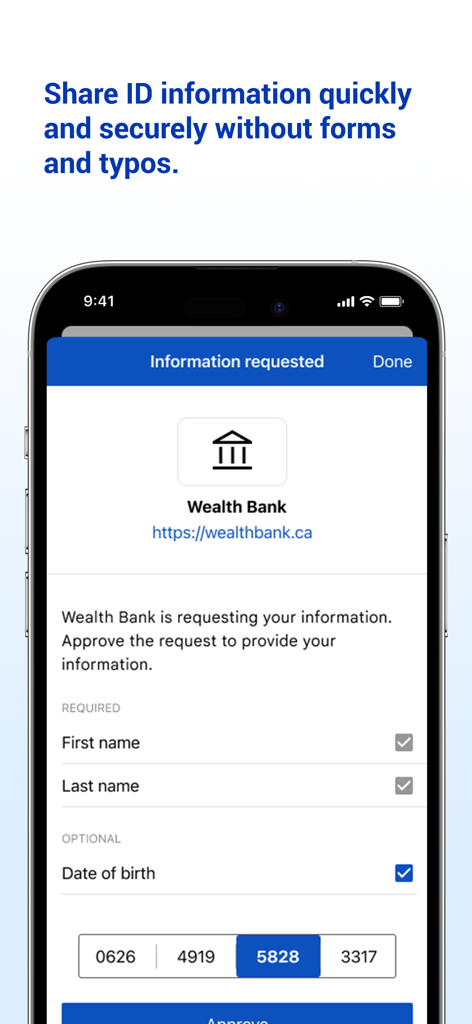
Bluink eID-Me Digital ID - Bluink eID-Me app interface showing a request from Wealth Bank to share personal information securely.
Bluink eID-Me app interface showing a request from Wealth Bank to share personal information securely.

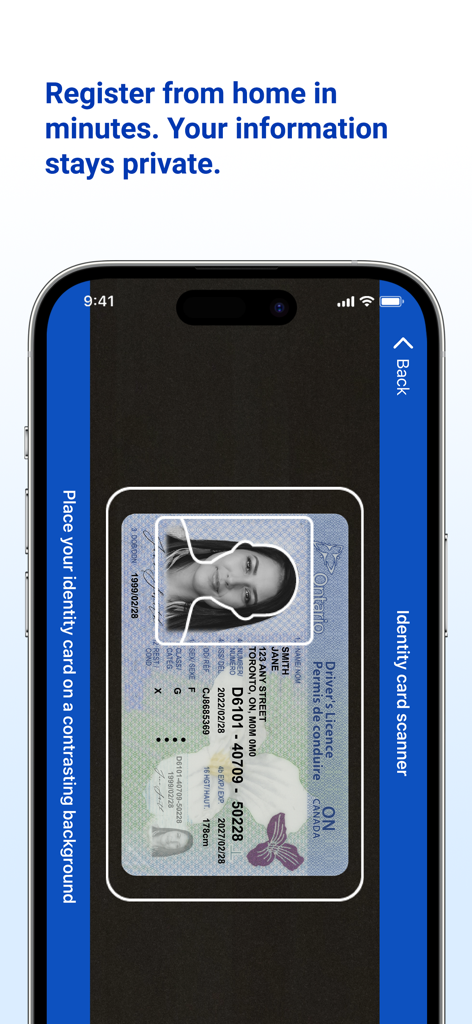
Bluink eID-Me Digital ID - Smartphone scanning a driver's license for digital ID registration using the Bluink eID-Me app
Smartphone scanning a driver's license for digital ID registration using the Bluink eID-Me app

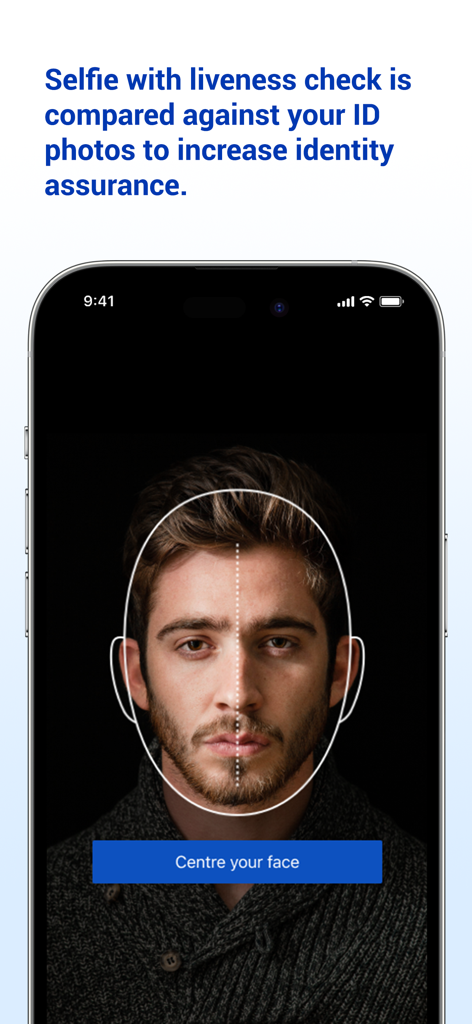
Bluink eID-Me Digital ID - Smartphone screen showing a selfie liveness check for identity verification in the eID-Me app

Smartphone screen showing a selfie liveness check for identity verification in the eID-Me app

Description

Digital ID and identity verification. REGISTRATION REQUIREMENTS 1. An iPhone (with iOS 15 or later). 2. An email address. 3. A liveness check will be performed using your mobile device's front-facing camera. 4. One or more valid government-issued photo IDs. 5. Recommended: use a passport to maximize your chances of passing identity verification and allow more services to recognize and trust your identity. REGISTRATION TUTORIAL: https://www.youtube.com/watch?v=EvR0j9ulNnA Please email us at support@bluink.ca if you have questions or need assistance. INTRODUCTION eID-Me is a secure digital identity app. eID-Me digitizes and securely stores government-issued identity and self-managed identity information on your iPhone. eID-Me makes online identity verification quicker, easier, and more secure by eliminating passwords and strengthening privacy. eID-Me cannot currently be used as a substitute for legal identification. Our goal is to improve access to services that require verified identity, including government, financial, health care, and more. If you want to help speed up eID-Me integrations, spread the word. Share eID-Me content on social media. Show eID-Me to friends. Learn more at: eid-me.com/share. HOW IT WORKS During registration, use your iPhone to prove your identity by taking a selfie with liveness check, and scanning your government-issued photo identity documents (e.g., driver’s licence, passport). Your iPhone is then issued a unique eID-Me digital identity, which includes a digital certificate with identity claims (verified pieces of information about you). You can then use your eID-Me digital identity to easily access services and securely share identity information in identity transactions both online and offline (in person). PRIVACY AND SECURITY Your identity information is always in your possession on your iPhone. It is never hosted by a centralized service or third-party provider or stored in the cloud. Once your identity information is verified, a secure certificate is installed on your iPhone. That information is not accessible to anyone but you, until you choose to share it in a transaction. eID-Me’s digital wallet is protected on the iPhone with strong encryption, leveraging its hardware security mechanisms, and is bound to your authentication method (e.g., Face ID, Touch ID, PIN). BENEFITS AND FEATURES • Secure digital ID on your iPhone. • Secure digital wallet on your iPhone containing your identity with verified ID information. • No cloud storage of your identity information. • Strong encryption and certificate-based authentication. • eID-Me identity is bound to your iPhone’s authentication method (e.g., Face ID, Touch ID, PIN). • Strong privacy protection with complete control over your identity and information.

Download

Download on App Store

This page is not an official page of the app or its developer, but an independent editorial publication created for informational and commentary purposes. Unless expressly stated otherwise, neither the app nor its developer is affiliated with, endorsed by, sponsored by, authorized by, or otherwise officially connected with MWM, Apple, Google Play, the app publisher, or the app's developer, and nothing on this page implies that the app was developed using MWM's services. Any trademarks, logos, screenshots, and other content remain the property of their respective owners.