
This page is not an official page of the app or its developer, but an independent editorial publication created for informational and commentary purposes. Unless expressly stated otherwise, neither the app nor its developer is affiliated with, endorsed by, sponsored by, authorized by, or otherwise officially connected with MWM, Apple, Google Play, the app publisher, or the app's developer, and nothing on this page implies that the app was developed using MWM's services. Any trademarks, logos, screenshots, and other content remain the property of their respective owners.


BluOS Controller
Take total control of your listening experience with the universal remote for premium wireless systems. Stream lossless audio, sync every room, and access your entire music library with zero lag and absolute fidelity.
Downloads
684K+User Rating
Total Ratings
8K+Publisher
Category
MusicLocales
20Latest Version
4.12.2Size
93.6 MBFirst Released
Oct 10, 2012Master Your Soundscape
The ultimate high-fidelity control center for your home audio, designed for the discerning listener who demands perfection without compromise.
True High-Resolution Audio
Experience studio-quality sound with zero compression and no lag, streaming your favorite Hi-Res services in bit-perfect clarity.
Seamless Whole-Home Sync
Command every room from one interface. Play different tracks in each space or sync all speakers for a perfect, unified listening experience.
Frequently Asked Questions
Everything you need to know about BluOS Controller
What is the BluOS Controller app?
The BluOS Controller app serves as a universal remote for all BluOS-enabled wireless hi-res music systems, providing control over music playback from various sources.
Which devices does the BluOS Controller app manage?
The BluOS Controller app manages BluOS-enabled wireless music systems from brands including Bluesound, NAD Electronics, PSB Speakers, and Monitor Audio.
Can I stream music to multiple rooms with BluOS Controller?
Yes, the BluOS Controller app allows users to link multiple BluOS-enabled systems for synchronized music throughout the home or play different music in each room simultaneously.
What music streaming services does BluOS Controller support?
The BluOS Controller supports numerous streaming services such as Spotify, TuneIn, Deezer, Tidal, and Qobuz, alongside personal music libraries and Internet radio stations.
How does the BluOS Controller app ensure sound quality?
The BluOS Controller delivers stunning audio with no lag and zero loss in sound quality when streaming wirelessly to BluOS-enabled systems.
Is the BluOS Controller app available for iOS devices?
Yes, the BluOS Controller app is available for iOS devices, offering comprehensive functionality to set up, control, and listen to music on BluOS-enabled systems.
How do I control my BluOS music system?
Users control their BluOS-enabled music system wirelessly from anywhere within their home using the BluOS Controller app on a smartphone, tablet, or laptop.
Can I customize my favorite music content in BluOS Controller?
Yes, the BluOS Controller app allows users to customize favorites including playlists, artists, albums, songs, and stations by dragging them to rearrange their order.
What types of inputs does BluOS Controller support for music sources?
The BluOS Controller supports music inputs including Bluetooth, Analog Input, HDMI eARC, and Optical Input, in addition to streaming services and personal libraries.
How do I get support for the BluOS Controller app?
For support with the BluOS Controller app, users visit support.bluesound.com to access FAQs, setup tips, and troubleshooting articles.
The following screenshots and description are sourced directly from the app's official store listing and are the property of the app developer.
App Store
Screenshots
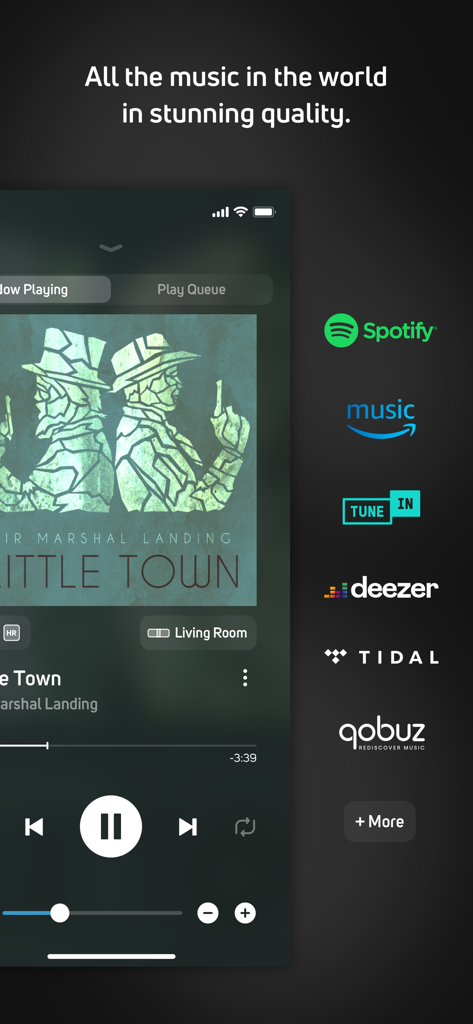
BluOS Controller mobile app screen showing music playback and various streaming service icons
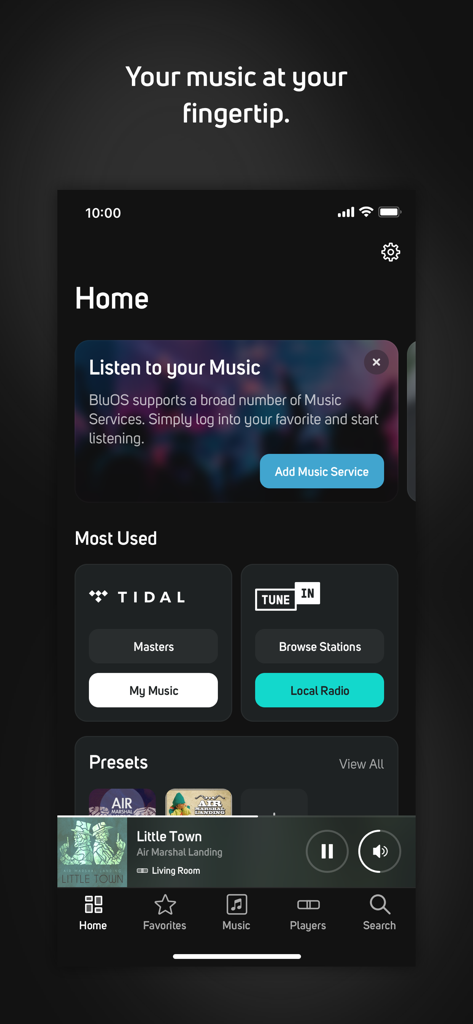
The home screen of the BluOS Controller app featuring Tidal and TuneIn integration
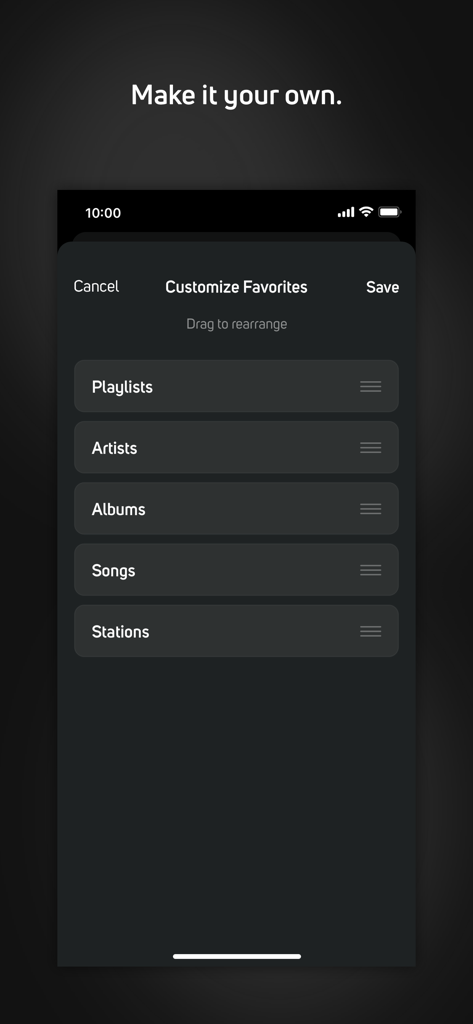
Screen showing the Customize Favorites menu in the BluOS Controller app
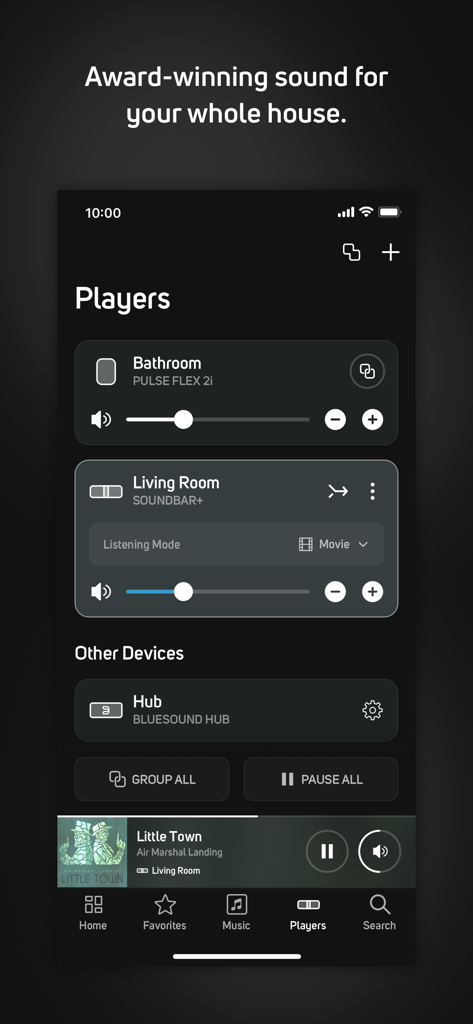
BluOS Controller app interface showing synchronized audio players and volume controls for different rooms.
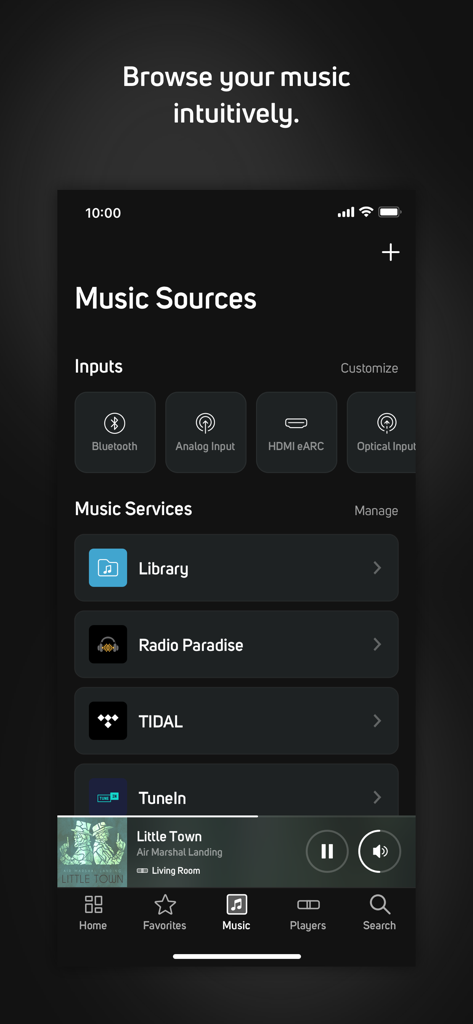
Screenshot of the BluOS Controller app music sources screen showing inputs and streaming services like TIDAL
Description
Download
More Like This
Apps with similar features and user experience

PianoStream Piano MIDI Player
B&T Entertainment Inc

JBL One
Harman International Industries

Harman Kardon One
Harman International Industries

Sonos S1 Controller
Sonos, Inc.

Bose SoundTouch
Bose Corporation
Connect Speaker & Headphones ‣
BREEZY PATH LTD

Sonos
Sonos, Inc.
Music | Bowers & Wilkins
B&W Group Ltd
Sonos S1・S2 Speaker Controller
Lily Anderson
This page is not an official page of the app or its developer, but an independent editorial publication created for informational and commentary purposes. Unless expressly stated otherwise, neither the app nor its developer is affiliated with, endorsed by, sponsored by, authorized by, or otherwise officially connected with MWM, Apple, Google Play, the app publisher, or the app's developer, and nothing on this page implies that the app was developed using MWM's services. Any trademarks, logos, screenshots, and other content remain the property of their respective owners.