
This page is not an official page of the app or its developer, but an independent editorial publication created for informational and commentary purposes. Unless expressly stated otherwise, neither the app nor its developer is affiliated with, endorsed by, sponsored by, authorized by, or otherwise officially connected with MWM, Apple, Google Play, the app publisher, or the app's developer, and nothing on this page implies that the app was developed using MWM's services. Any trademarks, logos, screenshots, and other content remain the property of their respective owners.


Blur Photo & Mosaic
Digital privacy demands control. This app grants users instant mastery over their image's every pixel.
Downloads
10M+User Rating
Total Ratings
270.0KPublisher
Category
Photo & VideoLocales
36Latest Version
293.3Size
284.4 MBFirst Released
Feb 18, 2015An evaluation of core functionalities for privacy-conscious online sharers.
Key Features Analysis: Blur Photo & Mosaic
Automatic Object Detection & Blurring
It allows users to quickly secure sensitive information like faces and vehicle details with minimal effort, crucial for digital privacy.
Manual Blurring & Pixelation Control
The app provides fine-grained control to obscure specific areas of an image by tracing with a finger, enabling precise privacy management.
Adjustable Blur & Mosaic Intensity
This tool features adjustable intensity levels for blurring and mosaic effects, offering precise control over the degree of obfuscation and aesthetic outcome.
Multiple Mosaic Varieties
It offers a selection of distinct mosaic styles, enabling diverse aesthetic choices for privacy or artistic effects on images.
SNS-Optimized Cropping & Borders
The app allows users to crop photos into circular shapes, ideal for social media profiles, and customize border colors for enhanced online aesthetics.
Photo Collage & Combination
It enables users to combine multiple photos into a single image, facilitating dynamic content creation for various online sharing platforms.
Nostalgic Filters & Textures
This tool features filters and texture overlays to create nostalgic or artistic photo styles, significantly enhancing visual appeal for shared content.
Aesthetic Softening Effects
The app provides options to process photos with softening effects, contributing to a polished and pleasing aesthetic for shared images.
Frequently Asked Questions
Everything you need to know about Blur Photo & Mosaic
How does Blur Photo & Mosaic allow users to blur photos?
The Blur Photo & Mosaic app allows users to blur or pixelate areas of a photo by tracing with their finger. It offers several mosaic varieties and adjustable thickness and strength for the mosaic effect.
Can Blur Photo & Mosaic automatically blur faces and license plates?
Yes, Blur Photo & Mosaic automatically blurs car license plates and the faces of people. This feature efficiently handles sensitive information in photos, making it suitable for censoring.
What additional photo editing features does Blur Photo & Mosaic offer?
Blur Photo & Mosaic provides features like making photos soft, joining multiple photos into a single image, cutting photos into circles for SNS, adding text, applying filters, and adding textures.
Can I create photo collages with the Blur Photo & Mosaic app?
Yes, the Blur Photo & Mosaic app allows users to combine multiple photos into a single image, effectively creating collages. This feature supports arranging various layouts for combined images.
Does Blur Photo & Mosaic support object removal?
Yes, Blur Photo & Mosaic includes an "Object Eraser" feature. This tool allows users to remove unwanted objects or elements precisely from their photos.
Are there filter and texture options in Blur Photo & Mosaic?
Yes, Blur Photo & Mosaic allows users to create nostalgic photos by applying filters and adding texture to photos. This enhances the visual style of images with various effects.
Can I add text to my photos using Blur Photo & Mosaic?
Yes, Blur Photo & Mosaic provides the functionality to add text to your photos. This allows for personalized captions and annotations directly within the app's editing interface.
Does Blur Photo & Mosaic offer special features for social media (SNS)?
Yes, Blur Photo & Mosaic offers "Processing for SNS" features. These include cutting photos into a circle and editing the border color of the icon, optimized for social media platforms.
The following screenshots and description are sourced directly from the app's official store listing and are the property of the app developer.
App Store
Screenshots
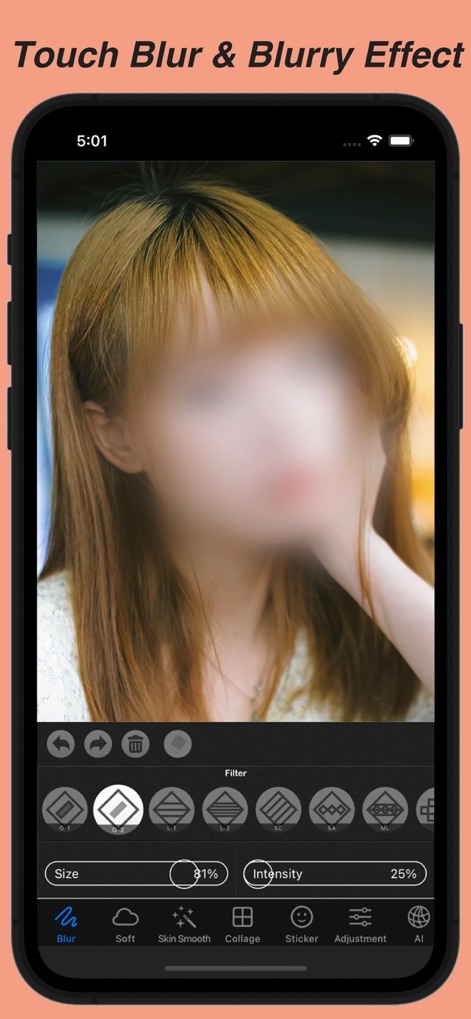
Users can effortlessly apply a soft blur by tracing with their finger, fine-tuning the effect with customizable size and intensity sliders.
Precision Blur Control

This tool offers distinct mosaic pixelation, allowing users to select from various patterns and adjust intensity for targeted privacy.
Mosaic Privacy Perfected
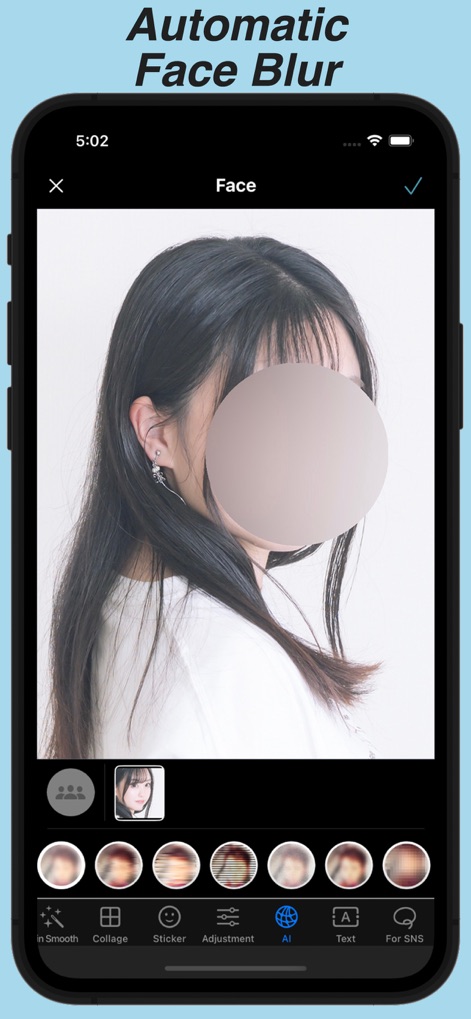
The app intelligently detects faces, applying an automatic, smooth blur to protect identities instantly and efficiently.
Smart Face Obscuration
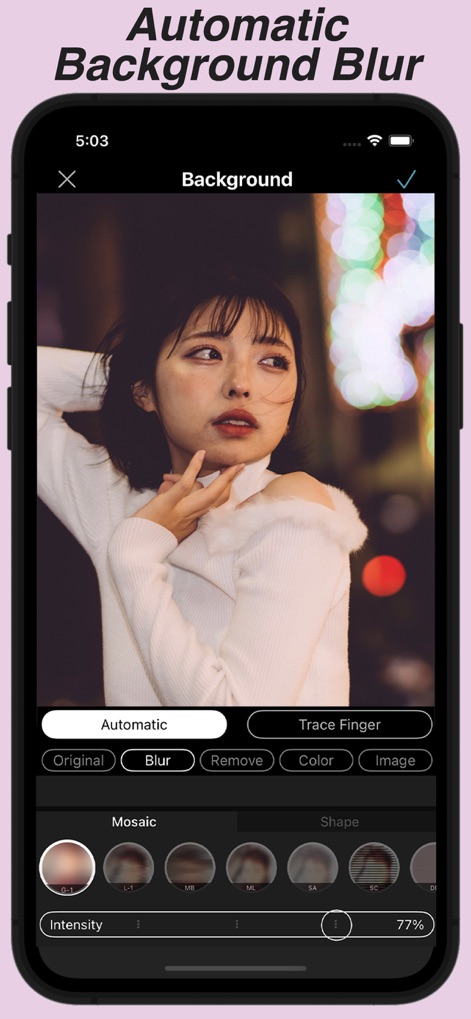
Achieve professional-grade depth effects with automatic background blurring, enhancing subject focus with a beautiful bokeh style.
Depth Effect Mastery

Explore an array of vibrant stickers, from paint textures to geometric shapes, to stylishly conceal or adorn elements in photos.
Creative Sticker Options
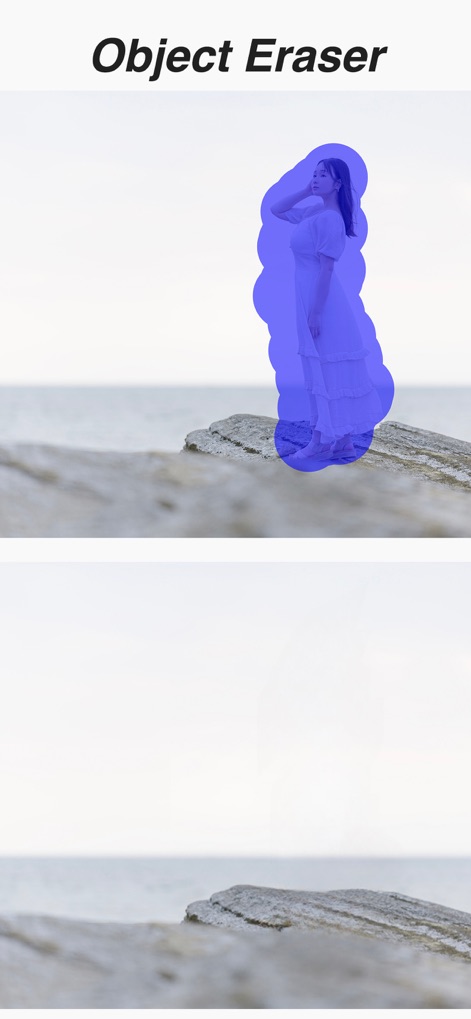
This tool enables users to precisely select and seamlessly erase unwanted objects or subjects from their images with ease.
Effortless Object Removal
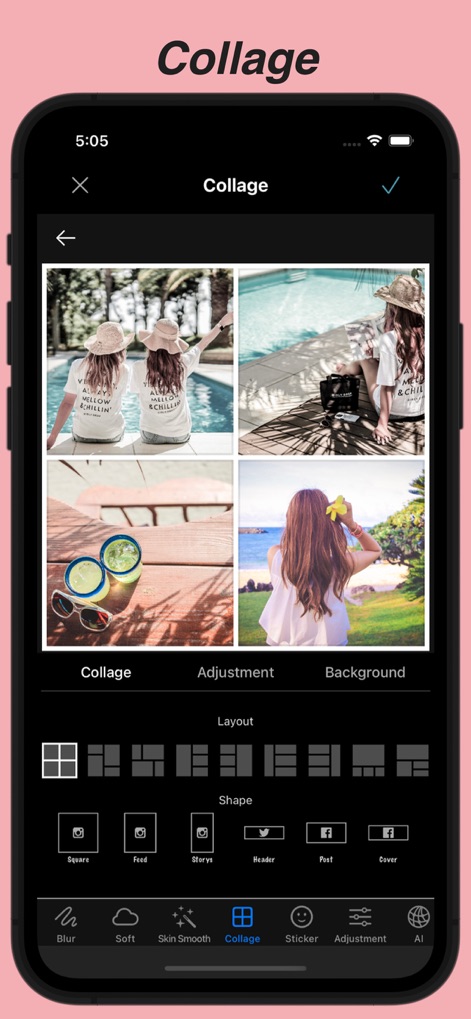
Create stunning multi-photo compositions with diverse layout options and optimize them for various social media platforms directly.
Dynamic Photo Collages
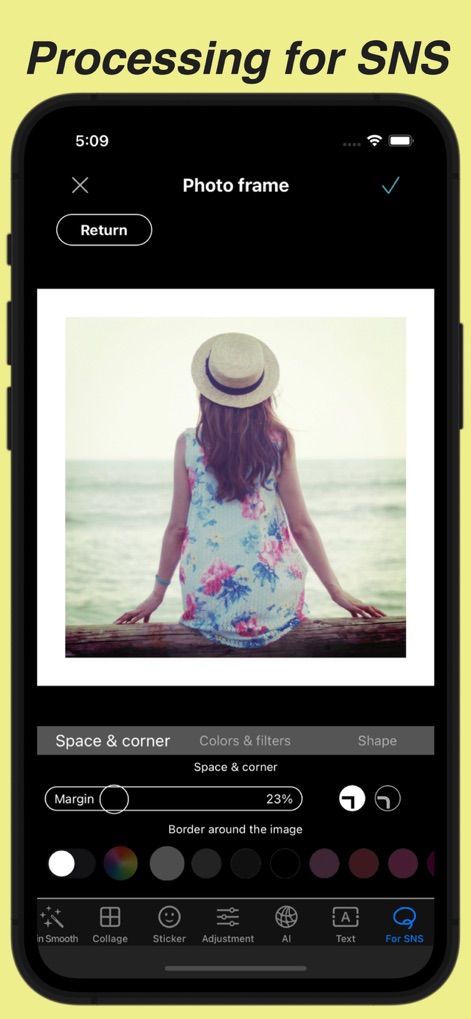
Prepare images for social media by adding customizable borders and selecting from a palette of colors and filters for unique styling.
SNS-Ready Enhancements
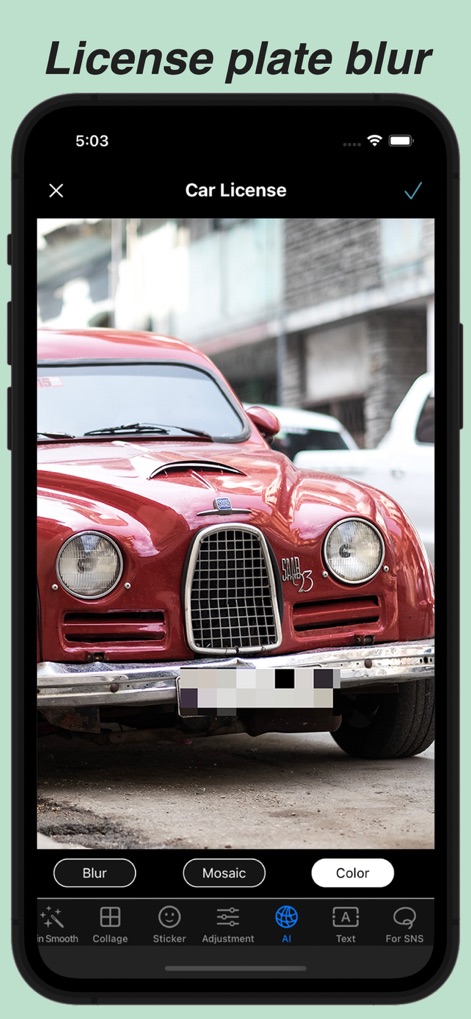
The app intelligently detects and automatically blurs car license plates, providing options for blur, mosaic, or color overlay.
Automatic Privacy Shield
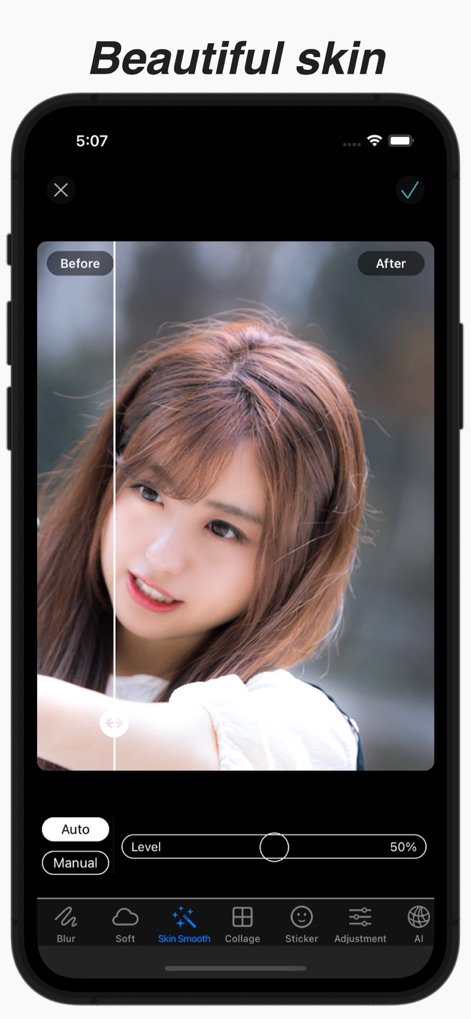
Achieve radiant skin with the app's advanced smoothing features, offering both automatic and manual level adjustments for perfect results.
Flawless Skin Refinement
Description
Download
More Like This
Apps with similar features and user experience




This page is not an official page of the app or its developer, but an independent editorial publication created for informational and commentary purposes. Unless expressly stated otherwise, neither the app nor its developer is affiliated with, endorsed by, sponsored by, authorized by, or otherwise officially connected with MWM, Apple, Google Play, the app publisher, or the app's developer, and nothing on this page implies that the app was developed using MWM's services. Any trademarks, logos, screenshots, and other content remain the property of their respective owners.