
This page is not an official page of the app or its developer, but an independent editorial publication created for informational and commentary purposes. Unless expressly stated otherwise, neither the app nor its developer is affiliated with, endorsed by, sponsored by, authorized by, or otherwise officially connected with MWM, Apple, Google Play, the app publisher, or the app's developer, and nothing on this page implies that the app was developed using MWM's services. Any trademarks, logos, screenshots, and other content remain the property of their respective owners.

KopieID
Reclaim control. This app puts a shield around your ID, stopping unauthorized data grabs cold.
Downloads
1M+User Rating
Total Ratings
27.2KPublisher
Category
UtilitiesLocales
4Latest Version
4.5.19Size
31.6 MBFirst Released
Jan 8, 2015An analytical overview of key features designed to combat identity theft and enhance data privacy for sensitive document sharing.
KopieID: Securing Digital Identity for Dutch & BES Citizens
Watermarking for Purpose & Recipient
The app allows users to superimpose text specifying the recipient and purpose, along with the date, as a watermark on the copy. This deters misuse and provides clear traceability.
Selective Information Redaction
It enables users to cross out irrelevant personal information on identity document copies. This directly enhances data privacy and mitigates identity theft risks.
Official Government Endorsement
The app is developed and managed by the National Office for Identity Data (RvIG), an official government body, ensuring its reliability and trustworthiness for sensitive operations.
In-App Secure Document Storage
This tool facilitates the secure saving of processed identity document copies within the app, accessible via an access code, providing an additional layer of protection.
Enforced Secure Local Storage
To store copies, the app requires the user's device (phone or tablet) to be password-protected, adding a crucial security prerequisite for data at rest.
User Control Over Sharing
Users retain full control over checking redacted data and deciding with whom and how they wish to share their identity document copies, empowering them in data privacy.
Flexible Sharing & Output Options
It provides options to send, print, or save the processed copy, offering convenience and adaptability to various administrative requirements.
Official Document Recognition
The app is specifically designed to recognize and process a wide range of Dutch and BES identity documents, ensuring its applicability and reliability for the target demographic.
Frequently Asked Questions
Everything you need to know about KopieID
What is the primary function of the KopieID app?
The KopieID app enables users to make a secure copy of their identity document. It allows crossing out irrelevant information, adding a watermark with purpose and recipient, and then sharing, printing, or saving the copy.
Which identity documents are recognized by the KopieID app?
The KopieID app recognizes Dutch ID cards, national passports, Dutch driving licenses, and various travel and residence documents for the Netherlands and BES islands (Bonaire, St. Eustatius, Saba).
How does the KopieID app allow users to cross out personal data?
The KopieID app provides an automatic crossing out feature. Users can select specific data fields, such as passport photograph, name, or gender, to obscure before the copy is generated and watermarked.
Is it safe to save identity document copies within the KopieID app?
Yes, copies are saved securely within the KopieID app and are accessible via an access code, provided the user's phone or tablet is password protected. Saving copies outside the app is the user's responsibility.
Who is responsible for the KopieID app?
The National Office for Identity Data (RvIG), an organization under the Ministry of the Interior and Kingdom Relations (BZK), developed and manages the KopieID app.
What are the main conditions for using the KopieID app?
Users must agree to use the KopieID app only for non-commercial purposes, without disassembling, decompiling, or reverse engineering it. Improper use is also prohibited.
Does the KopieID app collect any user data?
The KopieID app can collect anonymous statistical data, such as monthly download frequency, to improve the app. This data is not traceable to individuals, and users can withdraw permission at any time.
What is the user's personal responsibility when using the KopieID app?
Users are personally responsible for checking crossed-out data, deciding how and with whom to share copies, managing access codes, and saving copies outside the app. RvIG accepts no liability for damages.
The following screenshots and description are sourced directly from the app's official store listing and are the property of the app developer.
App Store
Screenshots
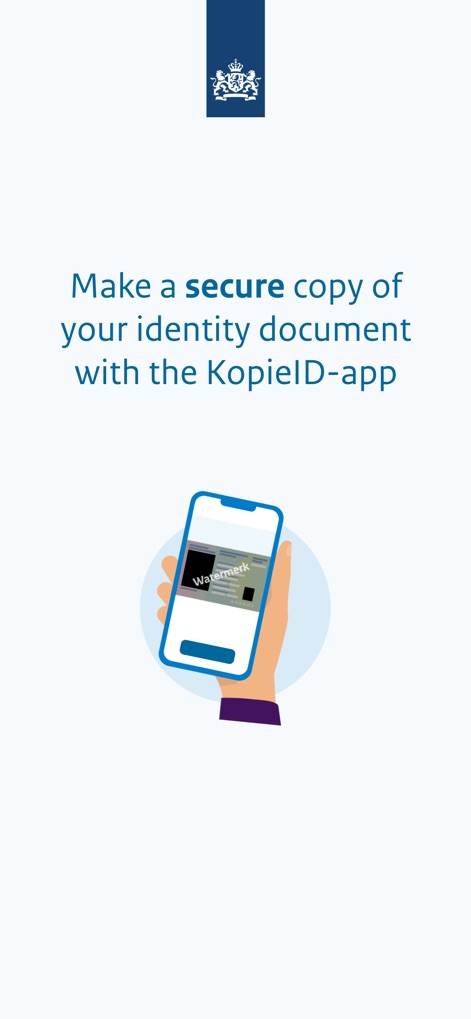
This initial screen highlights the app's primary function of generating secure document copies, featuring an illustrative phone showing a watermarked identity document.
Secure Copy Creation
Users are introduced to the app's branding and purpose, featuring the prominent "KopieID" text and a clear lock icon symbolizing document security.
App Identity
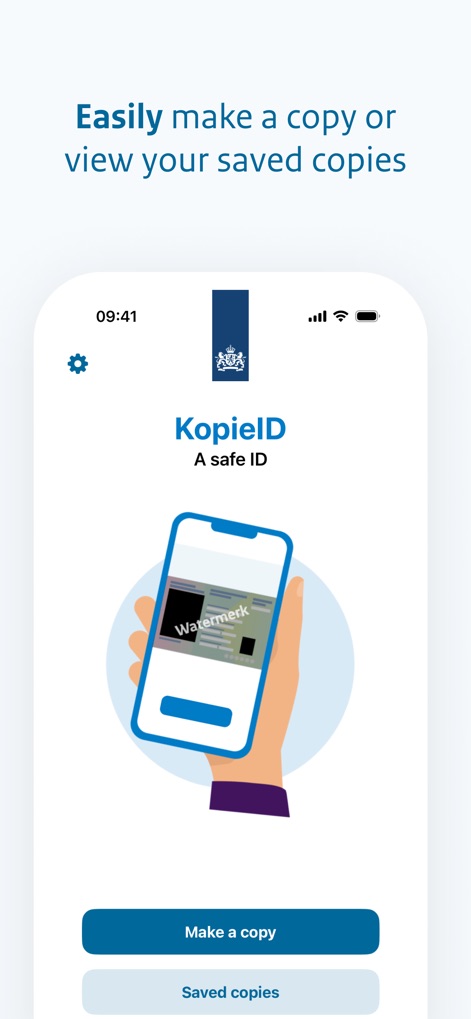
The app presents a user-friendly interface for managing documents, offering immediate access to both the "Make a copy" function and "Saved copies."
Streamlined Workflow
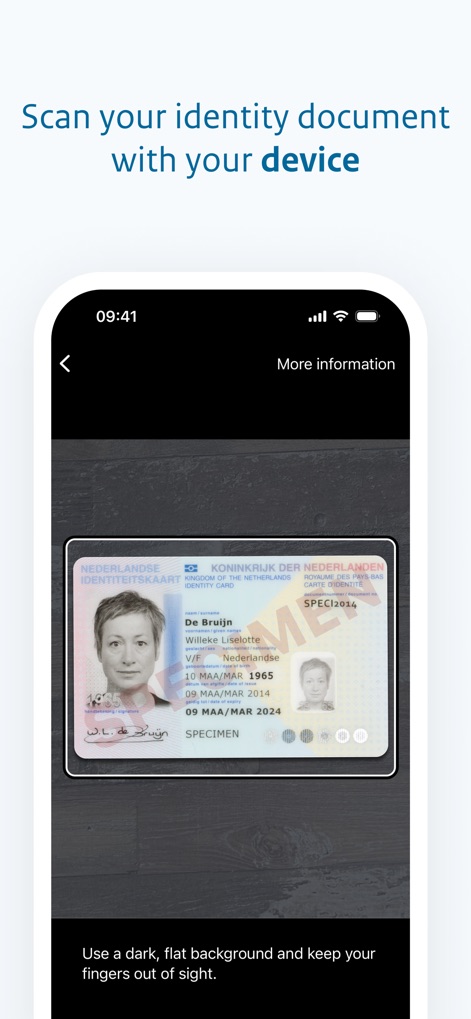
Users are guided through the scanning process, showcasing the identity document within the capture frame and providing explicit background instructions.
Precise Document Scanning
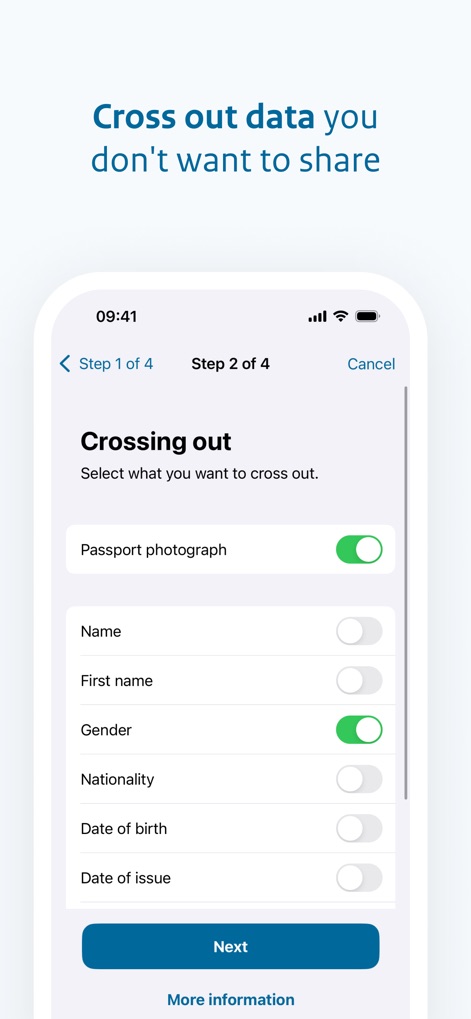
The app provides granular control over privacy, allowing users to selectively cross out specific data fields using intuitive toggles before proceeding to the next step.
Selective Data Redaction
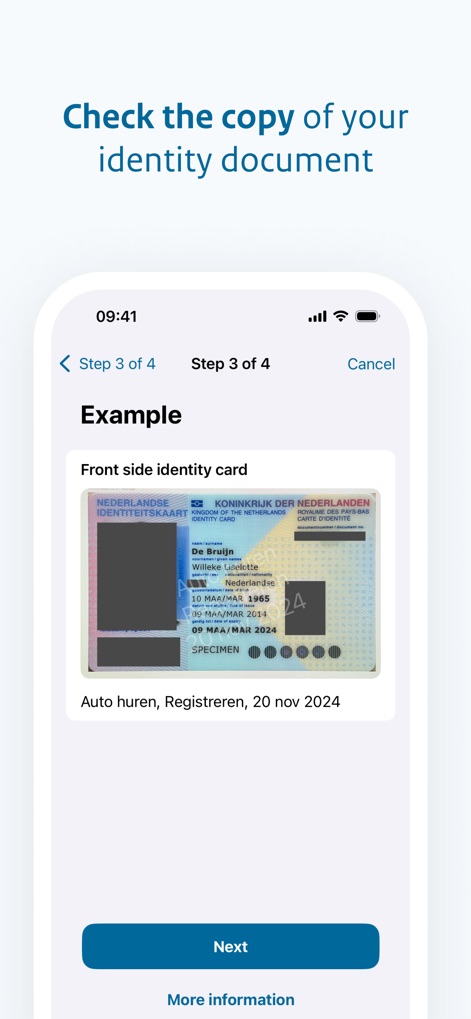
Before finalization, the app displays a clear example of the modified identity document, demonstrating the applied watermarks and crossed-out information.
Preview & Verification
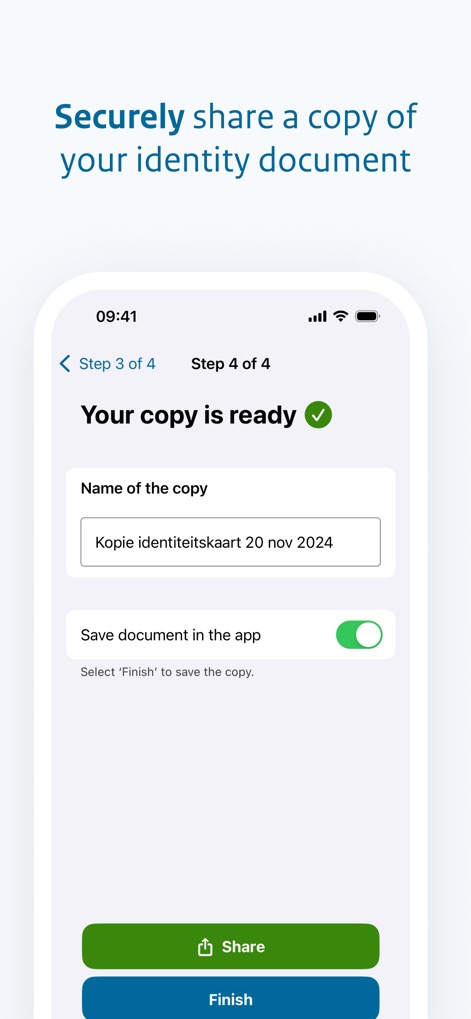
The final screen offers comprehensive options for managing the secure copy, including naming the document and choosing between "Share" or "Save document in the app."
Finalizing & Sharing
Description
Download
More Like This
Apps with similar features and user experience




This page is not an official page of the app or its developer, but an independent editorial publication created for informational and commentary purposes. Unless expressly stated otherwise, neither the app nor its developer is affiliated with, endorsed by, sponsored by, authorized by, or otherwise officially connected with MWM, Apple, Google Play, the app publisher, or the app's developer, and nothing on this page implies that the app was developed using MWM's services. Any trademarks, logos, screenshots, and other content remain the property of their respective owners.