
This page is not an official page of the app or its developer, but an independent editorial publication created for informational and commentary purposes. Unless expressly stated otherwise, neither the app nor its developer is affiliated with, endorsed by, sponsored by, authorized by, or otherwise officially connected with MWM, Apple, Google Play, the app publisher, or the app's developer, and nothing on this page implies that the app was developed using MWM's services. Any trademarks, logos, screenshots, and other content remain the property of their respective owners.


Book Cover Maker by Desygner
No design degree? No problem. This app hands you the power to craft covers that sell, instantly.
Downloads
2.5M+User Rating
Total Ratings
12.1KPublisher
Category
Photo & VideoLocales
24Latest Version
5.4.4Size
127.7 MBFirst Released
Jul 29, 2018An Analytical Review for Self-Publishing Authors
Key Features of Book Cover Maker by Desygner
Extensive Free Design Assets
The app provides access to a vast library of free, royalty-free design assets including templates, millions of images, icons, and fonts, allowing users to create professional-looking covers without incurring additional costs for stock content or hiring designers.
Intuitive Design Editor
This tool features a powerful yet easy-to-use editing interface, enabling individuals without prior graphic design experience to effortlessly customize and craft visually appealing book covers.
Multi-Platform Cover Export
It allows users to create and export book covers specifically formatted for various publishing platforms, including Wattpad, Kindle eBooks, and print-ready options, ensuring compatibility and professional presentation across different mediums.
Watermark-Free Downloads
The app provides the ability to download and share created designs freely without any watermarks, guaranteeing users full ownership and a professional finish for their self-published works.
Automatic Resizing
This tool features automatic and free resizing capabilities, allowing users to adapt their cover designs for different platform requirements or marketing materials without manual adjustments or extra charges.
Custom Image Import
It allows users to import their own images from various sources, offering creative flexibility and the opportunity to personalize covers with unique artwork or branding elements.
Cloud Storage & Editing
The app provides free cloud storage for all created covers, enabling users to store and edit their designs at any time and from any compatible device with their Desygner account.
Version History
This tool features a version history function, allowing users to access and restore previous iterations of their book covers, thus reducing design anxiety and facilitating experimentation.
Frequently Asked Questions
Everything you need to know about Book Cover Maker by Desygner
What types of book covers can I create with the Book Cover Maker by Desygner app?
The Book Cover Maker app allows users to design Wattpad Covers, Kindle eBook Covers, other eBook Covers, and Print-Ready Book Covers, providing versatile options for authors and publishers.
Does Book Cover Maker by Desygner offer free resources like images and templates?
Yes, the Book Cover Maker app provides hundreds of templates and millions of free, royalty-free images, icons, and fonts for users. There are no additional costs for these resources.
Can I remove watermarks from my designs created with the Book Cover Maker app?
Yes, anything created using the Book Cover Maker app is available for download and share without any watermarks. Users retain full ownership and usage rights.
Is the Book Cover Maker app integrated with Wattpad?
Yes, the Book Cover Maker app is fully integrated with Wattpad. This allows for seamless creation of Wattpad covers tailored specifically for the platform.
Does the Book Cover Maker app allow users to import their own images?
Yes, the Book Cover Maker app enables users to import their own images from a camera roll, social media platforms, and various storage drives for use in their designs.
Can designs be resized for free in the Book Cover Maker by Desygner app?
Yes, the Book Cover Maker app includes an automatic resize feature, allowing users to resize and repurpose their book covers as many times as needed for free.
Does Book Cover Maker by Desygner support editing on multiple devices?
Yes, Book Cover Maker designs are storable and editable at any time from both computer and mobile devices using a Desygner account, ensuring cross-device accessibility.
How does the Book Cover Maker app handle subscriptions?
The Book Cover Maker app offers a PRO annual subscription. It is auto-renewable, charged to the iTunes account, and renews within 24 hours prior to the current period's end.
Can users restore previous versions of their book cover designs in Book Cover Maker by Desygner?
Yes, the Book Cover Maker app provides a feature to access and restore previous versions of any book cover design. This allows users to revert to older edits.
Can I remove photo backgrounds in the Book Cover Maker app?
Yes, the Book Cover Maker app includes functionality to remove photo backgrounds. This feature allows users to isolate subjects within their images with a single click.
The following screenshots and description are sourced directly from the app's official store listing and are the property of the app developer.
App Store
Screenshots
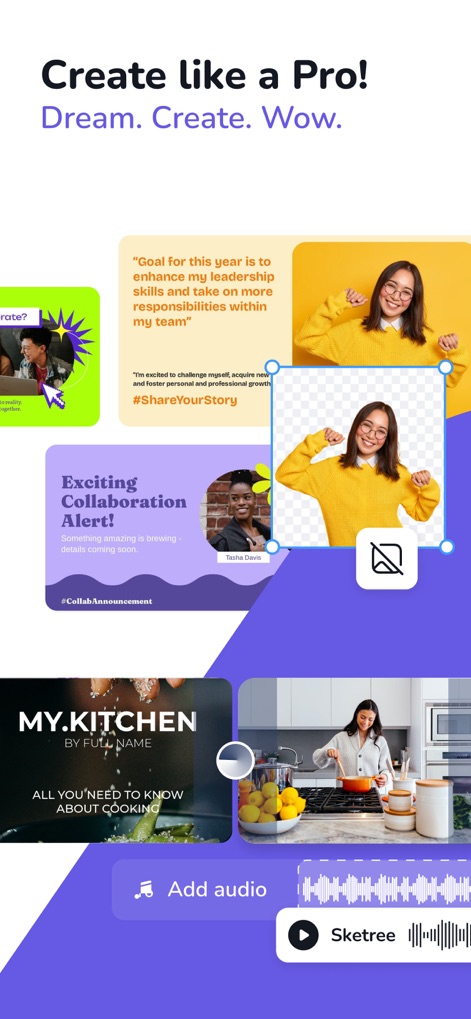
Explore how this tool offers flexible image editing handles and diverse content blocks for comprehensive visual storytelling.
Creative Design Freedom

Discover the intuitive bottom toolbar and live design preview, enabling users to make precise adjustments with ease.
Effortless Editing Interface
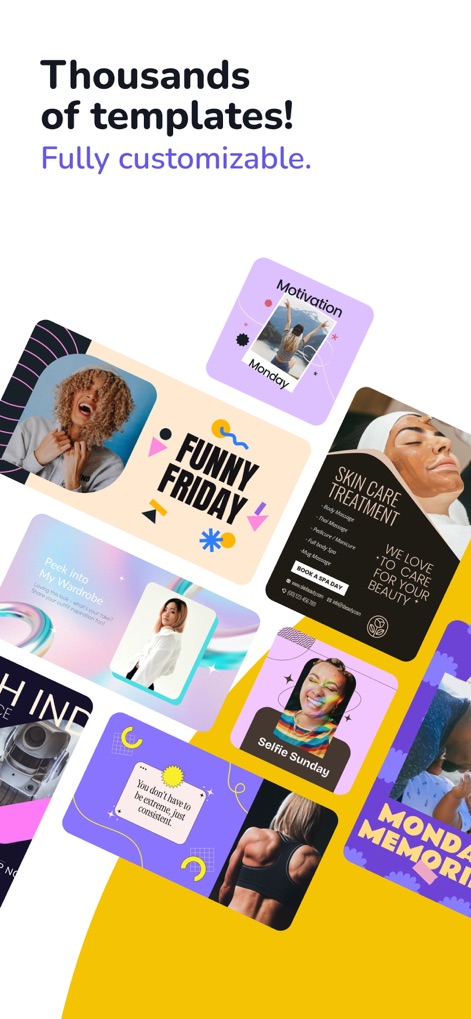
Browse the vast assortment of vibrant template designs, showcasing the app's rich library and customization potential for any theme.
Template Variety Unleashed
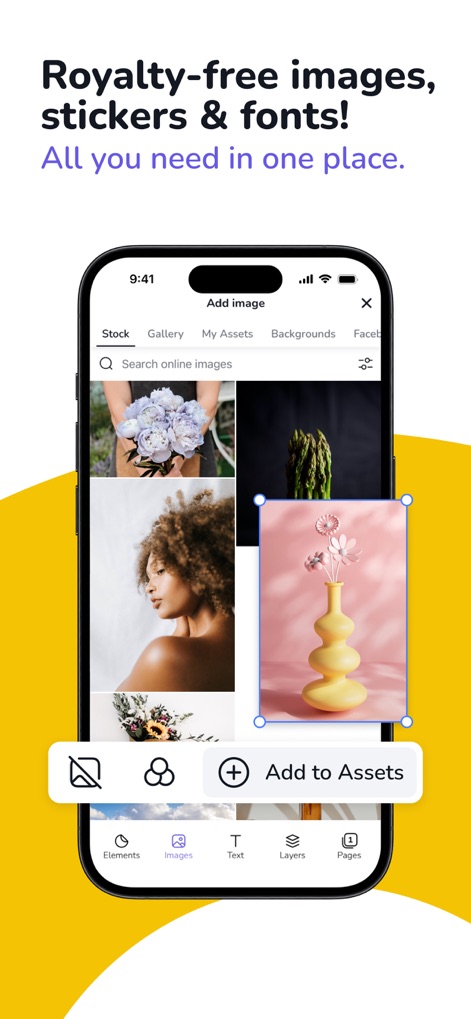
Examine the integrated image search functionality and extensive royalty-free asset selection, providing users with endless creative resources.
Resource-Rich Content
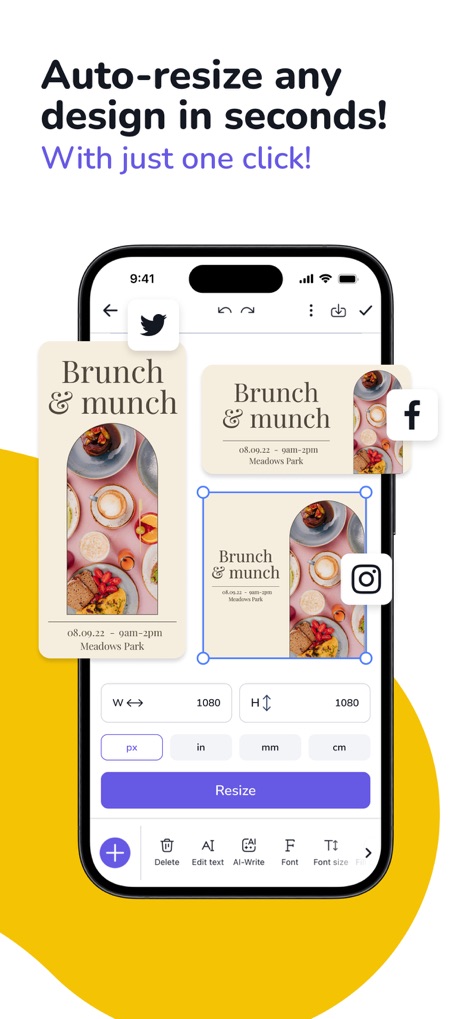
Witness the app's smart resizing capabilities across multiple design formats, complemented by customizable dimension inputs for perfect fit.
Smart Resizing Power

Observe the powerful one-click background removal button and the resulting clean cut-out image, streamlining the editing process.
Background Removal Magic
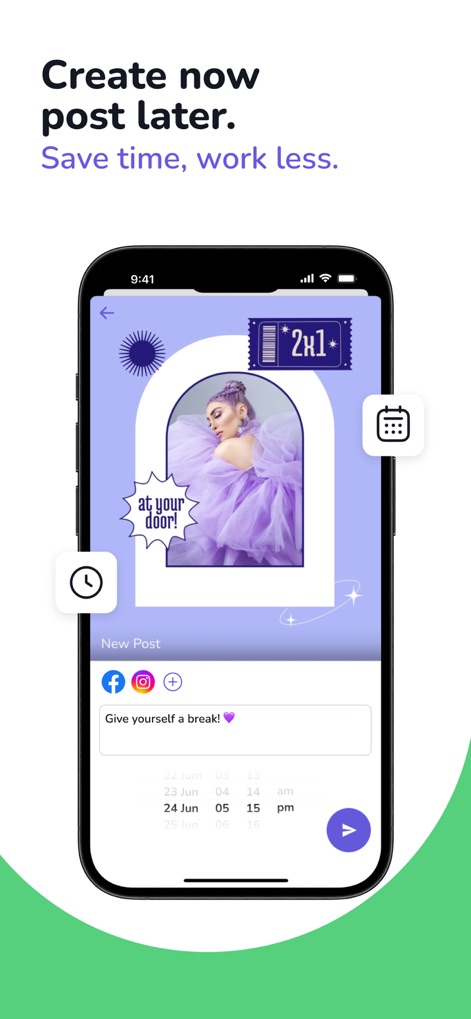
Explore the integrated scheduling calendar and direct sharing options, allowing users to plan and publish content efficiently.
Scheduled Publishing Control
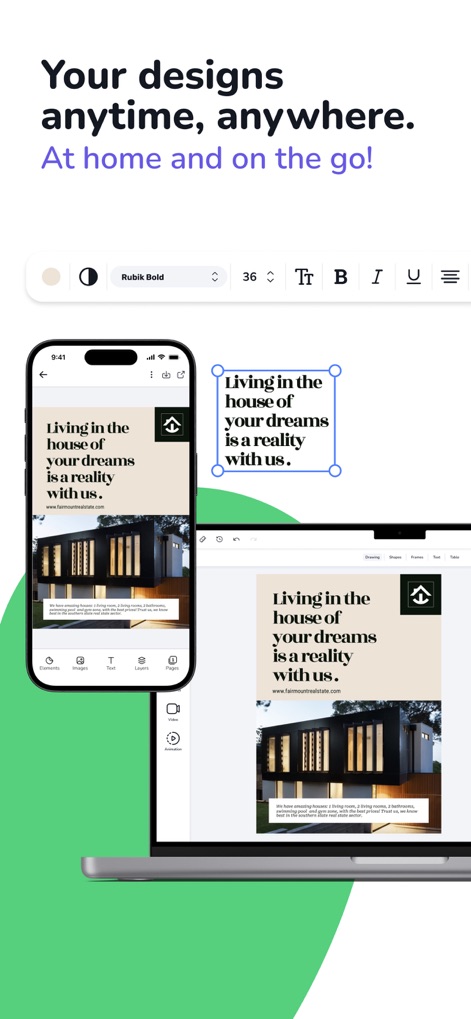
Discover the seamless cross-device design synchronization and consistent editing tools, ensuring creative continuity from any location.
Seamless Multi-Device Sync
Description
Download
More Like This
Apps with similar features and user experience

Photoroom: AI Photo Editor
Photoroom

Blend: AI Models Logos Videos
Blendit Studios Private Limited

AI Background - Pokecut Studio
Guangzhou Guangzhuiyuan Information Technology Co., Ltd.

微脉水印相机,私域、微商必备运营工具
Beijing Help Dream Works Technology Inc.

Background Remover - PNG Maker
TAPUNIVERSE LLC

Frameit:Framed Art &Video edit
Guangzhou Jiahua Information Technology Co., Ltd.

Background Eraser AI
Yalex FZC LLC

Artrooms: Superimpose Wall Art
Art Rooms LLC

ArtStage: Preview your Artwork
ArtStage LLC
This page is not an official page of the app or its developer, but an independent editorial publication created for informational and commentary purposes. Unless expressly stated otherwise, neither the app nor its developer is affiliated with, endorsed by, sponsored by, authorized by, or otherwise officially connected with MWM, Apple, Google Play, the app publisher, or the app's developer, and nothing on this page implies that the app was developed using MWM's services. Any trademarks, logos, screenshots, and other content remain the property of their respective owners.