Bookkeeping
Bookkeeping
Download on App Store

This page is not an official page of the app or its developer, but an independent editorial publication created for informational and commentary purposes. Unless expressly stated otherwise, neither the app nor its developer is affiliated with, endorsed by, sponsored by, authorized by, or otherwise officially connected with MWM, Apple, Google Play, the app publisher, or the app's developer, and nothing on this page implies that the app was developed using MWM's services. Any trademarks, logos, screenshots, and other content remain the property of their respective owners.

Logo of Bookkeeping
Download on App Store

Bookkeeping

Master your finances with an offline-first suite designed for privacy and precision. Generate 47+ professional PDF reports, manage unlimited company books, and handle global invoicing on your iPad and iPhone—all without your data ever leaving your control.

Key Figures

Downloads

66K+

User Rating

4.0/5

Total Ratings

300

Publisher

Warby Software Pty Ltd

Category

Finance

Locales

1

Latest Version

26.0.2

Size

13.4 MB

First Released

Feb 24, 2010
Features

Professional Accounting at Your Fingertips

The comprehensive double-entry bookkeeping and invoicing suite designed for independent business owners who demand privacy, mobility, and professional-grade reporting.

Absolute Data Sovereignty

Your financial records are stored exclusively on your device. We have zero access to your data, ensuring complete confidentiality and ownership.

Uninterrupted Offline Workflow

Work anywhere from job sites to airplanes. Manage your books and issue invoices without cellular coverage, then sync via Dropbox when you're back online.

The following screenshots and description are sourced directly from the app's official store listing and are the property of the app developer.

App Store

Screenshots
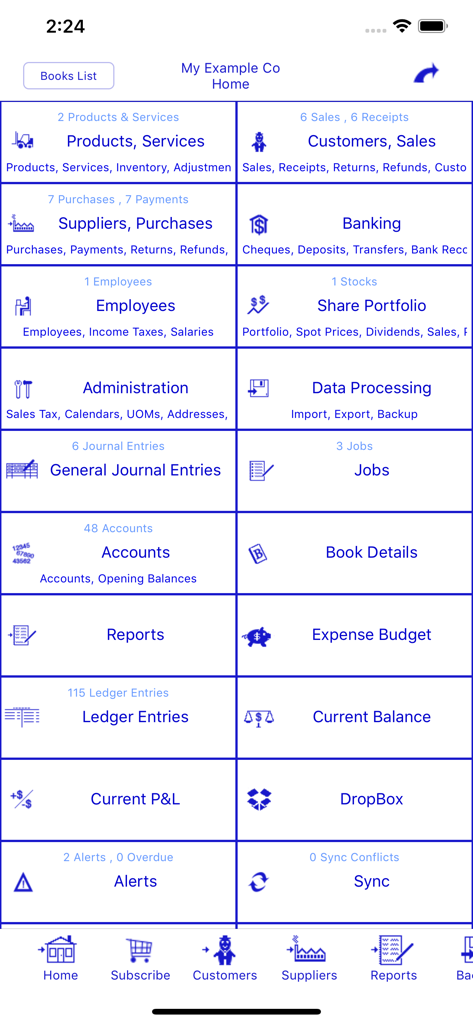
Bookkeeping - Home screen of the Bookkeeping app showing professional accounting and financial management modules
Home screen of the Bookkeeping app showing professional accounting and financial management modules

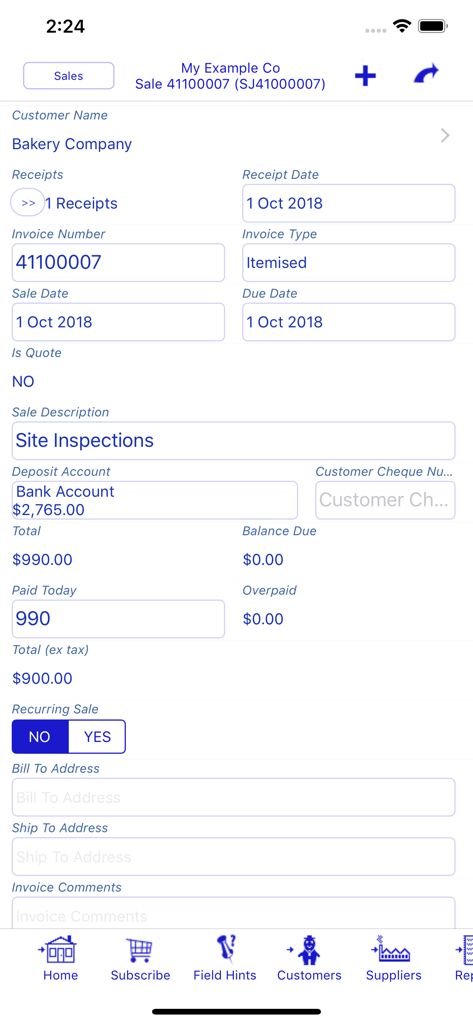
Bookkeeping - A professional invoice entry screen in the Bookkeeping app showing detailed transaction fields for a small business.
A professional invoice entry screen in the Bookkeeping app showing detailed transaction fields for a small business.

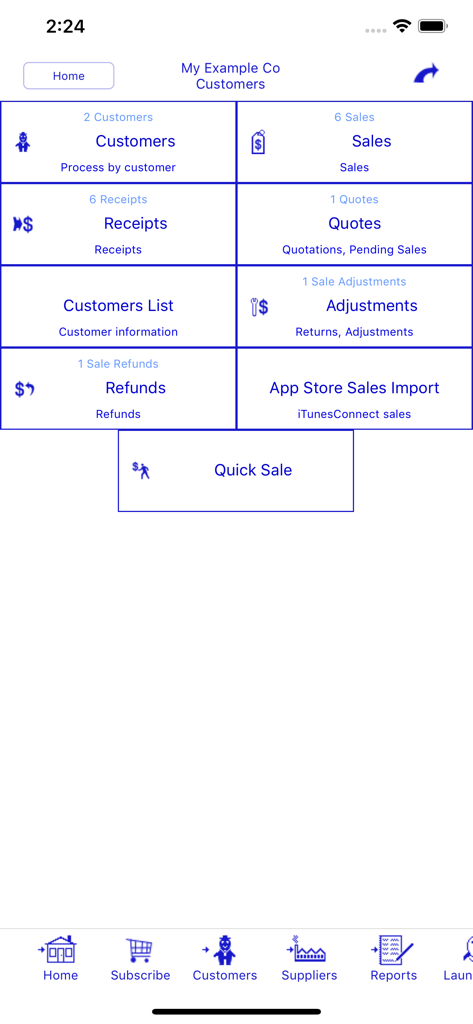
Bookkeeping - Dashboard of the Bookkeeping app for managing customer sales receipts quotes and adjustments
Dashboard of the Bookkeeping app for managing customer sales receipts quotes and adjustments

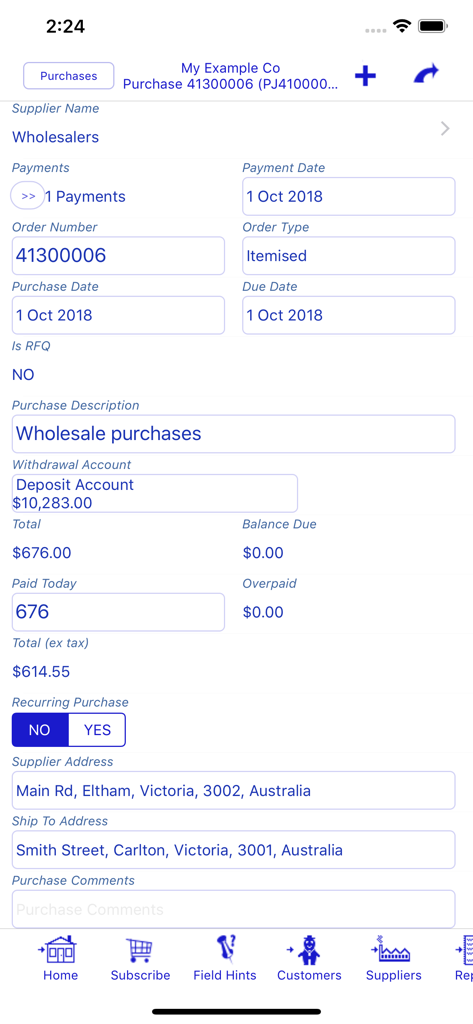
Bookkeeping - Purchase entry screen in the Bookkeeping app showing transaction and supplier details.
Purchase entry screen in the Bookkeeping app showing transaction and supplier details.

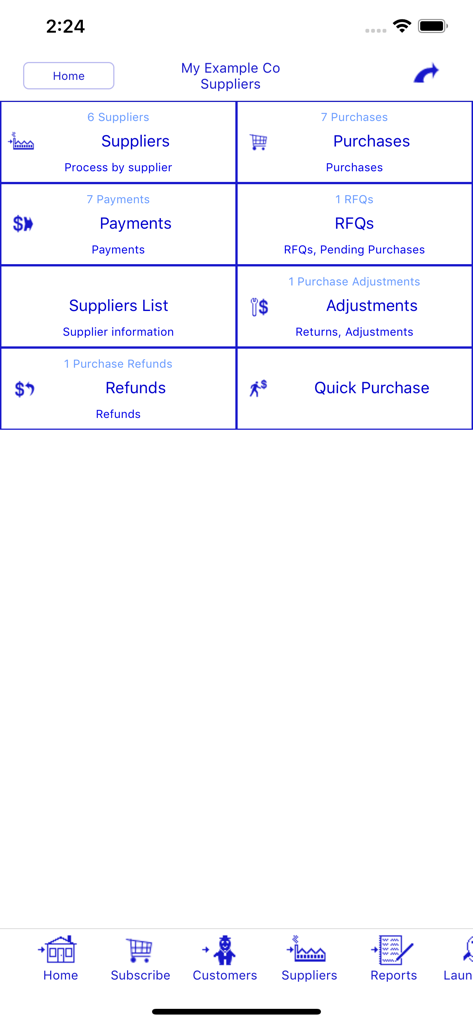
Bookkeeping - The supplier and purchase management screen of the Bookkeeping app showing options for RFQs payments and refunds
The supplier and purchase management screen of the Bookkeeping app showing options for RFQs payments and refunds

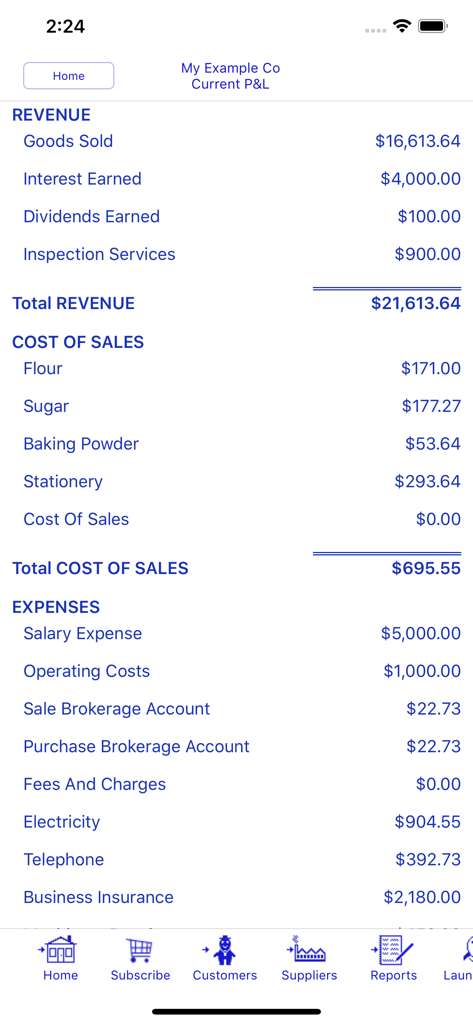
Bookkeeping - A detailed mobile profit and loss statement showing revenue cost of sales and business expenses
A detailed mobile profit and loss statement showing revenue cost of sales and business expenses

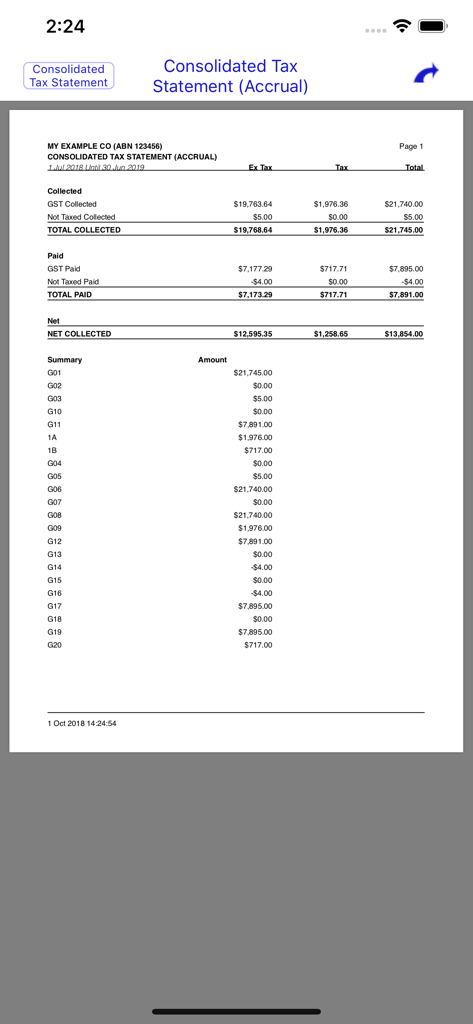
Bookkeeping - A detailed consolidated tax statement report generated by the Bookkeeping app showing collected and paid GST.
A detailed consolidated tax statement report generated by the Bookkeeping app showing collected and paid GST.

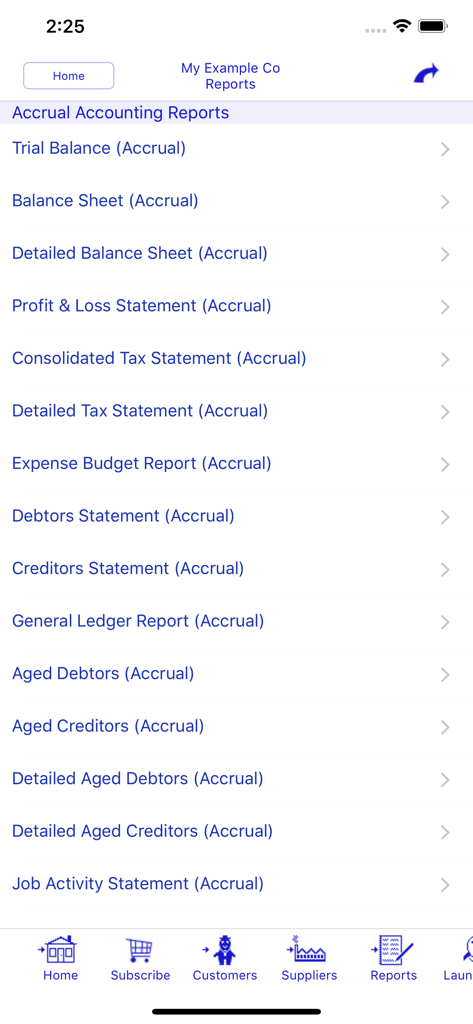
Bookkeeping - A menu of accrual accounting reports including balance sheet and profit and loss statements in the Bookkeeping app

A menu of accrual accounting reports including balance sheet and profit and loss statements in the Bookkeeping app

Description

DOUBLE ENTRY BOOKKEEPING AND INVOICING FOR YOUR SMALL BUSINESS, NON-PROFIT, OR CLUB. KEEPS WORKING EVEN WHEN THE INTERNET DOES NOT. Your data stored on your device. We have no access to your data. Pay by the month (with auto-renewable subscriptions) instead of an outright purchase. FEATURES HIGHLIGHT: No limit on the number of company books. No limit on the number of transactions. Synchronise between devices using your own Dropbox account. Built in example book so you can explore the program before making a commitment with an auto-renewable subscription. Bookkeeping is a self contained mobile bookkeeping and invoicing solution for your iPad and iPhone. It has multi-device synchronisation using Dropbox so you can work on your books on any of your devices no matter where you are or what iTunes account you use; and it supports as many or as few currencies as you need. You just need basic bookkeeping knowledge to make use of the multitude of capabilities of this program. Bookkeeping works with or without cellular coverage. Bookkeeping works wherever you are. Synchronise when you get cellular/WiFi coverage again. With Bookkeeping you have a fully functional program right on your iPad and iPhone. Bookkeeping has been used in over 40 countries including the USA, Australia, United Kingdom, Canada, and South Africa. Some of the Bookkeeping features … - Configure separate Company books for each company you operate - No limit to the number of Transactions - Invoicing , Quotations , RFQs , Purchase Orders - Email or Print all Invoices, Quotes, Orders, and Reports in convenient PDF format - Adjustments, Returns, Refunds - Supports non-standard financial periods - Recurring transactions - Cheque Book, Deposit Book, Bank Transfers - Bank Reconciliation - Import Bank Transactions - General Journal - Expense Budgeting - Configurable sales tax codes (Sales Tax, VAT Tax, Goods and Service Taxes, etc) - Multiple sales taxes per line item - Complex sales taxes (e.g. Canadian PST+GST, Philippines) - Calculate levies, duties, importation taxes - Calculate credit card merchant fees deducted from payments - Dropbox integration - Products, Services, & Inventory - Separate product prices per currency - Automatic Cost of Goods Sold calculations - Share Portfolio - Multi-Currency Support - Foreign currency transactions - Foreign currency bank accounts - Search - Job Tracking - Bank Reconciliation - Departments & Trading Names - Multi-Device Synchronisation - Configuration options to tailor to your needs - 47 PDF Reports (Trial Balance, Balance Sheet, Profit & Loss, etc) - Taxable Payments Reporting for the Australian Building and Construction industry - Australian BAS Worksheet reporting - Built in tax codes for Australian GST - Support for WET (Wine Equilisation Taxes) - GST Compliant Adjustment Notes Purchase an auto-renewable subscription to be able to enter data into this program. If you do not have a valid auto-renewable subscription, then you can load the example book and can view the information in the books. However you are required to purchase and maintain an auto-renewable subscription to enter data into the program. Payment will be charged to your iTunes Account at confirmation of purchase. The subscription automatically renews unless auto-renew is turned off at least 24-hours before the end of the current period. Your account will be charged for renewal within 24-hours prior to the end of the current period, and identify the cost of the renewal. Subscriptions may be managed by you and auto-renewal may be turned off by going to your iTunes Account Settings after purchase. The EULA, Terms of Service, and Privacy Policy can be found in the About screen of this application and on our website. Privacy Policy: https://bookkeeping.warby.com/Privacy Terms of Use: https://bookkeeping.warby.com/Terms End User License Agreement: https://bookkeeping.warby.com/EULA

Download

Download on App Store

This page is not an official page of the app or its developer, but an independent editorial publication created for informational and commentary purposes. Unless expressly stated otherwise, neither the app nor its developer is affiliated with, endorsed by, sponsored by, authorized by, or otherwise officially connected with MWM, Apple, Google Play, the app publisher, or the app's developer, and nothing on this page implies that the app was developed using MWM's services. Any trademarks, logos, screenshots, and other content remain the property of their respective owners.








