
This page is not an official page of the app or its developer, but an independent editorial publication created for informational and commentary purposes. Unless expressly stated otherwise, neither the app nor its developer is affiliated with, endorsed by, sponsored by, authorized by, or otherwise officially connected with MWM, Apple, Google Play, the app publisher, or the app's developer, and nothing on this page implies that the app was developed using MWM's services. Any trademarks, logos, screenshots, and other content remain the property of their respective owners.

BookPlayer
The ultimate open-source player for your M4B and MP3 files. Enjoy a seamless, premium experience with CarPlay, Apple Watch sync, and full control over your curated collection.
Downloads
876K+User Rating
Total Ratings
31K+Publisher
Category
BooksLocales
24Latest Version
5.15.3Size
82.2 MBFirst Released
Sep 2, 2016The Ultimate Player for Your Private Library
No subscriptions. No tracking. Just a premium, open-source experience designed for listeners who value ownership and total control over their audiobook collection.
Freedom from Subscriptions
Import your own M4B, MP3, or FLAC files directly via AirDrop, Files, or self-hosted servers like Audiobookshelf and Jellyfin.
Advanced Playback Tools
Master your listening with Smart Rewind, Volume Boost, and precise chapter support tailored for power users and productivity.
Frequently Asked Questions
Everything you need to know about BookPlayer
What is BookPlayer?
BookPlayer is an audiobook player for M4B/M4A/MP3/FLAC files. It allows users to import, manage, and listen to their audiobooks with features like Cloud Sync, Apple Watch support, and customizable playback controls.
Which audiobook formats does BookPlayer support?
BookPlayer supports M4B, M4A, MP3, and FLAC audiobook formats. Users can import these files from various sources to manage and listen within the app.
How can I import audiobooks into BookPlayer?
Users can import audiobooks into BookPlayer via AirDrop, the Files app, iTunes File Sharing, their own AudiobookShelf or Jellyfin server, or by importing zip files. The app also supports downloading from URLs.
Does BookPlayer offer Cloud Sync for audiobooks?
Yes, BookPlayer offers Cloud Sync. This feature allows users to continue listening to their audiobooks across multiple devices, including standalone playback on an Apple Watch, ensuring seamless progress synchronization.
Can I control BookPlayer from my Apple Watch?
Yes, BookPlayer supports Apple Watch. Users can control audio playback from a companion app on the Apple Watch, and also stream or download books for standalone listening without their iPhone.
What playback customization options are available in BookPlayer?
BookPlayer provides adjustable playback speed, smart rewind, volume boost, and chapter navigation. Users can also jump to the start of the current book and utilize a sleep timer with customizable duration.
Does BookPlayer support CarPlay?
Yes, BookPlayer provides CarPlay support. This allows users to control their audiobooks directly from their car's infotainment system, enhancing the listening experience while driving.
How does BookPlayer manage audiobook progress?
BookPlayer maintains and displays the progress of audiobooks. Users can mark books as finished and use Drag & Drop to sort their library, ensuring continuous progress tracking and organization.
Does BookPlayer have a sleep timer?
Yes, BookPlayer includes a sleep timer. This feature has an adjustable duration, allowing users to set a specific time for the audiobook to automatically stop playing, enhancing user comfort.
Is BookPlayer an open-source application?
Yes, BookPlayer is licensed under GNU General Public License v3.0. Its source code is available on the project's GitHub page, promoting transparency and community contributions.
The following screenshots and description are sourced directly from the app's official store listing and are the property of the app developer.
App Store
Screenshots
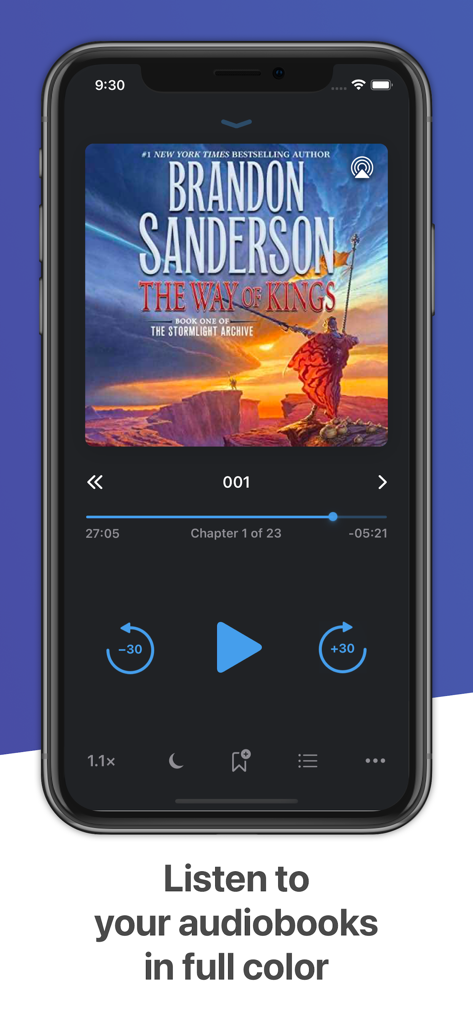
BookPlayer interface showing an audiobook playback screen with cover art and controls
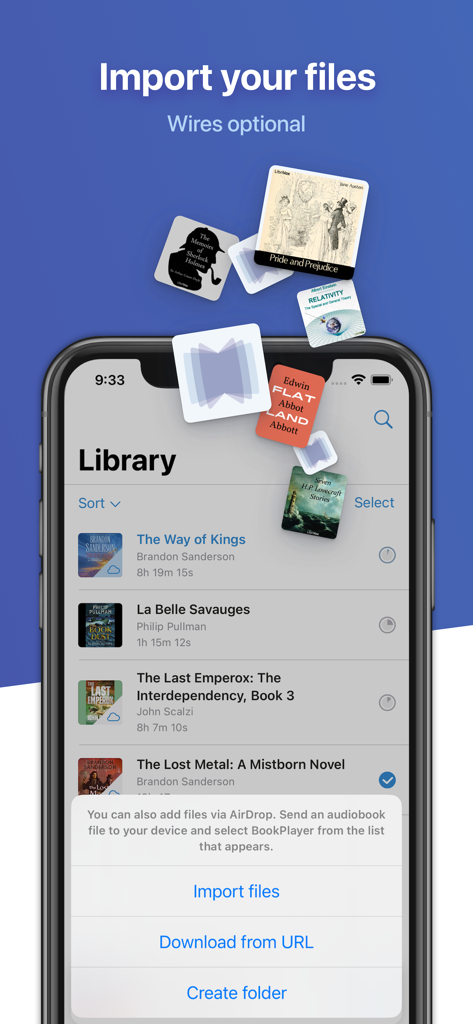
BookPlayer app library interface showing options to import and manage audiobook files
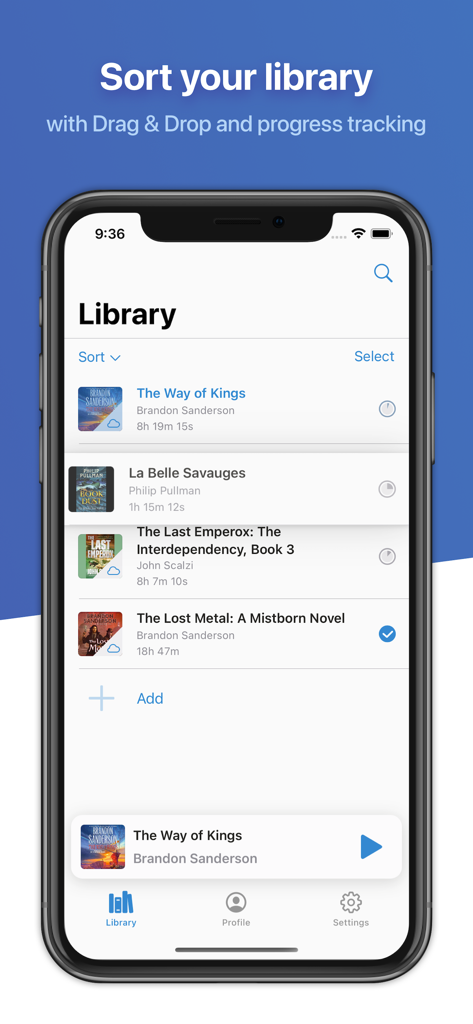
BookPlayer library screen showing audiobooks list with progress tracking and sorting options
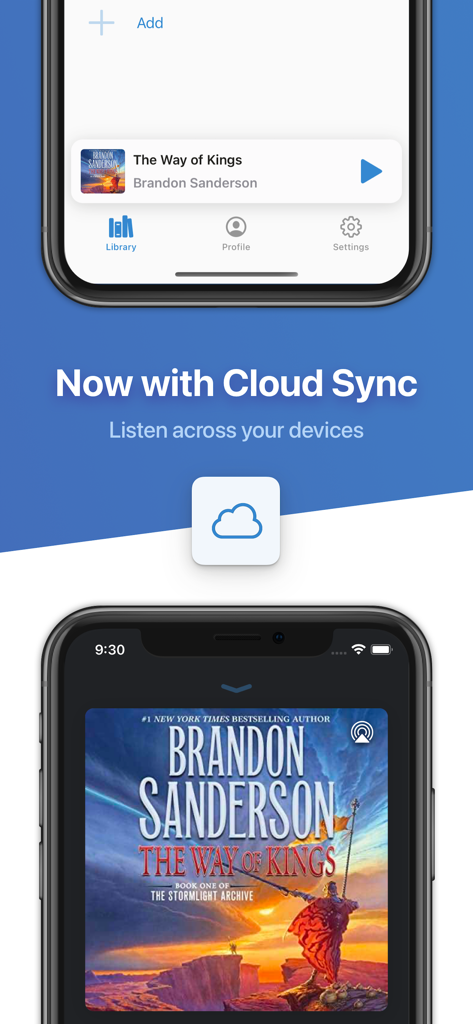
BookPlayer app interface on two mobile screens highlighting the Cloud Sync feature for listening across devices.
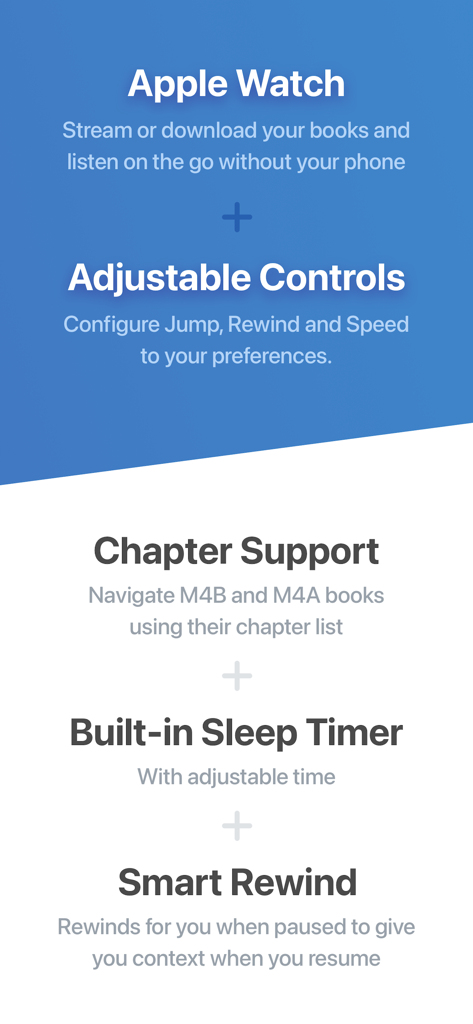
Overview of BookPlayer features including Apple Watch support, adjustable controls, and smart rewind
Description
Download
More Like This
Apps with similar features and user experience

Prologue Audiobook Player
Lachlan Charlick

plappa
Leo Wehrfritz

Bound - Audiobook Player
Deadpan, LLC

MP3 Audiobook Player Pro
Oleg Brailean
BookPlayer: MP3/M4B/M4A/MP4
Alevtina Liubimova

MP3 Audiobook Player
Oleg Brailean

ShelfPlayer
Rasmus Kramer

ListenBook: audiobook player
Oleg Brailean
This page is not an official page of the app or its developer, but an independent editorial publication created for informational and commentary purposes. Unless expressly stated otherwise, neither the app nor its developer is affiliated with, endorsed by, sponsored by, authorized by, or otherwise officially connected with MWM, Apple, Google Play, the app publisher, or the app's developer, and nothing on this page implies that the app was developed using MWM's services. Any trademarks, logos, screenshots, and other content remain the property of their respective owners.