
This page is not an official page of the app or its developer, but an independent editorial publication created for informational and commentary purposes. Unless expressly stated otherwise, neither the app nor its developer is affiliated with, endorsed by, sponsored by, authorized by, or otherwise officially connected with MWM, Apple, Google Play, the app publisher, or the app's developer, and nothing on this page implies that the app was developed using MWM's services. Any trademarks, logos, screenshots, and other content remain the property of their respective owners.


Boon: AI Logo Maker & Design
No design skills? No problem. The app hands users instant visual authority.
Downloads
7.5M+User Rating
Total Ratings
181.3KPublisher
Category
Graphics & DesignLocales
12Latest Version
2.12.1Size
974.2 MBFirst Released
Jul 20, 2017An analytical overview highlighting core functionalities for rapid, professional branding.
Key Features of Boon: AI Logo Maker & Design
Extensive Template Library
The app provides access to over 10,000 customizable logo templates, allowing users to quickly create professional designs without prior experience.
Real-World Mockup Visualization
It enables users to visualize their logo designs on various real-world items like business cards and apparel, assisting in branding decisions and presentation.
High-Resolution Export
This tool features the capability to export logos in high-resolution PNG or JPEG formats, ensuring quality suitable for both digital and print media.
Rich Design Resource Collection
The app offers more than 6,000 design resources, including fonts, symbols, and backgrounds, for comprehensive customization of logos.
Cross-Device Editing & Sync
It allows users to edit logos anytime and anywhere across iPhone and iPad, with iCloud support ensuring design continuity between devices.
Automatic Progress Saving
The app includes an auto-save feature that preserves design edits, preventing loss of work and enhancing user workflow efficiency.
Frequently Asked Questions
Everything you need to know about Boon: AI Logo Maker & Design
What is the primary function of the Logo Maker AI Creator — Boon app?
The Logo Maker AI Creator — Boon app allows users to create professional logos for businesses or companies in seconds on their iPhone, iPod, and iPad, even without design skills.
Does Logo Maker Shop provide pre-designed logo templates?
Yes, Logo Maker Shop offers over 10,000 customizable logo templates created by professional designers. These templates cover 13 categories, from Basic to Abstract.
Can users customize the logo templates in Logo Maker Shop?
Yes, Logo Maker Shop allows full customization of every element within its logo designs. Users can edit chosen templates using over 6,000 font, symbol, and background design resources.
Does Logo Maker Shop support saving designs across multiple Apple devices?
Yes, Logo Maker Shop is a Universal iOS app with iCloud support. Designs are shared between your iPhone and iPad devices using iCloud, allowing editing anytime, anywhere.
What export options are available for logos created with Logo Maker Shop?
Logo Maker Shop allows users to save and share their logos as PNG or JPEG images. Transparent PNG images can be exported in high resolution, up to 4096 x 4096.
Can Logo Maker Shop visualize logos on products like business cards or apparel?
Yes, Logo Maker Shop includes a Mockup Visioning feature. It lets users visualize their designs on business cards, signboards, stationery, and apparel. Mockups are downloadable as PDF.
Is it possible to remove image backgrounds using Logo Maker Shop?
Yes, Logo Maker Shop features a "Cut Out" tool that seamlessly removes the background of any image in one click. This assists in creating professional branding templates.
What is the pricing structure for Logo Maker Shop?
Logo Maker Shop is free to download. A Pro Subscription, offering unlimited access to premium content and features, costs $4.99 weekly, $12.99 monthly, $39.99 for 6 months, or $39.99 annually.
How do I cancel my Logo Maker Shop Pro Subscription?
Users can cancel their Logo Maker Shop subscription by turning off auto-renew in their iTunes account settings at least 24 hours before the current billing period ends, or via the "Manage Subscription" menu in the app settings.
Does Logo Maker Shop offer a free trial period?
The description mentions that any unused portion of a free trial period, if offered, will be forfeited upon purchasing a subscription. It does not explicitly state that a free trial is currently offered.
Can users upload their own design assets to Logo Maker Shop?
Yes, Logo Maker Shop includes a "My Assets" feature. This allows users to incorporate their own assets and elements into any design and save them for future use.
Does the Logo Maker Shop app include an auto-save function?
Yes, Logo Maker Shop has an auto-save feature. The app automatically saves edits and allows users to load their latest work upon re-launching the application.
Where can I find the terms and conditions for Logo Maker Shop?
The terms and conditions for Logo Maker Shop are available on its official website at http://www.logomakershop.com/terms.
Does Logo Maker AI Creator — Boon use AI technology?
Yes, the app is named "Logo Maker AI Creator". It assists users in creating stunning logos without prior design skills by offering 10K+ templates and 6,000+ resources, implying an AI-assisted creation process.
The following screenshots and description are sourced directly from the app's official store listing and are the property of the app developer.
App Store
Screenshots
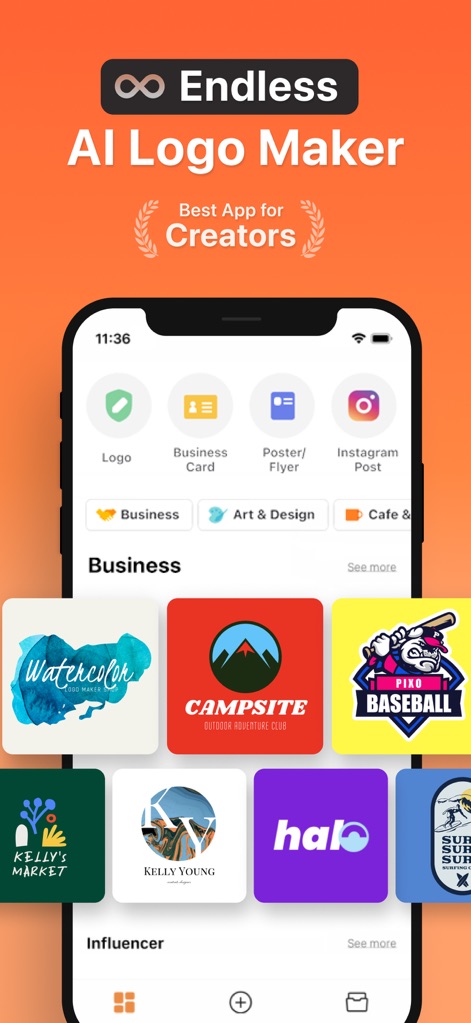
See how the app presents a vast library of pre-made logo templates, organized by categories like "Business" and "Influencer", showcasing diverse design styles.
Template Library Access
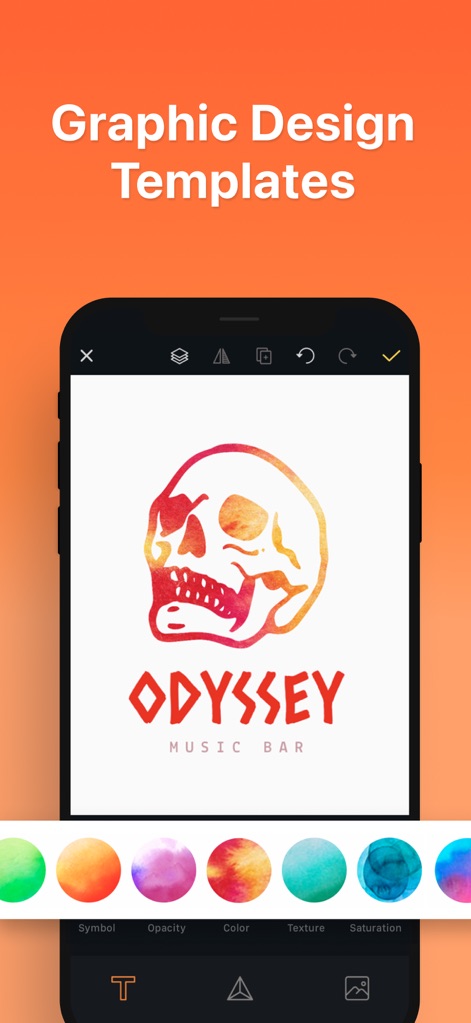
Users can dive into graphic design templates, modifying elements such as color textures and overall saturation for unique logo creations.
Graphic Template Editor
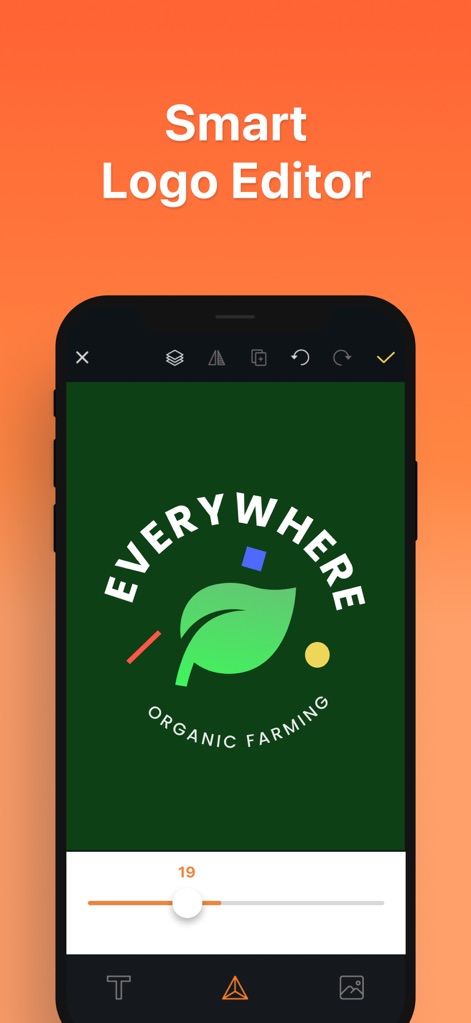
The smart logo editor empowers users to refine designs with precision, adjusting text elements and utilizing intuitive sliders for fine-tuning visual parameters.
Intuitive Logo Editor
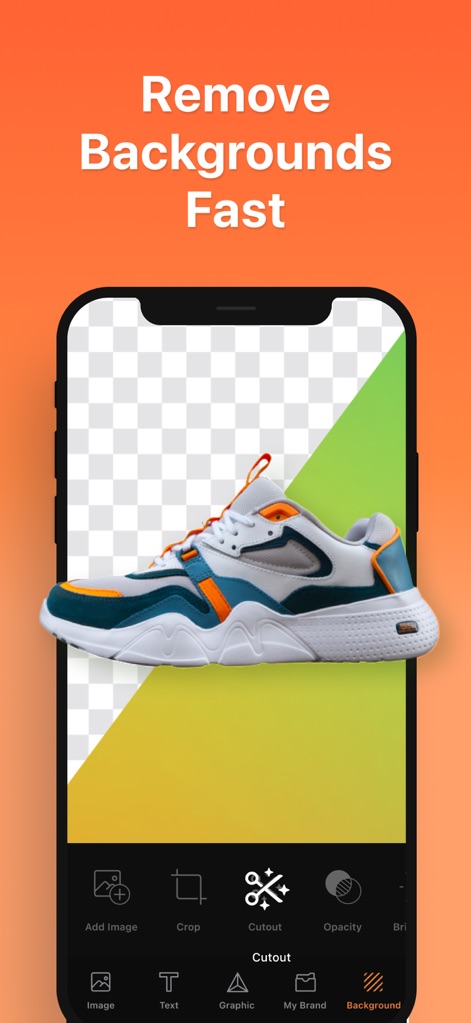
This tool streamlines image manipulation, allowing users to effortlessly remove backgrounds with the "Cutout" feature, creating clean, transparent images for their designs.
Instant Background Removal
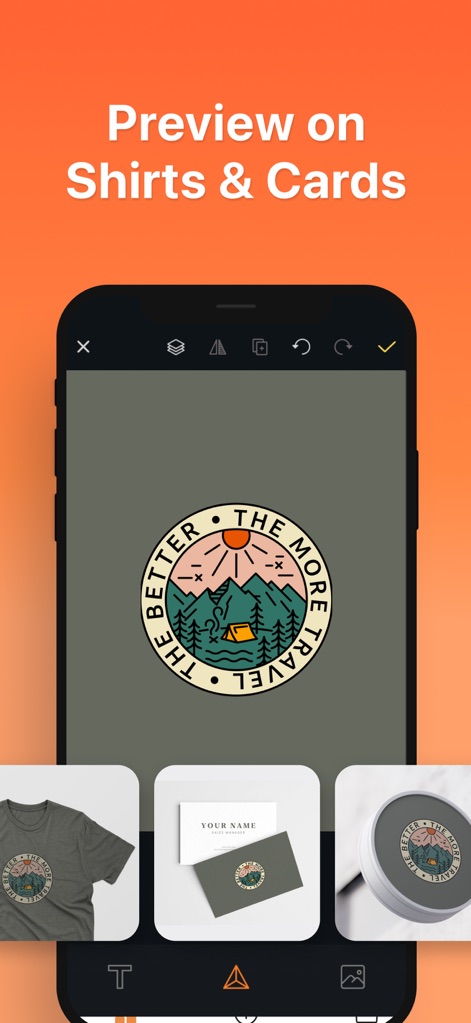
Users can visualize their logo designs in real-world contexts, such as on apparel like shirts and essential branding materials like business cards, through the mockup visioning feature.
Brand Mockup Previews
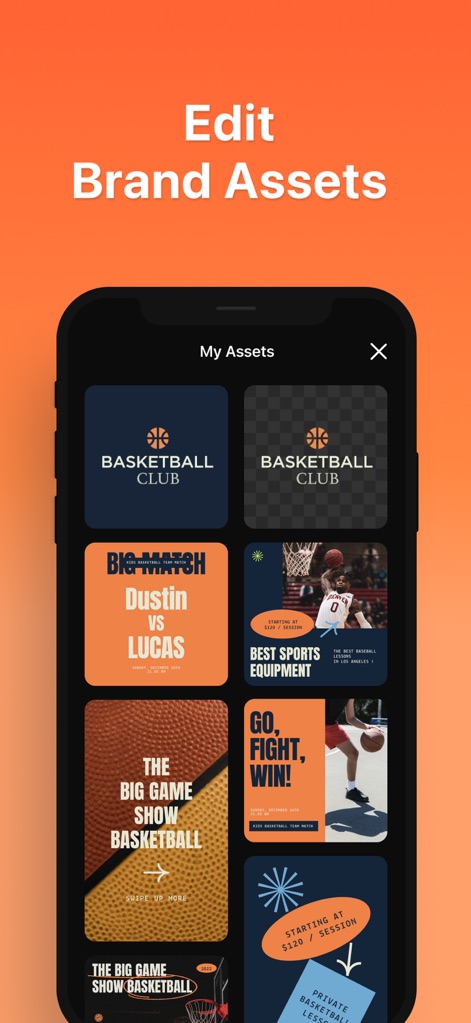
The app allows users to efficiently manage their custom brand assets within a dedicated "My Assets" section, organizing everything from logos to various marketing graphics.
Manage Brand Assets
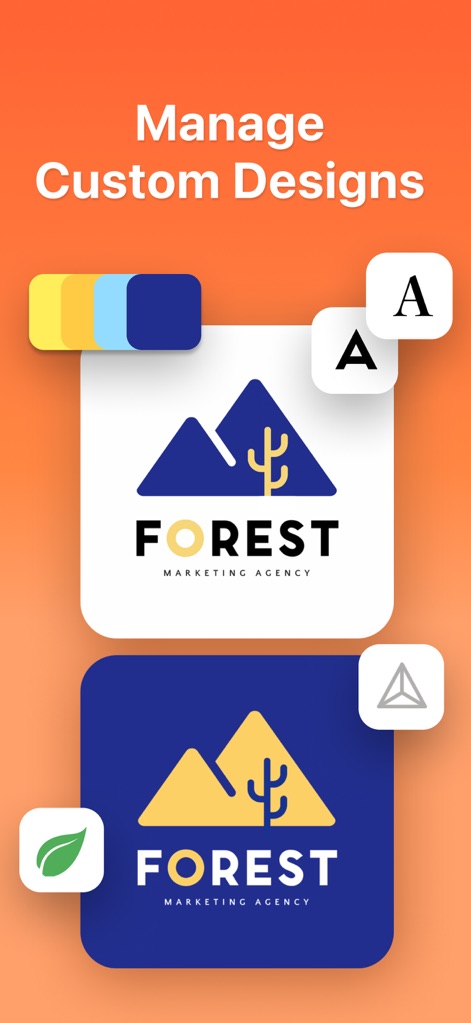
Users can manage and iterate on custom designs, exploring diverse color palettes and alternative layouts to perfect their brand's visual identity.
Dynamic Custom Designs

This tool offers an extensive library of over 5000 icons and graphics, neatly categorized into themes like "Animals" and "Vintage" for easy browsing and design integration.
Extensive Icon Library
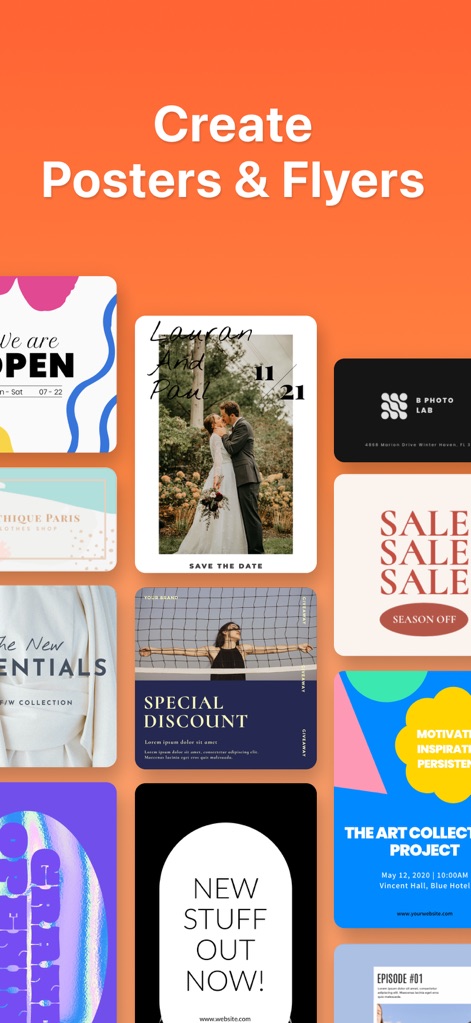
The app enables users to easily create professional posters and flyers, offering a wide array of templates for promotional content and event announcements.
Promotional Material Creation
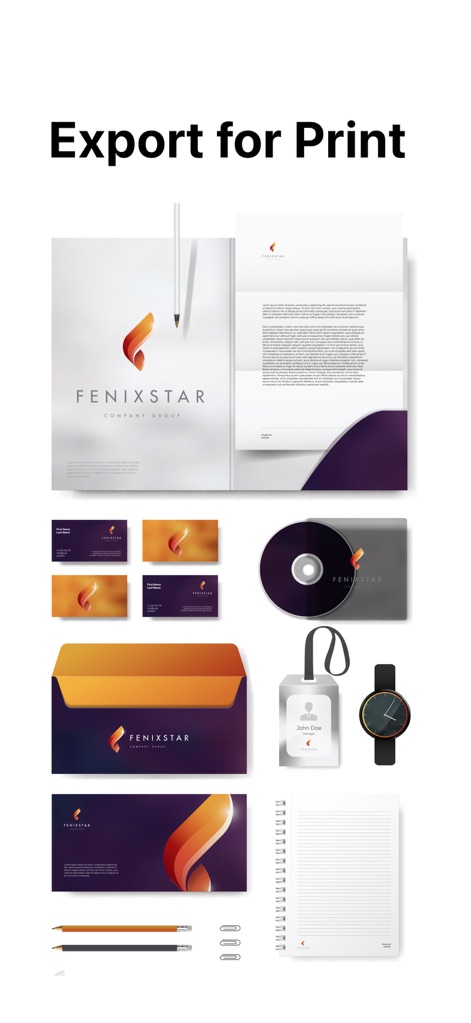
The app supports high-resolution export for print, allowing users to apply their logo across a complete suite of branding materials including letterheads and business cards.
Professional Export Options
Description
Download
More Like This
Apps with similar features and user experience

Canva: AI Photo & Video Editor
Canva Pty Ltd

Adobe Express: Create Anything
Adobe Inc.

Bazaart AI Photo Editor Design
Bazaart Ltd.

稿定设计-AI图片海报壁纸,一键p图拼图修图抠图照片美化
Gaoding (Xiamen) Technology Co., Ltd.

Poster Maker - Crea
Salix Dijital Pazarlama Anonim Sirketi

MiriCanvas: Poster, PPT design
MIRI D.I.H

Logo Maker: Art Design Creator
LOGOFLY LLC

创客贴设计-AI海报图片设计,一键p图拼图修图抠图照片美化
Beijing yiyuanku science and Technology Co., Ltd.

Playground: AI Design & Editor
AI Playground, Inc.
This page is not an official page of the app or its developer, but an independent editorial publication created for informational and commentary purposes. Unless expressly stated otherwise, neither the app nor its developer is affiliated with, endorsed by, sponsored by, authorized by, or otherwise officially connected with MWM, Apple, Google Play, the app publisher, or the app's developer, and nothing on this page implies that the app was developed using MWM's services. Any trademarks, logos, screenshots, and other content remain the property of their respective owners.