BP Tracker - Blood Pressure

This page is not an official page of the app or its developer, but an independent editorial publication created for informational and commentary purposes. Unless expressly stated otherwise, neither the app nor its developer is affiliated with, endorsed by, sponsored by, authorized by, or otherwise officially connected with MWM, Apple, Google Play, the app publisher, or the app's developer, and nothing on this page implies that the app was developed using MWM's services. Any trademarks, logos, screenshots, and other content remain the property of their respective owners.

Logo of BP Tracker - Blood Pressure

BP Tracker - Blood Pressure

Stop typing and start scanning—log your readings in seconds with instant photo recognition. Track your trends with medical-grade charts and keep your data 100% private on your device while staying ready for your next doctor's visit.

Key Figures

Downloads

0

User Rating

1.0/5

Total Ratings

0

Publisher

WOLKK PTE. LTD.

Category

Health & Fitness

Locales

1

Latest Version

1.0.12

Size

4.6 MB

First Released

Mar 19, 2026
Features

Simplify Your Heart Health Management

Designed for clarity and ease of use, BP Tracker helps you monitor trends, share results with your doctor, and keep your data secure.

Instant AI Photo Scanning

Stop struggling with manual entry. Simply point your camera at your blood pressure monitor to log your readings automatically in seconds.

Doctor-Ready Reports

Arrive prepared for your next appointment. Export your history into professional PDF or CSV reports that your physician can actually use.

The following screenshots and description are sourced directly from the app's official store listing and are the property of the app developer.

App Store

Screenshots
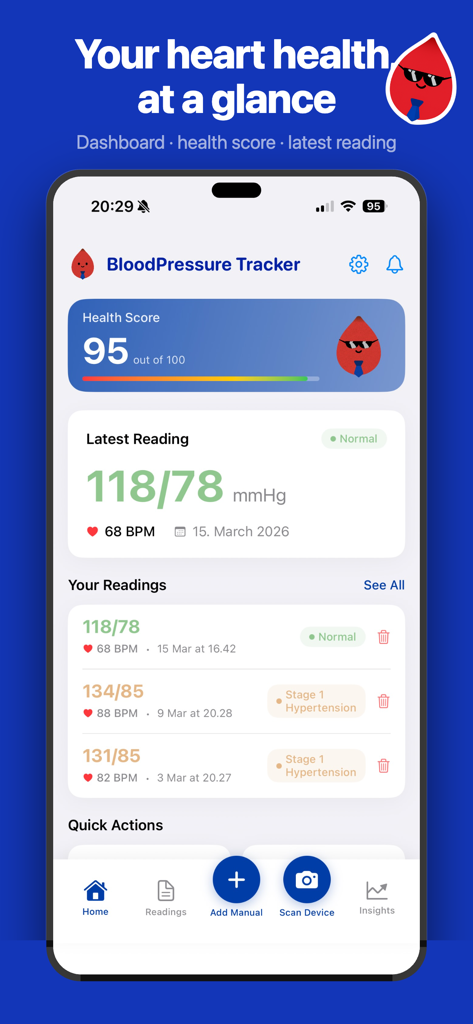
BP Tracker - Blood Pressure - Dashboard of BP Tracker app displaying a heart health score and a normal blood pressure reading
Dashboard of BP Tracker app displaying a heart health score and a normal blood pressure reading

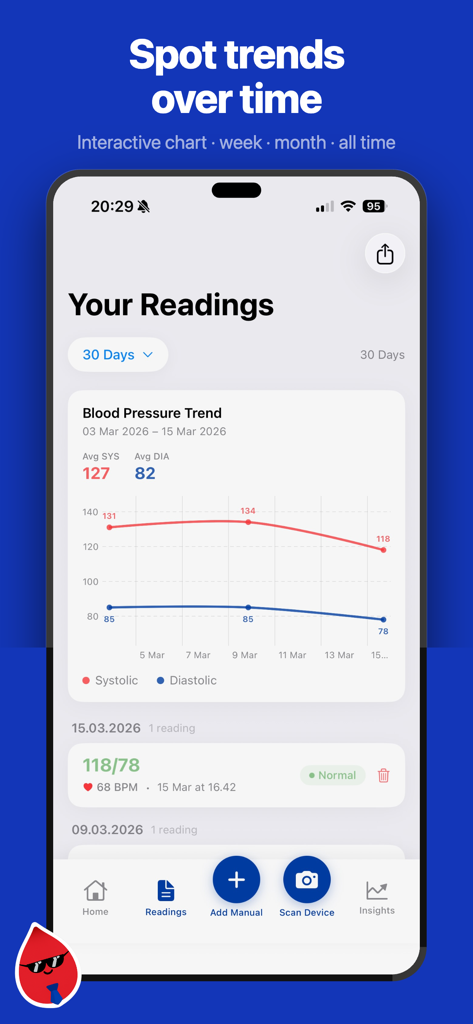
BP Tracker - Blood Pressure - BP Tracker app screen showing a line graph of blood pressure trends and history logs
BP Tracker app screen showing a line graph of blood pressure trends and history logs

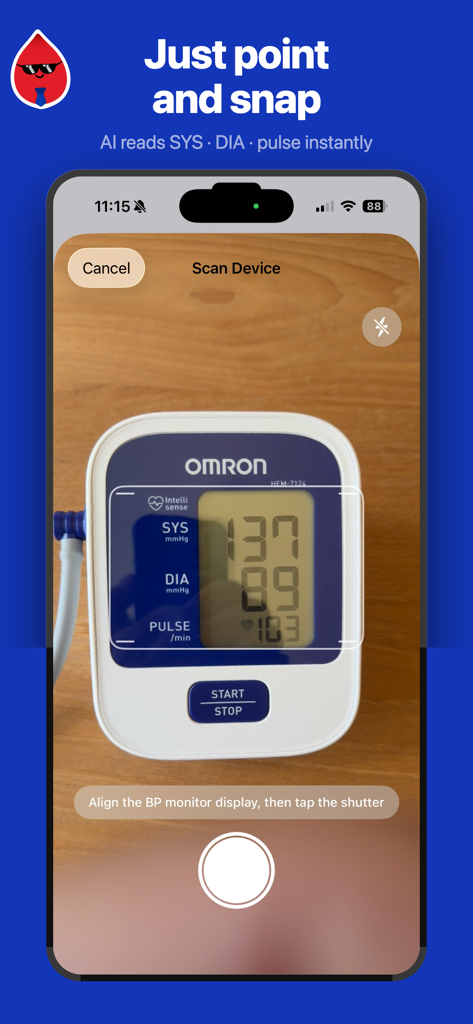
BP Tracker - Blood Pressure - iPhone app interface showing instant photo recognition of a blood pressure monitor display
iPhone app interface showing instant photo recognition of a blood pressure monitor display

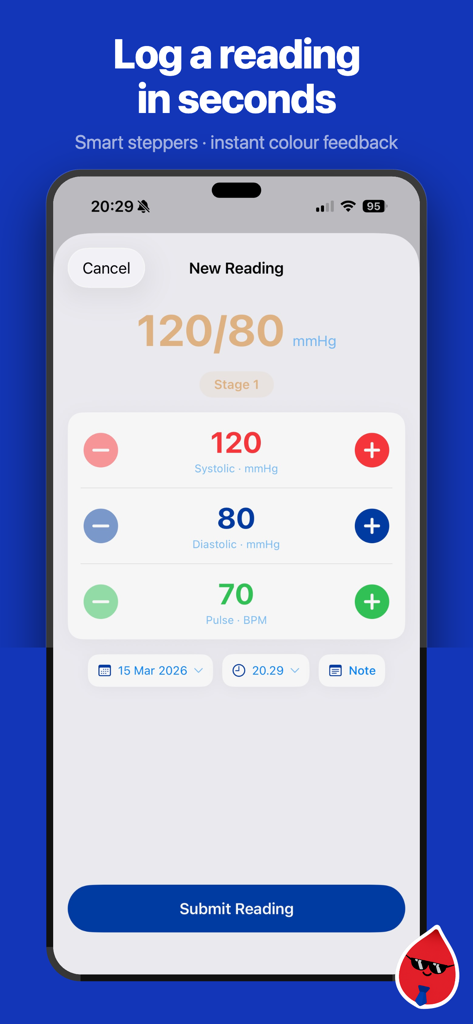
BP Tracker - Blood Pressure - Interface of the BP Tracker app showing a new reading entry with large color coded buttons for systolic diastolic and pulse values
Interface of the BP Tracker app showing a new reading entry with large color coded buttons for systolic diastolic and pulse values

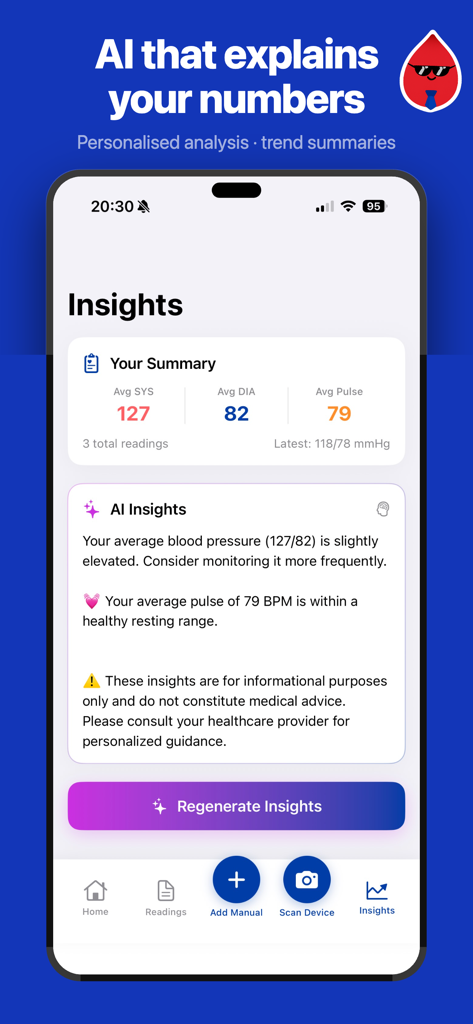
BP Tracker - Blood Pressure - A smartphone screen displaying AI-powered blood pressure analysis and personalized health insights.
A smartphone screen displaying AI-powered blood pressure analysis and personalized health insights.

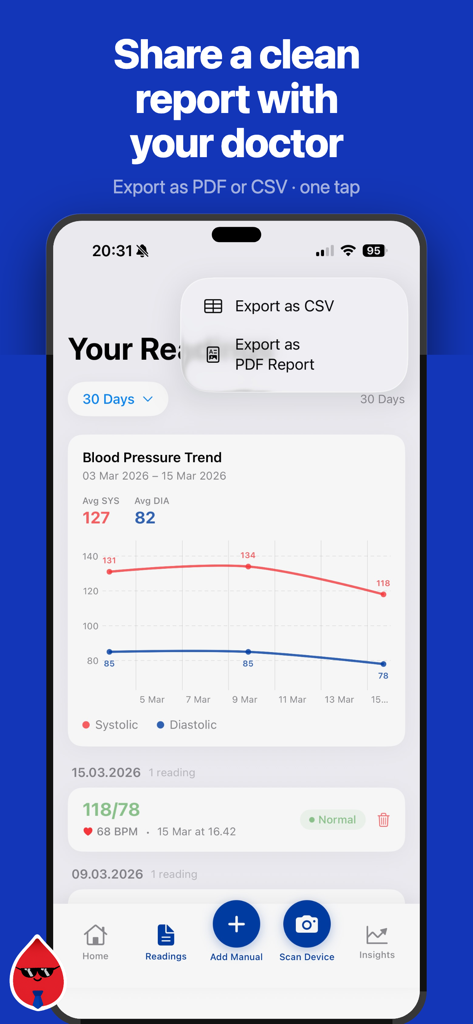
BP Tracker - Blood Pressure - iPhone screen showing a blood pressure trend graph with options to export data as CSV or PDF report for medical consultations
iPhone screen showing a blood pressure trend graph with options to export data as CSV or PDF report for medical consultations

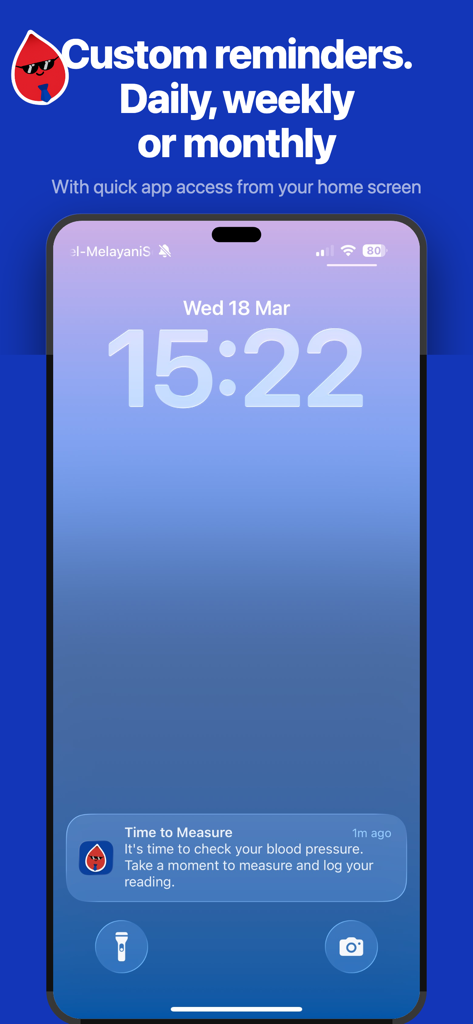
BP Tracker - Blood Pressure - BP Tracker app notification on a smartphone lock screen reminding the user to check and log their blood pressure.

BP Tracker app notification on a smartphone lock screen reminding the user to check and log their blood pressure.

Description

Take control of your heart health with Blood Pressure Tracker — the smart, simple way to log, understand, and share your blood pressure readings every day. Important: This app is not a medical device and is not intended to diagnose, treat, cure, or prevent any disease. Always consult a qualified healthcare professional for medical advice, diagnosis, or treatment before making any health decisions. > Instant Photo Recognition Just point your camera at your blood pressure monitor and let AI do the rest. Our smart photo recognition automatically reads your systolic, diastolic, and pulse values in seconds — no manual typing needed. Works with most digital BP monitor displays. > Effortless Manual Entry Prefer to type? Our streamlined entry form makes logging quick and painless. Smart defaults based on your last reading save you time, while color-coded ranges give you instant feedback on every number you enter. > See Your Trends at a Glance Beautiful, interactive charts show your blood pressure history over time. Filter by week, month, quarter, or all time to spot patterns, monitor progress, and arrive at your next doctor's appointment with meaningful data in hand. > Know Your Numbers Every reading is color-coded to medical standards — green for normal, yellow for elevated, orange and red for high blood pressure stages 1 and 2. Your personal dashboard shows your latest reading, weekly averages, and trend direction so you always know where you stand. > Complete History & Export Browse your full reading history at any time. Add notes for context — changes, stress levels, exercise — and export your data as a clean CSV or PDF report for your healthcare provider. > AI Health Insights Go beyond the numbers. Our built-in AI analyzes your readings and delivers personalized health insights to help you understand what your data means and how your habits may be affecting your blood pressure over time. Why Blood Pressure Tracker? — Save time with photo recognition that eliminates manual data entry — Stay informed with color-coded readings based on guidelines — Track progress and visualize trends over days, weeks, and months — Share with your doctor using clean, exportable reports — Privacy first — all your data is stored locally on your device, never in the cloud — Beautiful and native — designed for iOS with a clean, accessible interface Whether you're managing hypertension, monitoring the effects of medication, or simply staying proactive about your heart health, Blood Pressure Tracker makes it effortless to stay on top of your numbers. Reminder: This app is for informational purposes only. Always consult a qualified healthcare professional for medical advice, diagnosis, or treatment regarding your blood pressure results and overall health. Do not disregard or delay seeking professional medical advice based on anything you read in this app.

Download

This page is not an official page of the app or its developer, but an independent editorial publication created for informational and commentary purposes. Unless expressly stated otherwise, neither the app nor its developer is affiliated with, endorsed by, sponsored by, authorized by, or otherwise officially connected with MWM, Apple, Google Play, the app publisher, or the app's developer, and nothing on this page implies that the app was developed using MWM's services. Any trademarks, logos, screenshots, and other content remain the property of their respective owners.