
Brother iPrint&Label


Transform your iPhone or iPad into a powerful design studio. Create, customize, and print labels wirelessly in seconds—no PC or drivers required.
Publisher
Category
UtilitiesDownloads
609K+User Rating
Total Ratings
16K+Locales
26Discover the interface used by 609K+ users.
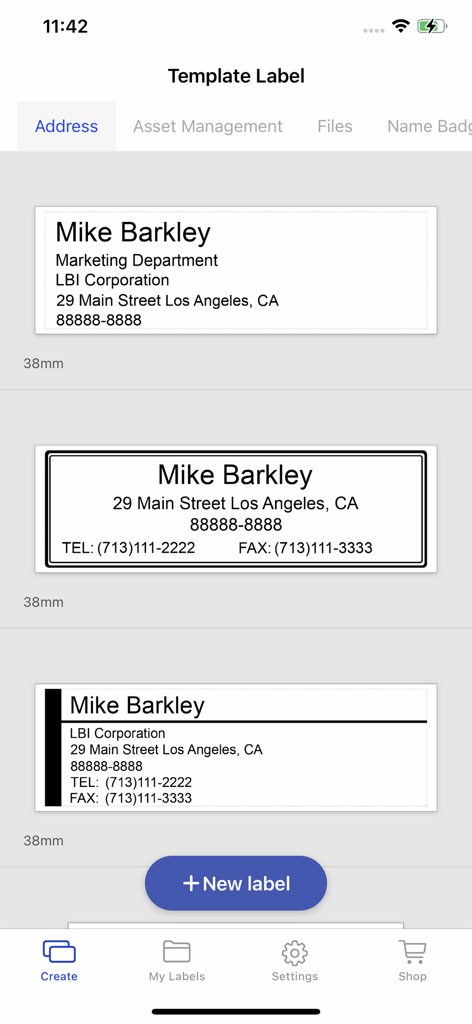
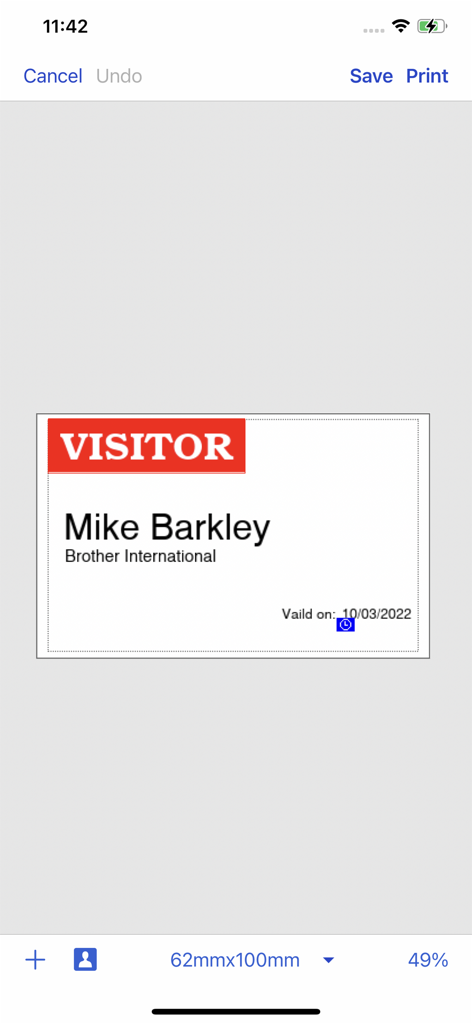
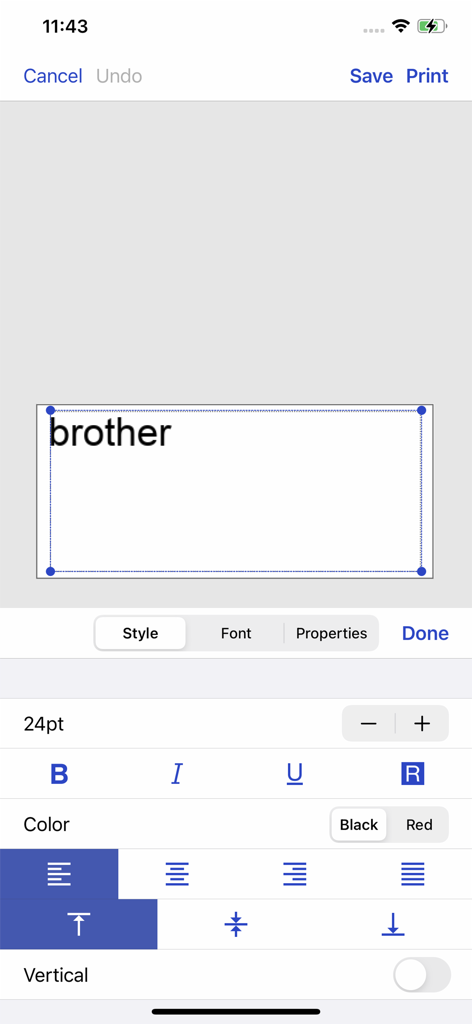
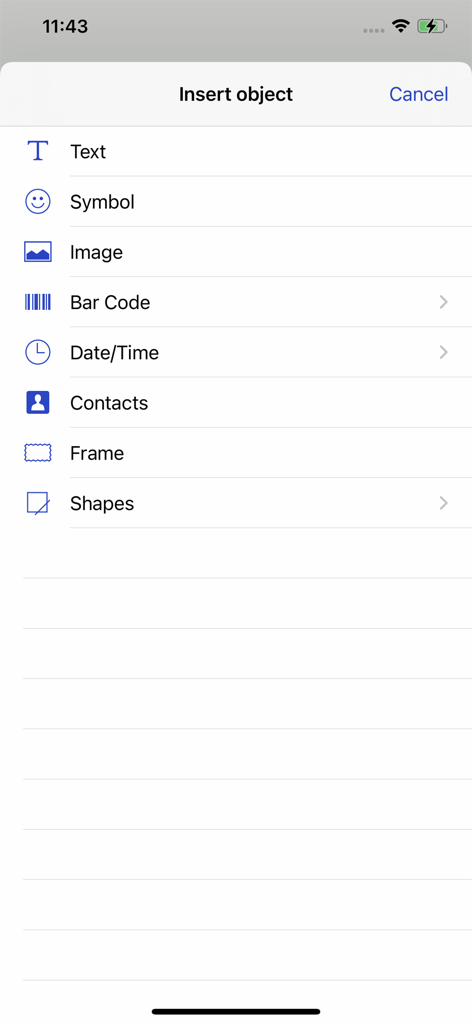
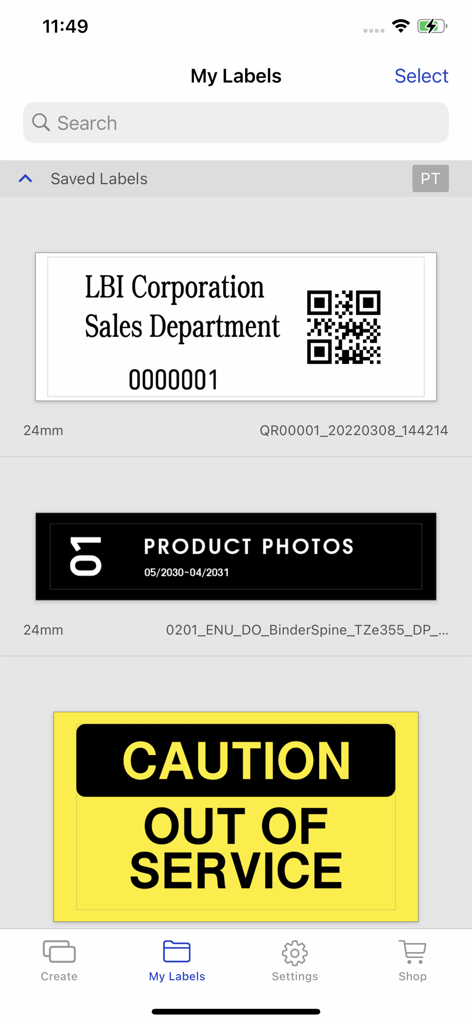
The tools that make this app stand out, trusted by 609K+ users.
Skip the PC and the messy drivers. Connect wirelessly to your Brother printer and print directly from your favorite iOS devices for instant gratification.
Choose from sleek templates or create custom labels using your own photos and graphics to match your unique brand identity or home decor.
Save time with automatic formatting. Pull addresses directly from your contacts or print photo name badges for your next event or pop-up shop.
Everything you need to know about Brother iPrint&Label.
Description
Latest Version
5.3.13
Size
155.7 MB
First Released
May 31, 2012
Download Brother iPrint&Label today to create and print professional labels directly from your iPhone or iPad. No PC required—just effortless organization and branding at your fingertips.
Everything you need to know about Brother iPrint&Label
Brother iPrint&Label is a free application that allows users to create and print various labels, including custom designs, address labels, and name badges, directly from an Apple iPhone or iPad to a compatible Brother label printer.
Yes, Brother iPrint&Label is a free application. It enables users to easily print labels from their Apple iPhone or iPad devices to a Brother label printer using a local wireless network.
Brother iPrint&Label automatically searches for supported Brother label printers on your local wireless network. It connects directly without requiring a computer or separate printer drivers.
Yes, Brother iPrint&Label allows you to create custom labels. You can integrate graphics or photos, and also add elements like text, symbols, barcodes, and shapes using the "Insert object" function.
Brother iPrint&Label supports printing various label types, including address labels from contacts, name badges with photos, and custom labels. It also handles pre-designed labels and can incorporate barcodes and images.
Brother iPrint&Label is compatible with numerous models, including PT-P300BT, PT-P710BT, PT-P910BT, QL-1110NWB, and QL-810W. Users should visit the local Brother website for a complete list of supported devices.
Yes, Brother iPrint&Label provides comprehensive text formatting options. Users can adjust font style, size, color (like black or red), and alignment, as shown in the label editing interface.
Apps with similar features and user experience
WUHAN JINGCHEN INTELLIGENT IDENTIFICATION TECHNOLOGY CO., LTD
E-z Ink Technology Co., Ltd

PHOMEMO PTE. LTD.
E-z Ink Technology Co., Ltd
WUHAN JINGCHEN INTELLIGENT IDENTIFICATION TECHNOLOGY CO., LTD
Polaroid International B.V.
JADENS COMPANY LIMITED
Xiamen Print Future Technology Co.Ltd.
Shanghai ThanMore Network Technology Co., Ltd.
App information, icons, screenshots, and descriptions displayed on this page are sourced from the Apple App Store and are the property of their respective developers. Download estimates and rankings are based on MWM's proprietary models and may not reflect actual figures. This page is provided for informational and analytical purposes only.
Believe this page infringes your intellectual property? File a dispute
