BT Basketball Shotclock
Download on App Store

This page is not an official page of the app or its developer, but an independent editorial publication created for informational and commentary purposes. Unless expressly stated otherwise, neither the app nor its developer is affiliated with, endorsed by, sponsored by, authorized by, or otherwise officially connected with MWM, Apple, Google Play, the app publisher, or the app's developer, and nothing on this page implies that the app was developed using MWM's services. Any trademarks, logos, screenshots, and other content remain the property of their respective owners.

Logo of BT Basketball Shotclock
Download on App Store

BT Basketball Shotclock

Save thousands on expensive hardware with the cleanest, ad-free shotclock app on the market. Engineered for coaches and league directors, featuring customizable presets for High School, NCAA, and Pro play.

Key Figures

Downloads

12K+

User Rating

1.0/5

Total Ratings

0

Publisher

The Basketball Temple LLC

Category

Sports

Locales

1

Latest Version

1124

Size

116.4 MB

First Released

Aug 8, 2020
Features

Professional Game Tech Without the Pro Price Tag

Bring an elite arena atmosphere to your local gym. BT Shotclock provides a clean, ad-free experience with the exact features used by top basketball academies.

Wireless Remote Control

Ditch the sideline table. Use the free BT Controller app to manage the shotclock from anywhere in the gym via WiFi or Bluetooth.

US League Presets

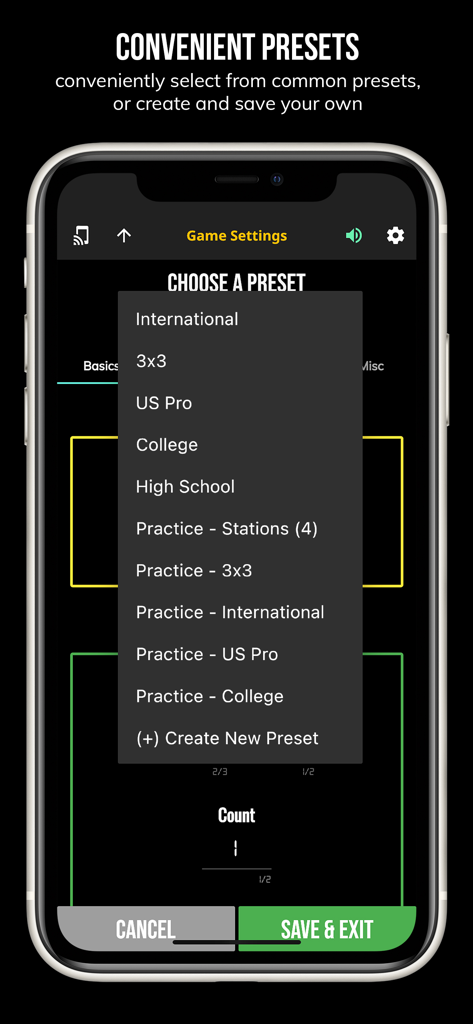
Instantly switch between official NFHS (High School), NCAA, and NBA rules, or customize your own for 3x3 and practice drills.

The following screenshots and description are sourced directly from the app's official store listing and are the property of the app developer.

App Store

Screenshots
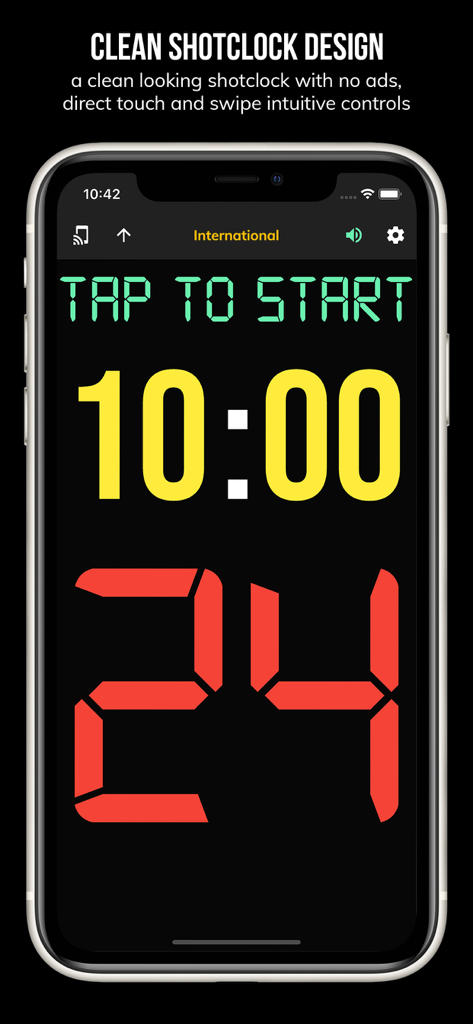
BT Basketball Shotclock - Mobile screen showing the BT Basketball Shotclock app with a 24 second timer and 10 minute game clock
Mobile screen showing the BT Basketball Shotclock app with a 24 second timer and 10 minute game clock

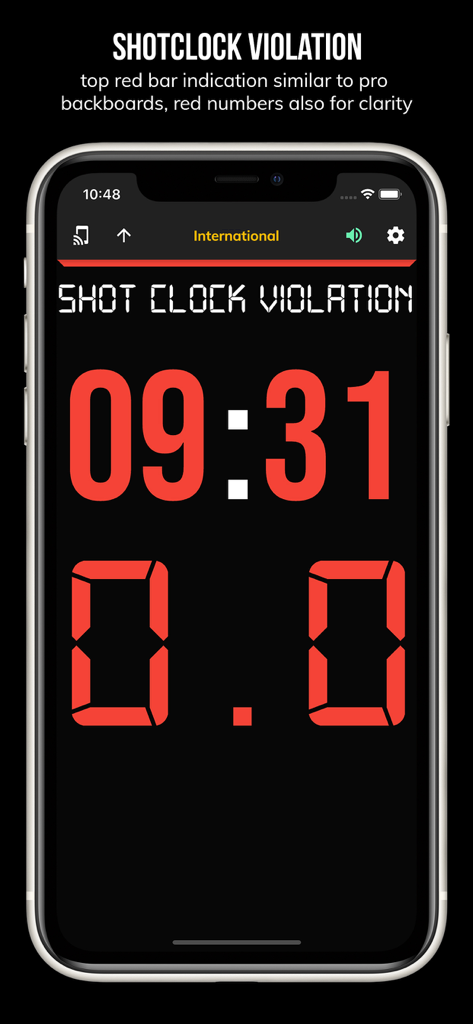
BT Basketball Shotclock - BT Basketball Shotclock app screen showing a shot clock violation with red digital numbers on a dark background
BT Basketball Shotclock app screen showing a shot clock violation with red digital numbers on a dark background

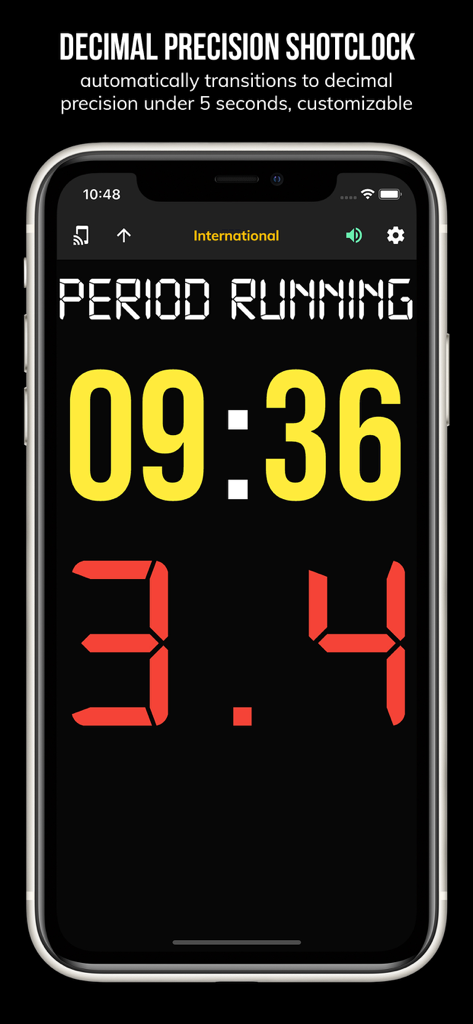
BT Basketball Shotclock - BT Basketball Shotclock app interface showing decimal precision timer
BT Basketball Shotclock app interface showing decimal precision timer

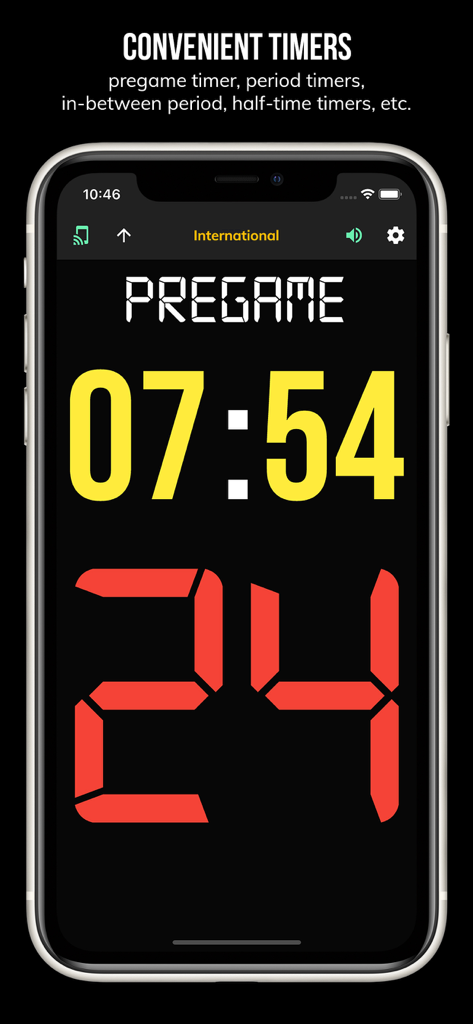
BT Basketball Shotclock - BT Basketball Shotclock app interface showing a pregame countdown timer and 24 second shot clock
BT Basketball Shotclock app interface showing a pregame countdown timer and 24 second shot clock

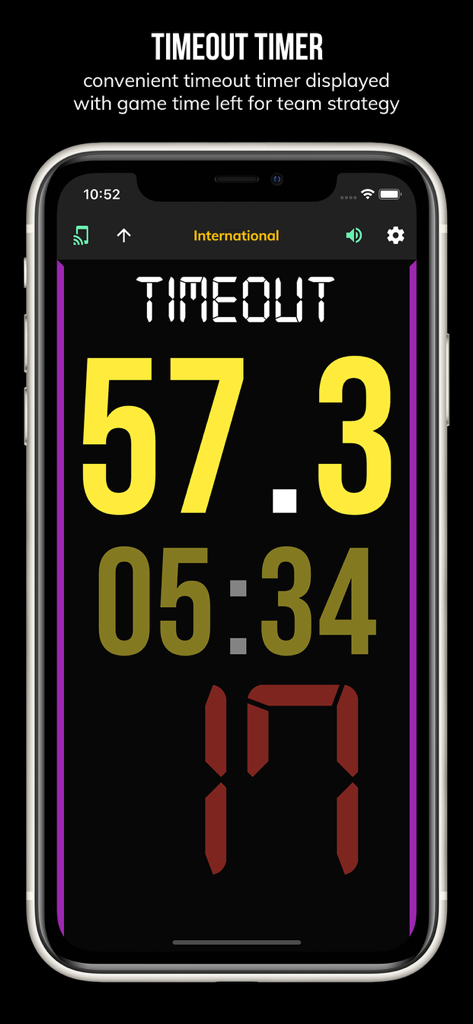
BT Basketball Shotclock - BT Basketball Shotclock app screen showing a timeout timer with 57 seconds remaining
BT Basketball Shotclock app screen showing a timeout timer with 57 seconds remaining

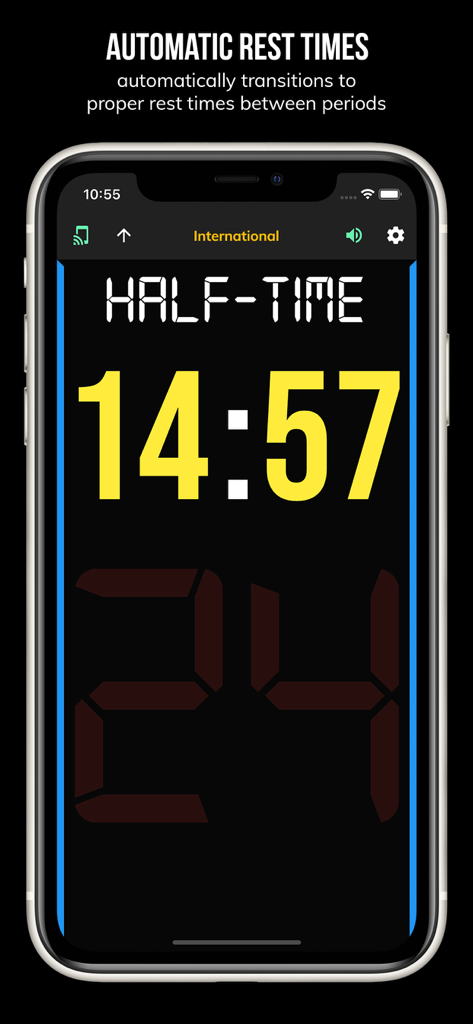
BT Basketball Shotclock - BT Basketball Shotclock app interface displaying an automatic half-time rest timer with fourteen minutes remaining
BT Basketball Shotclock app interface displaying an automatic half-time rest timer with fourteen minutes remaining

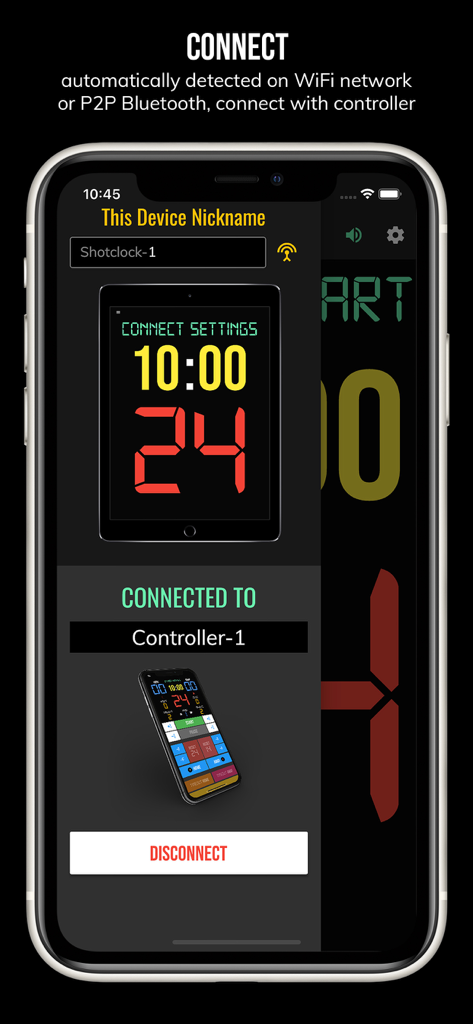
BT Basketball Shotclock - Connection screen for the BT Basketball Shotclock app showing a paired remote controller device via WiFi or Bluetooth
Connection screen for the BT Basketball Shotclock app showing a paired remote controller device via WiFi or Bluetooth

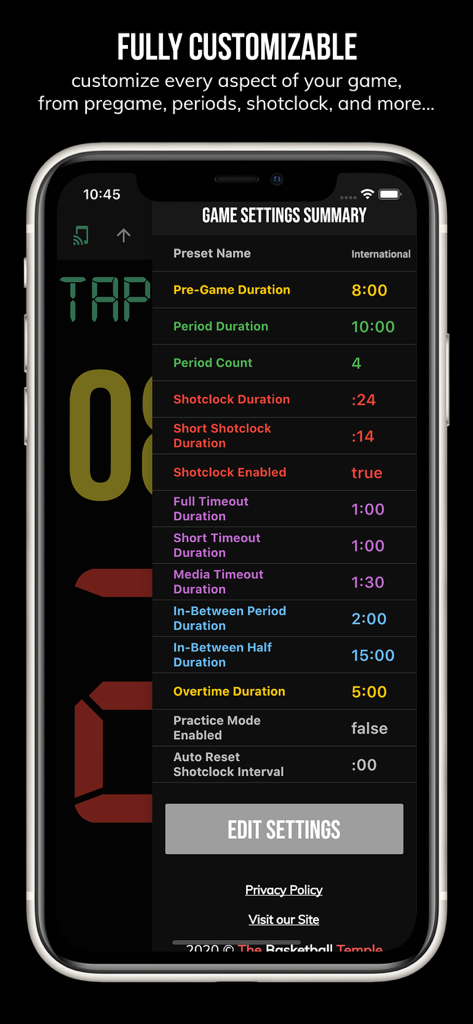
BT Basketball Shotclock - Game settings summary screen for BT Basketball Shotclock showing customizable game rules and durations
Game settings summary screen for BT Basketball Shotclock showing customizable game rules and durations

BT Basketball Shotclock - A menu in the BT Basketball Shotclock app showing common game presets like US Pro College and High School
A menu in the BT Basketball Shotclock app showing common game presets like US Pro College and High School

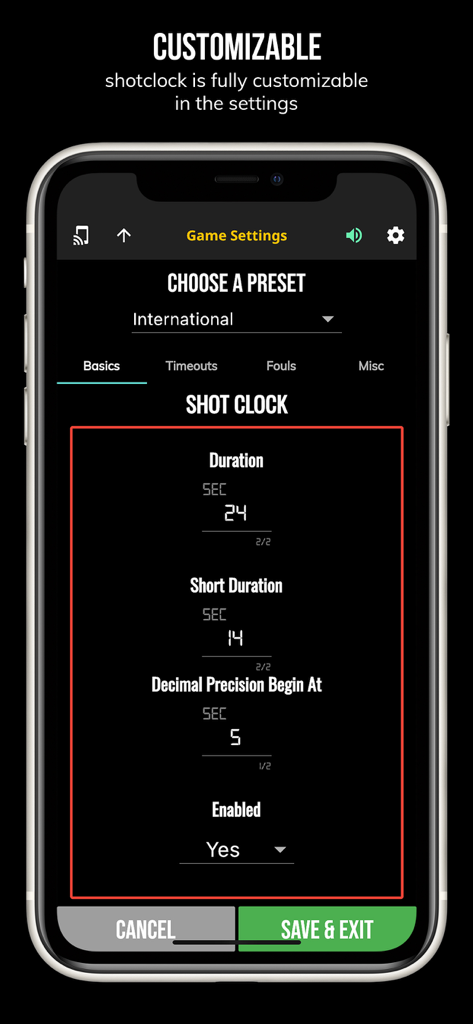
BT Basketball Shotclock - Settings screen of the BT Basketball Shotclock app showing customizable game rules and shot clock duration presets

Settings screen of the BT Basketball Shotclock app showing customizable game rules and shot clock duration presets

Description

One of the cleanest shotclock apps on the market. The BT Shotclock app, developed by and for a basketball company that runs it's own basketball leagues, is the next best option to investing in an expensive professional grade shotclock. Shotclock and Scoreboard equipment which can cost you thousands is now available and affordable to everyone in the basketball community. In-depth Tutorial: https://youtu.be/fopYwQPOZ2k Use the shotclock by itself or download the free BT Controller app to remotely control the shotclock or multiple shotclocks simultaneously. Open the connect menu on the BT Controller app, the shotclock is automatically detected, hit the WiFi or Bluetooth button next to the shotclock name on the BT Controller app to connect. BT Shotclock Features: - Clean design, no ads - Can use as a stand alone shotclock with intuitive direct tap and swipe controls - Remotely control shotclock with WiFi or Bluetooth using free BT Controller App - Convenient Presets (International, 3x3, US Pro, College, High School, and more...) - Convenient timers: pregame timer, period timer, rest timer, timeout timer, overtime, etc. - Fully customizable game in the settings - Practice modes configured in settings is great for running practices - Audio buzzers for shotclock violation, end of period, substitutions, etc. - Warning beep near end of pregame, timeout, or rest times (customizable) - Quick Start Documentation below For the best experience, use the application on a large tablet, or hook your phone/tablet up to a large display or video projector. You'll feel like you have just bought a professional shotclock! The BT Shotclock app was created by The Basketball Temple Company. The Basketball Temple Company focuses on high quality basketball academies, basketball leagues, and technologies that are used to support those academies and leagues. We open our technology to the public so everyone in the basketball community can experience the same technologies that we use within our institutions. # Quick Start Documentation: Exiting Game and Reseting Times: - Click top right settings icon (if top bar is hidden, click top left hamburger icon to open top app bar) - Scroll down and hit "Exit Game" button Time Controls: - Tap period timer to start/pause - Tap pregame, timeout, rest timers to early transition to next stage Shotclock Controls: - Tap shotclock to reset/go - Swipe shotclock up/down to reset/go to short shotclock Connect and Remote Control: - Start the BT Controller app on a different device - In the BT Controller app, open the connect menu on the top left - The Shotclock should automatically discovered - Click on the Wifi/Bluetooth icon next to the Shotclock name to connect - If unable to connect or having connection errors try one of the following: 1) please ensure all devices are on the same WiFi network 2) please ensure bluetooth is turned ON on all devices 3) lastly, try to restart the app on all devices Time and Game Settings: - Tap on top-right icon (or swipe right-to-left on the right edge) to open settings menu - Edit and save the many settings available

Download

Download on App Store

This page is not an official page of the app or its developer, but an independent editorial publication created for informational and commentary purposes. Unless expressly stated otherwise, neither the app nor its developer is affiliated with, endorsed by, sponsored by, authorized by, or otherwise officially connected with MWM, Apple, Google Play, the app publisher, or the app's developer, and nothing on this page implies that the app was developed using MWM's services. Any trademarks, logos, screenshots, and other content remain the property of their respective owners.








