
This page is not an official page of the app or its developer, but an independent editorial publication created for informational and commentary purposes. Unless expressly stated otherwise, neither the app nor its developer is affiliated with, endorsed by, sponsored by, authorized by, or otherwise officially connected with MWM, Apple, Google Play, the app publisher, or the app's developer, and nothing on this page implies that the app was developed using MWM's services. Any trademarks, logos, screenshots, and other content remain the property of their respective owners.


Budget Planner App - Fleur
Complexity? Not here. This app transforms money management into a seamless, visual win.
Downloads
2.5M+User Rating
Total Ratings
30.8KPublisher
Category
FinanceLocales
28Latest Version
3.0.1Size
86.4 MBFirst Released
May 22, 2022An Analytical Overview for Young Adult Financial Management
Key Features of Budget Planner App - Fleur
No Sign-In Required
It allows users to immediately start managing finances without the friction of account creation, prioritizing privacy and convenience.
iCloud Sync
The app provides seamless data synchronization across Apple devices, ensuring data consistency and backup without manual intervention.
Aesthetic and Minimalist Design
This tool features a minimalist and aesthetically pleasing design, catering to users who value a 'cute' and simple interface for financial management.
Effortless Expense & Income Logging
It allows users to quickly and effortlessly record daily expenses and income, promoting consistent financial tracking.
Monthly Budget Setting
The app enables users to establish and monitor monthly spending limits, helping them stay within their financial goals.
Spending Insights
This tool provides clear insights into spending patterns, empowering users to understand and adjust their financial habits effectively.
Repeating Transactions Management
It allows users to automate the tracking of recurring income and expenses, simplifying long-term financial management.
Customizable Categories
The app provides the flexibility to create custom spending categories, enabling a more personalized and detailed financial overview.
Comprehensive Transaction History
This tool features a comprehensive transaction history, allowing users to review all past financial activities for clarity and reconciliation.
Search & Filter Functionality
It allows users to quickly locate specific transactions through intuitive search and filter options, enhancing data accessibility.
Frequently Asked Questions
Everything you need to know about Budget Planner App - Fleur
Can I set a monthly budget with the Fleur budget planner app?
Yes, Fleur allows you to set a monthly budget. The app's core description and UI confirm this feature for managing your finances.
Does the Fleur app offer iCloud synchronization?
Yes, the Budget Planner App - Fleur supports iCloud sync. This feature is listed among its key functionalities for data management.
Does Fleur help track debt?
Yes, Budget Planner App - Fleur allows users to track their debt. The app description and accounts view explicitly state this capability.
Is sign-in necessary to use the Budget Planner App - Fleur?
No, sign-in is not required to use the Fleur app. The app description explicitly states this as a key feature, promoting immediate use.
How can I view my spending insights in Fleur?
Yes, you can view insights to understand your spending habits in Fleur. The app includes an 'Insights' tab for detailed financial analysis.
What are the main features of the Fleur budget app?
Key features of Fleur include logging expenses/income, monthly budgeting, viewing insights, transaction history, repeating transactions, category creation, and iCloud sync. It also requires no sign-in.
Can I add custom categories in the Fleur budget planner?
Yes, Fleur allows you to create new categories for your transactions. This customization feature helps organize your financial records.
Does the Fleur app support repeating transactions?
Yes, Fleur supports adding repeating transactions. This feature is explicitly mentioned to simplify the management of recurring financial events.
Where can I find the privacy policy for Fleur Budget Planner App?
The Privacy Policy for Fleur is available online. You can find it at the direct link provided within the app's description: https://fleurbudget.com/privacy_terms.html.
How do I add daily expenses in the Fleur app?
You can easily log expenses and income in Fleur using the 'NEW TRANSACTION' screen. This interface allows you to input details like category, date, and amount.
The following screenshots and description are sourced directly from the app's official store listing and are the property of the app developer.
App Store
Screenshots
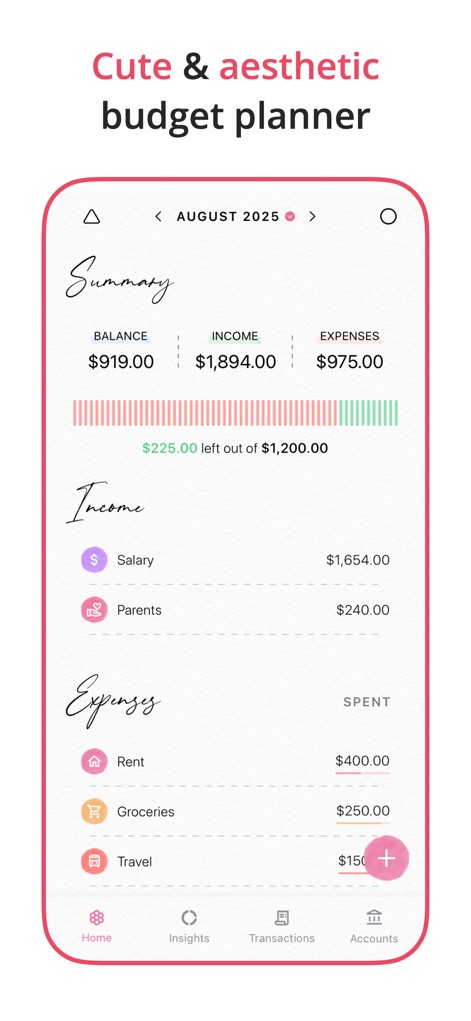
The app presents a clear financial overview with a summary of income and expenses, alongside a visual progress bar indicating the remaining monthly budget.
Financial Overview
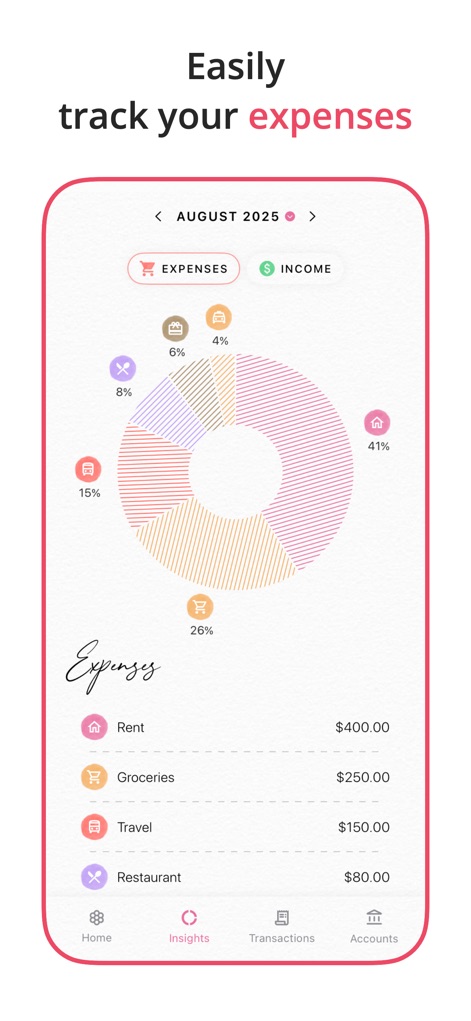
This tool provides an interactive pie chart to visualize spending distribution and a detailed categorized list of expenses for better financial understanding.
Visual Spending Insights
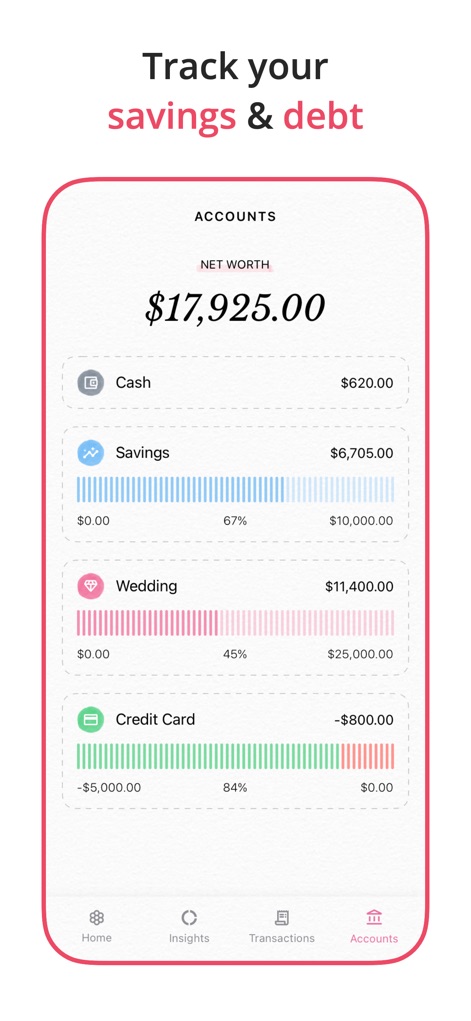
Users can effectively manage their finances with a comprehensive net worth summary and clear progress bars illustrating savings goals and debt repayment.
Account Management
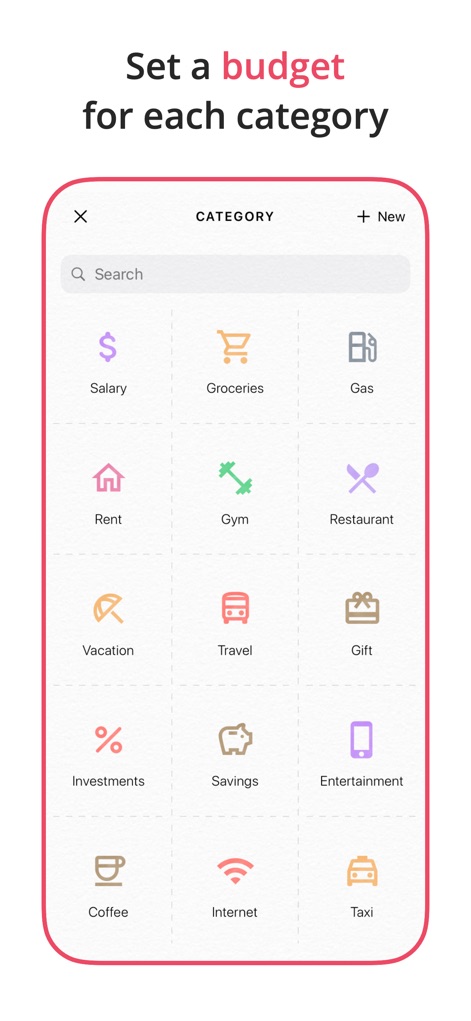
The app allows for detailed financial organization through its array of diverse category icons, empowering users to easily search existing categories or add new ones.
Customizable Categories
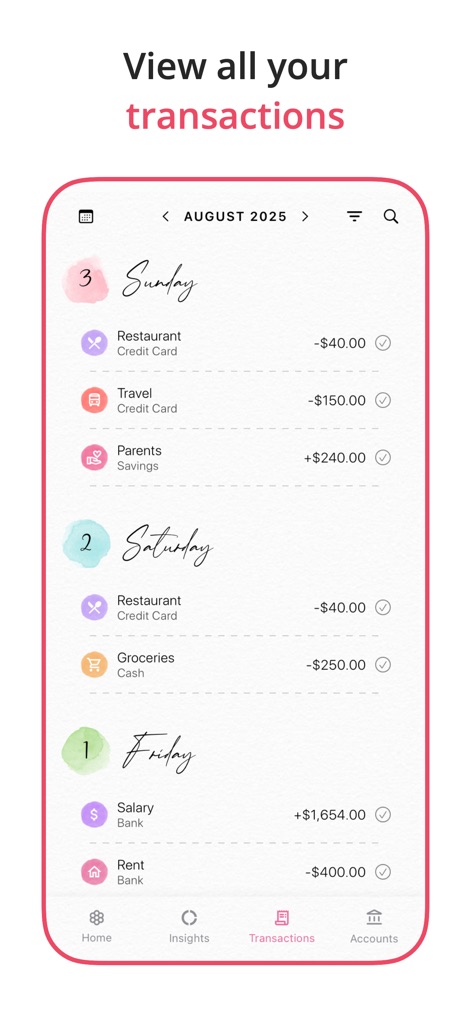
This tool provides a chronological view of all transactions, grouped by day, making it easy to review individual entries and their credit/debit indicators.
Transaction History
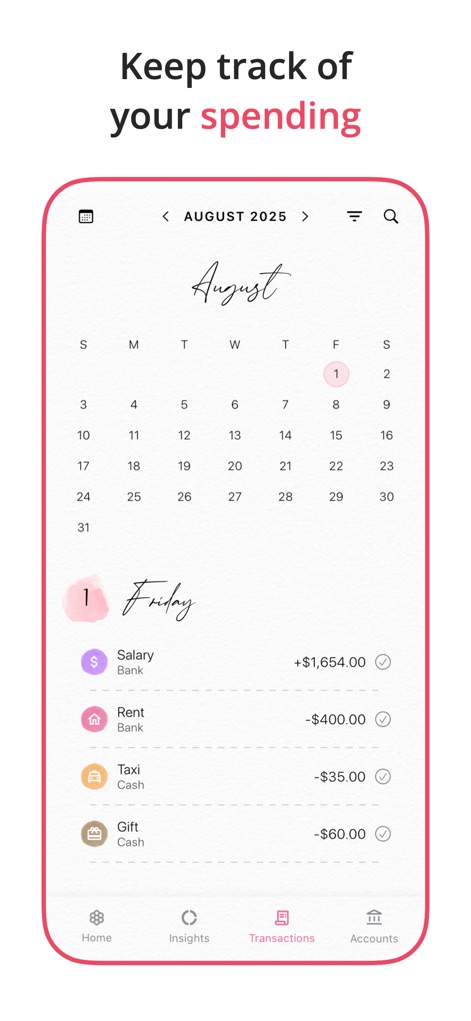
Users can effortlessly navigate their financial past using the integrated calendar date selector and review their daily expense log for specific periods.
Calendar Tracking
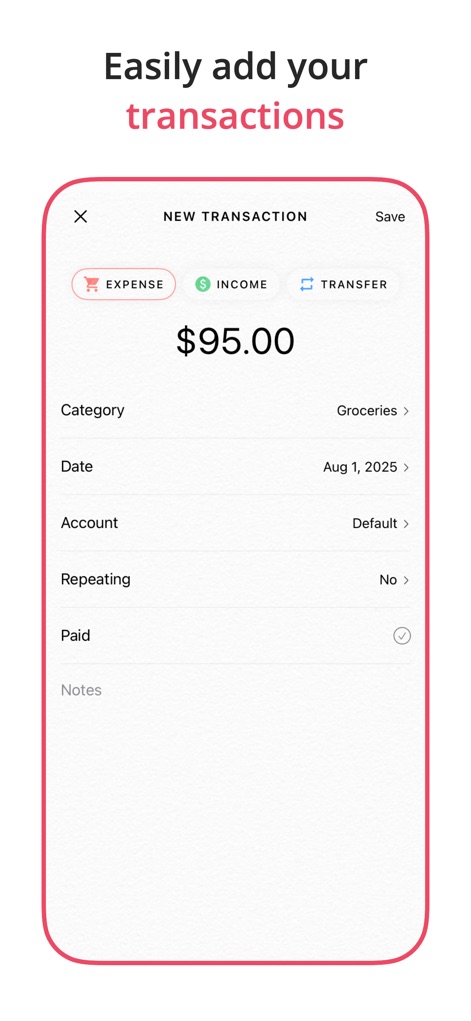
The app streamlines financial input with an intuitive transaction form, allowing users to quickly categorize entries and toggle between expense, income, and transfer types.
Add New Transactions
Description
Download
More Like This
Apps with similar features and user experience

鲨鱼记账本-城市理财圈子必备工具软件
Beijing Shark Pioneer Network Technology Co.,Ltd

咔皮记账 -自动记账 AI记账 预算 多账本 资产管理 存钱
Shanghai Yuhuan Technology Co., Ltd.

Money manager, expense tracker
Orange dog d.o.o.

Money Manager Expense & Budget
Realbyte Inc.

iCost记账-快速简洁好用的记账理财助手&记账软件
Guangzhou Quji Technology Co., Ltd.

YNAB
You Need A Budget LLC

Copilot: Track & Budget Money
Copilot Money, Inc.

小青账记账-存钱记账本理财购物清单
YouQian

MuMu Accounting
Taizhou Mutong Network Technology Co., Ltd.
This page is not an official page of the app or its developer, but an independent editorial publication created for informational and commentary purposes. Unless expressly stated otherwise, neither the app nor its developer is affiliated with, endorsed by, sponsored by, authorized by, or otherwise officially connected with MWM, Apple, Google Play, the app publisher, or the app's developer, and nothing on this page implies that the app was developed using MWM's services. Any trademarks, logos, screenshots, and other content remain the property of their respective owners.