
This page is not an official page of the app or its developer, but an independent editorial publication created for informational and commentary purposes. Unless expressly stated otherwise, neither the app nor its developer is affiliated with, endorsed by, sponsored by, authorized by, or otherwise officially connected with MWM, Apple, Google Play, the app publisher, or the app's developer, and nothing on this page implies that the app was developed using MWM's services. Any trademarks, logos, screenshots, and other content remain the property of their respective owners.

C.ARP
Experience a new way to play chords, melodies, and custom samples. With its unique swipe-to-play interface, lo-fi tape effects, and Bluetooth MIDI out, C.ARP turns your iPhone or iPad into the ultimate creative controller for the modern bedroom producer.
Downloads
27K+User Rating
Total Ratings
200Publisher
Category
MusicLocales
1Latest Version
4.62Size
45.3 MBFirst Released
Oct 20, 2019Redefine Your Creative Flow
Experience a tactile fusion of vintage hardware soul and modern mobile flexibility, designed for creators who value vibe, texture, and happy accidents.
Omnichord-Inspired Performance
Break away from rigid grids with a tactile swipe-to-play interface that makes complex harmonic progressions and arpeggios feel natural and expressive.
Instant Lo-Fi Textures
Sculpt your sound with built-in tape effects, sampling, and real-time audio rotation to capture that sought-after vintage character in every note.
The following screenshots and description are sourced directly from the app's official store listing and are the property of the app developer.
App Store
Screenshots
Vintage owner manual cover for the C.ARP music app featuring a carp fish illustration and retro design.
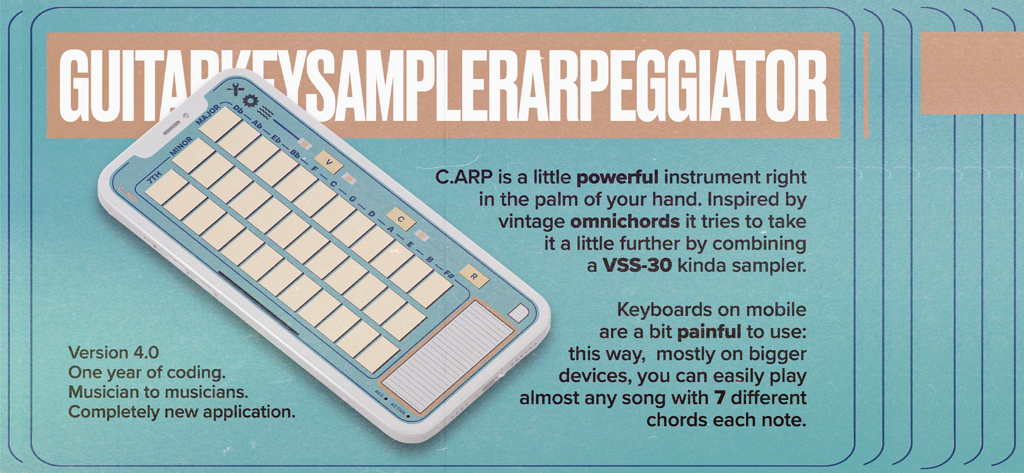
CARP mobile music app interface with vintage style chord buttons and arpeggiator
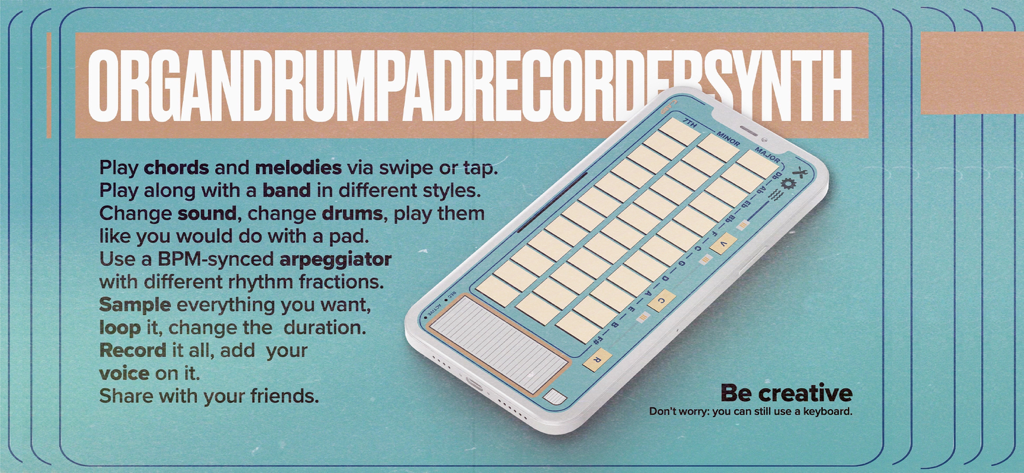
A promotional graphic for the C.ARP music app showing its unique chord button interface on an iPhone with a list of creative features.
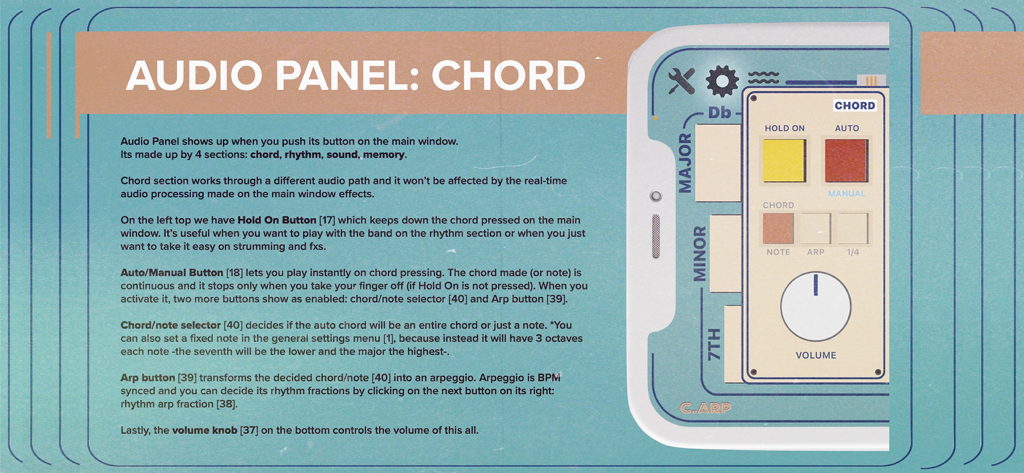
C.ARP mobile app audio panel chord section tutorial showing vintage style controls and chord settings
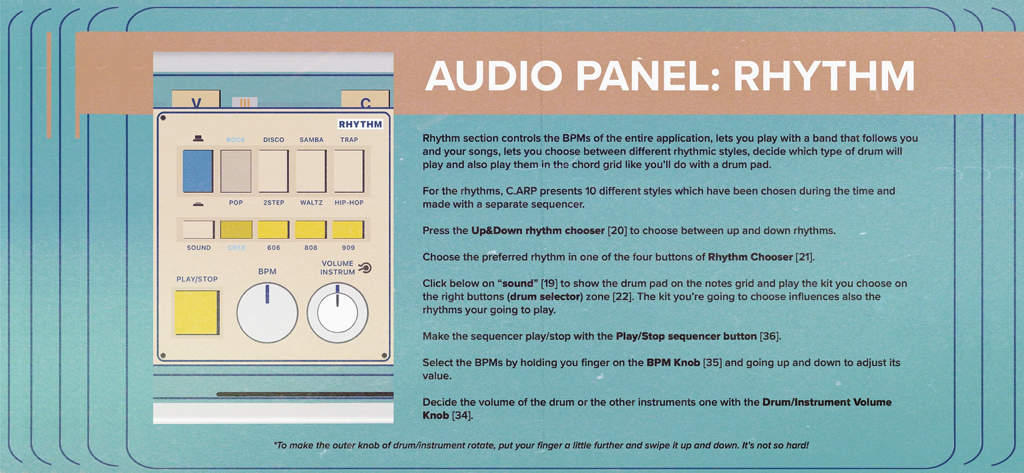
Interface of the C.ARP music app rhythm panel showing BPM knobs and vintage drum machine styles
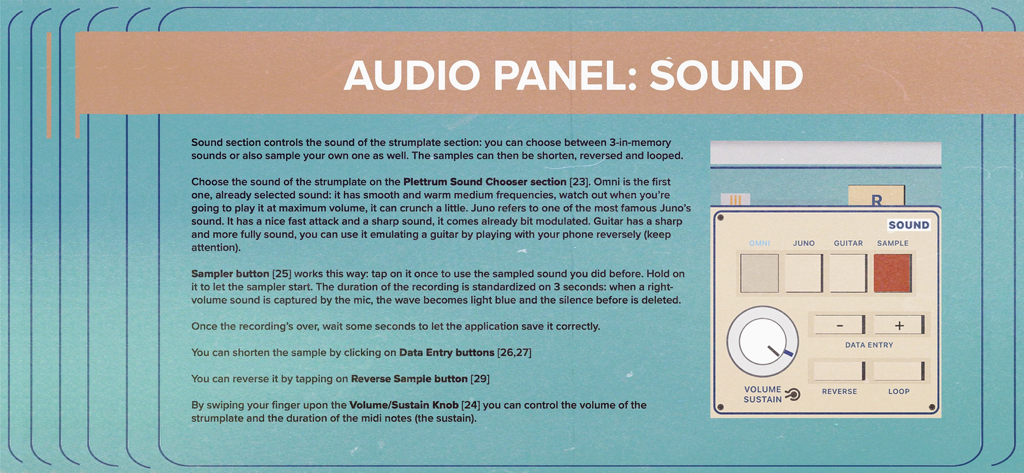
C.ARP app audio panel tutorial for sound selection and sampling.
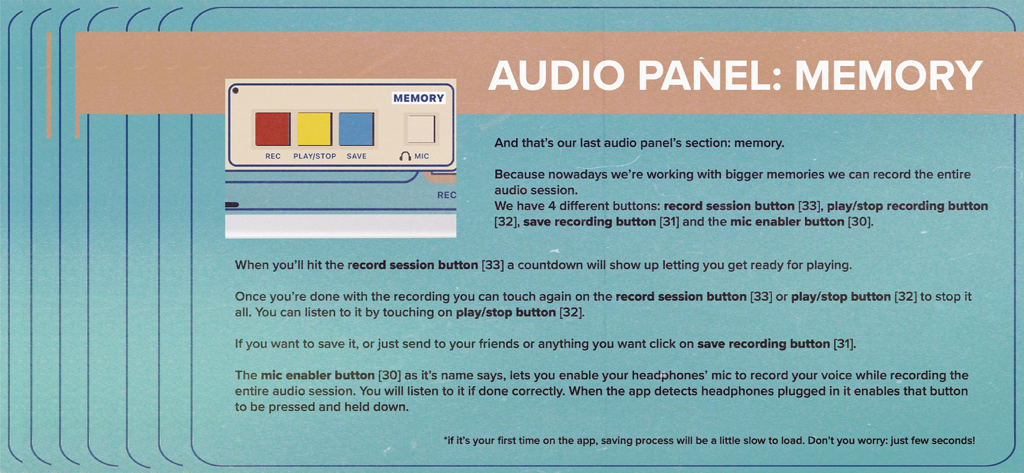
A screenshot of the CARP music app audio panel memory section showing recording controls with a retro aesthetic.
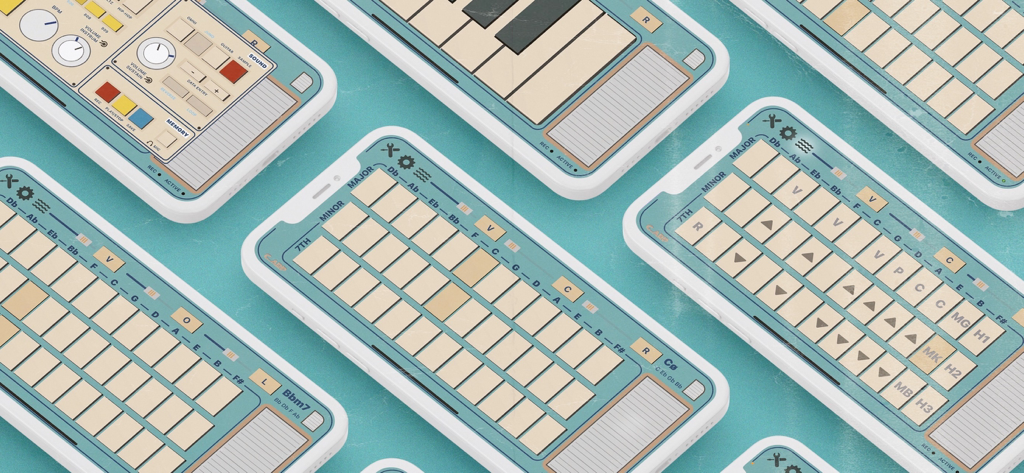
Multiple iPhones displaying the vintage-styled C.ARP music production app interface featuring chord buttons and synth controls.
Description
Download
More Like This
Apps with similar features and user experience




This page is not an official page of the app or its developer, but an independent editorial publication created for informational and commentary purposes. Unless expressly stated otherwise, neither the app nor its developer is affiliated with, endorsed by, sponsored by, authorized by, or otherwise officially connected with MWM, Apple, Google Play, the app publisher, or the app's developer, and nothing on this page implies that the app was developed using MWM's services. Any trademarks, logos, screenshots, and other content remain the property of their respective owners.