
This page is not an official page of the app or its developer, but an independent editorial publication created for informational and commentary purposes. Unless expressly stated otherwise, neither the app nor its developer is affiliated with, endorsed by, sponsored by, authorized by, or otherwise officially connected with MWM, Apple, Google Play, the app publisher, or the app's developer, and nothing on this page implies that the app was developed using MWM's services. Any trademarks, logos, screenshots, and other content remain the property of their respective owners.

Cốc Cốc: Web Browser & Adblock
Stop paying for premium features. Block video ads, enjoy background play, and download your favorite content for offline use—all in one secure, lightning-fast browser.
Downloads
6M+User Rating
Total Ratings
27K+Publisher
Category
UtilitiesLocales
37Latest Version
148.0.226Size
253.7 MBFirst Released
Dec 2, 2016Unleash Your Mobile Web Experience
Stop paying for basic features. Cốc Cốc brings ad-blocking, background play, and offline entertainment together in one powerful, free browser designed for the modern user.
Ad-Free Video & Background Play
Skip the interruptions and the subscriptions. Enjoy Picture-in-Picture mode and background audio for your favorite videos without paying for premium tiers.
Smart Downloader & Offline Hub
Save videos and music directly to your browser. Manage your files effortlessly and enjoy your entertainment anywhere, even without a data connection.
Frequently Asked Questions
Everything you need to know about Cốc Cốc: Web Browser & Adblock
Does Cốc Cốc: Web Browser & Adblock block video ads?
Yes, Cốc Cốc: Web Browser & Adblock effectively blocks ads that interrupt videos. It also blocks pop-up ads and auto-redirect ads, enhancing the browsing experience.
How does Cốc Cốc: Web Browser & Adblock block pop-up ads?
Cốc Cốc: Web Browser & Adblock includes an optimized adblocker specifically designed to block pop-up ads. Users can enable the adblock feature within the app's settings.
What types of ads does Cốc Cốc: Web Browser & Adblock block?
Cốc Cốc: Web Browser & Adblock blocks malicious and annoying ads, including those that interrupt videos, pop-up ads, and auto-redirect ads, providing a cleaner browsing experience.
Can Cốc Cốc: Web Browser & Adblock play videos in Picture-in-Picture mode?
Yes, Cốc Cốc: Web Browser & Adblock supports Pin Video, allowing users to continue watching videos in Picture-in-Picture (PiP) mode even when switching to another app.
Does Cốc Cốc: Web Browser & Adblock support background audio playback?
Yes, Cốc Cốc: Web Browser & Adblock supports playing audio in the background. Users can listen to music with the screen off or while using other applications.
How do I manage downloaded files in Cốc Cốc: Web Browser & Adblock?
Cốc Cốc: Web Browser & Adblock provides file management features, allowing users to easily manage downloaded and offline files directly within the app, even without internet access.
What is Cinema Mode in Cốc Cốc: Web Browser & Adblock?
Cinema Mode in Cốc Cốc: Web Browser & Adblock provides a fullscreen video viewing experience. It includes advanced settings for adjusting volume, brightness, seeking with gestures, and setting a sleep timer.
Can I play offline music and videos in Cốc Cốc: Web Browser & Adblock?
Yes, Cốc Cốc: Web Browser & Adblock allows users to play music and videos offline. The Listening List feature enables saving content from top platforms for offline enjoyment without ads.
How can I secure Cốc Cốc: Web Browser & Adblock with a password?
Cốc Cốc: Web Browser & Adblock offers a Browser Lock feature. Users can secure the app and their browsing data using a PIN code, Touch ID, or Face ID.
Does Cốc Cốc: Web Browser & Adblock have a Dark Mode?
Yes, Cốc Cốc: Web Browser & Adblock includes a Dark Mode feature. It changes the browser's appearance to a dark theme, which helps save battery and reduce eye strain.
Can I synchronize my data across devices in Cốc Cốc: Web Browser & Adblock?
Yes, Cốc Cốc: Web Browser & Adblock supports synchronization. This feature allows users to access the same bookmarks, passwords, and browsing history across all their devices.
How can I earn rewards with Cốc Cốc: Web Browser & Adblock?
Users earn Cốc Cốc Points for daily browsing activities within the app. These points can be redeemed to exchange for gifts or to participate in games offering valuable rewards.
What is the AI Search Summarizer Assistant in Cốc Cốc: Web Browser & Adblock?
The AI Search Summarizer Assistant in Cốc Cốc: Web Browser & Adblock automatically summarizes information from multiple sources for "how-to" queries. It provides concise and relevant answers at the top of search results.
Does Cốc Cốc: Web Browser & Adblock support voice search?
Yes, Cốc Cốc: Web Browser & Adblock's integrated Cốc Cốc Search supports voice search. It also includes a QR code scanner and offers vertical searches across various topics.
Can Cốc Cốc: Web Browser & Adblock be set as the default browser on iOS?
Yes, Cốc Cốc: Web Browser & Adblock can be set as the default browser on iPhones or iPads running iOS 14 or later. Instructions are available within the app and iOS settings.
The following screenshots and description are sourced directly from the app's official store listing and are the property of the app developer.
App Store
Screenshots
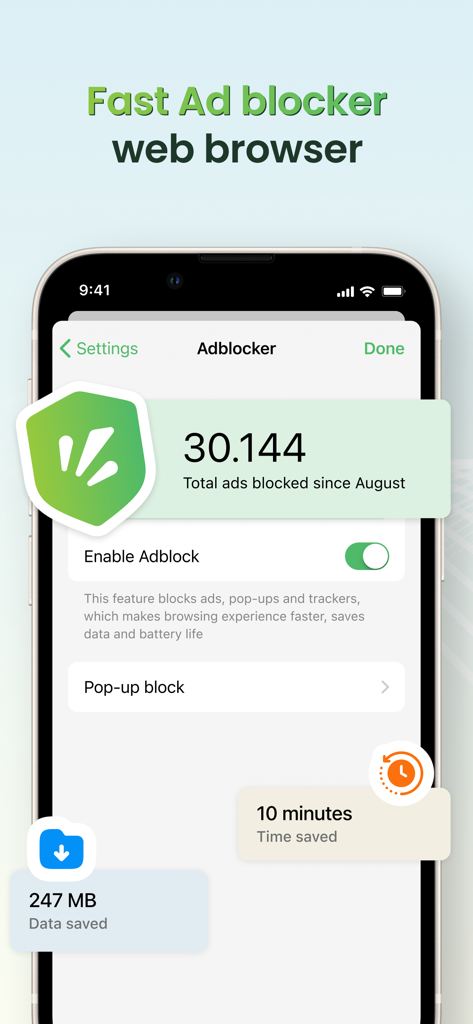
Coc Coc web browser interface highlighting ad blocking and data saving features
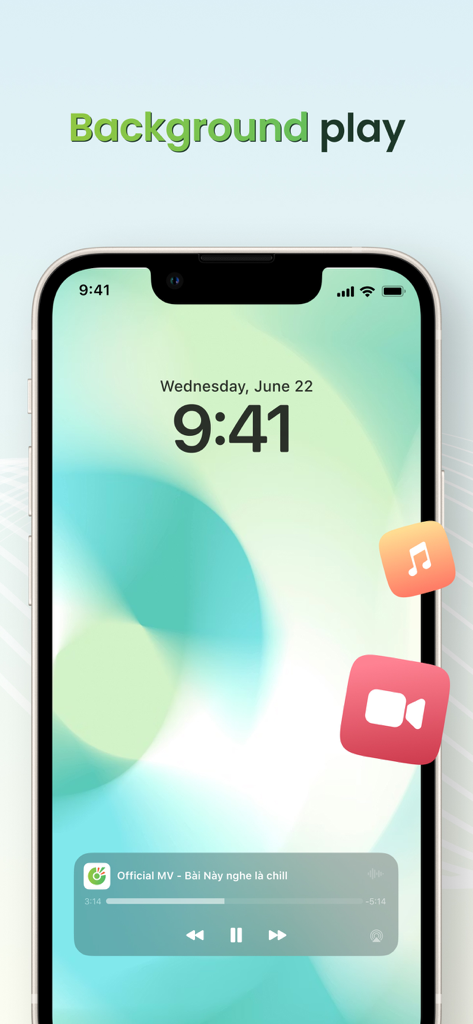
Coc Coc browser background play feature on iPhone lock screen
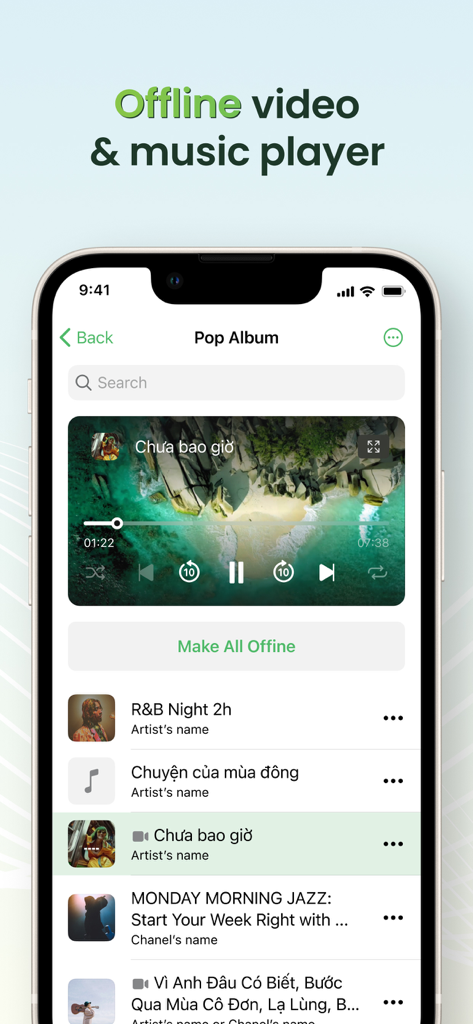
Coccoc browser interface featuring the offline video and music player with a media playlist
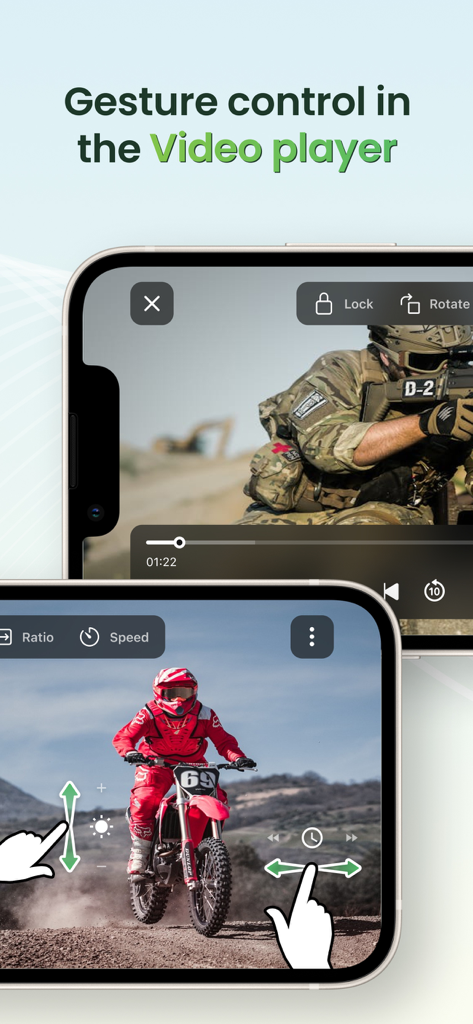
Gesture controls for brightness and volume in the Coc Coc browser video player
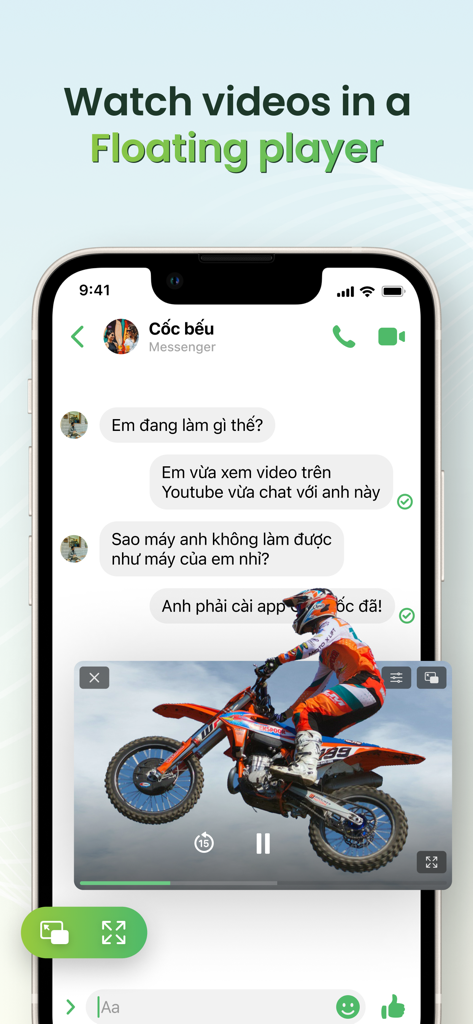
A mobile screen showing a video playing in a floating picture-in-picture window while using a messaging app.
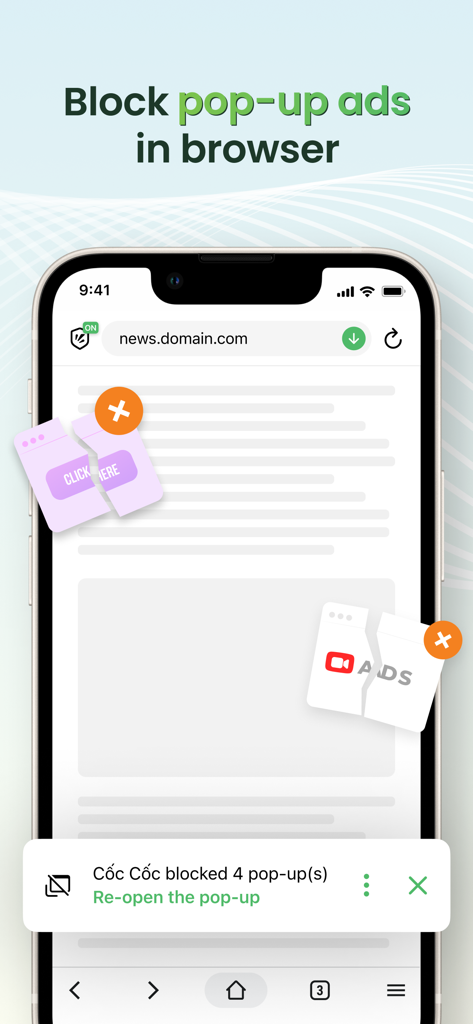
iPhone screen displaying the Coc Coc browser blocking multiple pop-up ads on a website.
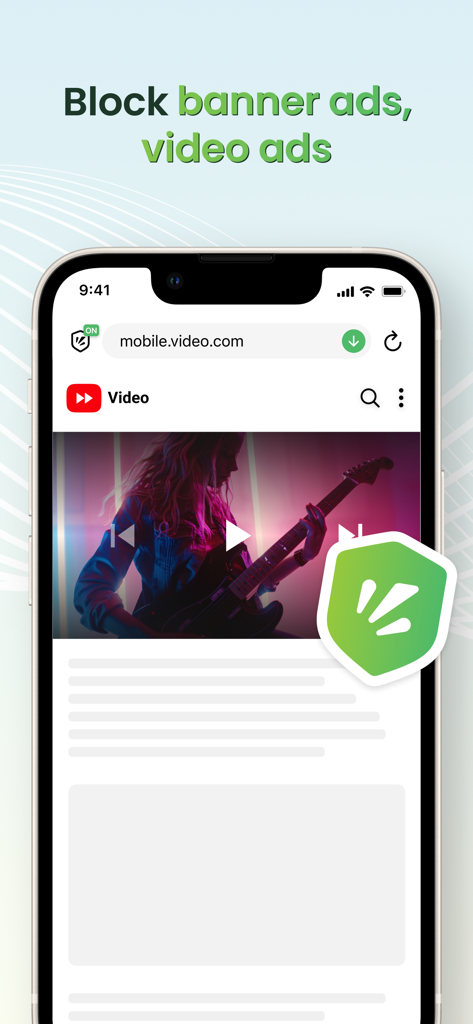
Cốc Cốc mobile browser interface demonstrating video and banner ad blocking features with a green shield icon
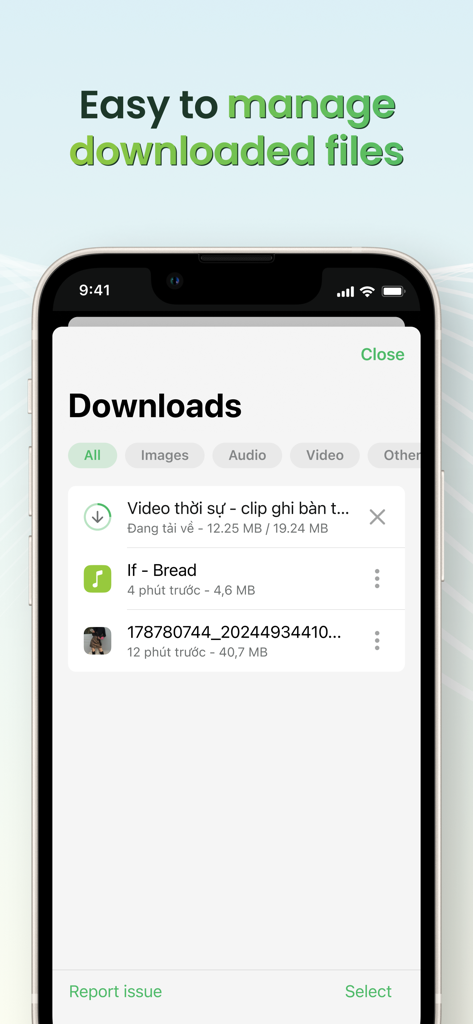
Coc Coc browser download manager interface showing a list of downloaded videos and files on a smartphone
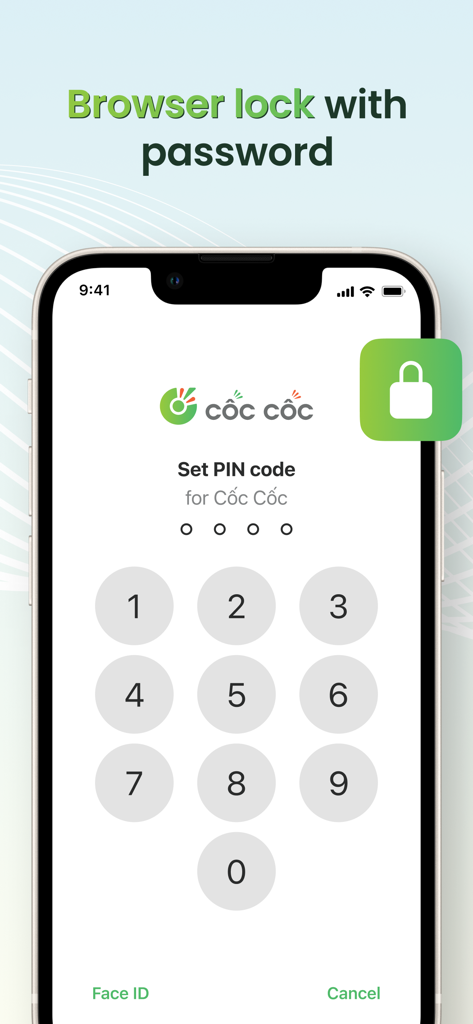
iPhone screen showing the Cốc Cốc browser lock feature with a numeric PIN code keypad for app security
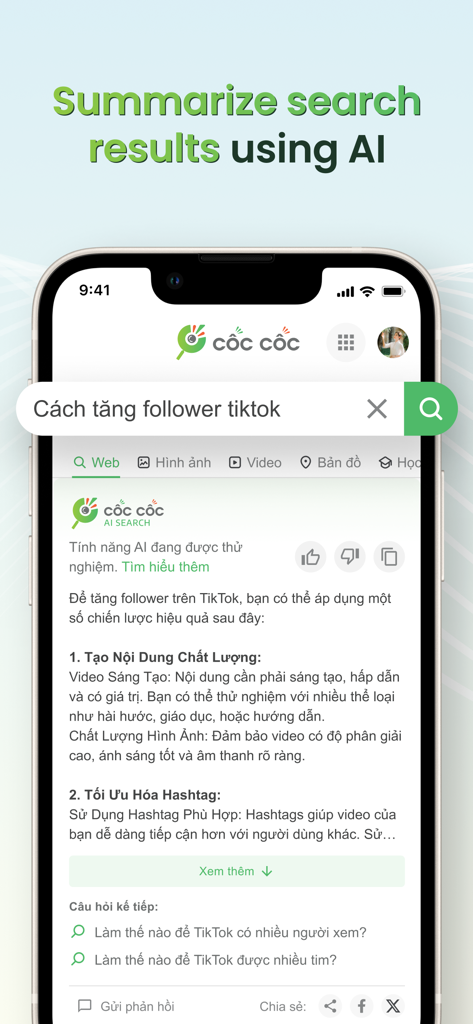
Mobile app screenshot of the Cốc Cốc browser showing its AI search summarizer feature providing a concise answer to a search query.
Description
Download
More Like This
Apps with similar features and user experience

Brave Browser & Search Engine
Brave Software, Inc.

DuckDuckGo, Duck.ai (optional)
Duck Duck Go, Inc.

Red Onion - Darknet Browser
Omar Mody

AI Security: Breach Defender
DBR SERVICE SRL SEMPLIFICATA
AdBlock Pro for Safari
Crypto Inc.

TOR Browser: OrNET Onion + VPN
Stronger Apps

VPN - Fast VPN Proxy
Mobile Jump Pte Ltd

Aloha Browser - Private VPN
Aloha Mobile Ltd.

VPN US using Free VPN .org™
VPN LLC US
This page is not an official page of the app or its developer, but an independent editorial publication created for informational and commentary purposes. Unless expressly stated otherwise, neither the app nor its developer is affiliated with, endorsed by, sponsored by, authorized by, or otherwise officially connected with MWM, Apple, Google Play, the app publisher, or the app's developer, and nothing on this page implies that the app was developed using MWM's services. Any trademarks, logos, screenshots, and other content remain the property of their respective owners.