
C-Remote


Stop searching under the couch and start streaming. Turn your iPhone into a powerful universal controller for all your devices—perfect for when the remote goes missing or batteries run dry.
Publisher
Category
EntertainmentDownloads
203K+User Rating
Total Ratings
0Locales
1Discover the interface used by 203K+ users.
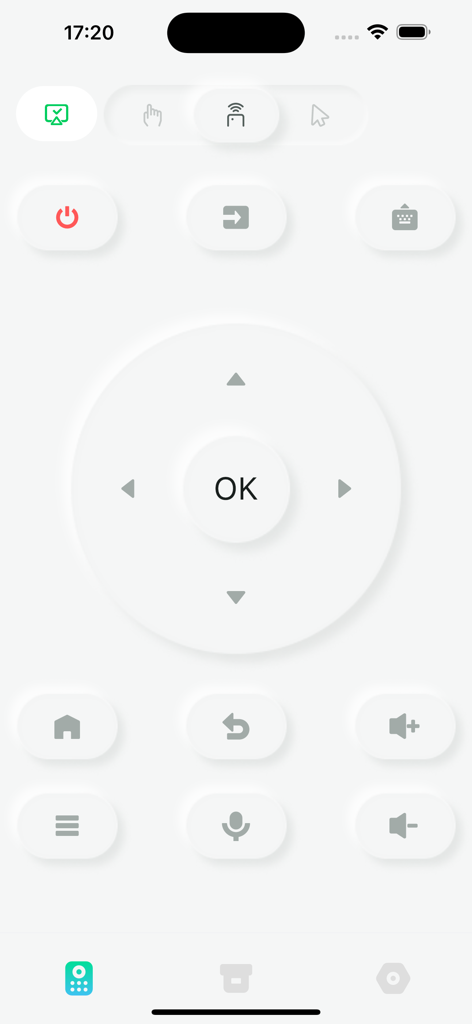
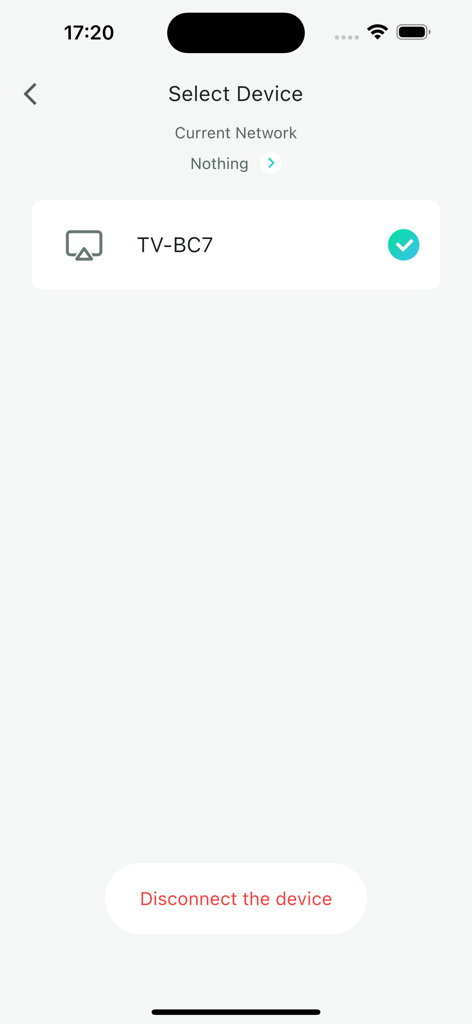
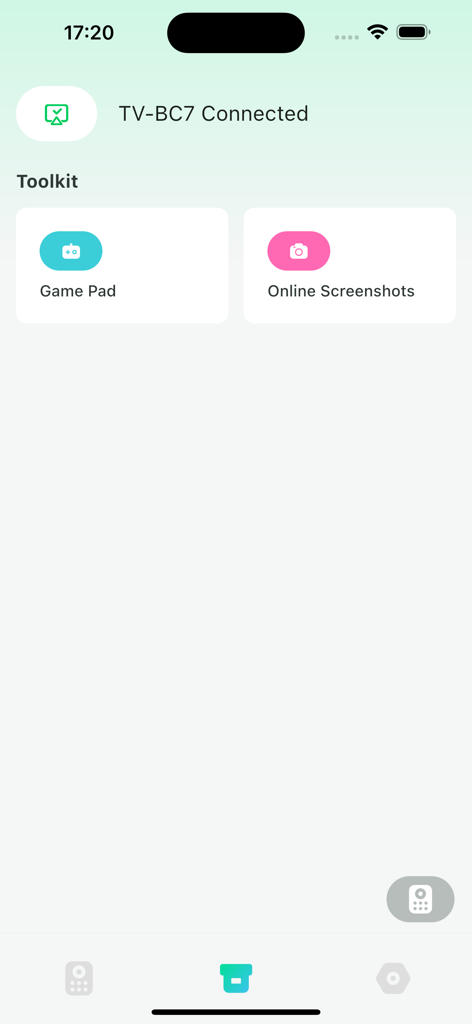
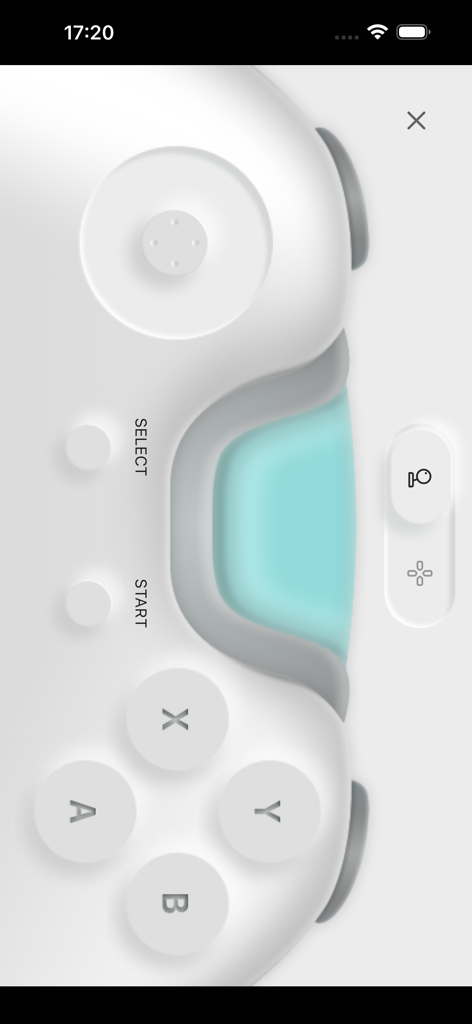
The tools that make this app stand out, trusted by 203K+ users.
Stop digging through couch cushions. When the remote disappears or the batteries die, your phone is already in your hand and ready to take over.
Skip the frustration of on-screen keyboards. Use your iPhone to type movie titles, passwords, and search queries in a fraction of the time.
Declutter your coffee table. Manage multiple TVs and streaming devices throughout your house from a single, intuitive interface on your phone or iPad.
Insights from user reviews.
Sentiment Score
Summary
Users express a largely frustrating experience with the mobile app, primarily due to severe and persistent connection issues. Many reports indicate the app frequently stops working, fails to find the TV, or constantly disconnects after initial use or screen lock, making it unreliable. While some users initially find the app helpful, easy to use, and appreciate features like the fast keyboard input and mouse control, these positive aspects are often overshadowed by the pervasive connectivity problems. Furthermore, specific complaints include the keyboard not functioning within YouTube, a lack of advanced multimedia controls, and difficulties with the PIN/pairing process.
Common Themes
Everything you need to know about C-Remote.
Description
Latest Version
2.0.1
Size
64.3 MB
First Released
Jul 5, 2022
Stop digging through couch cushions and start watching. Download C-Remote today to control every screen in your home directly from your iPhone.
Everything you need to know about C-Remote
C-Remote is a virtual remote control application that expands entertainment functions for users. It serves as a helpful replacement when a physical remote is unavailable.
C-Remote operates as a virtual remote control, offering various control modes including a standard remote, pointer, air mouse, and mouse cursor. It includes directional controls, volume, power, and navigation buttons.
Yes, C-Remote can connect to a TV device. The app displays available devices like "TV-BC7" for selection, indicating a successful connection. Users can also disconnect the device.
Yes, C-Remote includes a "Game Pad" feature as part of its Toolkit. This allows users to control games using a virtual gamepad interface within the app.
C-Remote expands entertainment with features like a Game Pad and Online Screenshots. These tools are accessible from the Toolkit once a device is connected, enhancing the user's experience.
Users disconnect a device from C-Remote by navigating to the "Select Device" screen. A "Disconnect the device" button is available there to terminate the current connection.
Apps with similar features and user experience

ROKU INC

To Ngoc Mai

Apps Venture Inc.

Hangzhou Yingshitong Technology Co., Ltd.

Nemo Apps LLC

Mihai Turlea

clement gasner

CEMAL CAGLAR KIRICI

Anh Ngo
App information, icons, screenshots, and descriptions displayed on this page are sourced from the Apple App Store and are the property of their respective developers. Download estimates and rankings are based on MWM's proprietary models and may not reflect actual figures. This page is provided for informational and analytical purposes only.
Believe this page infringes your intellectual property? File a dispute