
This page is not an official page of the app or its developer, but an independent editorial publication created for informational and commentary purposes. Unless expressly stated otherwise, neither the app nor its developer is affiliated with, endorsed by, sponsored by, authorized by, or otherwise officially connected with MWM, Apple, Google Play, the app publisher, or the app's developer, and nothing on this page implies that the app was developed using MWM's services. Any trademarks, logos, screenshots, and other content remain the property of their respective owners.


TV Remote, Universal Remote
Stop hunting for the remote. This app makes your phone the master controller, ending the clutter and confusion.
Downloads
2.5M+User Rating
Total Ratings
18.4KPublisher
Category
UtilitiesLocales
12Latest Version
1.0.24Size
56.5 MBFirst Released
Jan 8, 2023An analytical overview of the TV Remote, Universal Remote app's core functionalities.
Key Features Analysis
Universal TV Compatibility
The app provides extensive compatibility, supporting over 1000 TV models across more than 100 countries, ensuring users can connect to virtually any major TV brand.
Comprehensive TV Controls
This tool features a full suite of essential TV functionalities, including power on/off, volume adjustment, mute, and channel navigation, effectively replacing all core physical remote actions.
Input & Menu Control
It allows users to effortlessly switch between different AV/TV input modes and navigate their TV's on-screen menu, providing complete control over connected devices and smart TV features.
Effortless One-Tap Setup
The app simplifies the initial connection process, enabling users to pair their phone with their TV in just one tap, eliminating complex setup procedures.
Frequently Asked Questions
Everything you need to know about TV Remote, Universal Remote
What is the "TV Remote, Universal Remote" app?
The "TV Remote, Universal Remote" app transforms your phone into a universal TV remote, controlling over 1000 TV models from 100+ countries. It replaces traditional remotes for convenient TV control.
How does the "TV Remote, Universal Remote" app connect to a TV?
The "TV Remote, Universal Remote" app connects to your TV by simply choosing your TV brand and initiating a connection. It features a simple one-tap setup process.
Which TV brands are compatible with the "TV Remote, Universal Remote" app?
Yes, the "TV Remote, Universal Remote" app is compatible with almost all TV brands. Specific supported brands include Philips, Sony, Samsung, LG, Roku, Fire TV, Vizio, and TCL.
Can the "TV Remote, Universal Remote" app control TV power and volume?
Yes, the "TV Remote, Universal Remote" app can control TV power on/off and adjust the volume. It also allows muting with a single tap.
Does the "TV Remote, Universal Remote" app support direct channel number entry?
Yes, the "TV Remote, Universal Remote" app supports direct channel number entry. Users can also navigate channels and control AV/TV mode.
Does the "TV Remote, Universal Remote" app offer quick access to streaming channels?
Yes, the "TV Remote, Universal Remote" app provides quick access to streaming channels. It features direct links to services like Netflix, YouTube, Hulu, and Prime Video.
Is there a cost associated with the "TV Remote, Universal Remote" app?
Yes, the "TV Remote, Universal Remote" app offers unlimited access to all features via a subscription. Payment is charged to your iTunes account upon purchase confirmation.
How does auto-renewal work for the "TV Remote, Universal Remote" app subscription?
The "TV Remote, Universal Remote" app subscription automatically renews unless auto-renew is turned off at least 24 hours before the current period ends. The account is charged within 24 hours prior to renewal.
Can users navigate smart TV interfaces with a touchpad using the "TV Remote, Universal Remote" app?
Yes, the "TV Remote, Universal Remote" app enables touchpad navigation for smart TV interfaces. Users can swipe to move and control elements on their TV screen.
Does the "TV Remote, Universal Remote" app allow text entry for search on TV?
Yes, the "TV Remote, Universal Remote" app supports search entry on TV. It provides a virtual keyboard on the phone to input text directly to the TV's search function.
The following screenshots and description are sourced directly from the app's official store listing and are the property of the app developer.
App Store
Screenshots
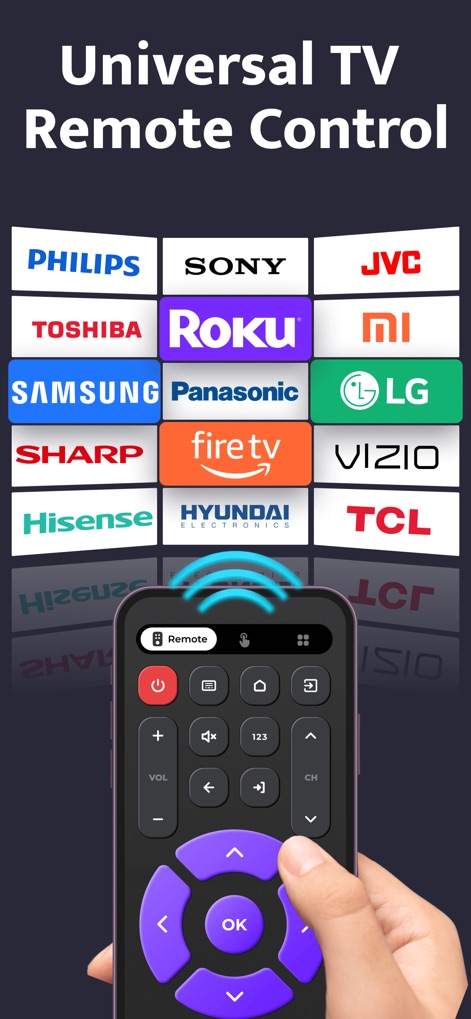
The app demonstrates extensive compatibility with a wide array of TV brands such as Sony and Roku, all controlled effortlessly from a single, intuitive interface.
Universal Brand Compatibility
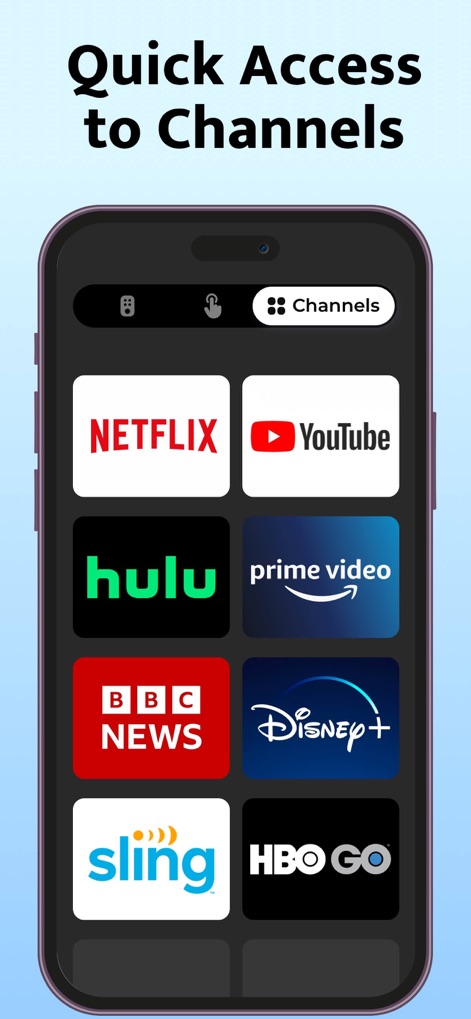
Users can effortlessly launch their preferred entertainment with quick access buttons for popular streaming services like Netflix and Disney+, streamlining content selection.
Instant Streaming Access

This visual demonstrates the app's intuitive remote layout, featuring clearly marked power controls and responsive volume adjustment buttons for seamless TV management.
Full Control Interface

The app introduces a dedicated touchpad mode, enabling users to navigate their TV's interface with intuitive swipe gestures and precise cursor control.
Precise Touchpad Control

This screen highlights the convenient search functionality, allowing users to input text directly via a full QWERTY keyboard for quick content discovery on the TV.
Efficient Search Input
Description
Download
More Like This
Apps with similar features and user experience

The Roku App (Official)
ROKU INC

TV Remote & Smart TV Control
To Ngoc Mai

Universal TV Remote Control .
Apps Venture Inc.

TV Remote Control “Universo”
Nemo Apps LLC

TV Remote・Universal Control #1
Mihai Turlea

Remote Smart Tv Universal
clement gasner

Remote TV Control TCL Onn App
CEMAL CAGLAR KIRICI

TV Remote Control Universal AI
Anh Ngo

万能遥控器 ·
宇锋 林
This page is not an official page of the app or its developer, but an independent editorial publication created for informational and commentary purposes. Unless expressly stated otherwise, neither the app nor its developer is affiliated with, endorsed by, sponsored by, authorized by, or otherwise officially connected with MWM, Apple, Google Play, the app publisher, or the app's developer, and nothing on this page implies that the app was developed using MWM's services. Any trademarks, logos, screenshots, and other content remain the property of their respective owners.