CAD 3D Modeling - Wuweido
Download on App Store

This page is not an official page of the app or its developer, but an independent editorial publication created for informational and commentary purposes. Unless expressly stated otherwise, neither the app nor its developer is affiliated with, endorsed by, sponsored by, authorized by, or otherwise officially connected with MWM, Apple, Google Play, the app publisher, or the app's developer, and nothing on this page implies that the app was developed using MWM's services. Any trademarks, logos, screenshots, and other content remain the property of their respective owners.

Logo of CAD 3D Modeling - Wuweido
Download on App Store

CAD 3D Modeling - Wuweido

Empower your workflow with a powerful, offline 3D CAD engine. Create, edit, and export STEP or STL files with touch-optimized precision—wherever inspiration strikes.

Key Figures

Downloads

145K+

User Rating

3.6/5

Total Ratings

200

Publisher

Mozongsoft Co. Ltd.

Category

Business

Locales

3

Latest Version

2.2.80

Size

57.6 MB

First Released

Jul 9, 2019
Features

Professional CAD Power, Anywhere You Go

Wuweido brings the precision and complexity of desktop 3D modeling to your mobile device, tailored for engineers, designers, and makers who refuse to be tethered to a desk.

Seamless Industry Integration

Full support for STEP, IGES, and STL files. Effortlessly bridge your mobile workflow with desktop giants like SolidWorks, Rhino3D, and AutoCAD.

Precision Touch Engineering

Advanced modeling tools including Boolean operations, lofts, and sweeps, all optimized for intuitive touch gestures and Apple Pencil precision.

The following screenshots and description are sourced directly from the app's official store listing and are the property of the app developer.

App Store

Screenshots
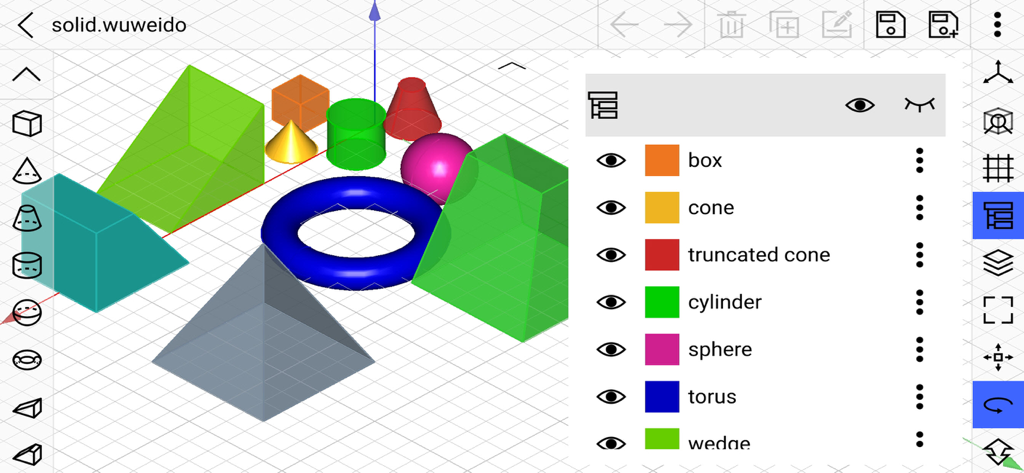
CAD 3D Modeling - Wuweido - Mobile CAD interface displaying colorful 3D primitive shapes and a side menu with object layers
Mobile CAD interface displaying colorful 3D primitive shapes and a side menu with object layers

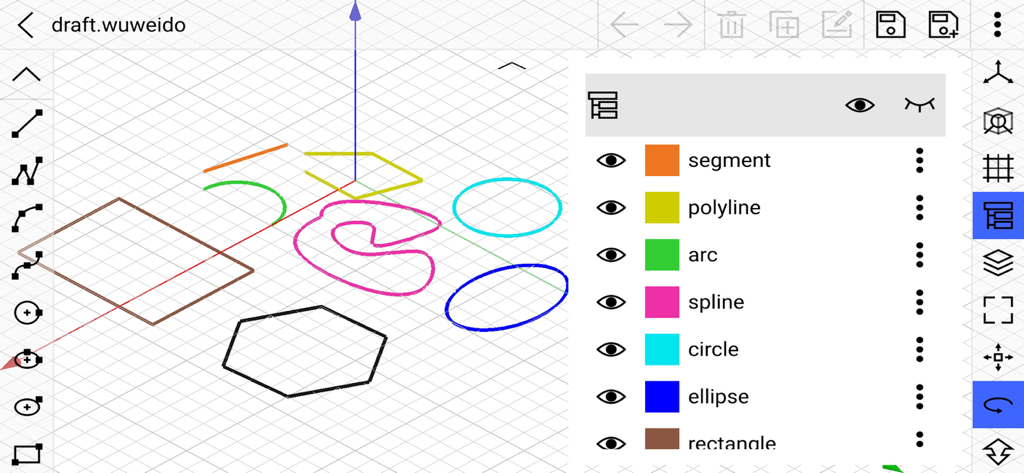
CAD 3D Modeling - Wuweido - Mobile 3D CAD interface of Wuweido showing geometric shapes and sketching tools on a drafting grid

Mobile 3D CAD interface of Wuweido showing geometric shapes and sketching tools on a drafting grid
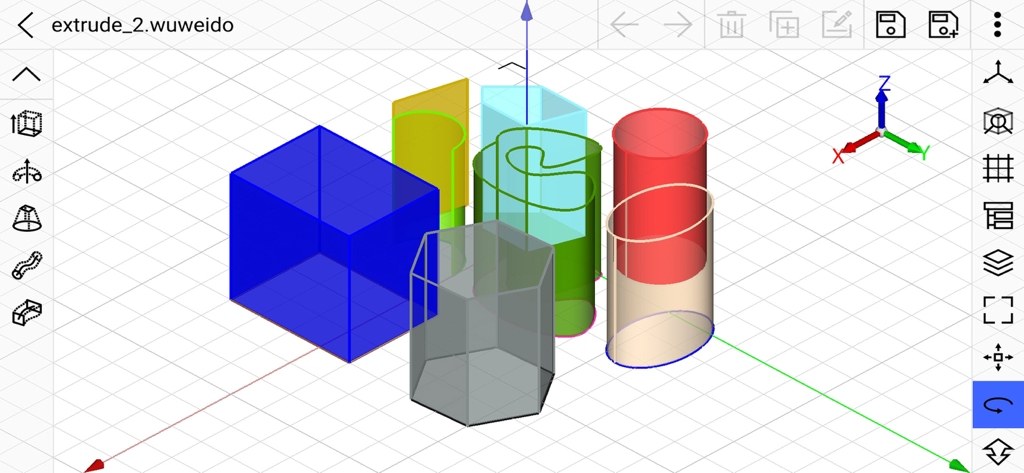
CAD 3D Modeling - Wuweido - Interface of Wuweido 3D modeling app showing various colored geometric shapes on a 3D grid
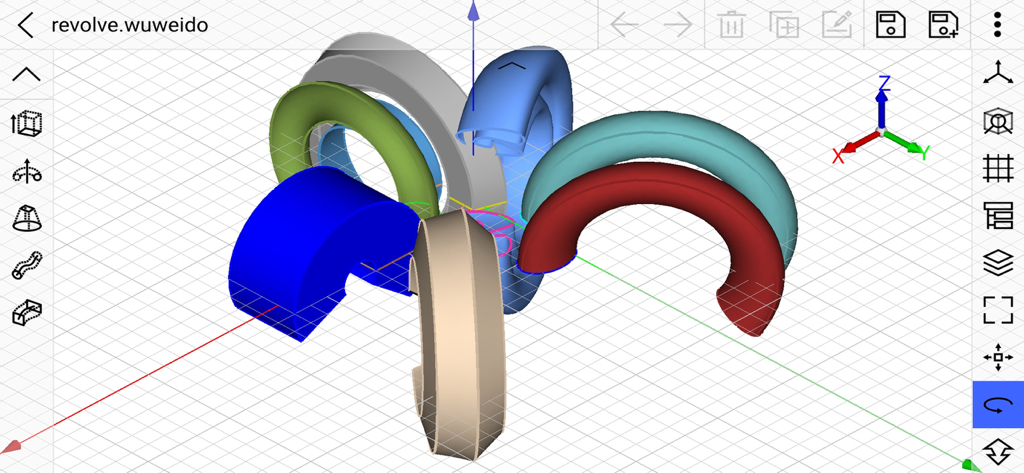
Interface of Wuweido 3D modeling app showing various colored geometric shapes on a 3D grid

CAD 3D Modeling - Wuweido - Mobile 3D CAD modeling workspace showing colorful revolved geometric shapes on a grid
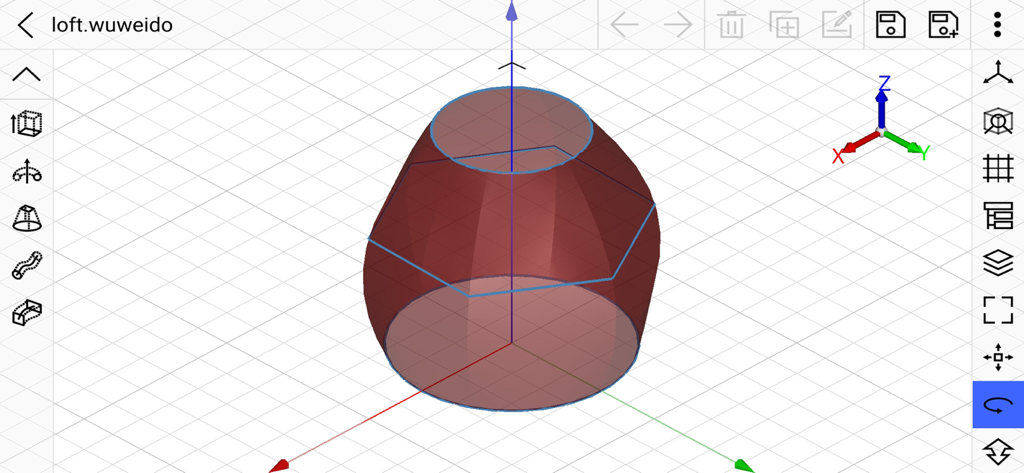
Mobile 3D CAD modeling workspace showing colorful revolved geometric shapes on a grid

CAD 3D Modeling - Wuweido - A 3D lofted geometric shape being designed in the Wuweido CAD mobile modeling app interface
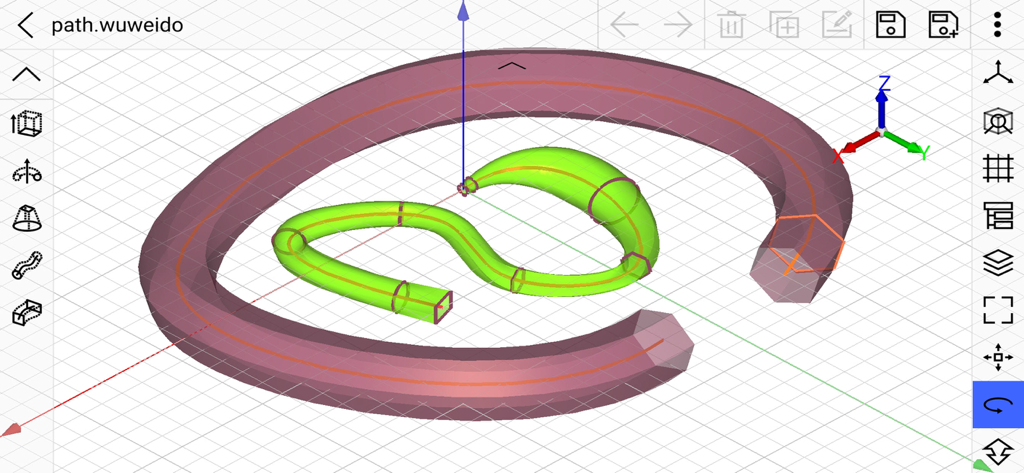
A 3D lofted geometric shape being designed in the Wuweido CAD mobile modeling app interface

CAD 3D Modeling - Wuweido - Wuweido mobile 3D CAD modeling interface showing complex curved geometry and professional design tools
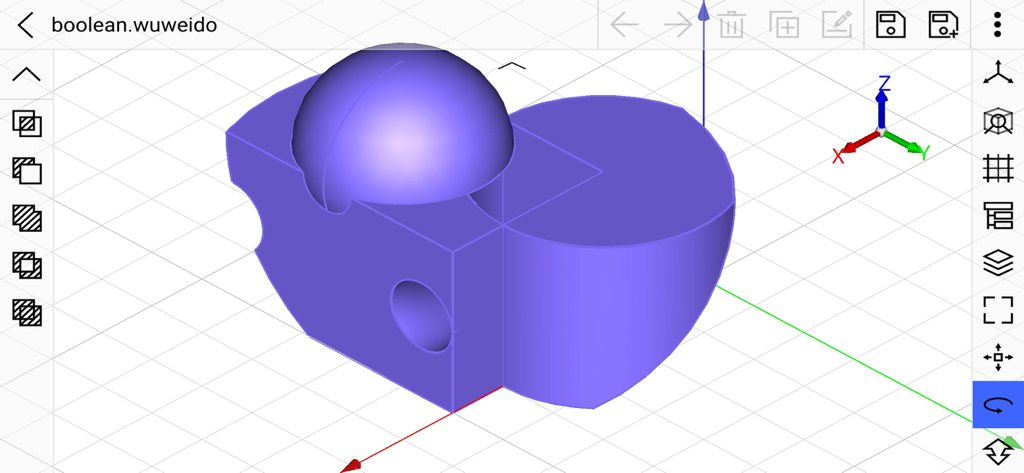
Wuweido mobile 3D CAD modeling interface showing complex curved geometry and professional design tools

CAD 3D Modeling - Wuweido - Wuweido mobile app interface showing a 3D purple geometry model with boolean operations on a grid

Wuweido mobile app interface showing a 3D purple geometry model with boolean operations on a grid
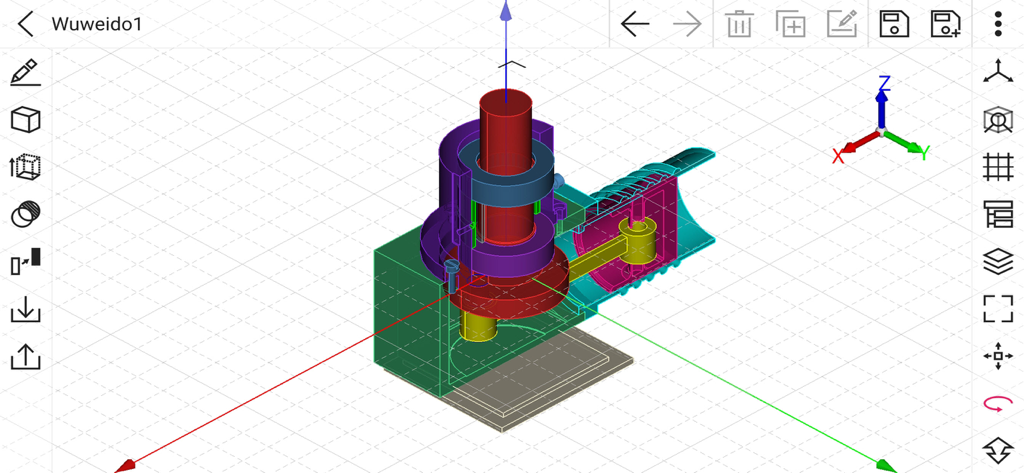
CAD 3D Modeling - Wuweido - A complex 3D mechanical model within the Wuweido mobile CAD interface
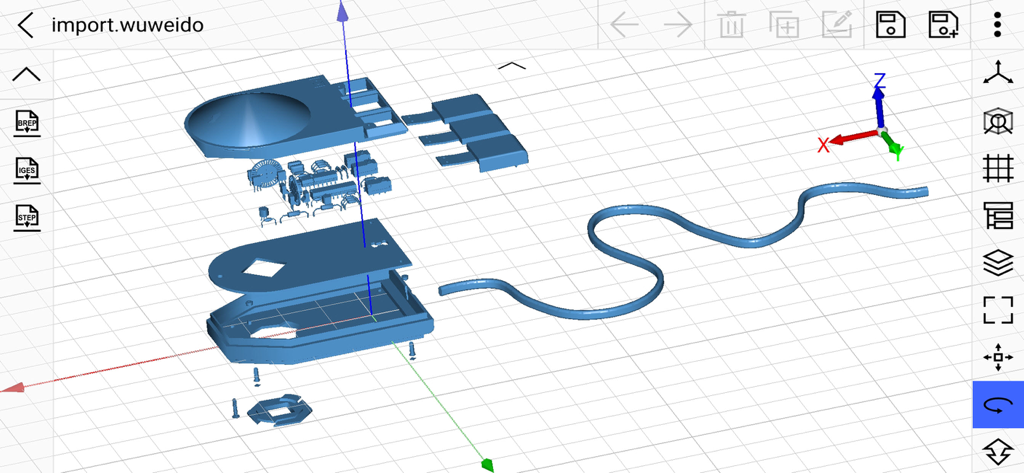
A complex 3D mechanical model within the Wuweido mobile CAD interface

CAD 3D Modeling - Wuweido - Professional 3D CAD modeling interface on mobile showing a mechanical assembly and design tools

Professional 3D CAD modeling interface on mobile showing a mechanical assembly and design tools

Description

Wuweido is a professional 3D modeling CAD on mobile, enable you do real CAD work on mobile. More than just a 3D model viewer, dozens of 3D modeling tools are provided to create and modify 3D models. Optimized CAD touch experiences, easy to build complex 3D geometry models with fingers touch gestures. Running on local device offline for working with drawings. The drawing models are persisted on local storage and your data is yours. Exchange data with famous CAD systems, such as CATIA®, Autodesk® Inventor®, SolidWorks®, Creo™ Parametric, NX™, AutoCAD®, Solid Edge®, Rhino3D® and OPEN CASCADE®, etc. Suitable for 3D printing, art design, conception design, jewelry design, architectural design, mechanical design, manufacturing, engineering and education. Highlight Features: New, open, save and close drawings of 3d model. Draw and edit geometry shapes using object snap and keypad input. Input absolute or relative coordinates in cartesian, cylindrical or spherical coordinate systems. Sketching tools such as line segment, polyline, arc, circle, ellipse, rectangle, polygon, etc. Basic solid modeling tools such as box, sphere, cylinder, cone, truncated cone, torus, wedge, truncated wedge, pyramid, and truncated pyramid, etc. Basic surface modeling tools such as cover planar wire to form face. Text modeling tool to support both 2d and 3d text modeling. Advanced modeling tools such as extrude, revolve, loft, pipe, shelling, offset, chamfer, fillet, etc. Boolean tools to do geometry shape boolean intersect, boolean subtract, boolean union, boolean section and boolean xor, etc. Transform tools to move, rotate, scale and mirror geometry shapes. Array tools to create linear array, polar array, etc. Edit tools such as select, delete, duplicate, rename, show, hide, undo and redo, etc. Layer management tools to group geometry shapes as in traditional CAD system. Visulization property editor to mamage shape's color, material, transparency, display mode and line width. Grid visulization and snapping with dynamic and static density. Smart object snapping tool to capture geometry shape's vertex, edge, edge center, edge quadrant and face center. Support DWG, DXF, OBJ, VRML, STL and glTF formats. STL is de-facto standard in 3D printing. Import and export 3D parts and assemblies in STEP, IGES, and BREP CAD formats. Multitouch operator to pan, orbit and zoom view in the most natural way. The design philosophy is similar to Rhino3D™. It's easy to learn but still powerful. Powered by OPEN CASCADE. OPEN CASCADE is a geometry kernel provider. See more at https://www.opencascade.com Inspired by CAD Assistant developed by OPEN CASCADE. CAD Assistant is a 3d modeling viewer and converter. See more at https://www.opencascade.com/content/cad-assistant

Download

Download on App Store

This page is not an official page of the app or its developer, but an independent editorial publication created for informational and commentary purposes. Unless expressly stated otherwise, neither the app nor its developer is affiliated with, endorsed by, sponsored by, authorized by, or otherwise officially connected with MWM, Apple, Google Play, the app publisher, or the app's developer, and nothing on this page implies that the app was developed using MWM's services. Any trademarks, logos, screenshots, and other content remain the property of their respective owners.








