Cadance Dance Tempo Control

This page is not an official page of the app or its developer, but an independent editorial publication created for informational and commentary purposes. Unless expressly stated otherwise, neither the app nor its developer is affiliated with, endorsed by, sponsored by, authorized by, or otherwise officially connected with MWM, Apple, Google Play, the app publisher, or the app's developer, and nothing on this page implies that the app was developed using MWM's services. Any trademarks, logos, screenshots, and other content remain the property of their respective owners.
Logo of Cadance Dance Tempo Control

Cadance Dance Tempo Control

Empower your classes with precision tempo adjustment, hands-free Apple Watch control, and seamless Apple Music integration. The ultimate digital assistant for ballet, jazz, and hip-hop instruction.

Key Figures

Downloads

100+

User Rating

1.0/5

Total Ratings

0

Publisher

David Wilson

Category

Music

Locales

1

Latest Version

3.5

Size

57.6 MB

First Released

Dec 17, 2025
Features

Designed for the Demands of the Dance Studio

Experience a suite of specialized tools that simplify your workflow, giving you more time to focus on your dancers and less on your music player.

Perfect Your Technique

Adjust tempo from -50% to +100% with zero pitch distortion, allowing students to master complex footwork at their own pace without the 'chipmunk' sound.

Control from the Floor

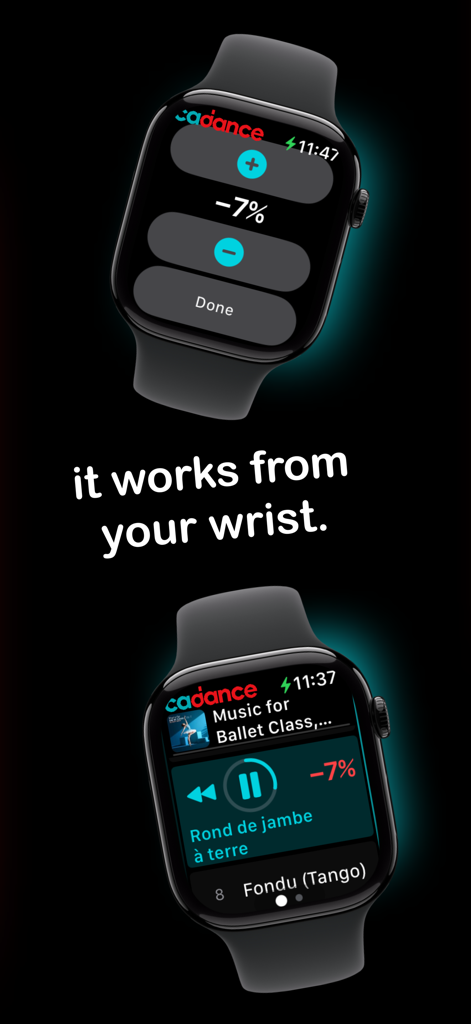
Untether yourself from the sound system with Apple Watch and Bluetooth remote support. Change tracks and adjust volume from the center of the room.

The following screenshots and description are sourced directly from the app's official store listing and are the property of the app developer.

App Store

Screenshots
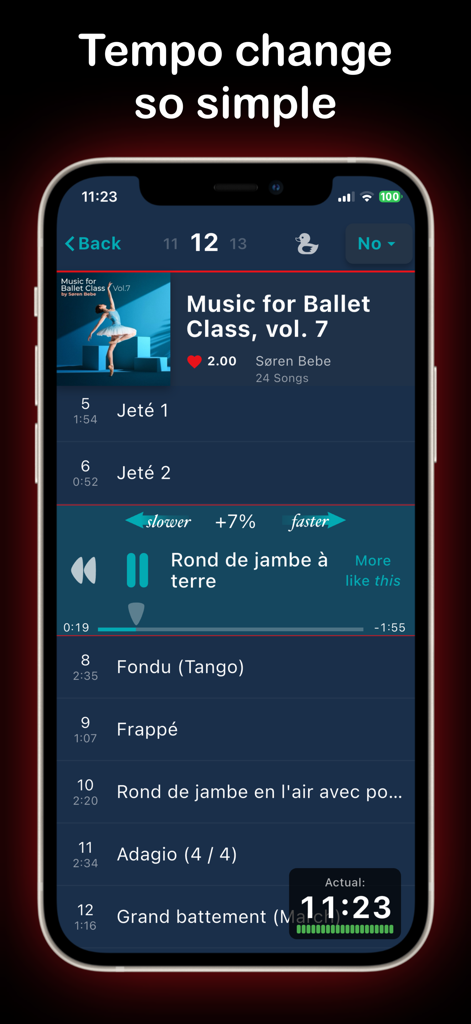
Cadance Dance Tempo Control - Interface of the Cadance app showing tempo adjustment for a ballet class music playlist on an iPhone
Interface of the Cadance app showing tempo adjustment for a ballet class music playlist on an iPhone

Cadance Dance Tempo Control - Adjust dance music tempo and playback directly from an Apple Watch with the Cadance app
Adjust dance music tempo and playback directly from an Apple Watch with the Cadance app

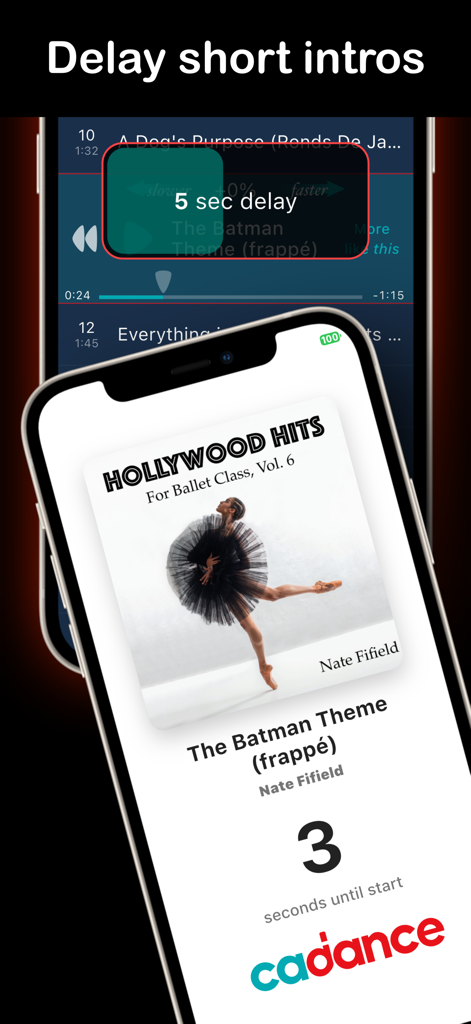
Cadance Dance Tempo Control - A smartphone display showing a countdown for the delay start feature in the Cadance app for dance instructors
A smartphone display showing a countdown for the delay start feature in the Cadance app for dance instructors

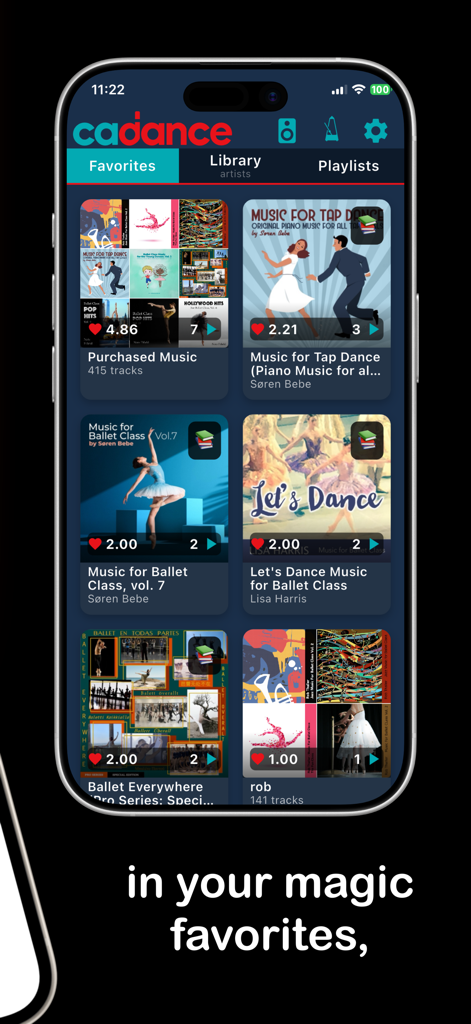
Cadance Dance Tempo Control - Screenshot of the Cadance app showing a curated library of dance music favorites for classes
Screenshot of the Cadance app showing a curated library of dance music favorites for classes

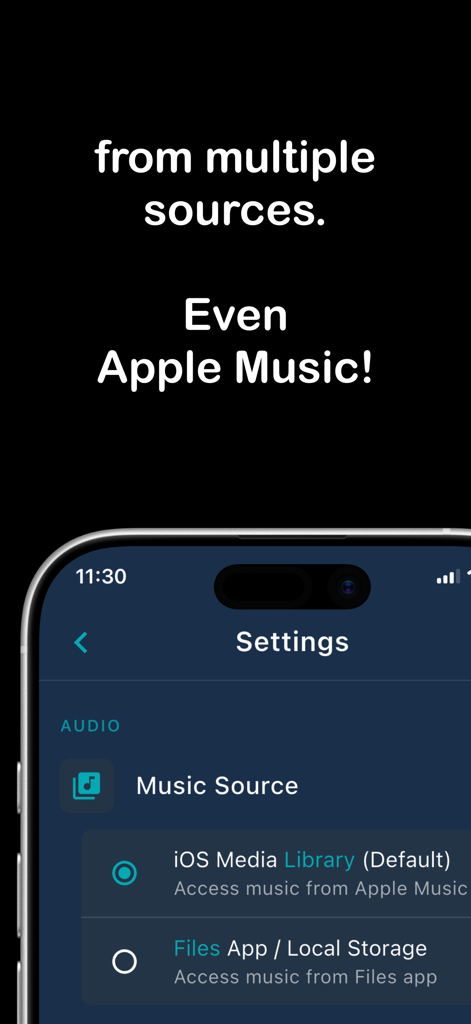
Cadance Dance Tempo Control - Settings screen of the Cadance app showing music source options including Apple Music and local file storage.
Settings screen of the Cadance app showing music source options including Apple Music and local file storage.

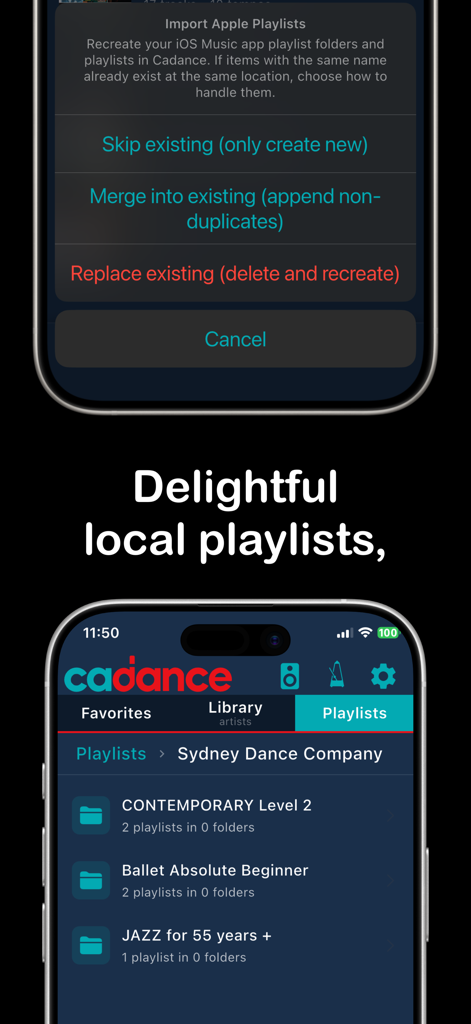
Cadance Dance Tempo Control - Cadance app screenshot showing dance playlist folders and Apple Music import settings.
Cadance app screenshot showing dance playlist folders and Apple Music import settings.

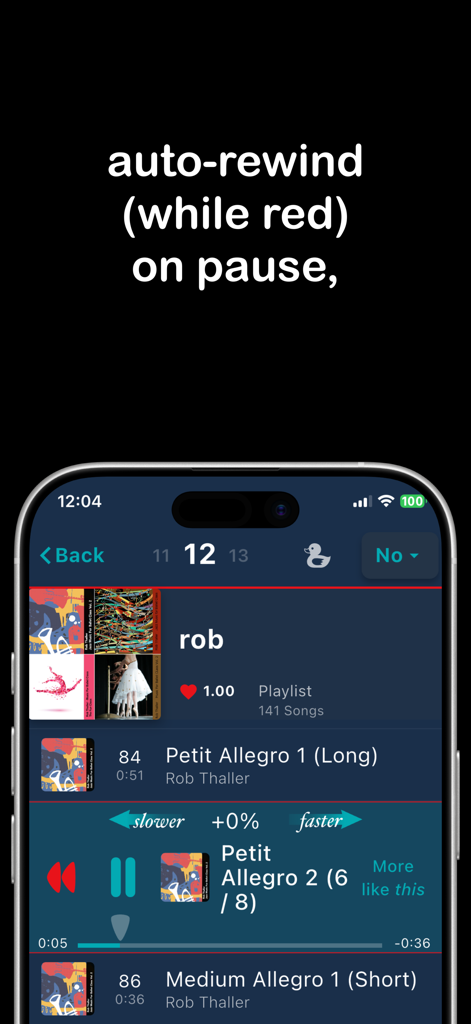
Cadance Dance Tempo Control - Cadance app music player interface showing the auto-rewind on pause feature
Cadance app music player interface showing the auto-rewind on pause feature

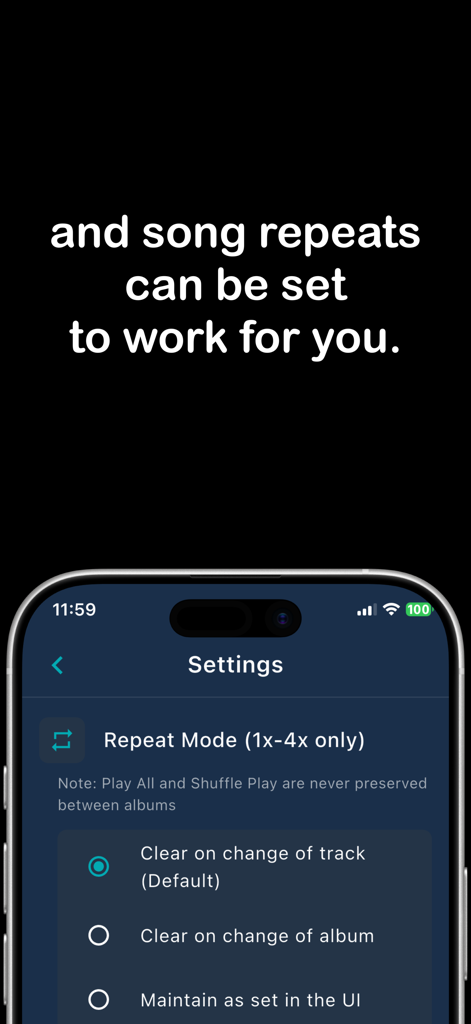
Cadance Dance Tempo Control - Cadance app interface showing repeat mode settings for dance music
Cadance app interface showing repeat mode settings for dance music

Cadance Dance Tempo Control - Cadance app promotional screen announcing version 3 support for Apple Music downloads and streaming

Cadance app promotional screen announcing version 3 support for Apple Music downloads and streaming

Description

Discover Cadance, the ultimate dance music player designed for ballet, jazz, hip‑hop, and any dance class. Adjust tempo on the fly, create class‑specific playlists, and control with Apple Watch or bluetooth remote from across the room. Stop scrolling through endless tracks. With Cadance you can fix the tempo of the 'almost perfect' songs to keep your class moving at the right pace. Key features: • Precise tempo control (-50% to + 100% speed) with no pitch change  • Offline playback for studio use  • Seamless Apple Watch integration with iPhone • Split screen is fabulous on iPad and more so with bluetooth remote • Apple Music subscription support YOUR CLASS, YOUR TEMPO • Perfect Your Dancers' Technique: Slow down the tempo to clean up a routine. Ideal for ballet class music, tap dance classes, and detailed choreography work. • Challenge and Upskill Your Dancers: Speed up the tempo to challenge your students and help them master complex and fast-paced routines. • Keep Your Music Sounding Natural: Change the tempo without any annoying pitch changes. TOOLS FOR EFFORTLESS TEACHING • Find the Perfect Song in Seconds: Our powerful keyword search saves you precious class time. • Discover New Music: Find more songs similar to the one being played, expanding your music library for choreography and class without typing a single letter. • Nail Every Entrance: Use the Delay Start for songs with short intros, giving you and your dancers time to get in position and start together. • Master Repetitive Drills with Ease: Use the repeat function (up to 4 times) for group repetitions and drills, so you can focus on your dancers, not the music player. • Build a Rock-Solid Sense of Rhythm: Use the built-in Metronome to help your dancers build their internal clock and improve their timing. • Talk Without Interrupting the Flow: The Duck button, while held, conveniently lowers the music volume so you can avoid shouting. This is also useful to see if your dancers can stay on the beat when the music disappears briefly. YOUR MUSIC, PERFECTLY ORGANIZED • All Your Music in One Place: Play music from your device Music Library, local files, and your Apple Music subscription, all seamlessly integrated into Cadance. • Organize Your Classes Effortlessly: Create custom playlists and folders to organize your music for each class, giving you quick and easy access to the right songs at the right time. • Your Music, Anywhere, Anytime: Enjoy the freedom of offline access. Because your studio's internet connection should never get in the way of a great class. SUBSCRIPTION INFO: Cadance is free and includes all the features of the original BarreNotes app. To unlock more advanced tools designed for professional teaching, choose a subscription plan that fits your needs. Free (fully BarreNotes compatible): • High quality tempo control of class music • Dance teacher specific controls, of your owned music, from your device's music library The Spark (for occasional teaching): • Unlocks: Local file import and play, Metronome, Delay Start, Apple Watch and Bluetooth remote support. • Formats supported: .mp3, .m4a, .aac, .wav, .flac, .ogg, .opus, .wma, .aiff, .alac The Artist (for regular weekly instruction): • Unlocks: Support for DRM-protected music and playback of downloaded Apple Music tracks. The Patron (for pro company teachers, rehearsal directors, and those wishing to support our mission): • Super exciting unlock: Direct streaming of Apple Music albums and playlists without downloading. Ready to revolutionize your dance teaching? Download Cadance today and experience the difference! NOTES: Cadance is not bundled with music and doesn't sell music, so bring your own. All plans are available on a monthly or annual basis. To check your eligibility and actual pricing of our 2 month discount, check the in-app payment screen. Standard Apple Terms of Use apply to Cadance: https://www.apple.com/legal/internet-services/itunes/dev/stdeula/

Download

This page is not an official page of the app or its developer, but an independent editorial publication created for informational and commentary purposes. Unless expressly stated otherwise, neither the app nor its developer is affiliated with, endorsed by, sponsored by, authorized by, or otherwise officially connected with MWM, Apple, Google Play, the app publisher, or the app's developer, and nothing on this page implies that the app was developed using MWM's services. Any trademarks, logos, screenshots, and other content remain the property of their respective owners.