Calorie Counter - Calory AI
Download on App Store

This page is not an official page of the app or its developer, but an independent editorial publication created for informational and commentary purposes. Unless expressly stated otherwise, neither the app nor its developer is affiliated with, endorsed by, sponsored by, authorized by, or otherwise officially connected with MWM, Apple, Google Play, the app publisher, or the app's developer, and nothing on this page implies that the app was developed using MWM's services. Any trademarks, logos, screenshots, and other content remain the property of their respective owners.


Logo of Calorie Counter - Calory AI
Download on App Store

Calorie Counter - Calory AI

Experience the ultimate privacy-first calorie tracker. Snap a photo to log meals instantly with AI, sync seamlessly with Apple Health, and keep your data secure on iCloud—no registration required.

Key Figures

Downloads

946K+

User Rating

4.6/5

Total Ratings

7K+

Publisher

Funn Media, LLC

Category

Health & Fitness

Locales

12

Latest Version

4.6.4

Size

395.9 MB

First Released

Apr 11, 2019
Features

Master Your Nutrition with Zero Friction

Calory AI is the fastest, most private way to track your intake. Built exclusively for the Apple ecosystem to fit perfectly into your daily routine.

Instant AI Food Logging

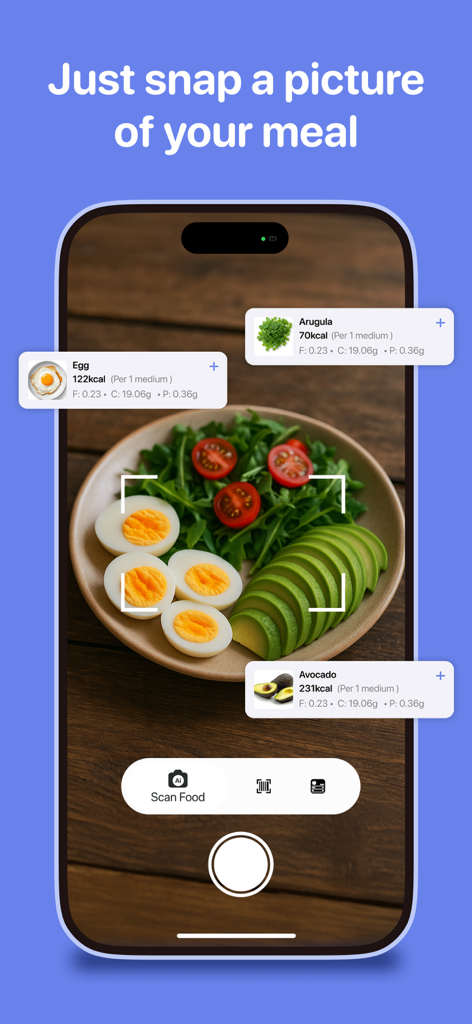
Stop typing and start scanning. Use advanced AI to identify meals and calculate calories from a single photo in seconds.

Total Privacy by Design

No accounts or registrations required. Your health data is stored securely on your iCloud, keeping your journey 100% private.

The following screenshots and description are sourced directly from the app's official store listing and are the property of the app developer.

App Store

Screenshots
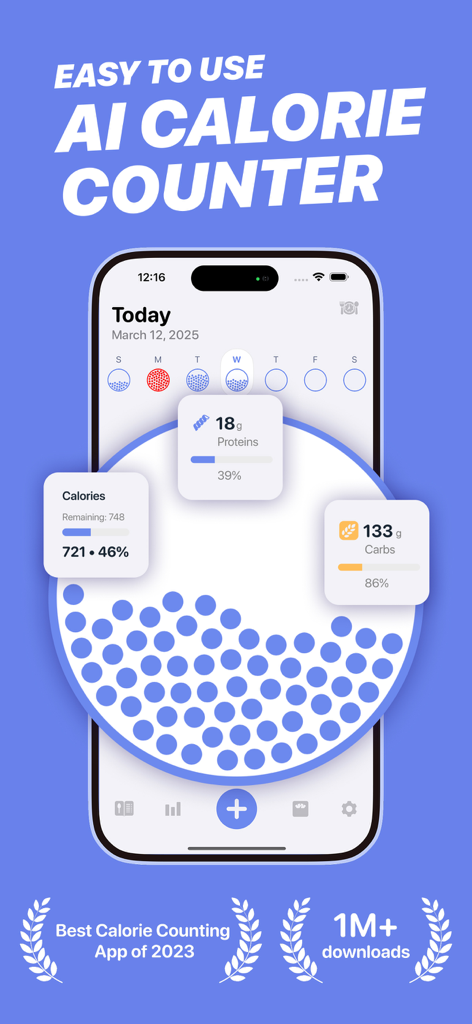
Calorie Counter - Calory AI - Calory AI calorie tracker app dashboard with calorie and macro tracking progress
Calory AI calorie tracker app dashboard with calorie and macro tracking progress

Calorie Counter - Calory AI - AI food scanning feature of Calory app identifying meal ingredients and calories
AI food scanning feature of Calory app identifying meal ingredients and calories

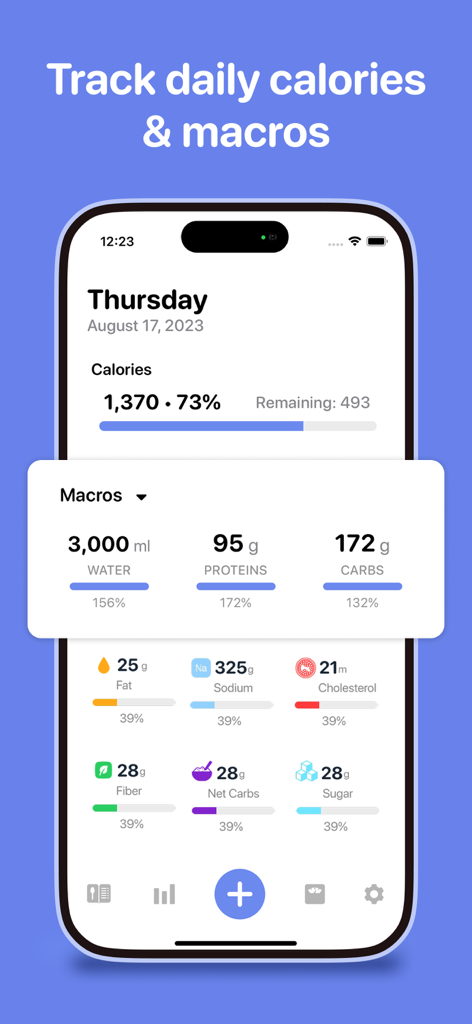
Calorie Counter - Calory AI - Interface of the Calory AI app showing a detailed breakdown of daily calories and macronutrients with progress bars
Interface of the Calory AI app showing a detailed breakdown of daily calories and macronutrients with progress bars

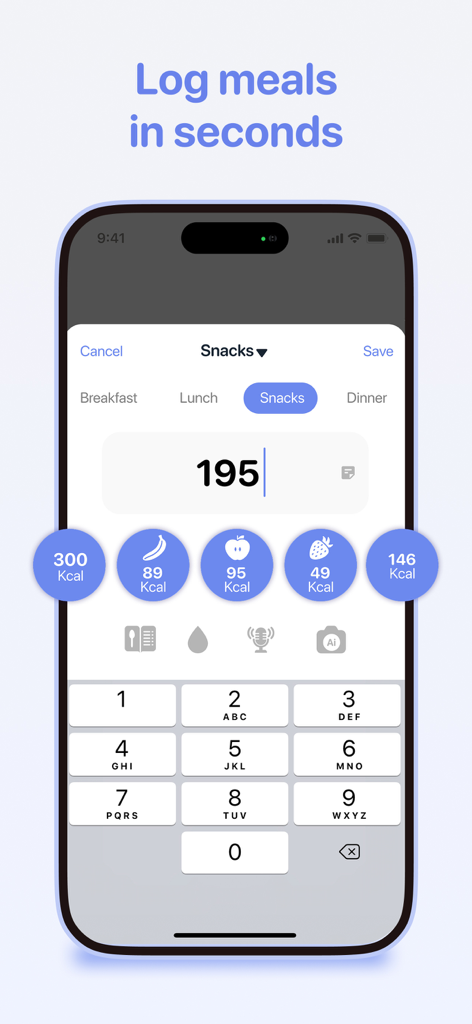
Calorie Counter - Calory AI - Quick meal logging interface in Calory AI app showing calorie input and food icons
Quick meal logging interface in Calory AI app showing calorie input and food icons

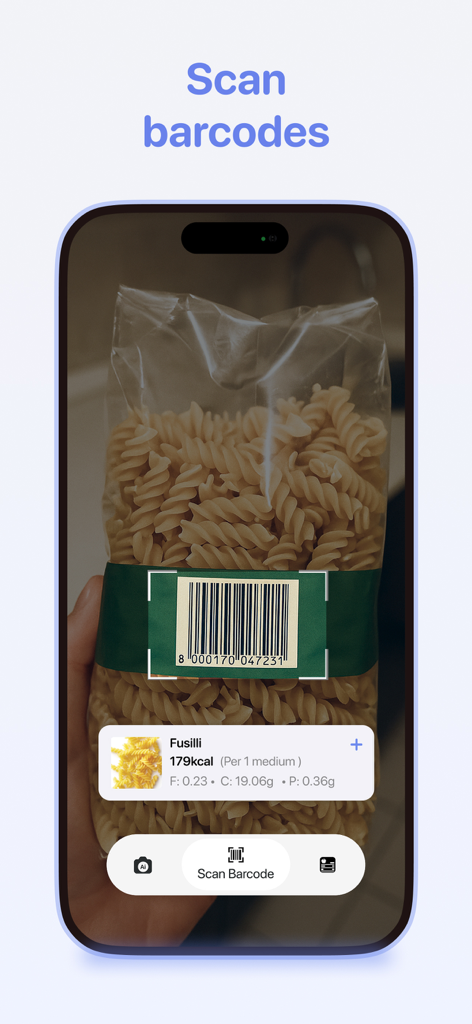
Calorie Counter - Calory AI - iPhone screen showing the Calory AI barcode scanner identifying nutrition facts from a bag of pasta.
iPhone screen showing the Calory AI barcode scanner identifying nutrition facts from a bag of pasta.

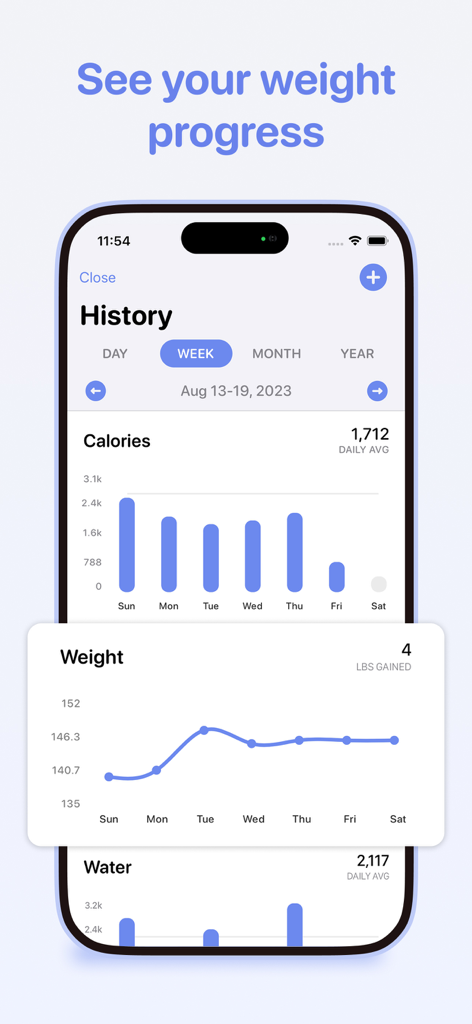
Calorie Counter - Calory AI - A weekly overview of calories burned and weight progress charts in the Calory AI app
A weekly overview of calories burned and weight progress charts in the Calory AI app

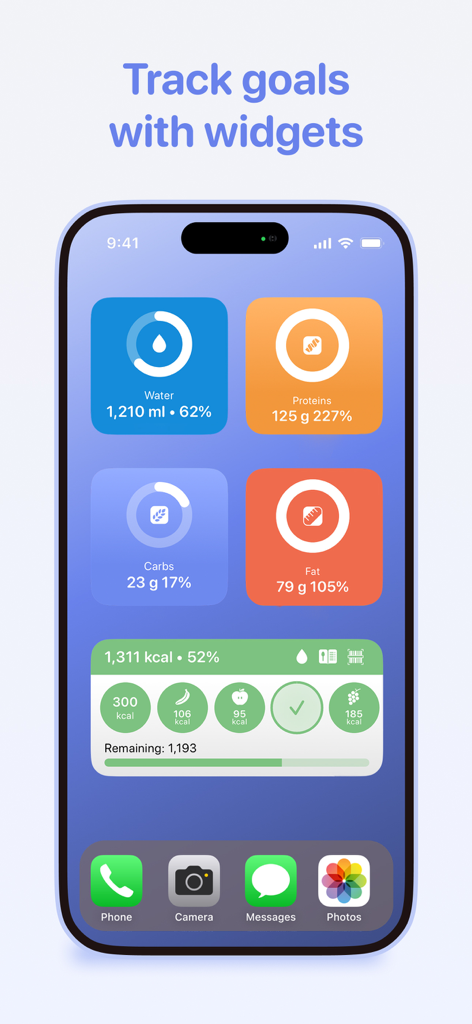
Calorie Counter - Calory AI - Calory AI widgets on an iPhone home screen showing calorie and macro tracking
Calory AI widgets on an iPhone home screen showing calorie and macro tracking

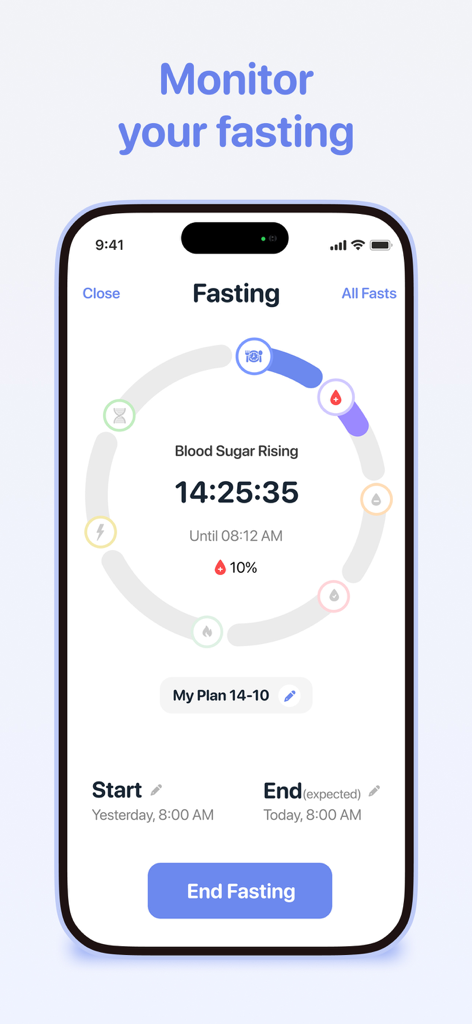
Calorie Counter - Calory AI - Intermittent fasting tracker interface with a circular timer and daily plan summary in the Calory AI app

Intermittent fasting tracker interface with a circular timer and daily plan summary in the Calory AI app

Description

SIMPLE, EASY & FAST CALORIE COUNTING Calory is your ultimate calorie counter and a quick way to count, track & tally your calories during the day. WHY COUNT CALORIES? Everyone has a personalized number of calories they should eat every day based on factors including their weight, height, activity levels, and weight loss/maintenance/gain goals. It’s hard to track calorie intake, though, not least because it’s easy to forget everything you eat during a busy day. Recording your calories as you eat gives you a clearer picture of the calories you are consuming. It also enhances your awareness of food values and nutrient levels, all of which helps you make healthier choices when eating. HOW CALORY WORKS Based on your weight, height and activity level, Calory will calculate a suggested daily calorie goal for you. The daily goal will also factor in if you want to maintain, lose or gain weight. After you know your daily energy requirements, your challenge is to eat the right number of calories. Calory, meanwhile, will remind you throughout the day to record your calorie intake. Even better, there is no registration or sign up required! All the information you enter into Calory is stored on your iCloud, protecting your privacy. GREAT CALORY FEATURES ※ Fasting Tracker ※ Quick Value Add: Instantly add calories you have consumed ※ Create custom plates based on your preferences ※ Daily Calorie Intake Calculator: Advised daily intake tailored to your needs ※ Journal View: Alternative home screen to see all of your data at a glance ※ Today Widget: Quickly log favorite plates ※ Siri Shortcuts: Let Siri log your food ※ Apple Watch app: Quick calorie counting on your wrist ※ Apple Health integration: Read/write dietary data to Apple Health ※ Keep track of your weight: Read/write weight from Apple Health ※ Daily history snapshot where you can review your logged meals ※ Weekly, monthly, and yearly progress charts: A fantastic overview that also helps you make comparisons ※ Custom Reminders / Notifications to keep you on track ※ Dark Mode! ※ Multiple theme colors to choose from so you can customize Calory ※ Ability to change the App Icon ※ NO registration or sign up required! All information is stored and kept on your iCloud POWER UP WITH CALORY PREMIUM ◈ AI Food Scanning ◈ Macro Tracking: Track macronutrient goals ◈ Water Tracker: Track your daily water intake needs ◈ Create Custom Foods ◈ Recipes ◈ Barcode food UPC scanning (US only for now) REMEMBER: ¤ Stay hydrated ¤ Eat whole foods rich in healthy nutrients ¤ Avoid processed foods ¤ Be more active and move! ------------------------- Auto-renewing Premium Subscription is available (price varies by territory, includes free trial) located on the Upgrade page. Payments will be charged to your iTunes Account after confirmation. Subscription automatically renewed unless auto-renew is turned off at least 24 hours before the end of the subscription period. Account will be charged for renewal within 24 hours prior to the end of the current period. Subscriptions may be managed in your iTunes Account’s Settings after purchasing. Any unused portion of a free trial period, if offered, will be forfeited when the user purchases a subscription to that publication, where applicable. NOTES: ↬ HealthKit (Apple Health) integration support is for read/write dietary calories and weight. No data is being sent outside of your device. Health app access required. ↬ Calory is not a medical app. Suggested calorie intake goal is just an estimate based on your profile. Please consult your health provider if you want to use it for medical purposes or to obtain specific diet needs. LEGAL Privacy Policy: https://www.iubenda.com/privacy-policy/36945519 Terms of Use: https://calory.app/terms.html

Download

Download on App Store

This page is not an official page of the app or its developer, but an independent editorial publication created for informational and commentary purposes. Unless expressly stated otherwise, neither the app nor its developer is affiliated with, endorsed by, sponsored by, authorized by, or otherwise officially connected with MWM, Apple, Google Play, the app publisher, or the app's developer, and nothing on this page implies that the app was developed using MWM's services. Any trademarks, logos, screenshots, and other content remain the property of their respective owners.